
DWH Wizard
Overview
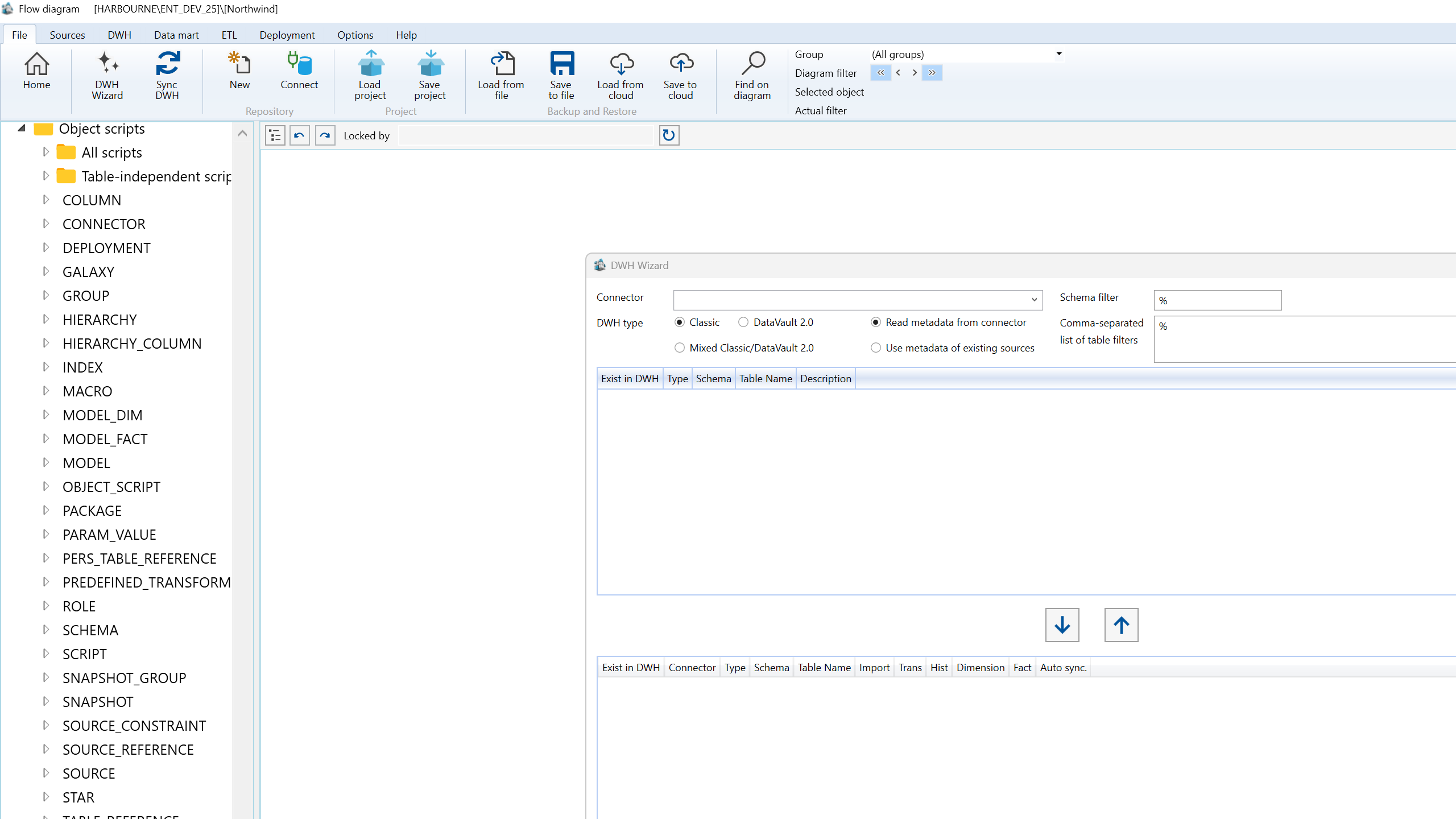
DWH Wizard is the guided warehouse setup flow for turning source metadata into AnalyticsCreator warehouse objects. It helps users choose the modeling approach, select source tables, classify generated objects, and set naming and generation options before creating the warehouse structure.
Function
Use the DWH Wizard to read metadata from a connector or existing source definitions, filter the metadata scope, move selected objects into the generation list, and decide whether each object is imported, transformed, historized, or used as a dimension or fact. The wizard also stores the naming patterns, schema choices, relationship options, default transformations, and star assignments used during generation.
Access
The wizard can be opened from the File ribbon tab, from several navigation-tree context menus, or from the diagram canvas context menu. Opening it from a selected connector preselects that connector in the wizard.
How to access
Navigation tree
Use the root, Sources, Data warehouse, or a selected connector context menu, then choose DWH Wizard.
Toolbar
Use File -> DWH Wizard.
Diagram
Right-click the diagram canvas and choose DWH Wizard.
Visual element
DWH Wizard window with DWH, Patterns, and Options tabs.
Screen overview
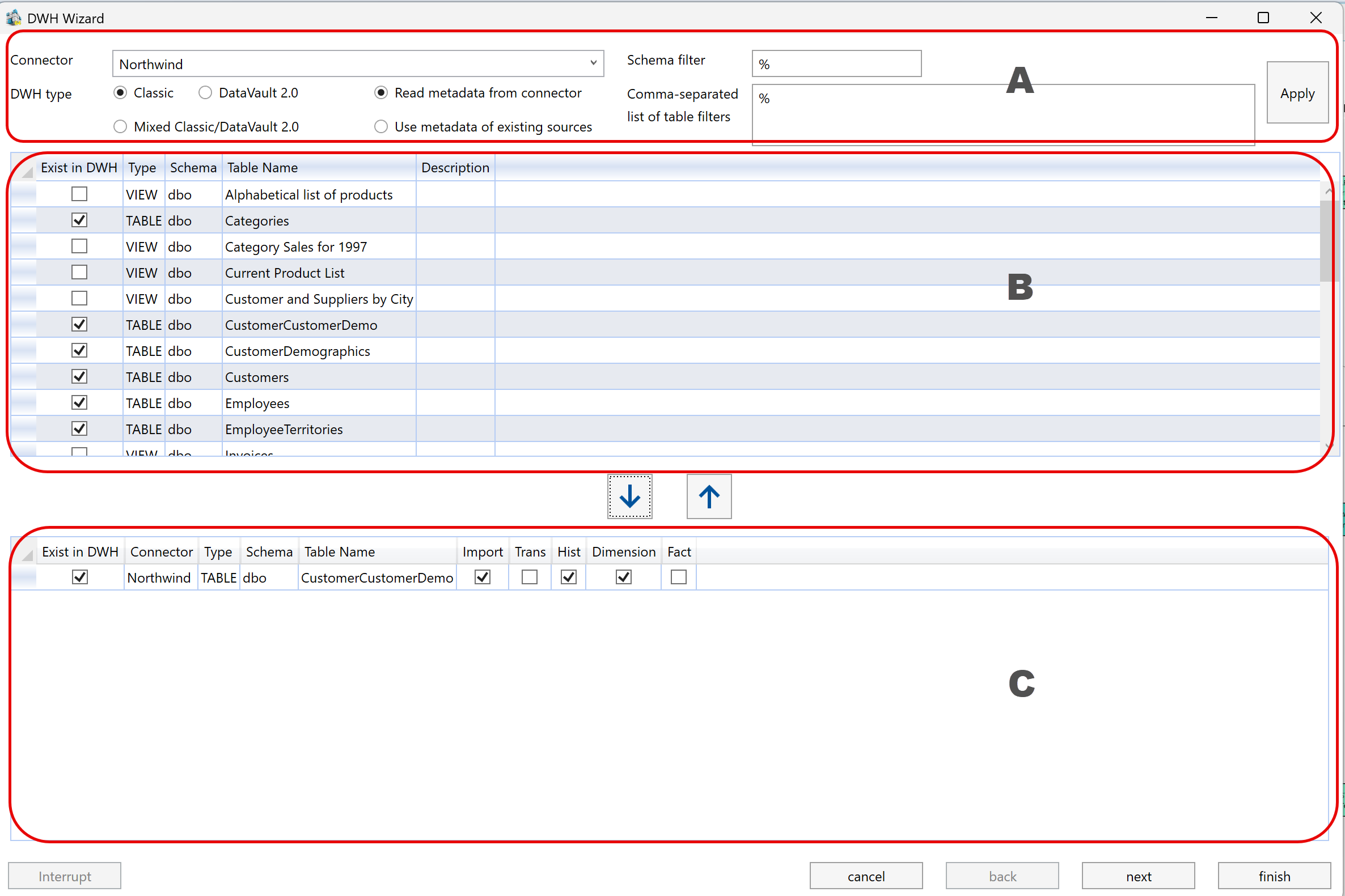
| ID | Property | Description |
|---|---|---|
| A | Metadata source and filtering | Selects the connector, modeling type, metadata source, schema filter, table filters, and Apply action used to load the source-object list. |
| B | Source object selection | Shows retrieved source objects. Select rows here and move them into the generation list. |
| C | Object configuration and classification | Shows selected objects and lets users classify how each object should be generated. |
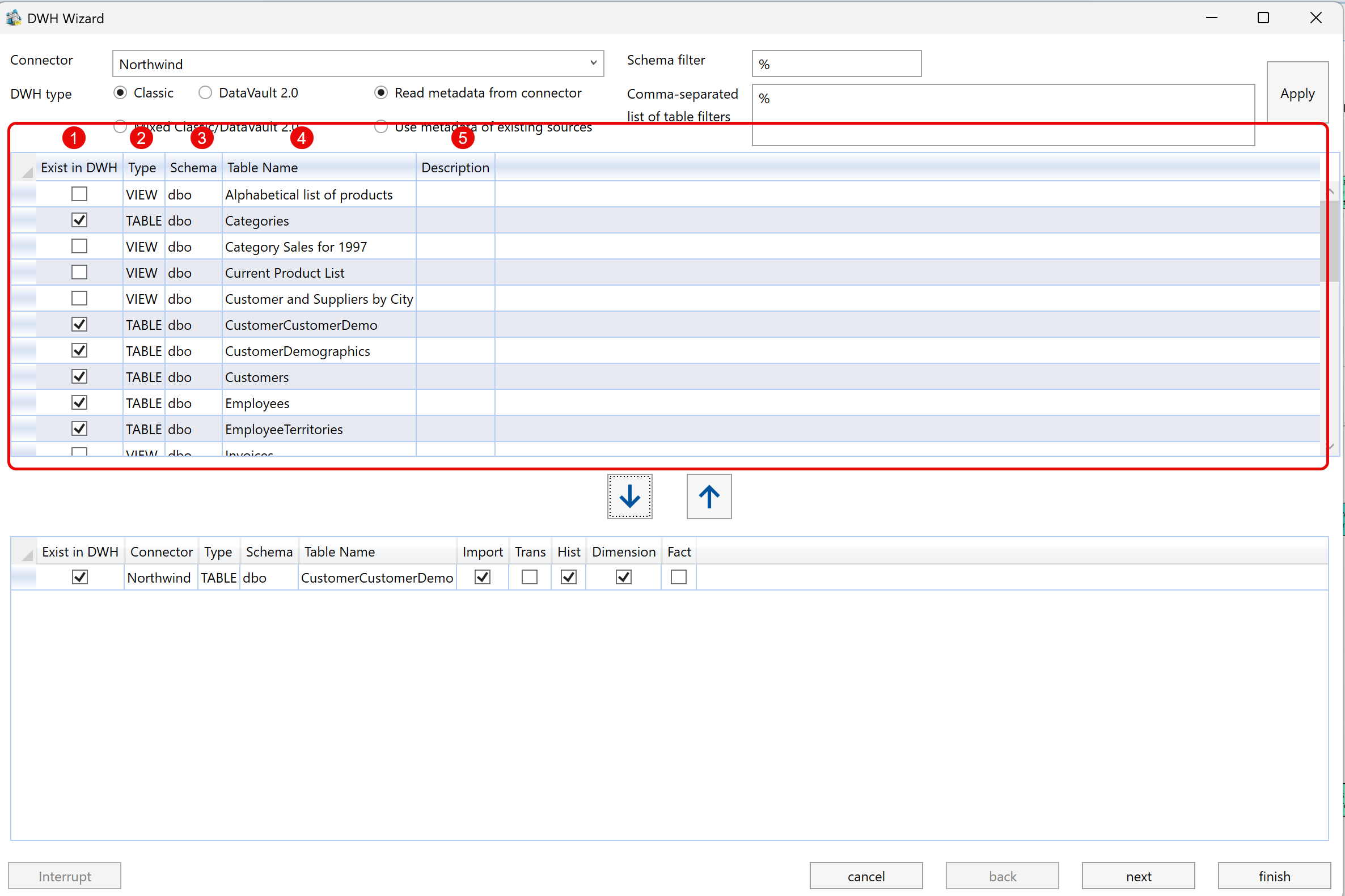
| ID | Property | Description |
|---|---|---|
| 1 | Exist in DWH | Read-only indicator showing whether the source object is already represented in the warehouse model. |
| 2 | Type | Source object type, such as table, view, DeltaQ, or ODP. |
| 3 | Schema | Source schema returned by the connector or stored source metadata. |
| 4 | Table Name | Source table or view name that can be selected for generation. |
| 5 | Description | Source-object description returned with the metadata. |
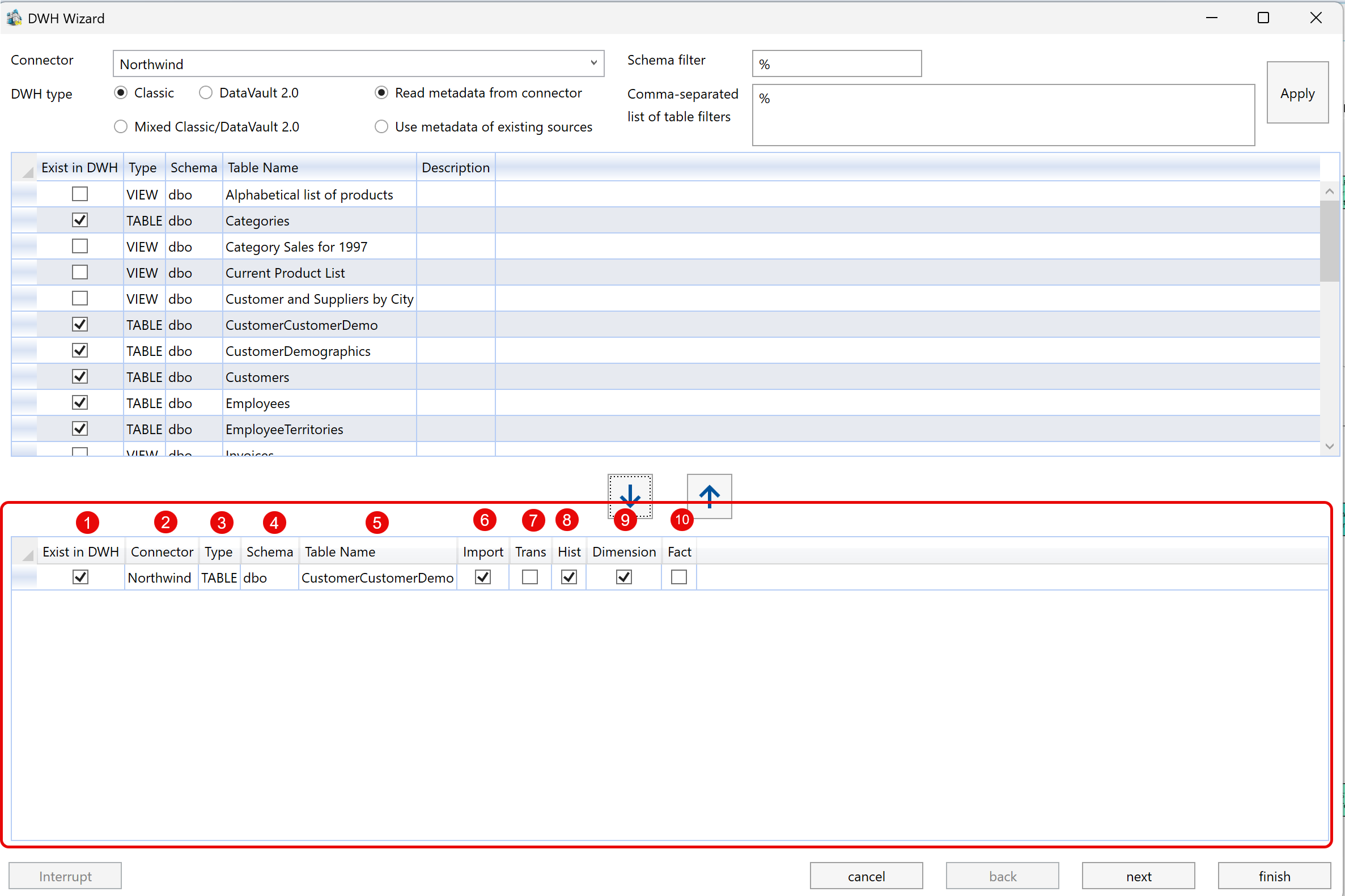
| ID | Property | Description |
|---|---|---|
| 1 | Exist in DWH | Read-only indicator showing whether the selected object already exists in the warehouse model. |
| 2 | Connector | Connector associated with the selected source object. |
| 3 | Type | Source object type. |
| 4 | Schema | Source schema for the selected object. |
| 5 | Table Name | Source table or view name. |
| 6 | Import | Creates an import object for the selected source object. |
| 7 | Trans | Creates a transformation after the import step. |
| 8 | Hist | Creates historized storage for tracking changes over time. |
| 9 | Dimension | Classifies the generated output as a dimension. |
| 10 | Fact | Classifies the generated output as a fact. |
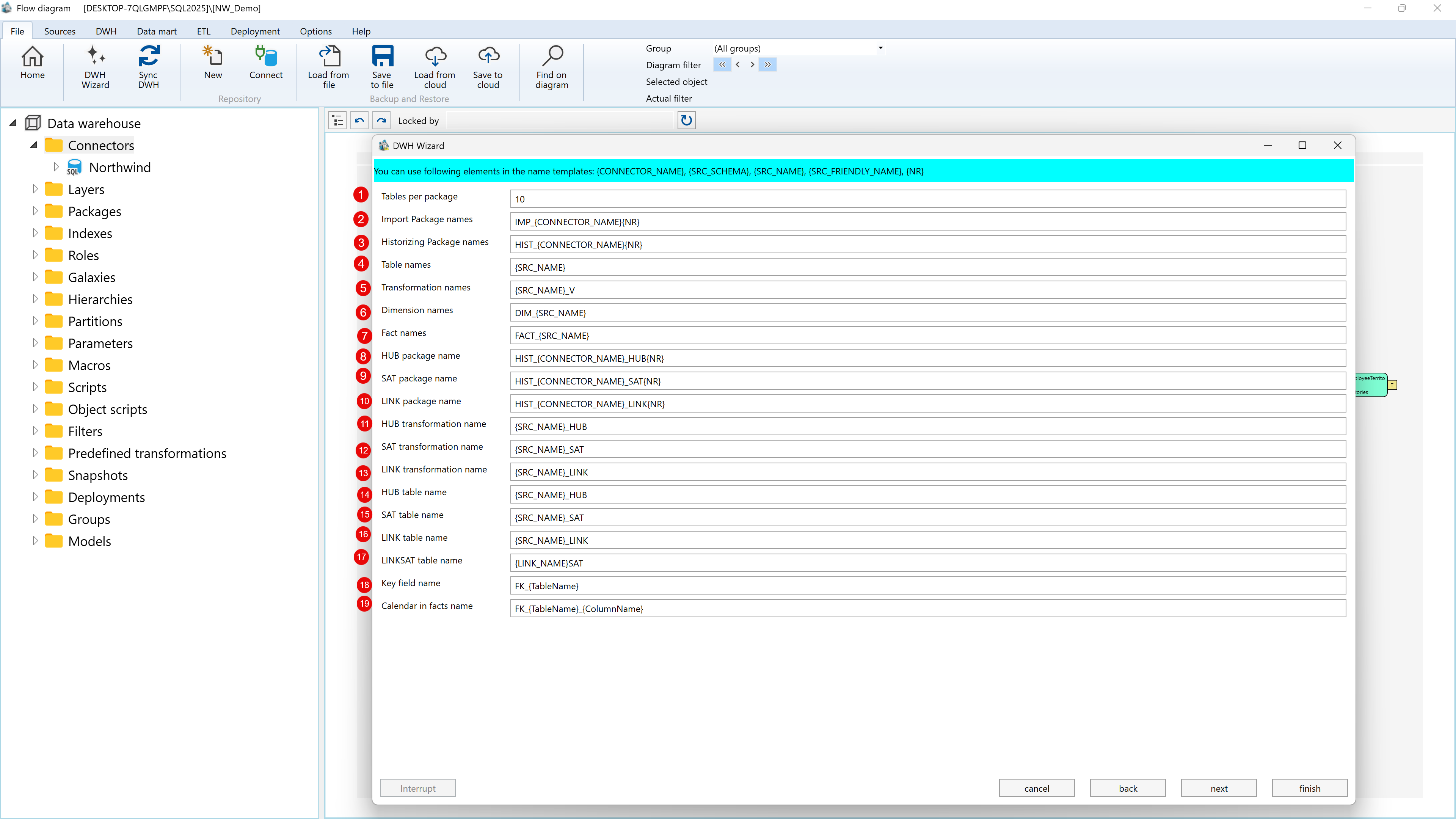
| ID | Property | Description |
|---|---|---|
| 1 | Tables per package | Maximum number of tables grouped into one generated load package. |
| 2 | Import Package names | Naming pattern for generated import packages. |
| 3 | Historizing Package names | Naming pattern for generated packages that load historized objects. |
| 4 | Table names | Naming pattern for generated warehouse tables. |
| 5 | Transformation names | Naming pattern for generated transformations. |
| 6 | Dimension names | Naming pattern for generated dimensions. |
| 7 | Fact names | Naming pattern for generated facts. |
| 8 | HUB package name | Naming pattern for generated hub packages in Data Vault workflows. |
| 9 | SAT package name | Naming pattern for generated satellite packages in Data Vault workflows. |
| 10 | LINK package name | Naming pattern for generated link packages in Data Vault workflows. |
| 11 | HUB transformation name | Naming pattern for generated hub transformations. |
| 12 | SAT transformation name | Naming pattern for generated satellite transformations. |
| 13 | LINK transformation name | Naming pattern for generated link transformations. |
| 14 | HUB table name | Naming pattern for generated hub tables. |
| 15 | SAT table name | Naming pattern for generated satellite tables. |
| 16 | LINK table name | Naming pattern for generated link tables. |
| 17 | LINKSAT table name | Naming pattern for generated link-satellite tables. |
| 18 | Key field name | Naming pattern for generated relationship key fields. |
| 19 | Calendar in facts name | Naming pattern for generated calendar references in fact transformations. |
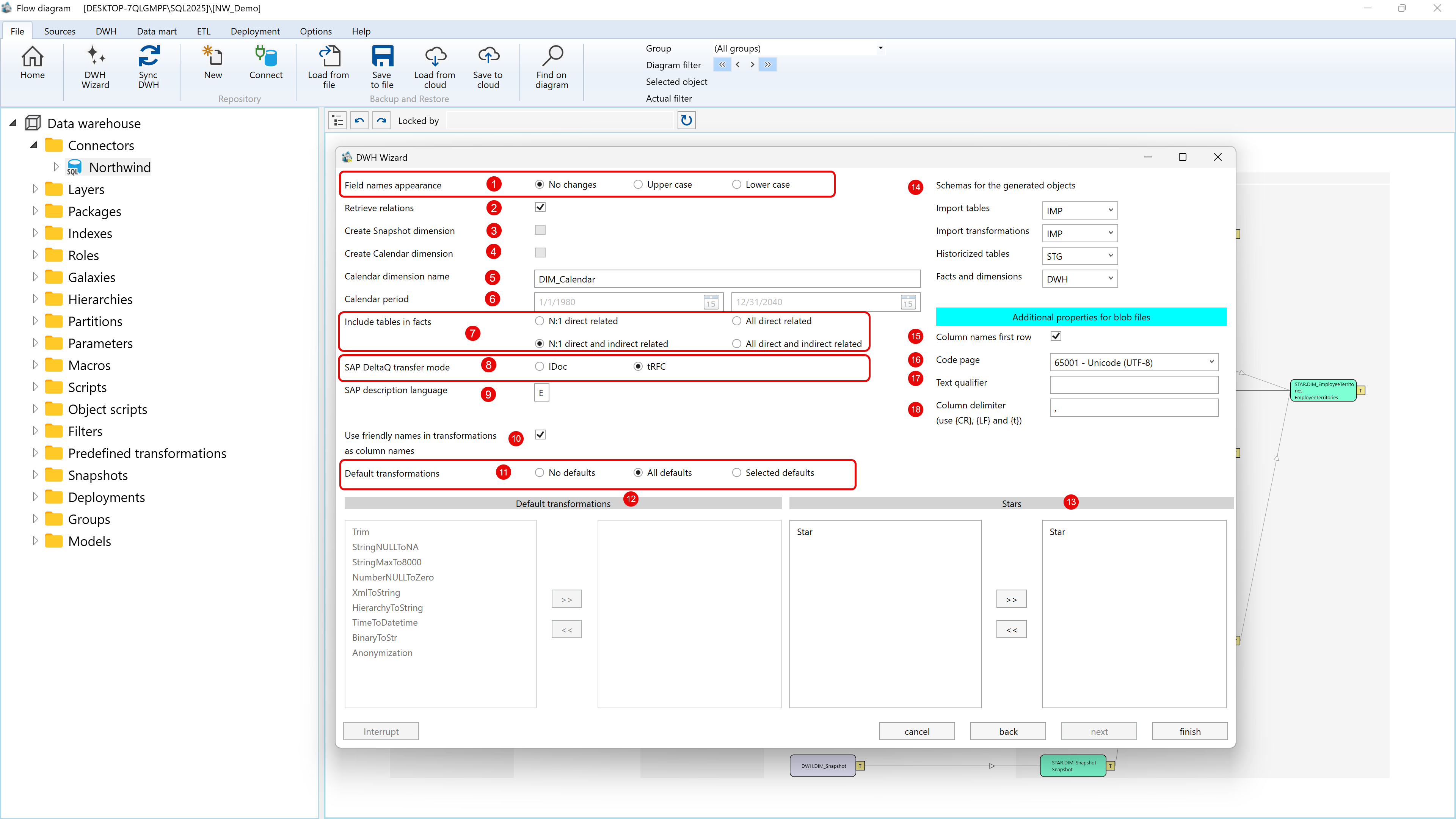
| ID | Property | Description |
|---|---|---|
| 1 | Field names appearance | Keeps field names unchanged or converts generated names to upper case or lower case. |
| 2 | Retrieve relations | Reads available source relationships and uses them during generated model setup. |
| 3 | Create Snapshot dimension | Creates a snapshot dimension when the project does not already contain one. |
| 4 | Create Calendar dimension | Creates a calendar dimension when enabled. |
| 5 | Calendar dimension name | Name used for the generated calendar dimension. |
| 6 | Calendar period | Start and end dates used for generated calendar records. |
| 7 | Include tables in facts | Controls whether fact transformations include directly related, indirectly related, or all related tables. |
| 8 | SAP DeltaQ transfer mode | Selects IDoc or tRFC transfer handling for SAP DeltaQ sources. |
| 9 | SAP description language | Language code used when retrieving SAP descriptions. |
| 10 | Use friendly names in transformations as column names | Uses available friendly names as generated transformation column names. |
| 11 | Default transformations | Chooses whether no predefined transformations, all predefined transformations, or selected predefined transformations are applied. |
| 12 | Default transformations list | Moves selected predefined transformations into or out of the generated transformation set. |
| 13 | Stars | Assigns generated dimensions and facts to selected stars. |
| 14 | Schemas for the generated objects | Sets target schemas for import tables, import transformations, historized tables, and facts and dimensions. |
| 15 | Column names first row | For file-based metadata, marks the first row as the source column-name row. |
| 16 | Code page | Text encoding used when reading file-based metadata. |
| 17 | Text qualifier | Character used to wrap text values in file-based metadata. |
| 18 | Column delimiter | Delimiter used between columns in file-based metadata. |
