
Create transformation
Overview
The Create transformation wizard creates a transformation by combining a type, schema, source tables, fields, stars, default transformations, and optional script logic.
Function
Use the Main step for the transformation type, schema, name, historization, main table, unknown-member, and persisting settings. Then choose tables, field-name behavior, calendar options, stars, defaults, and script or dependent-table options before finishing.
Access
Open the wizard from the listed navigation, toolbar, or diagram context.
How to access
Navigation tree
Model -> Layers -> [layer] -> [schema] -> Transformations -> Add transformation.
Toolbar
ETL -> New Transformation.
Diagram
Diagram -> Add -> Transformation.
Visual element
Transformation wizard
Screen overview
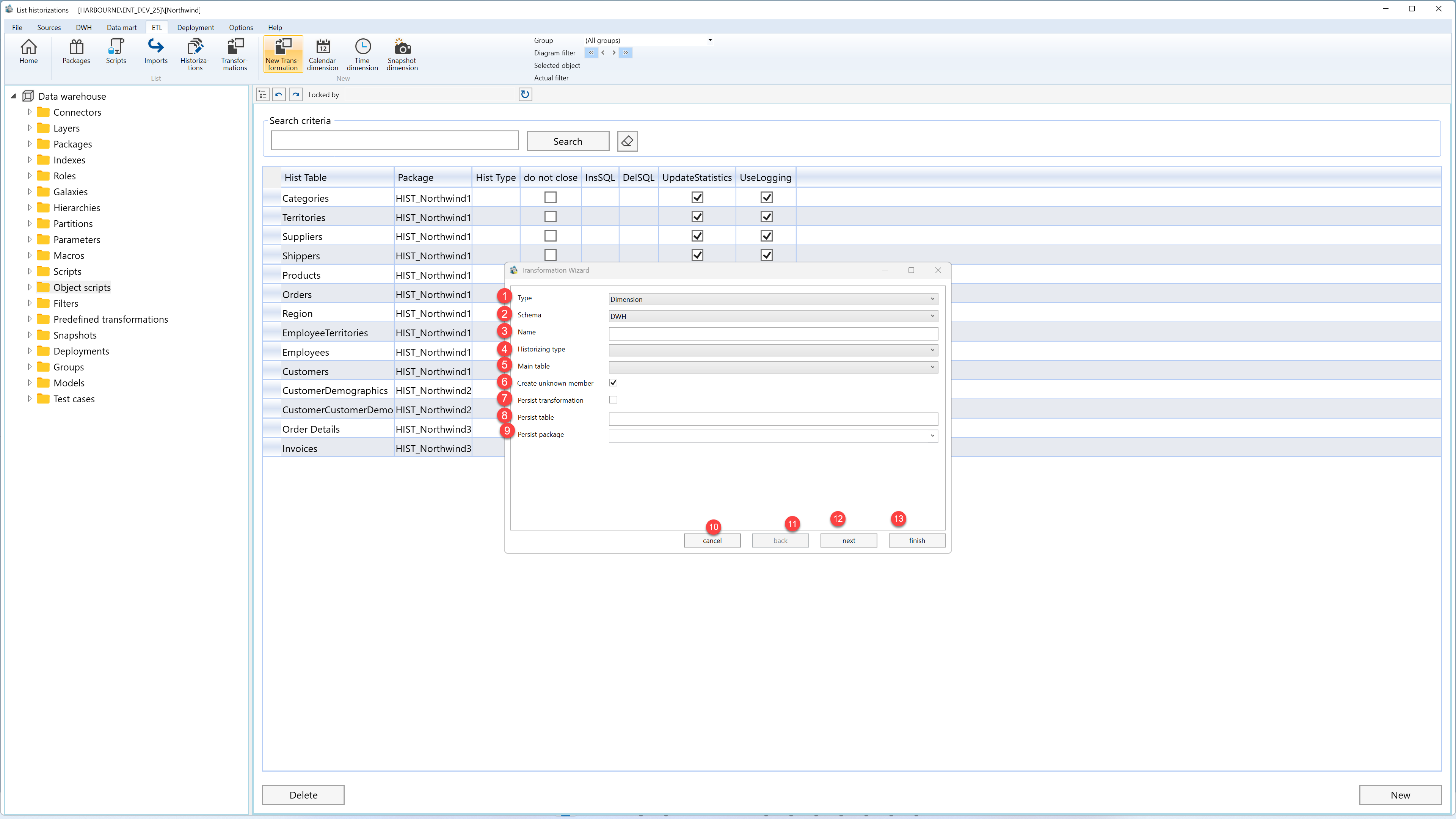
| ID | Property | Description |
|---|---|---|
| 1 | Type | Transformation type. |
| 2 | Schema | Schema for the transformation. |
| 3 | Name | Name of the transformation. |
| 4 | Historizing type | Historization behavior for the transformation. |
| 5 | Main table | Main table used by the transformation. |
| 6 | Create unknown member | Creates an unknown member where supported. |
| 7 | Persist transformation | Creates persisting output for the transformation. |
| 8 | Persist table | Persisted table name. |
| 9 | Persist package | Persisting package name. |
| 10 | Cancel | Leaves the page without continuing the current edit. |
| 11 | Back | Returns to the previous wizard step. |
| 12 | Next | Moves to the next wizard step after the current selections are valid. |
| 13 | Finish | Completes the wizard and creates or updates the selected object. |
