
Table
Overview
The Table page is used to add or edit a data warehouse table definition in AnalyticsCreator. Use it to define the table metadata, table relationships, inheritance behaviour, columns, calculated columns, scripts, dependencies, measures, physical table definition, identity-column settings, and data warehouse creation action.
Function
Use this page to maintain the technical and business definition of a data warehouse table. The top areas define the table name, schema, table type, friendly name, compression type, description, anonymization check statement, related table links, primary-key settings, and inheritance settings.
The tabbed editor maintains the detailed table structure. The Columns tab defines physical columns and semantic metadata. Other tabs maintain calculated columns, scripts, dependencies, measures, and the physical table definition.
The Identity column area defines identity-column behaviour when an identity key is required. Create in DWH creates the table in the data warehouse. Save stores the table definition. Cancel closes the page without continuing the current edit.
Access
Open this page when you need to add a new table or edit an existing table. Existing tables can be opened from the navigation tree, from the Tables list, or by double-clicking a table object in the diagram.
How to access
Navigation tree
Data warehouse -> Layers -> [layer] -> [schema] -> Tables -> Add table, or Data warehouse -> Layers -> [layer] -> [schema] -> Tables -> [table] -> Edit table.
Toolbar
DWH -> Tables, then use New to add a table or double-click an existing row to edit it.
Diagram
Double-click a table object in the diagram.
Screen overview
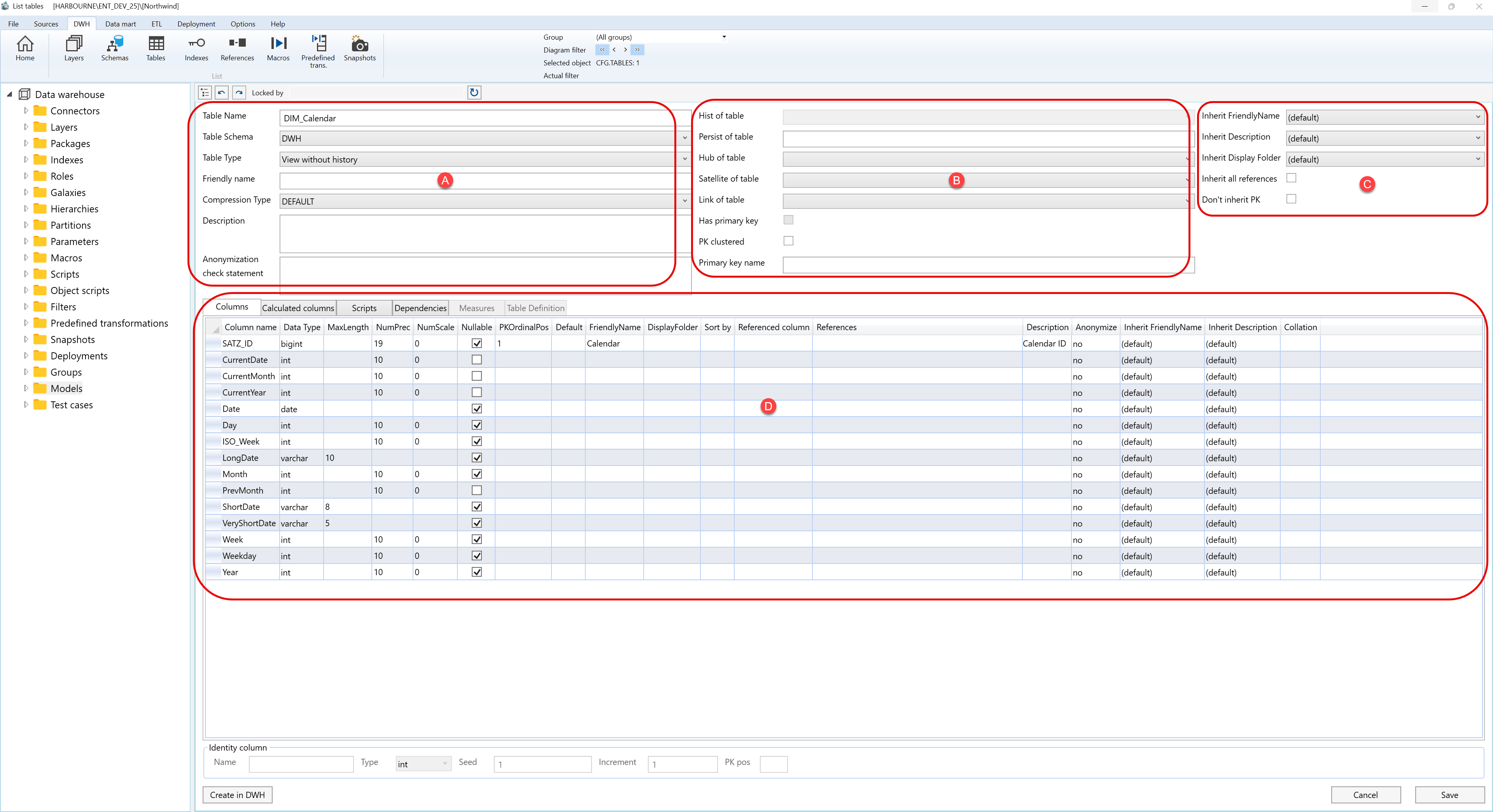
The Table page contains several configuration areas. The screen overview is split into the same main areas shown in the screenshot, with the tabbed editor documented by tab.
A. Table details
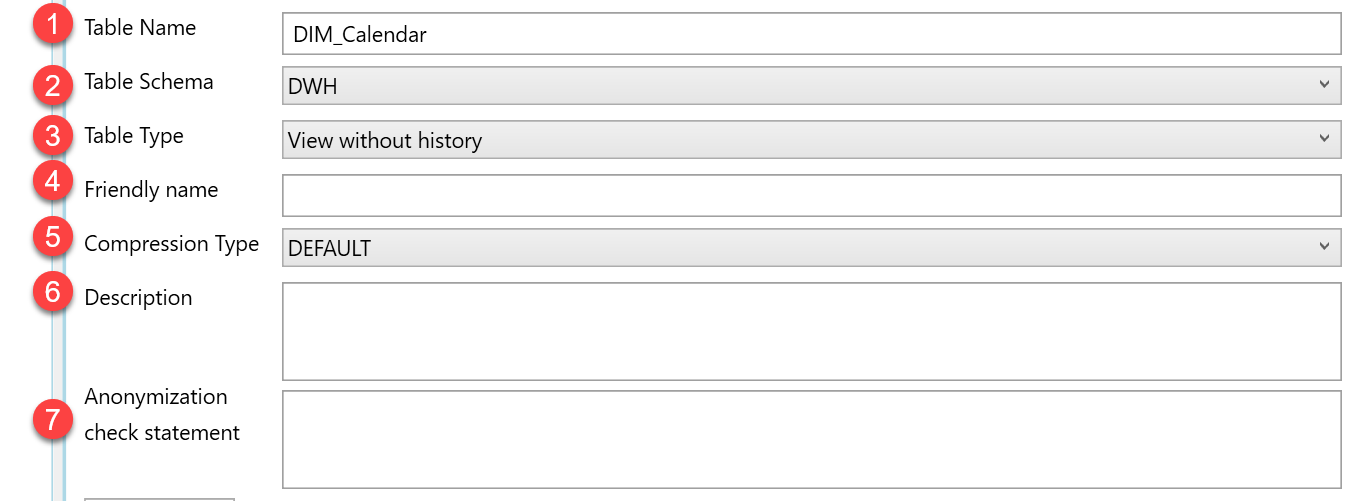
| ID | Property | Description |
|---|---|---|
| A.1 | Table Name | Technical table name used in the data warehouse model. |
| A.2 | Table Schema | Schema that contains the table. |
| A.3 | Table Type | Table category used by AnalyticsCreator when generating and organising warehouse objects. |
| A.4 | Friendly name | Business-facing table name used in semantic or documentation contexts. |
| A.5 | Compression Type | Compression option assigned to the table. |
| A.6 | Description | Business description or notes for the table. |
| A.7 | Anonymization check statement | Statement used to validate anonymization handling for the table. |
B. Related table and primary-key settings
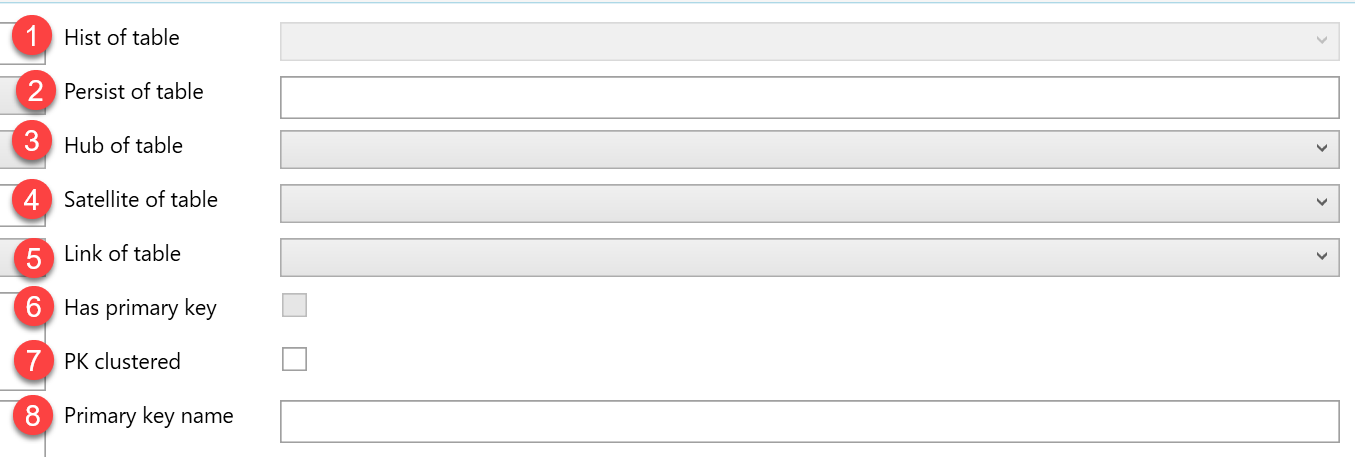
| ID | Property | Description |
|---|---|---|
| B.1 | Hist of table | Links the table to its historized table when applicable. |
| B.2 | Persist of table | Links the table to its persisted table when applicable. |
| B.3 | Hub of table | Links the table to a Data Vault hub table when applicable. |
| B.4 | Satellite of table | Links the table to a Data Vault satellite table when applicable. |
| B.5 | Link of table | Links the table to a Data Vault link table when applicable. |
| B.6 | Has primary key | Shows whether the table has a primary key. |
| B.7 | PK clustered | Controls whether the primary key is clustered. |
| B.8 | Primary key name | Name used for the primary-key definition. |
C. Inheritance settings
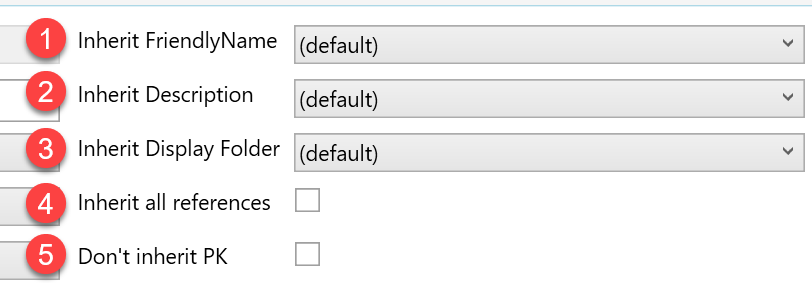
| ID | Property | Description |
|---|---|---|
| C.1 | Inherit FriendlyName | Controls whether the table inherits its friendly name from related metadata. |
| C.2 | Inherit Description | Controls whether the table inherits its description from related metadata. |
| C.3 | Inherit Display Folder | Controls whether the table inherits its display folder from related metadata. |
| C.4 | Inherit all references | Inherits reference metadata where supported. |
| C.5 | Don't inherit PK | Prevents the primary-key definition from being inherited. |
D. Tabbed editor area
Area D contains the table editor tabs. Each tab is documented in a separate table.
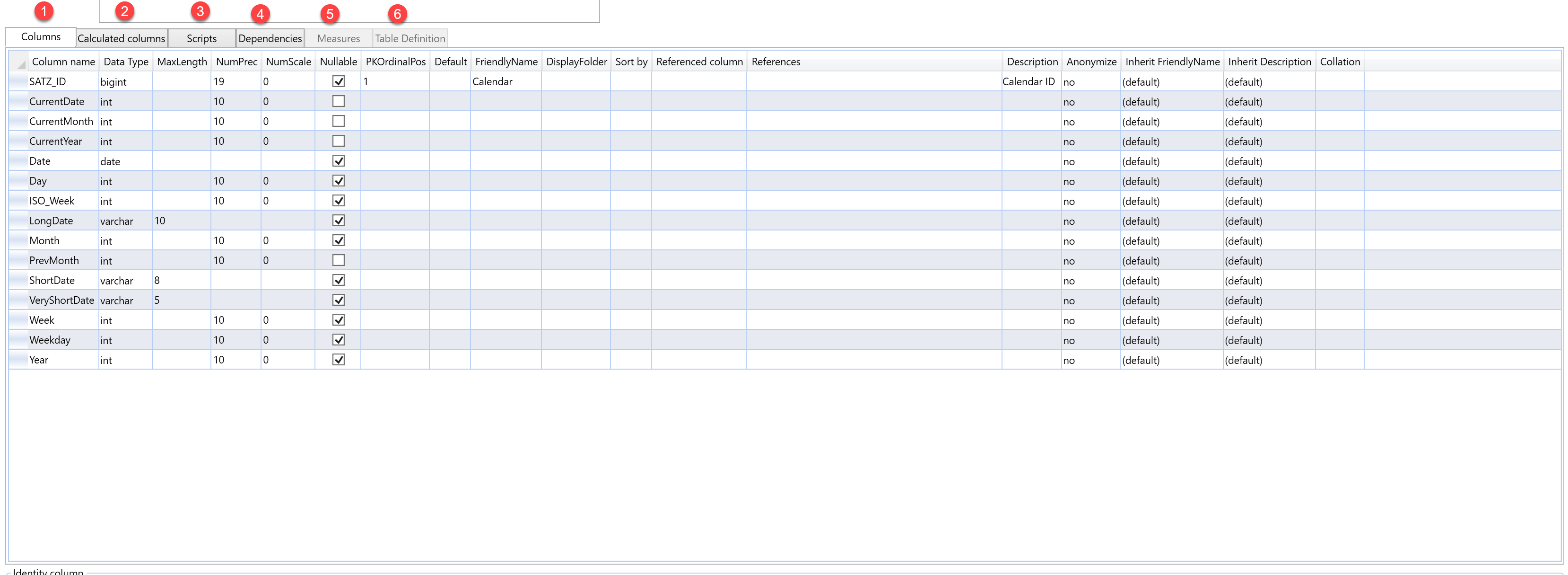
D.1 Columns
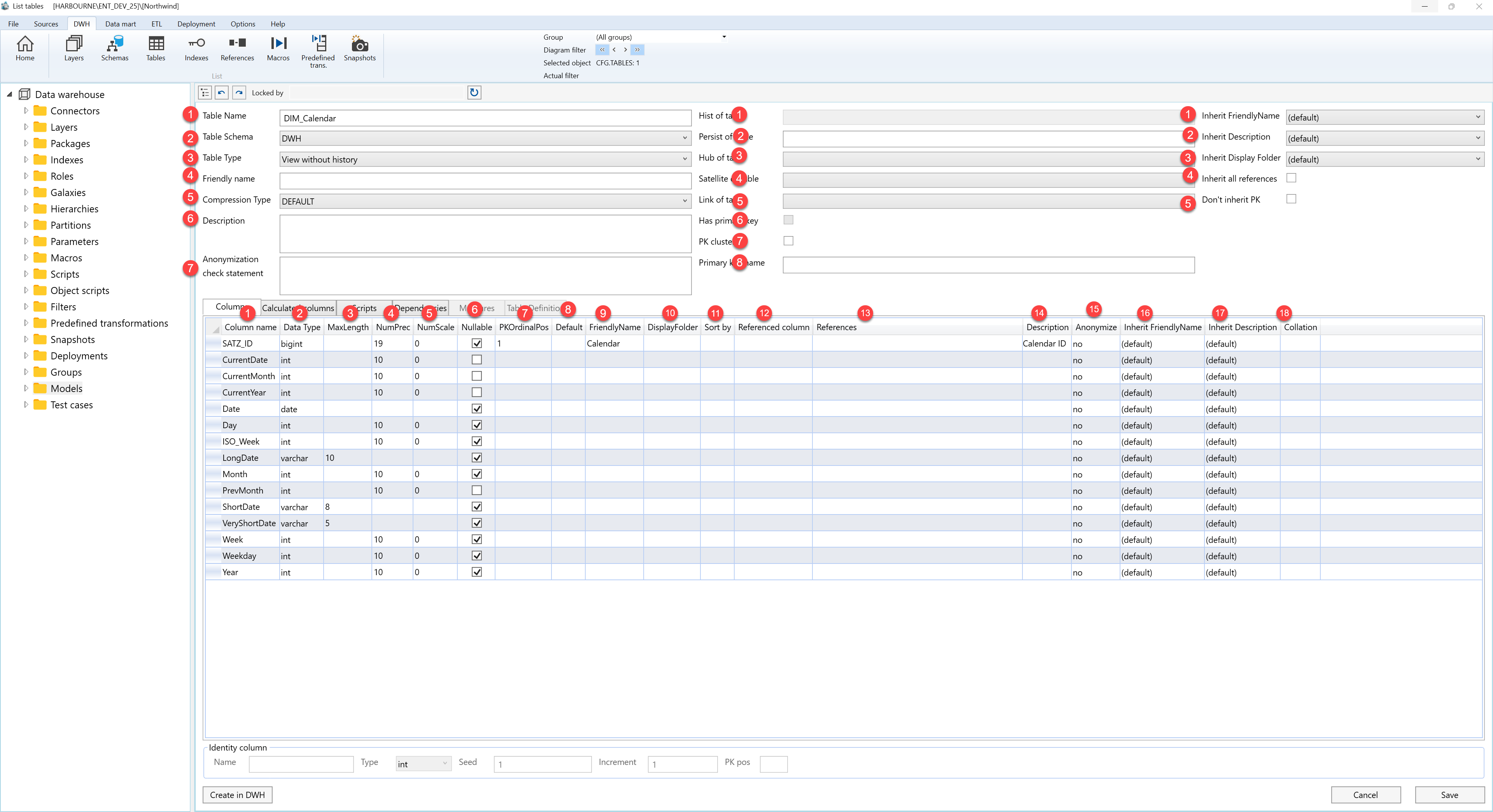
| ID | Property | Description |
|---|---|---|
| D.1 | Columns | Tab used to maintain the physical and semantic properties of table columns. |
| D.1.1 | Column name | Technical column name in the table. |
| D.1.2 | Data Type | Column data type. |
| D.1.3 | MaxLength | Maximum character length when relevant for the selected data type. |
| D.1.4 | NumPrec | Numeric precision when relevant for the selected data type. |
| D.1.5 | NumScale | Numeric scale when relevant for the selected data type. |
| D.1.6 | Nullable | Shows whether the column allows empty values. |
| D.1.7 | PKOrdinalPos | Position of the column in the primary-key definition. |
| D.1.8 | Default | Default value assigned to the column. |
| D.1.9 | FriendlyName | Business-facing column name. |
| D.1.10 | DisplayFolder | Display folder used for semantic or OLAP output. |
| D.1.11 | Sort by | Column used to define sort order for the selected column. |
| D.1.12 | Referenced column | Referenced column used for relationship metadata. |
| D.1.13 | References | Reference metadata assigned to the column. |
| D.1.14 | Description | Description for the column. |
| D.1.15 | Anonymize | Controls whether anonymization is applied to the column. |
| D.1.16 | Inherit FriendlyName | Controls whether the column inherits its friendly name from related metadata. |
| D.1.17 | Inherit Description | Controls whether the column inherits its description from related metadata. |
| D.1.18 | Collation | Collation setting used by the column when supported. |
D.2 Calculated columns
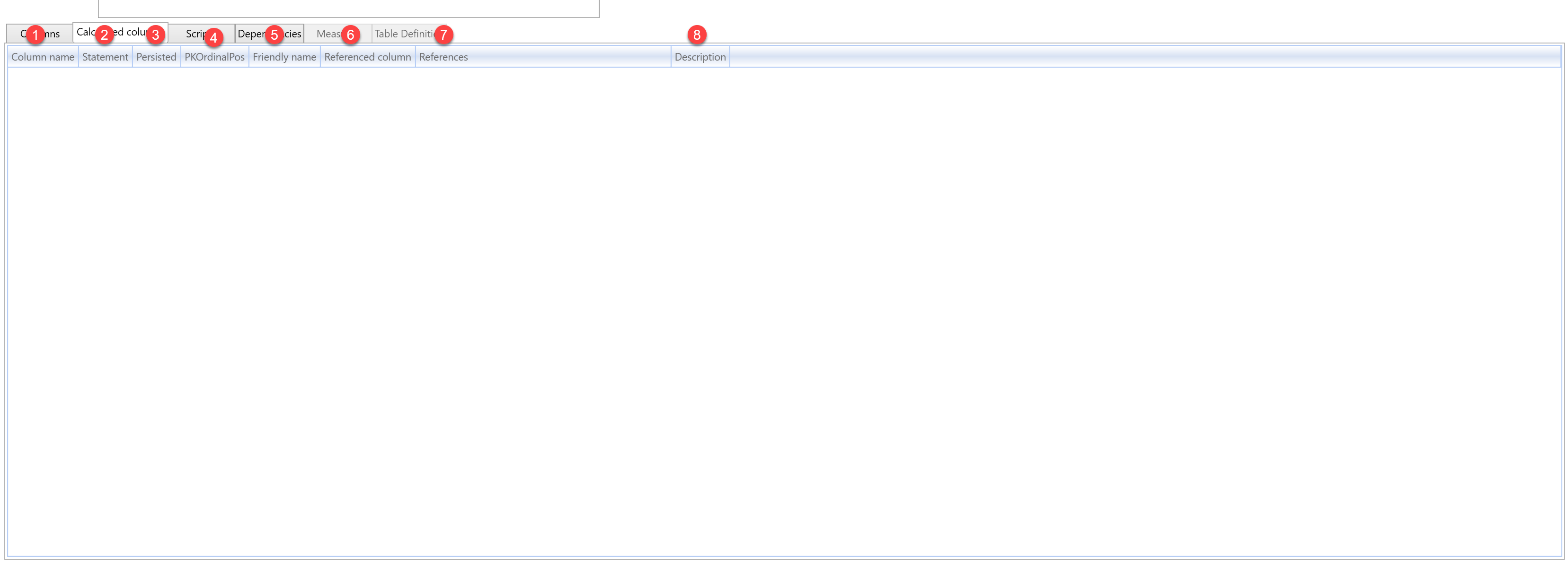
| ID | Property | Description |
|---|---|---|
| D.2 | Calculated columns | Tab used to maintain calculated column definitions for the table. |
| D.2.1 | Column name | Technical name of the calculated column. |
| D.2.2 | Statement | Expression used to calculate the column value. |
| D.2.3 | Data Type | Data type assigned to the calculated column. |
| D.2.4 | Persisted | Stores the calculated column physically where supported. |
D.3 Scripts
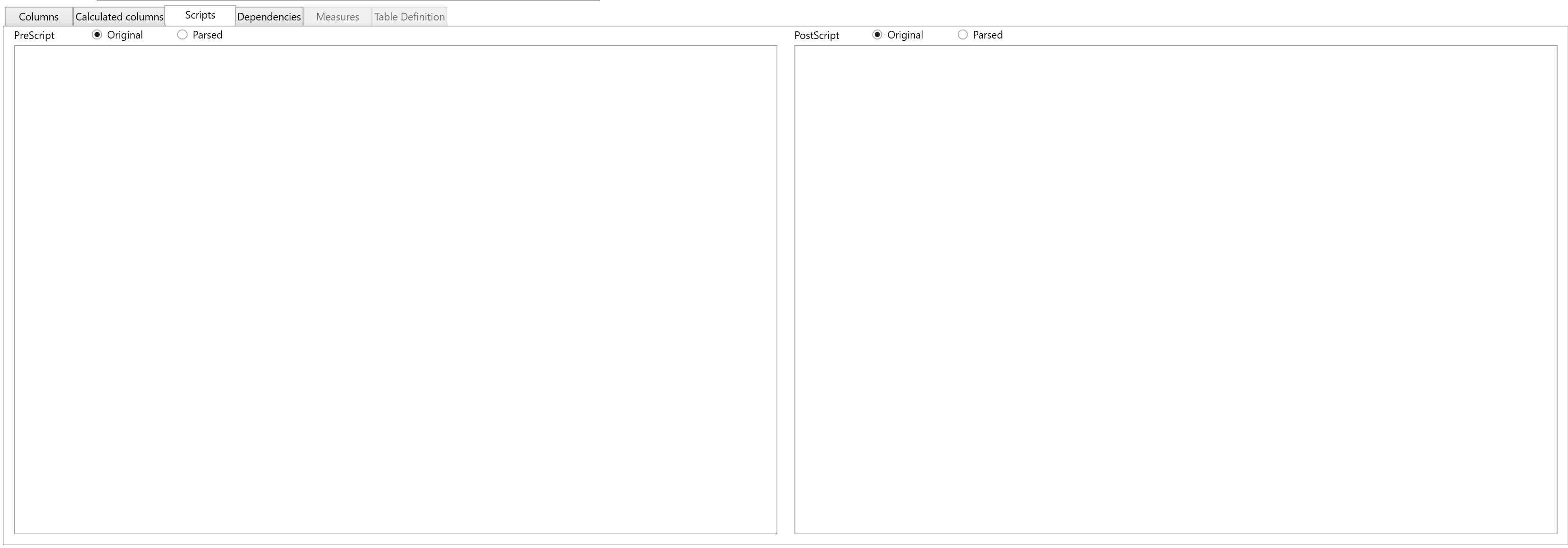
| ID | Property | Description |
|---|---|---|
| D.3 | Scripts | Tab used to maintain SQL that runs before or after table processing. |
| D.3.1 | PreScript | SQL executed before table processing. The script can be viewed as Original, showing the text entered by the user, or Parsed, showing the script after AnalyticsCreator resolves macros and generated expressions. |
| D.3.2 | PostScript | SQL executed after table processing. The script can be viewed as Original, showing the text entered by the user, or Parsed, showing the script after AnalyticsCreator resolves macros and generated expressions. |
D.4 Dependencies
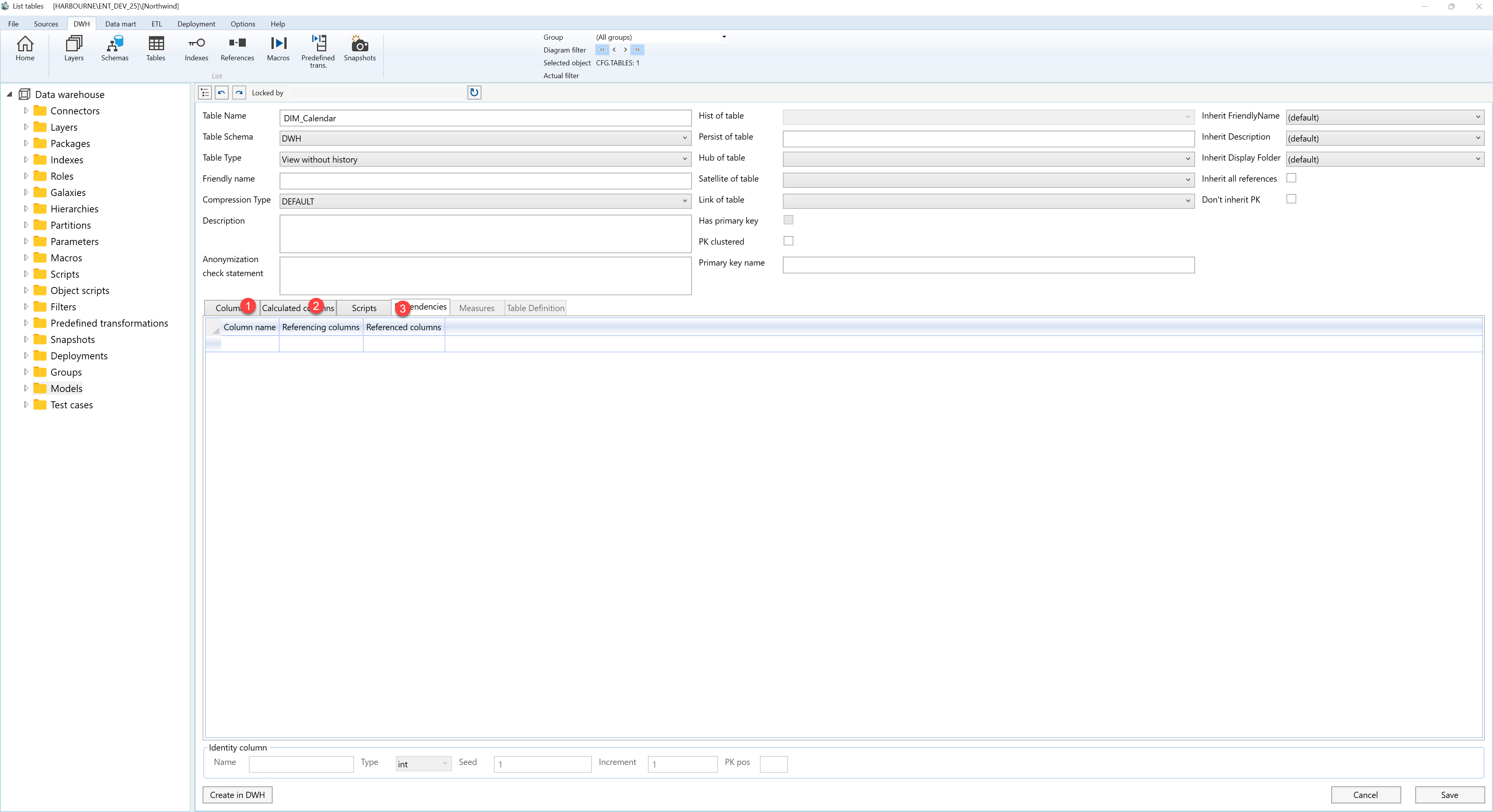
| ID | Property | Description |
|---|---|---|
| D.4 | Dependencies | Tab used to review table dependencies and related object relationships. |
D.5 Measures
| ID | Property | Description |
|---|---|---|
| D.5 | Measures | Tab used to maintain measures exposed from the table. |
| D.5.1 | Measure name | Business name of the measure. |
| D.5.2 | Aggregate | Aggregate behaviour for the measure. |
D.6 Table Definition
| ID | Property | Description |
|---|---|---|
| D.6 | Table Definition | Tab used to review or maintain the physical table definition. |
E. Identity column

| ID | Property | Description |
|---|---|---|
| E.1 | Identity column | Area used to define identity-column settings for the table. |
| E.1.1 | Name | Name of the identity column. |
| E.1.2 | Type | Data type of the identity column. |
| E.1.3 | Seed | Starting value for the identity sequence. |
| E.1.4 | Increment | Increment value for the identity sequence. |
| E.1.5 | PK pos | Primary-key position assigned to the identity column. |
F. Page actions
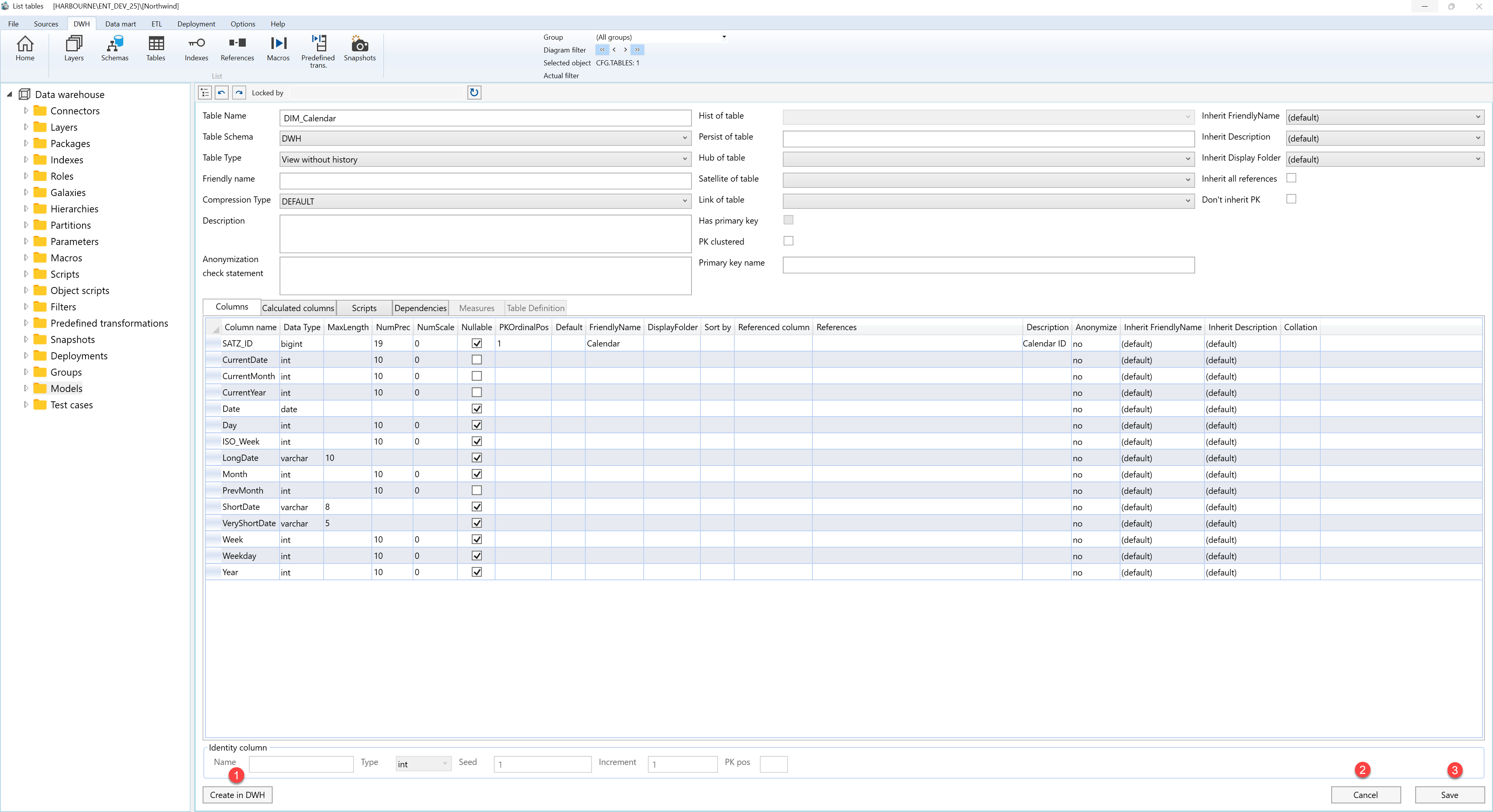
| ID | Action | Description |
|---|---|---|
| F.1 | Create in DWH | Creates the table in the data warehouse. |
| F.2 | Cancel | Closes the page without continuing the current edit. |
| F.3 | Save | Saves the current table definition and refreshes the relevant navigation or list state. |
