
Models
Overview
Models is the editable list page for data mart models. Use it to review, filter, add, and maintain the model records used for dimensions and facts.
Function
The page combines a search filter with an editable models grid. The search field narrows the list by model name or description, and the clear-filter button reloads the full list.
Edit model names and descriptions directly in the grid. New model rows start with a calendar dimension, so the model has a standard time context available for later dimensional design. Save stores the grid changes, and Cancel leaves the page without saving new edits.
Access
Open the models list from the Data mart toolbar or from the Models node in the navigation tree. From an existing model in the navigation tree, use Edit model to open the same list with that model selected.
How to access
Navigation tree
Models -> List models. From an existing model, use Edit model.
Toolbar
Data mart -> Models
Diagram
Not direct. Use the Data mart toolbar or the Models navigation-tree node.
Visual element
Models list page
Screen overview
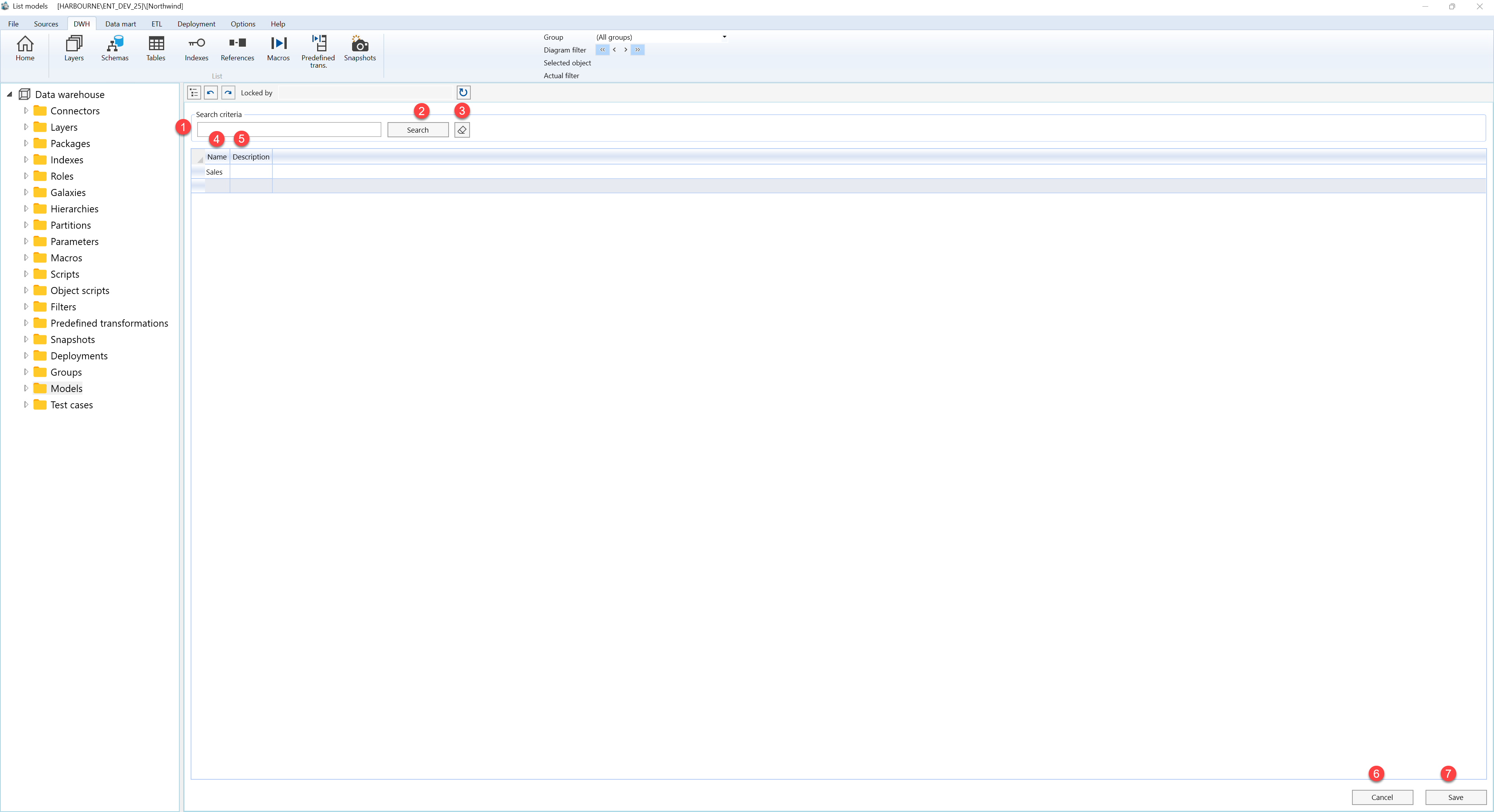
| ID | Property | Description |
|---|---|---|
| 1 | Search criteria | Filter area at the top of the page. |
| 2 | Search field | Text field used to filter model records by name or description. |
| 3 | Search | Runs the filter and refreshes the models grid. |
| 4 | Clear filter | Clears the search field and reloads the full models list. |
| 5 | Name | Grid column for the model name. |
| 6 | Description | Grid column for the model description or business context. |
| 7 | Models grid | Editable result list for maintaining model records. New model rows start with a calendar dimension. |
| 8 | Save | Saves grid changes and refreshes the page. |
| 9 | Cancel | Returns to the previous page without saving new edits. |
