
Source constraints
Overview
Source constraints define validation or exclusion rules for rows that come from a selected source. Use them when source data needs a documented condition before it is imported or used by downstream objects.
Function
The Source constraints dialog shows the constraints for one source in an editable grid. Each row can be tied to a source column, marked so matching rows are not imported, and given a rule statement, message statement, and business description.
When a new row is added, AnalyticsCreator associates it with the selected source. Choose Save to store the grid changes and refresh the list. Choose Cancel to close the dialog without saving pending edits.
Access
Open Source constraints from the source navigation tree commands or from the Constraints button on the Source page. A source must already be saved before constraints can be edited.
How to access
Navigation tree
Sources -> source -> Constraints -> List source constraints or Add source constraint. Existing constraint -> Edit source constraint.
Toolbar
Not direct. Open the Source page or use the source navigation-tree commands.
Diagram
Not direct. Edit constraints from the source record.
Visual element
Source page -> Constraints
Screen overview
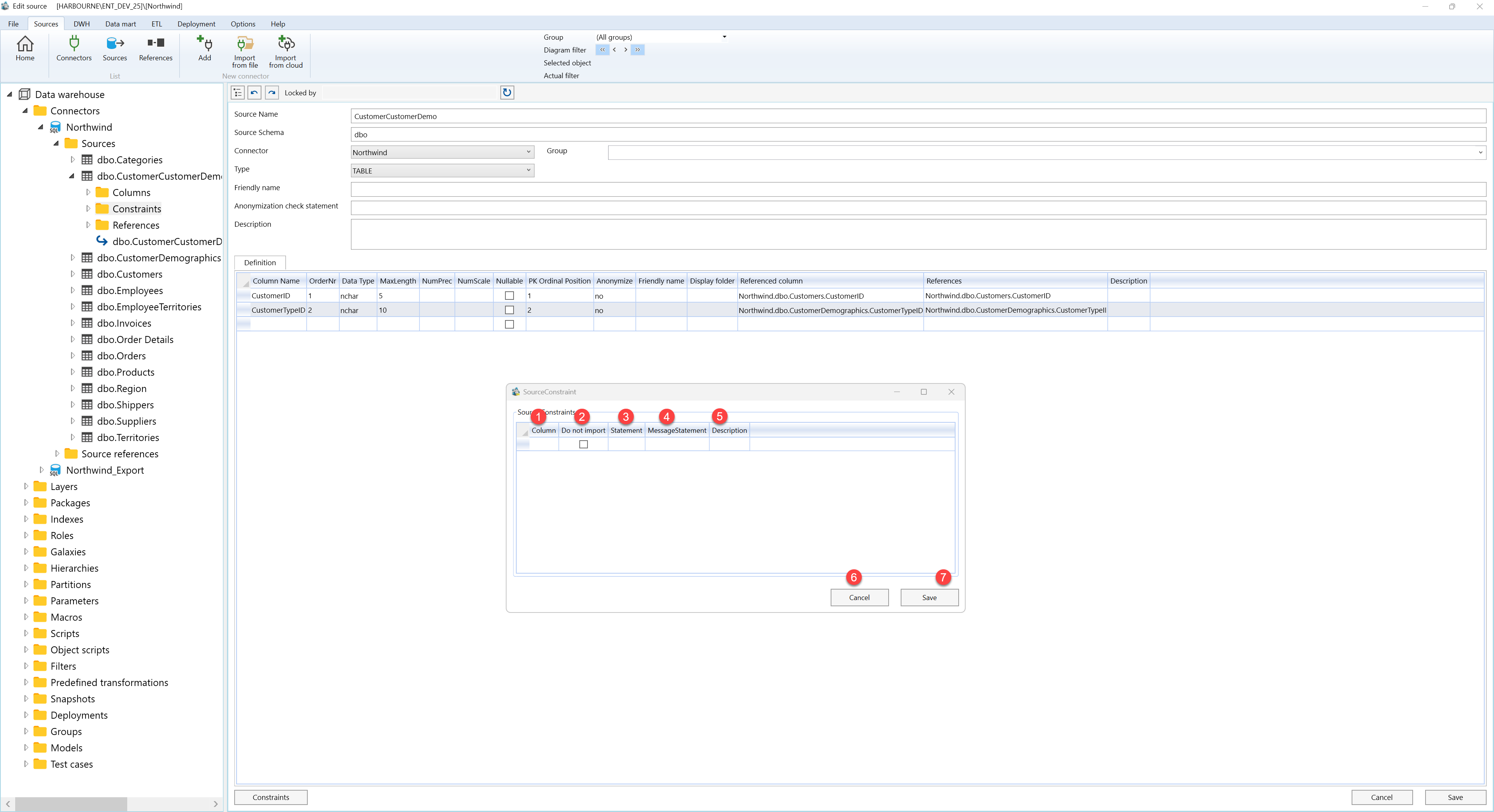
| ID | Property | Description |
|---|---|---|
| 1 | Source Constraints | Editable list of validation or exclusion rules for the selected source. |
| 2 | Column | Selects the source column that the constraint is related to. |
| 3 | Do not import | Marks the rule as one that prevents matching source rows from being imported. |
| 4 | Statement | Defines the rule expression used to evaluate source data. |
| 5 | MessageStatement | Stores the message or message expression associated with the constraint. |
| 6 | Description | Provides a business description so the purpose of the constraint is clear in the source tree. |
| 7 | Save | Stores all grid changes and reloads the constraint list. |
| 8 | Cancel | Closes the dialog without saving pending edits. |
