
Deployments
Overview
Deployments is the navigation-tree entry for deployment definitions in AnalyticsCreator. Use it to refresh deployment-related navigation, open the deployment list, or create a new deployment configuration.
Function
The Deployments node sits under the Data warehouse root in the navigation tree. Its commands provide the main navigation path for managing deployment definitions from the project tree.
List deployments opens the searchable deployments list, where users can find deployments by name or description and double-click a row to edit or run it. Add deployment opens the Deployment page for a new deployment. Refresh reloads the navigation tree after deployment changes.
Access
Open the Deployments node from the Data warehouse navigation tree. Use the node's context menu to refresh the tree, list deployments, or add a deployment.
How to access
Navigation tree
Data warehouse -> Deployments
Toolbar
Not opened directly from the toolbar. Use the Deployments node in the navigation tree.
Diagram
Not opened directly from the diagram. Use the navigation tree to manage deployments.
Visual element
Deployments navigation-tree node
Screen overview
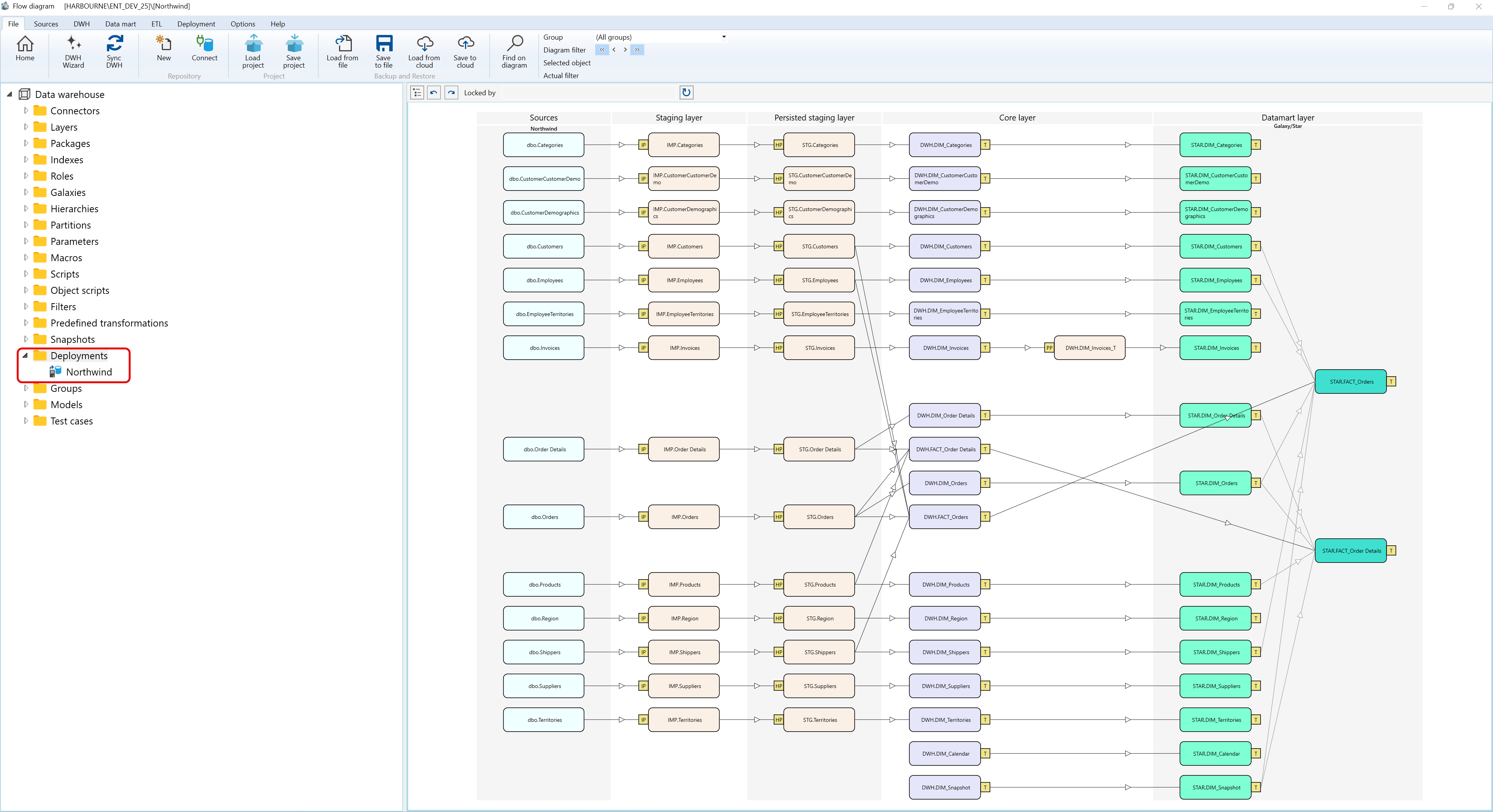
Context menus access
A) Deployments
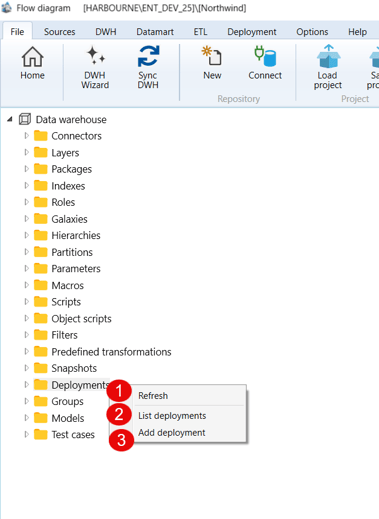
Context menu topics for Deployments
| ID | Context Menu Optioon | Description |
| 1 | Refresh | Refresh the navigation tree |
| 2 | List Deployment | List your current deployment(s) for more info see - Deployments list page |
| 3 | Add depolyment | Add another delpoyment -see Deployment page for more details |
B) And the deployment itself
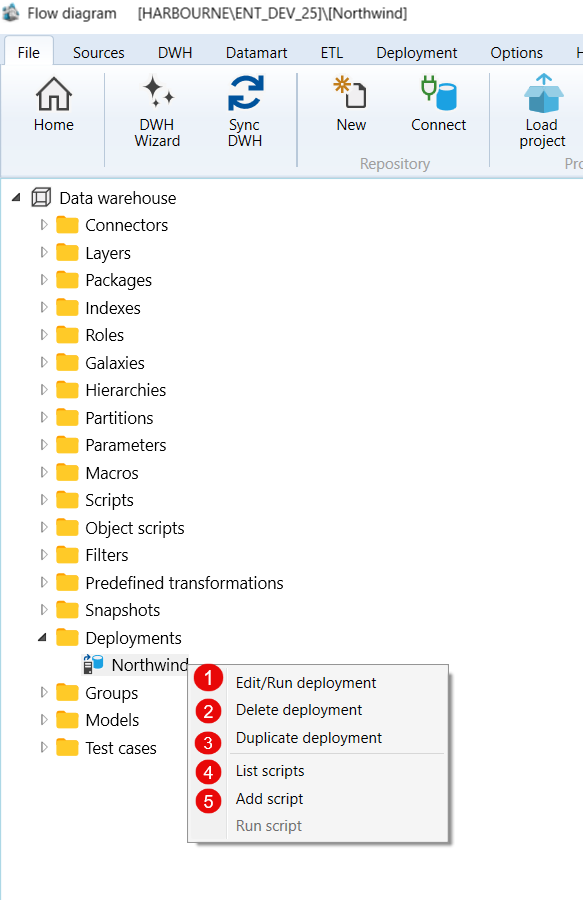
Context menu topics for a Deployment, example Northwind
| ID | Context Menu Option | Description |
| 1 | Edit/Run deployment | Edit/or Run your selected deployment see Deployment page for more details |
| 2 | Delete deployment | Delete your selected deployment |
| 3 | Duplicate deployment | Duplicate your selected deployment |
| 4 | List scripts | List your current deployment scripts for more info see - List Deployments |
| 5 | Add script | Add scripts to your selected Deployment |
