
Star
Overview
The Star page maintains a Datamart star, including its galaxy, schema, diagram order, description, and OLAP availability.
Function
Use Star name, Galaxy, Schema, and Order in diagram to position the star in Datamart navigation and diagrams.
Description and MDX document analytical behavior.
Multidimensional and Tabular control whether the star participates in those semantic model outputs.
Access
Open an existing star from the Stars list or by double-clicking a star object in the diagram.
How to access
Navigation tree
Datamart -> Stars, then open the star from the list.
Toolbar
Datamart -> Stars, then double-click a star row.
Diagram
Star object -> double-click.
Visual element
Star page
Screen overview
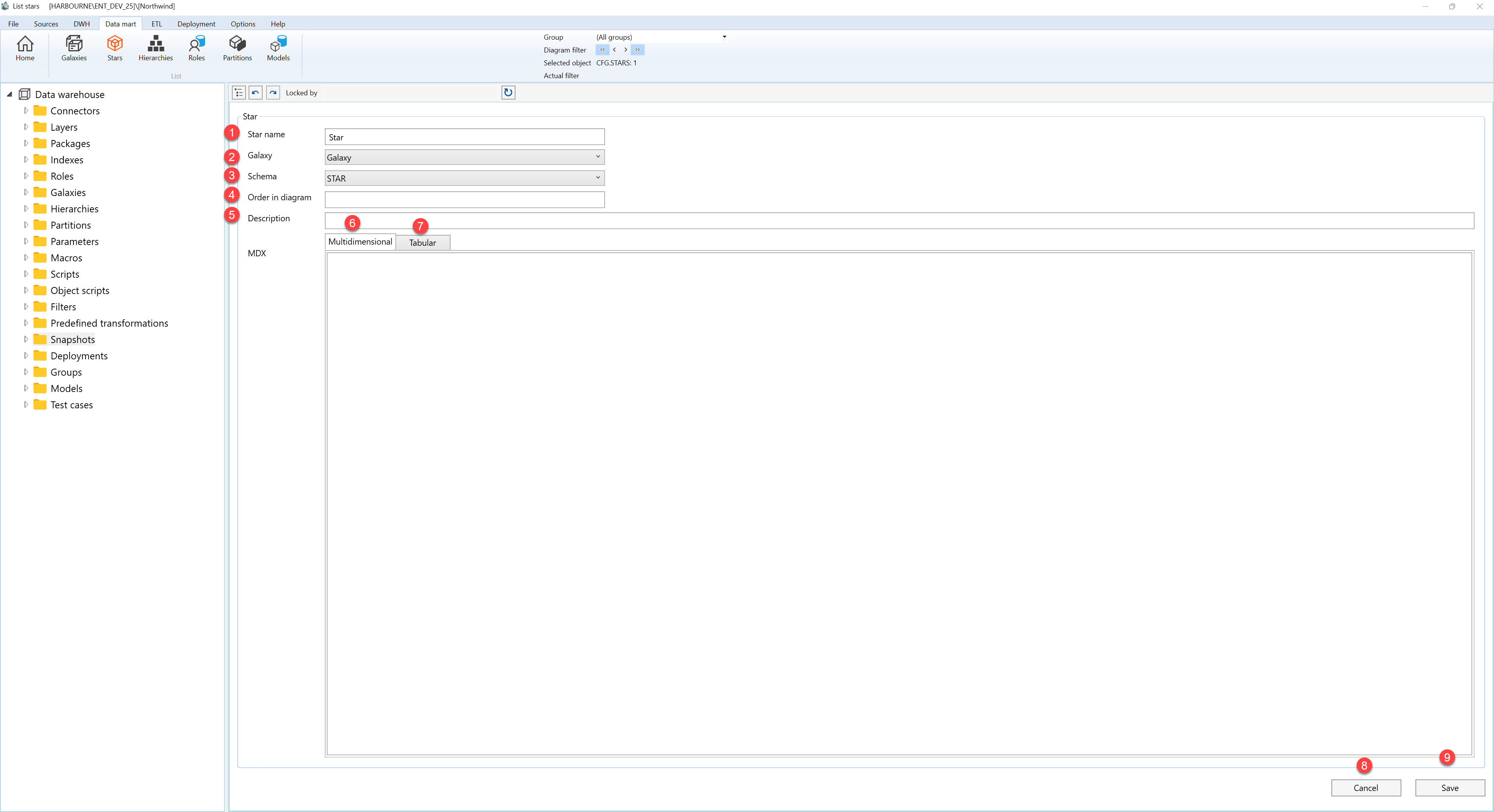
| ID | Property | Description |
|---|---|---|
| 1 | Star | Main editor for Datamart star settings. |
| 2 | Star name | Name shown for the star in lists, navigation, and diagrams. |
| 3 | Galaxy | Galaxy that contains the star. |
| 4 | Schema | Schema associated with the star. |
| 5 | Order in diagram | Ordering value used when the star is shown in diagrams. |
| 6 | Description | Business description or notes for the object. |
| 7 | MDX | MDX-related setting for multidimensional output. |
| 8 | Multidimensional | Enables multidimensional output for the star. |
| 9 | Tabular | Enables tabular output for the star. |
| 10 | Save | Saves the current definition, refreshes the relevant navigation or list, and keeps the page consistent with the saved state. |
| 11 | Cancel | Leaves the page without continuing the current edit. |
