
Snapshot groups
Overview
Snapshot groups is the searchable list page for named collections of snapshots. Use it to find a group by name or description, review the available groups, open an existing group for editing, create a new group, or delete an obsolete one.
Function
The page combines a search filter with a read-only result grid. The search field narrows the list by group name or description, and the clear-filter button reloads the full list.
Double-click a row to open the Snapshot group page, where the group name, description, and assigned snapshots can be maintained. Use New to start a new snapshot group from the list, or Delete to remove the selected group after confirmation.
Access
Open the list from the Snapshot groups branch under Snapshots in the navigation tree. The same branch also provides Add snapshot group, and each existing snapshot group provides Edit snapshot group.
How to access
Navigation tree
Snapshots -> Snapshot groups -> List snapshot groups
Toolbar
No direct toolbar command. Use the Snapshots navigation tree branch.
Diagram
Not direct. Manage snapshot groups from the navigation tree; transformations can later use a snapshot group.
Visual element
Snapshot groups list page
Screen overview
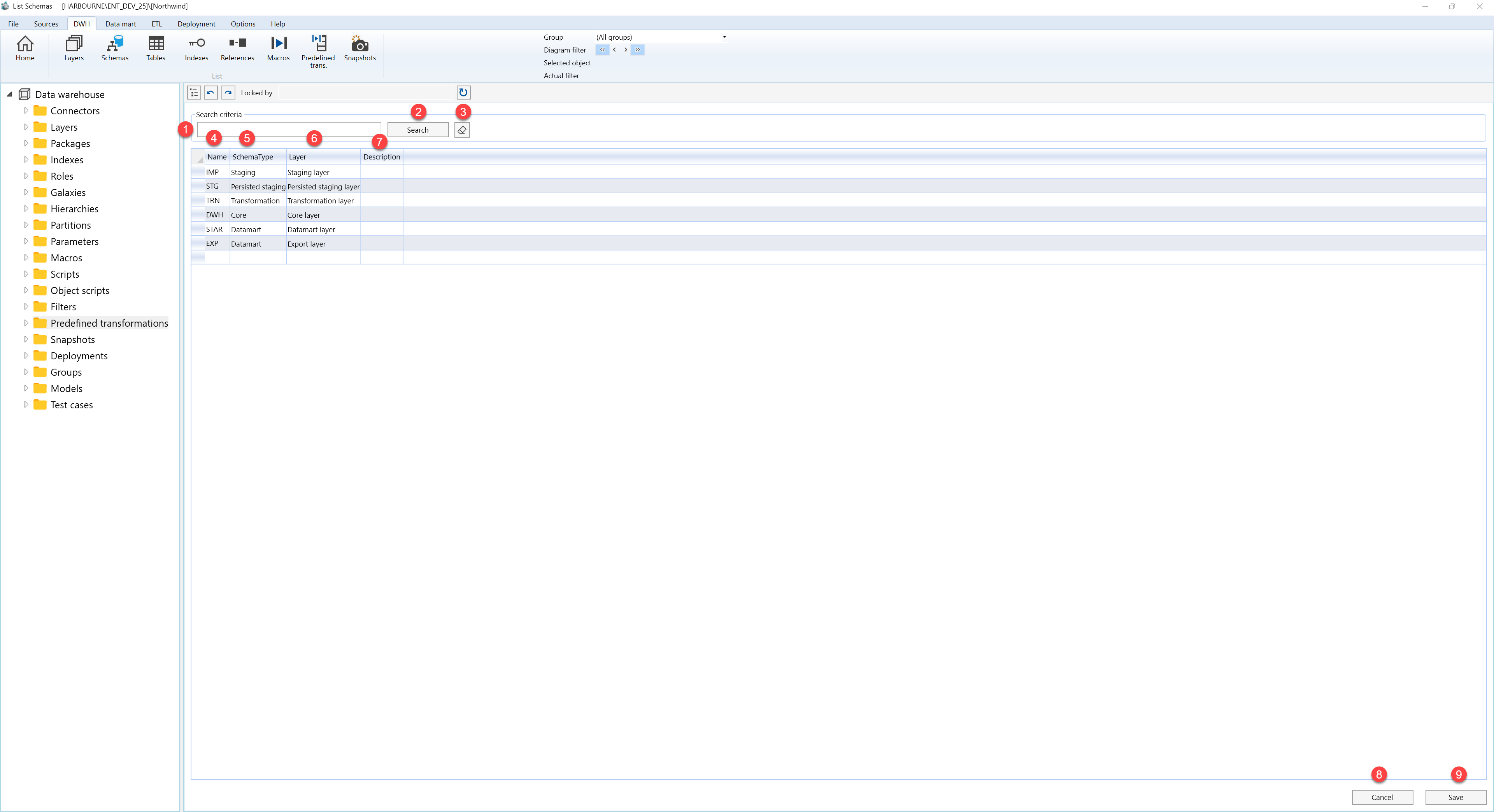
| ID | Property | Description |
|---|---|---|
| 1 | Search criteria | Filter area at the top of the page. |
| 2 | Search field | Text field used to filter snapshot groups by group name or description. Press Enter to run the same filter as the Search button. |
| 3 | Search | Runs the filter and refreshes the Snapshot groups grid. |
| 4 | Clear filter | Clears the search field and reloads the full snapshot group list. |
| 5 | Name | Grid column for the snapshot group name. |
| 6 | Description | Grid column describing the purpose or contents of the snapshot group. |
| 7 | Snapshot groups grid | Read-only result list for reviewing snapshot groups. Double-click a row to open it on the Snapshot group page. |
| 8 | Delete | Deletes the selected snapshot group after user confirmation. If the group is used by transformations, the confirmation message calls that out before deletion. |
| 9 | New | Starts a new Snapshot group from the list page. The navigation tree also offers Add snapshot group for opening the editor directly. |
