
Preview source data
Overview
Preview source data shows a read-only sample of data returned by a selected source. Use it to check source connectivity, inspect returned columns, and test a filter before building or refreshing downstream objects.
Function
When the dialog opens, AnalyticsCreator loads sample rows for the selected source and displays them in a grid. The grid creates columns from the returned source fields and supports scrolling through the preview result.
Use Filter, Num of rows, and Timeout (sec) to control the next preview request. Choose Apply to rerun the preview with those settings. Choose OK to close the dialog after reviewing the sample data.
For file-based CSV sources, the preview command opens the source file directly instead of showing the preview grid.
Access
Open Preview source data from a source in the navigation tree or from a source object on the architecture diagram.
How to access
Navigation tree
Sources -> source -> Preview data
Toolbar
Not direct. Use a source context menu in the navigation tree or diagram.
Diagram
Architecture source object -> Preview data
Visual element
Preview dialog
Screen overview
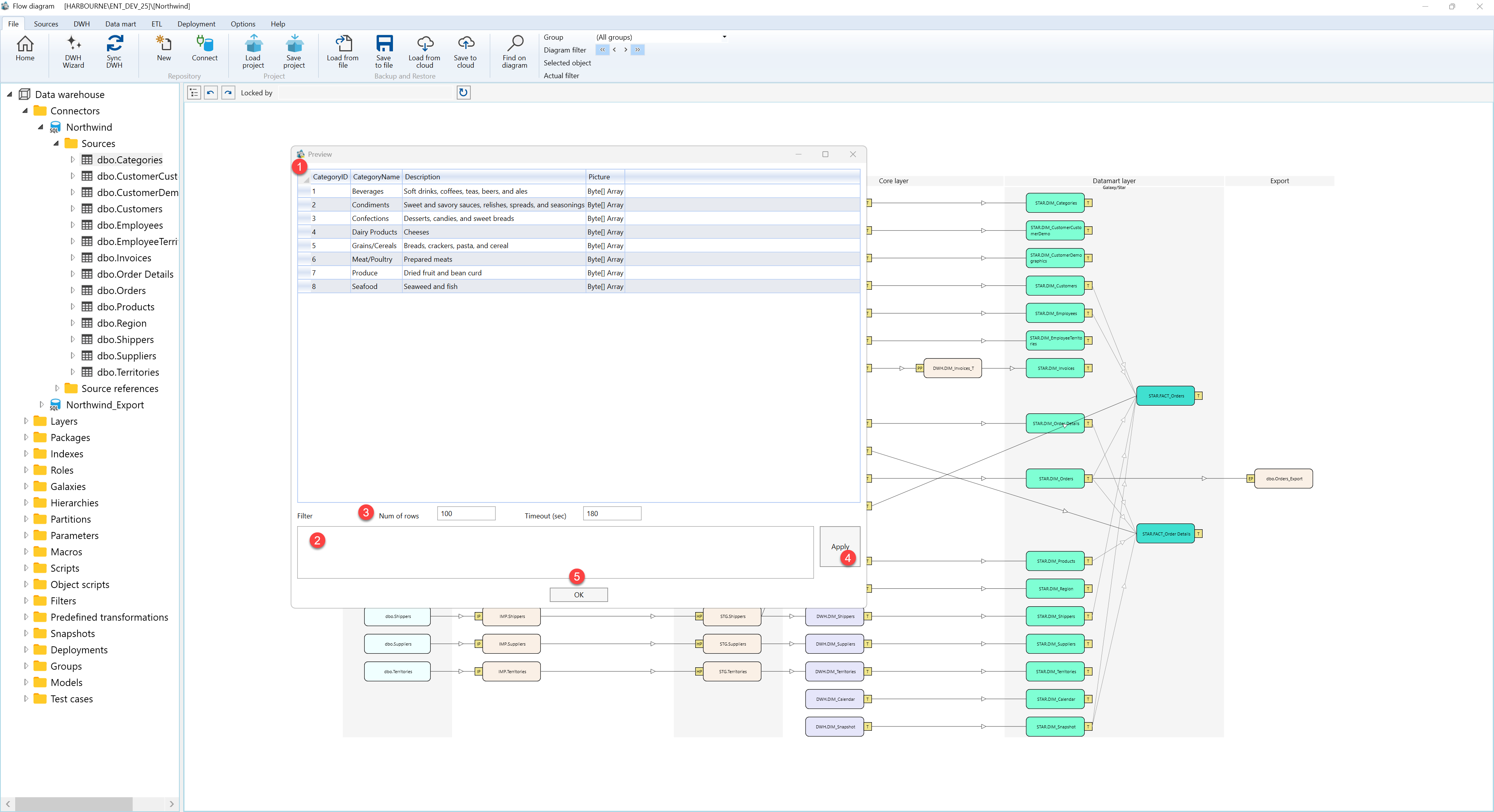
| ID | Property | Description |
|---|---|---|
| 1 | Preview grid | Read-only grid that displays sample rows returned by the selected source. Columns are created from the returned source fields. |
| 2 | Filter | Filter text used for the next preview request. |
| 3 | Num of rows | Maximum number of rows to request for the preview. The value must be numeric before the preview can run. |
| 4 | Timeout (sec) | Maximum time, in seconds, allowed for the preview query before it times out. |
| 5 | Apply | Reruns the preview with the current filter, row count, and timeout settings. |
| 6 | OK | Closes the preview dialog. |
