
Historization
Overview
The Historization page is used to add or edit a historization definition. A historization defines how a source table is loaded into a historized table and how changes are tracked over time.
Function
Use this page to assign the historization package, configure SCD behavior, define validity-period logic, control empty-source and missing-source behavior, maintain column rules, add calculated columns, define variables, and review the generated or manually maintained procedure settings.
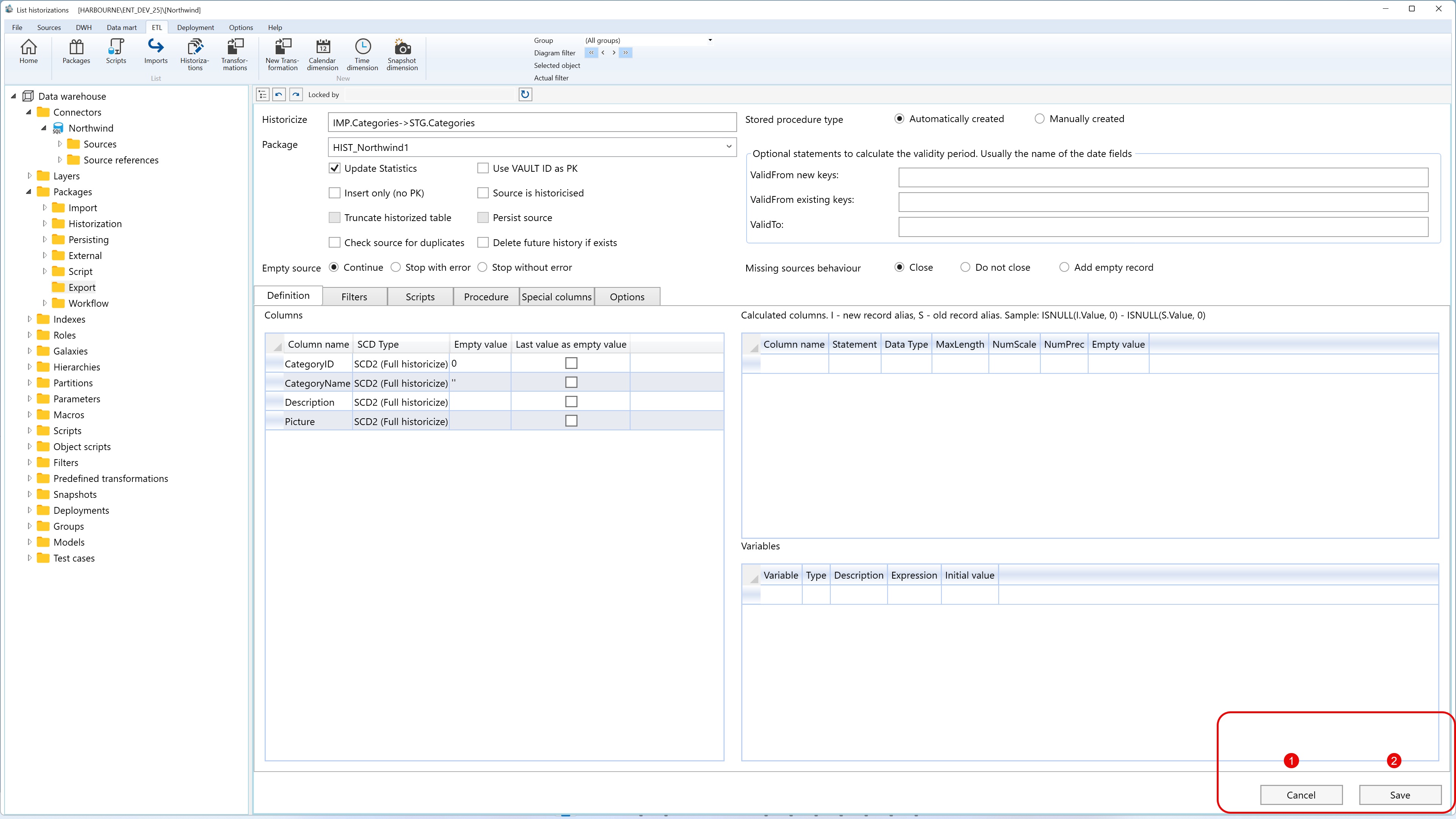
The page is organized into a top configuration area, behavior options, validity-period settings, the tabbed editor area, calculated columns, variables, and the page action buttons.
Save stores the new or changed historization settings. Cancel closes the page without continuing the current edit.
Historization context
The Historization Wizard captures source, target, and package settings including paradigm-specific options like SCD (Kimball) or Vault ID (Data Vault) before loading this configuration page. Existing configurations bypass the wizard and open directly in the editor..
Access
Open this page when you need to add a new historization or edit an existing historization. Existing historizations can be opened from the Packages branch, from the Historizations list, or from a historization connection in the diagram.
How to access
Navigation tree
Data warehouse -> Packages -> Historization -> [package] -> [historization] -> Edit historization, or use Add historization from a package or table context.
Toolbar
ETL -> Historizations, then use New to add a historization or double-click an existing row to edit it.
Diagram
Double-click a historization connection, or use Add -> Historization from a table context.
Screen overview
The Historization page contains several configuration areas. The screen overview is documented in separate groups so the large editor remains readable.
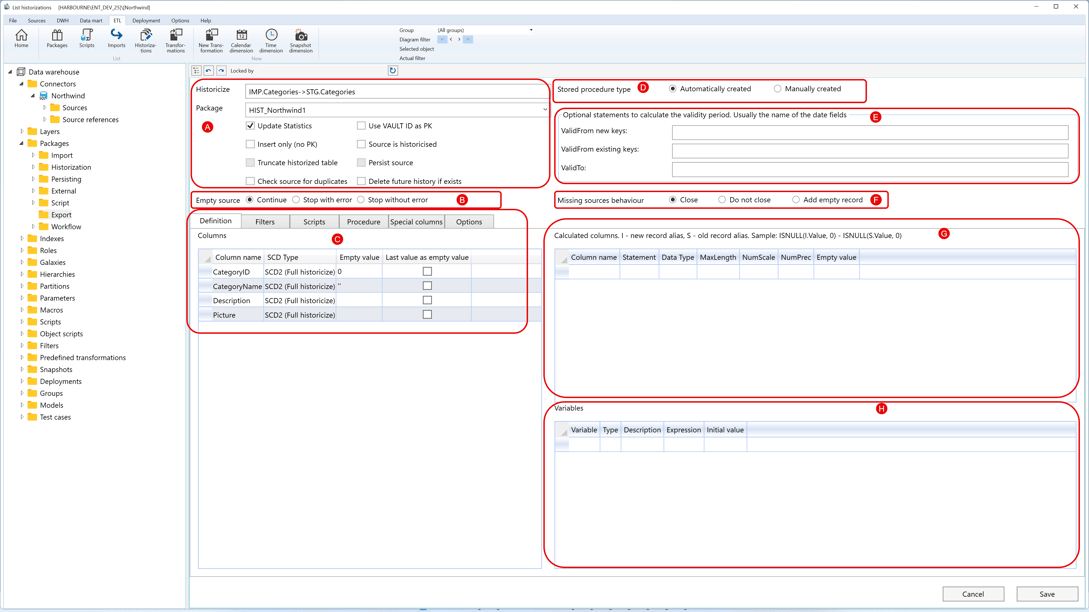
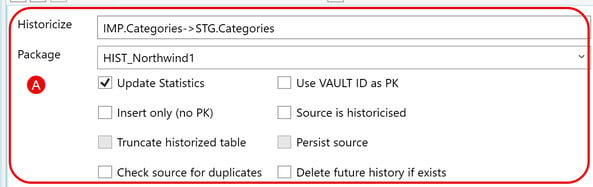
A. General historization setup
| ID | Property | Description |
|---|---|---|
| A.1 | Historicize | Shows the source-to-target historization relationship being edited. |
| A.2 | Package | Historization package that owns the definition. A typed package name can be used when creating a new historization package. |
| A.3 | Update Statistics | Updates table statistics as part of the historization package flow. |
| A.4 | Use VAULT ID as PK | Uses the VAULT ID value as the primary-key basis for the historization. |
| A.5 | Insert only (no PK) | Uses insert-only historization when no primary key is available. |
| A.6 | Source is historized | Uses existing history from the source side. |
| A.7 | Truncate historized table | Clears the historized table before loading when this behavior is selected. |
| A.8 | Persist source | Persists the source side when persistence is available for the source object. |
| A.9 | Check source for duplicates | Checks incoming source data for duplicate business keys before loading history. |
| A.10 | Delete future history if exists | Allows the load to remove later-dated history rows when they conflict with the current run. |
B. Empty source behavior
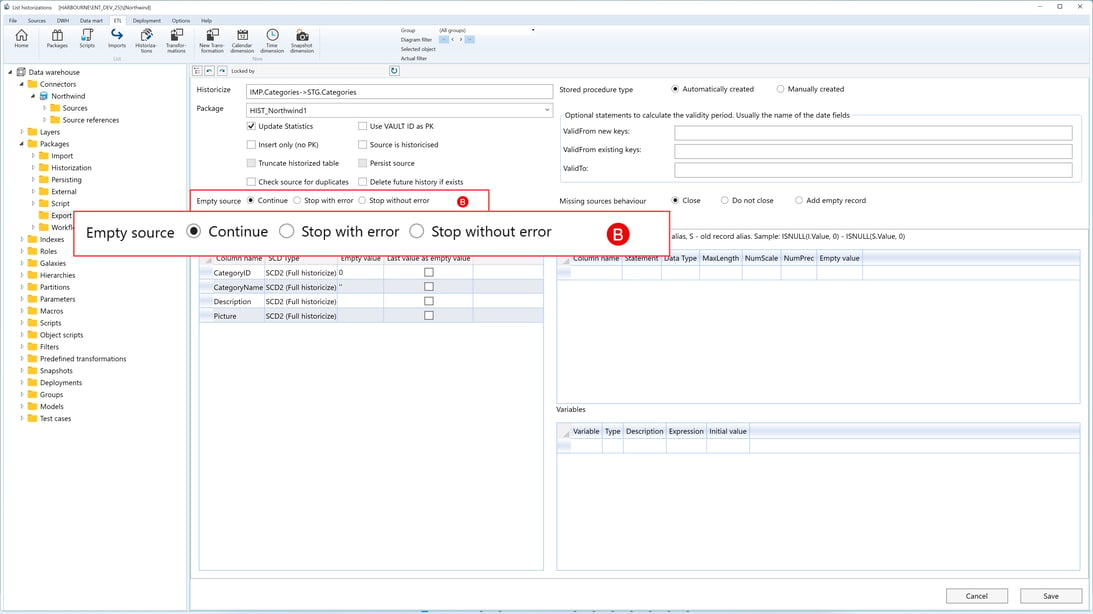
| ID | Property | Description |
|---|---|---|
| B.1 | Continue | Continues the package when the source returns no rows. |
| B.2 | Stop with error | Stops the package and returns an error when the source is empty. |
| B.3 | Stop without error | Stops the package without returning an error when the source is empty. |
C. Tabbed editor area
Area C contains the tabbed editor used to configure the detailed historization rules. Each tab is documented in a separate table.
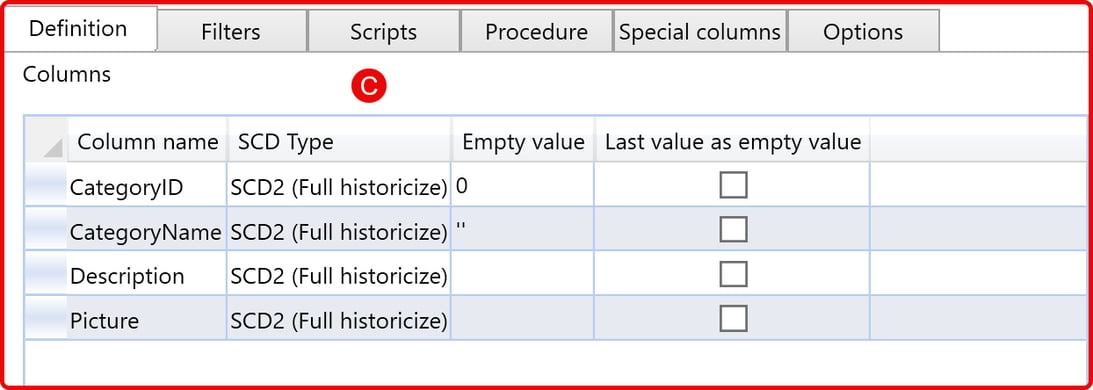
C.1 Definition
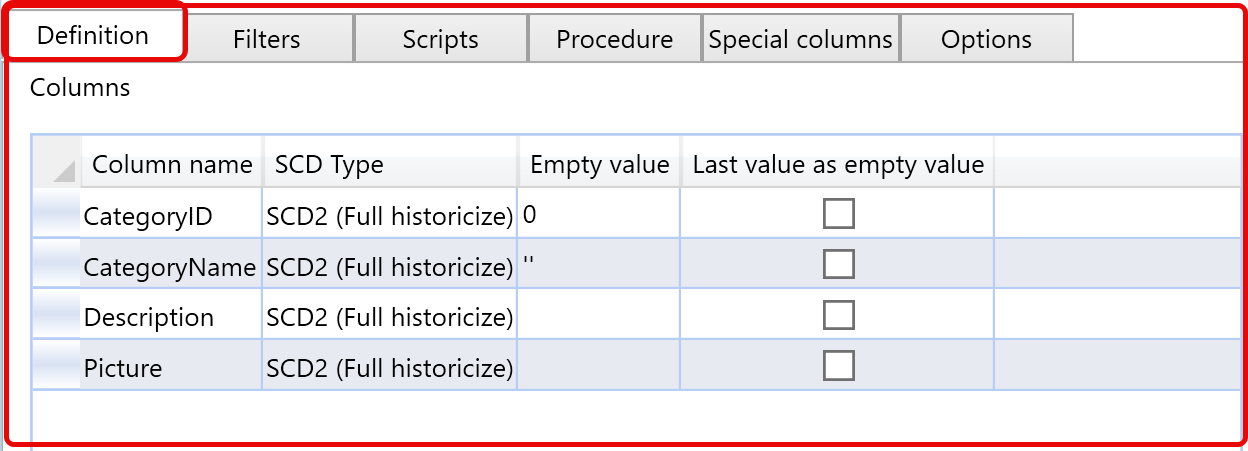
| ID | Property | Description |
|---|---|---|
| C.1 | Definition | Tab used to define the column historization rules. |
| C.1.1 | Column name | Column selected for the historization rule. |
| C.1.2 | SCD Type | Defines the column behavior, such as no tracking, SCD1 current-value handling, or SCD2 full historization. |
| C.1.3 | Empty value | Fallback value used when an empty record must be created. |
| C.1.4 | Last value as empty value | Uses the previous value as the fallback value for an empty record. |
C.2 Filters
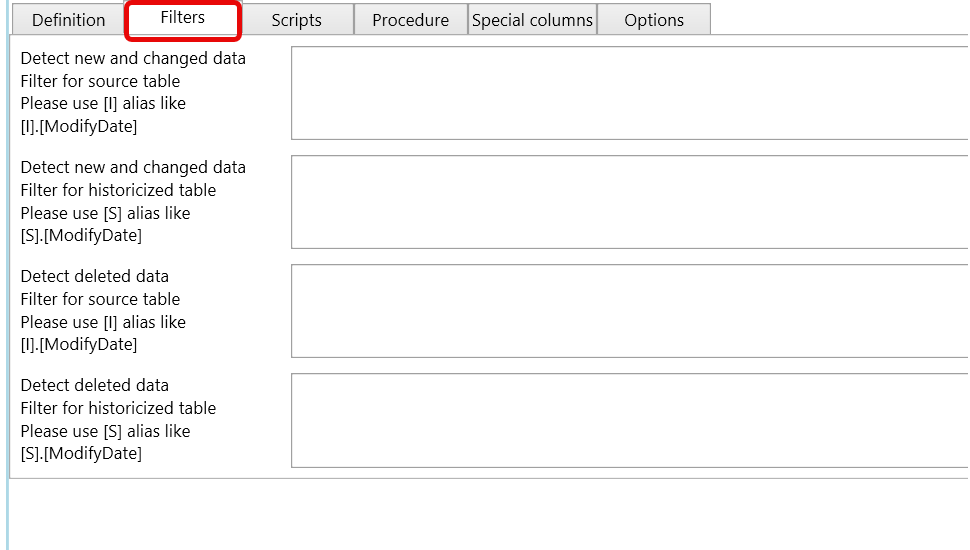
| ID | Property | Description |
|---|---|---|
| C.2 | Filters | Tab used to define change-detection and delete-detection filters. |
| C.2.1 | Detect new and changed data - source table | Filter for incoming source rows used to detect new or changed data. |
| C.2.2 | Detect new and changed data - historized table | Filter for existing historized rows used to detect new or changed data. |
| C.2.3 | Detect deleted data - source table | Filter for incoming source rows used to detect deleted data. |
| C.2.4 | Detect deleted data - historized table | Filter for existing historized rows used to detect deleted data. |
C.3 Scripts
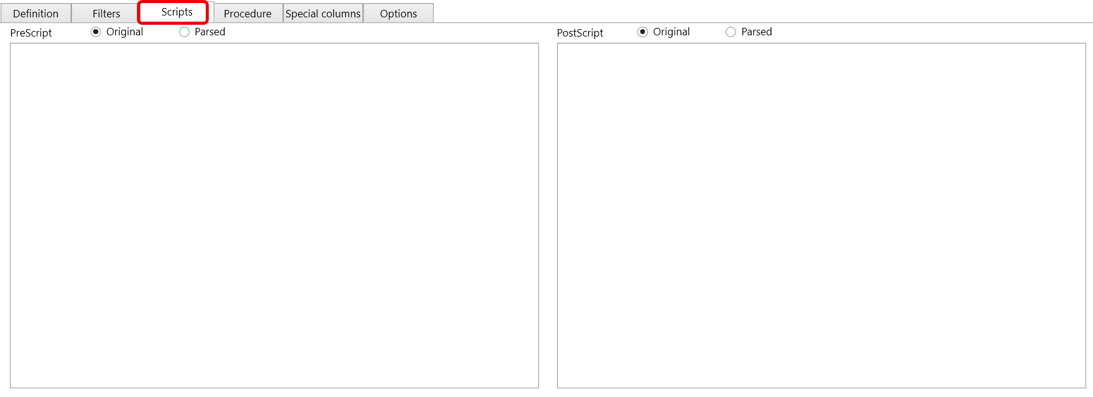
| ID | Property | Description |
|---|---|---|
| C.3 | Scripts | Tab used to maintain SQL that runs before or after the historization step. |
| C.3.1 | PreScript | SQL executed before the historization step. The script can be viewed as Original, showing the text entered by the user, or Parsed, showing the script after AnalyticsCreator resolves macros and generated expressions. |
| C.3.2 | PostScript | SQL executed after the historization step. The script can be viewed as Original, showing the text entered by the user, or Parsed, showing the script after AnalyticsCreator resolves macros and generated expressions. |
| C.3.3 | Original / Parsed | Switches script display between the entered script and the parsed script after macro resolution. |
C.4 Procedure
If you want to check this full example click here PROCEDURE [CFG].[HIST_STG_Categories]
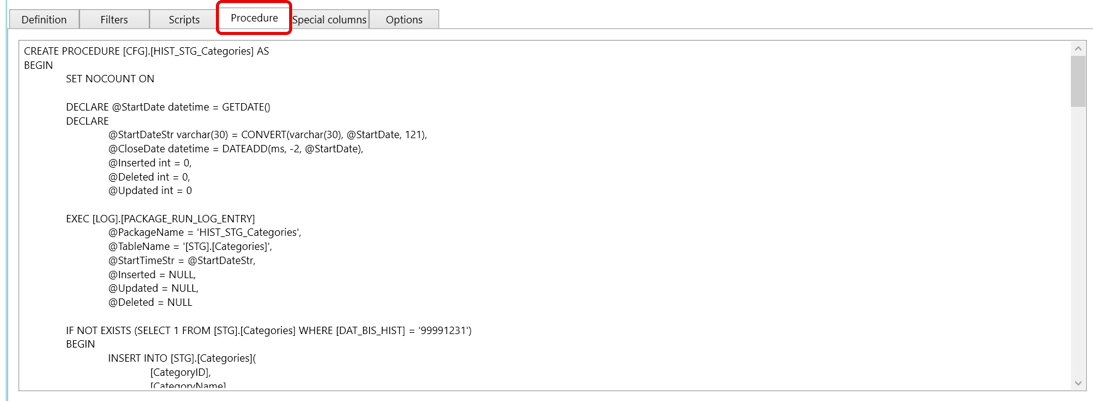
| ID | Property | Description |
|---|---|---|
| C.4 | Procedure | Tab containing the stored-procedure text. |
| C.4.1 | Procedure editor | Shows the stored-procedure text. It is read-only for automatically created procedures and editable for manually created procedures. |
C.5 Special columns
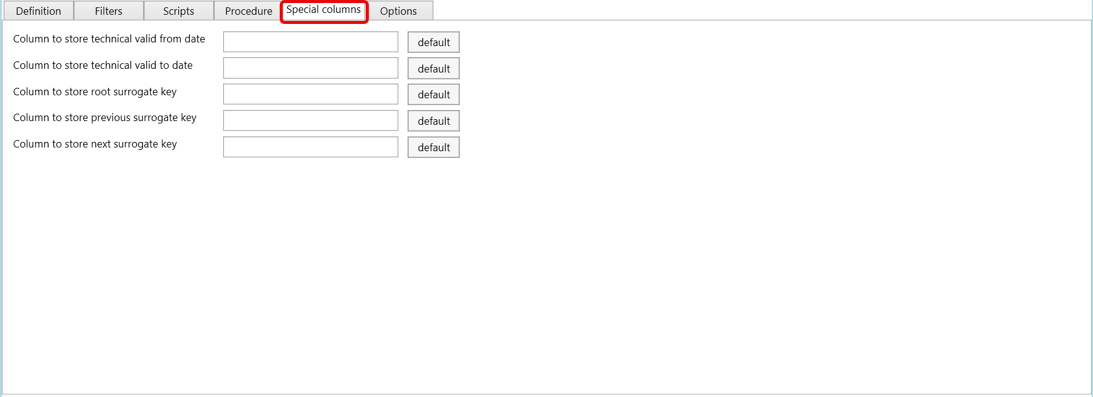
| ID | Property | Description |
|---|---|---|
| C.5 | Special columns | Tab used to maintain technical history-column names. |
| C.5.1 | Technical valid from date | Column that stores the technical valid-from timestamp. |
| C.5.2 | Technical valid to date | Column that stores the technical valid-to timestamp. |
| C.5.3 | Root surrogate key | Column that stores the root surrogate key for the history chain. |
| C.5.4 | Previous surrogate key | Column that stores the previous surrogate key in the history chain. |
| C.5.5 | Next surrogate key | Column that stores the next surrogate key in the history chain. |
C.6 Options
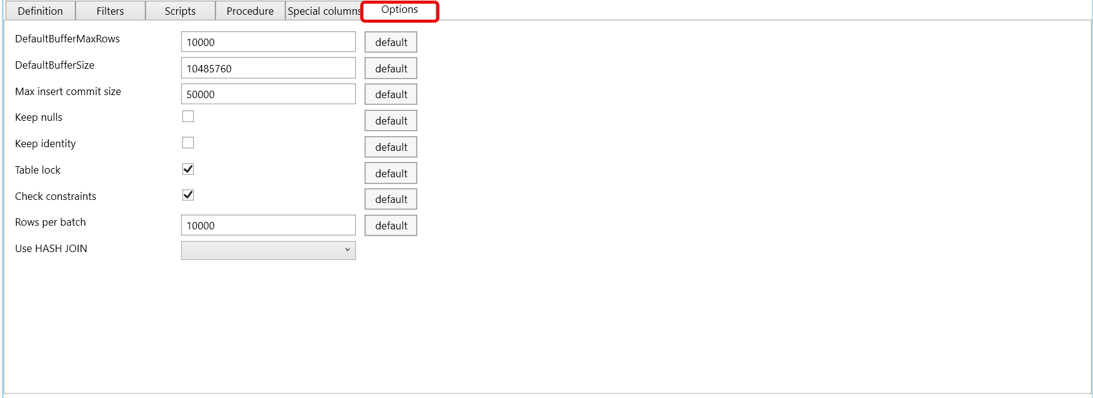
| ID | Property | Description |
|---|---|---|
| C.6 | Options | Tab used to maintain package loading and performance settings. |
| C.6.1 | DefaultBufferMaxRows | Maximum rows allowed in a data-flow buffer before the package uses a new buffer. |
| C.6.2 | DefaultBufferSize | Buffer size used by the generated package data flow. |
| C.6.3 | Max insert commit size | Maximum number of inserted rows committed in one operation. |
| C.6.4 | Keep nulls | Preserves incoming null values instead of applying target defaults. |
| C.6.5 | Keep identity | Keeps identity values from the incoming data when supported. |
| C.6.6 | Table lock | Requests a table lock while rows are inserted into the historized target. |
| C.6.7 | Check constraints | Controls whether target constraints are checked during load. |
| C.6.8 | Rows per batch | Batch size used when writing rows to the historized target. |
| C.6.9 | Use HASH JOIN | Controls whether generated historization SQL should use hash-join behavior when available. |
| C.6.10 | default | Restores the repository default value for the selected option row. |
D. Stored procedure type
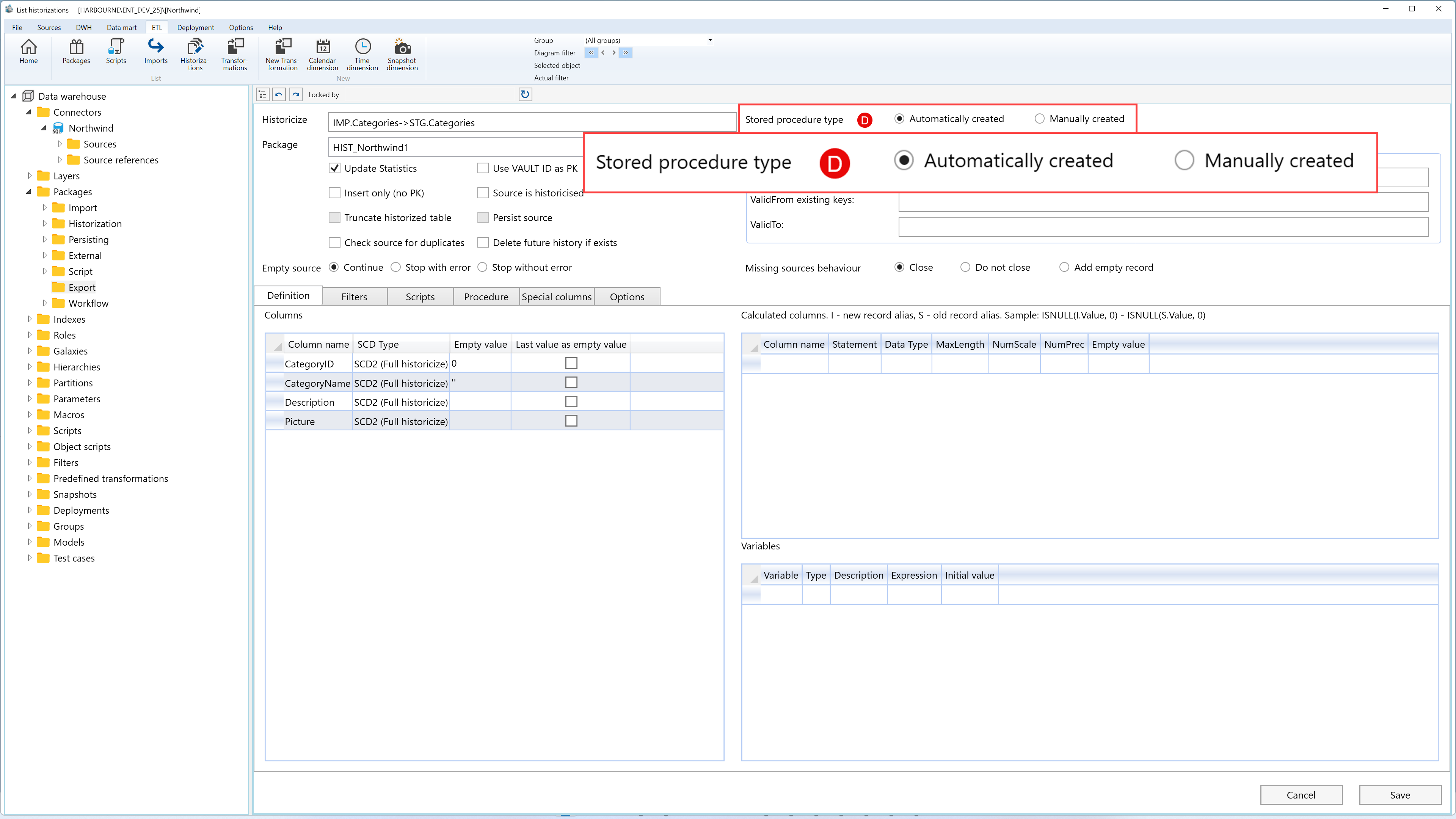
| ID | Property | Description |
|---|---|---|
| D.1 | Automatically created | AnalyticsCreator generates the historization procedure from the stored settings. |
| D.2 | Manually created | The procedure is maintained manually instead of being generated automatically. |
E. Validity-period statements

| ID | Property | Description |
|---|---|---|
| E.1 | ValidFrom new keys | Statement used to calculate the valid-from value for newly detected keys. |
| E.2 | ValidFrom existing keys | Statement used to calculate the valid-from value for keys that already have history. |
| E.3 | ValidTo | Statement used to calculate the valid-to value for closed history rows. |
F. Missing sources behavior
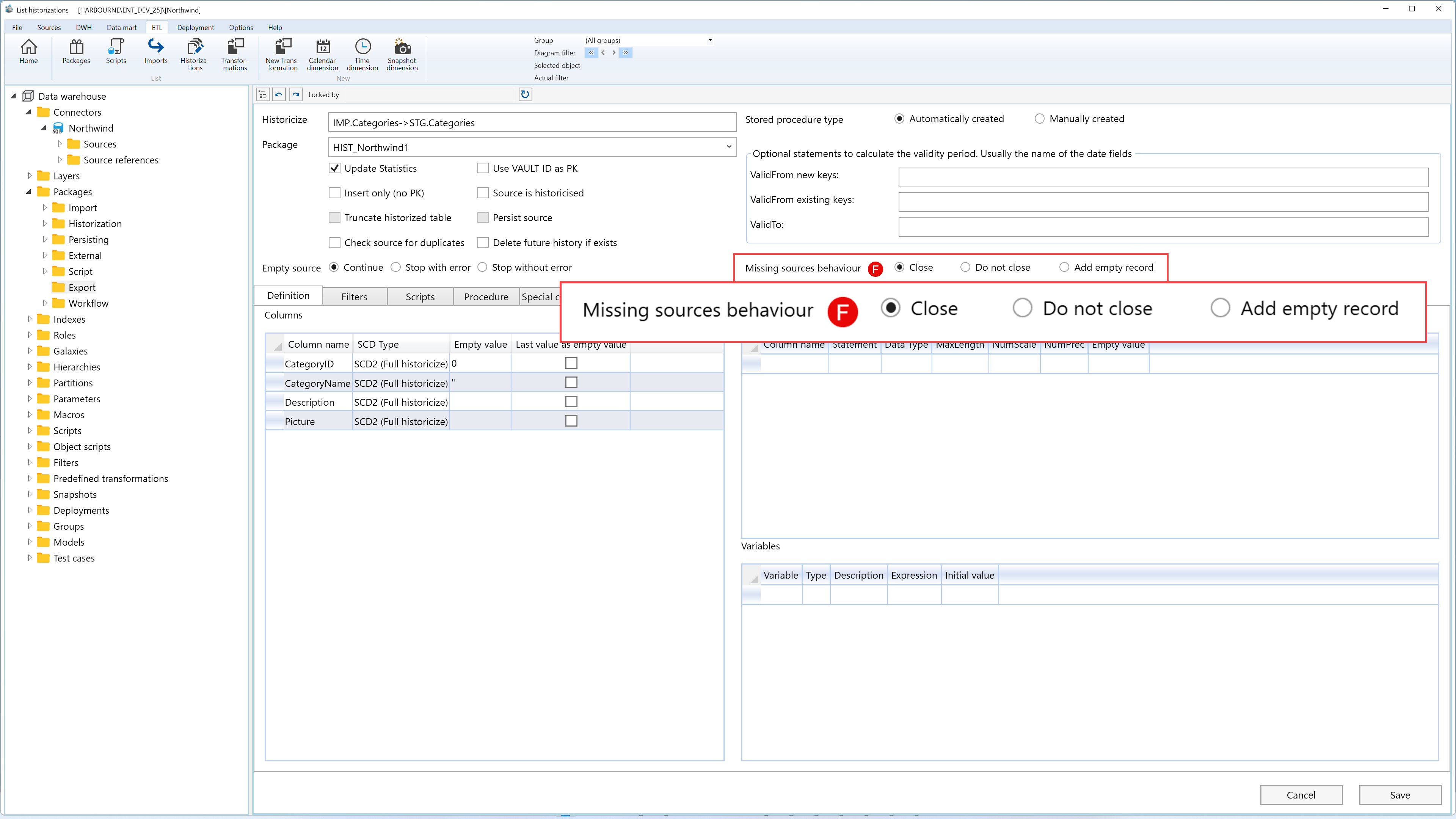
| ID | Property | Description |
|---|---|---|
| F.1 | Close | Closes existing history rows when their source rows are missing. |
| F.2 | Do not close | Keeps existing history rows open even when their source rows are missing. |
| F.3 | Add empty record | Adds an empty record for missing source rows, using configured empty values where required. |
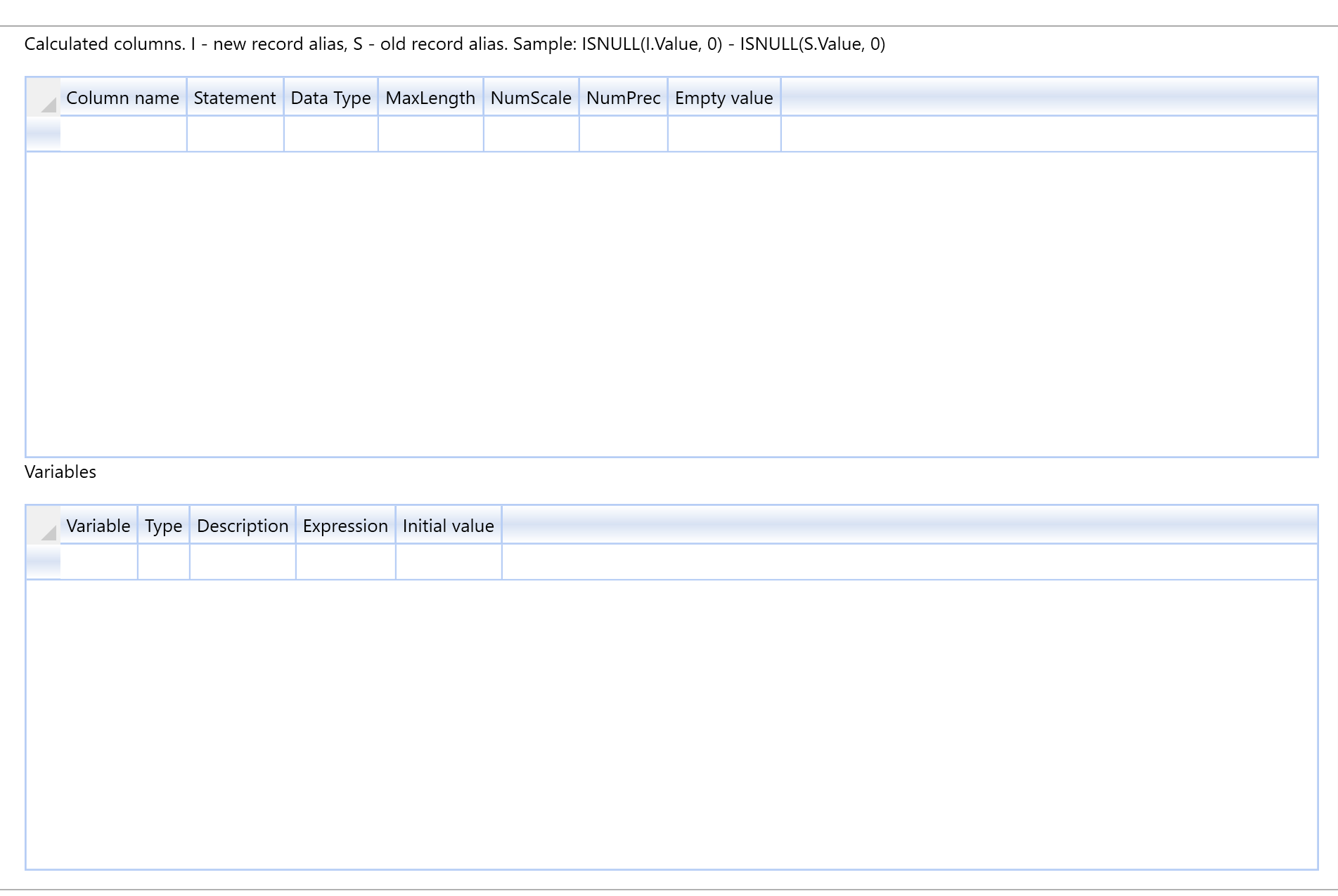
G. Calculated columns
| ID | Property | Description |
|---|---|---|
| G.1 | Column name | Name of the calculated column. |
| G.2 | Statement | Expression used to calculate the derived value. |
| G.3 | Data Type | Data type assigned to the calculated column. |
| G.4 | MaxLength | Maximum character length when relevant for the selected data type. |
| G.5 | NumScale | Numeric scale when relevant for the selected data type. |
| G.6 | NumPrec | Numeric precision when relevant for the selected data type. |
| G.7 | Empty value | Fallback value for the calculated column when an empty record is created. |
H. Variables
| ID | Property | Description |
|---|---|---|
| H.1 | Variable | Variable name available to the generated package. |
| H.2 | Type | Variable data type. |
| H.3 | Description | Optional description of the package variable. |
| H.4 | Expression | Optional expression assigned to the package variable. |
| H.5 | Initial value | Initial value assigned to the variable. |
I. Page actions
| ID | Action | Description |
|---|---|---|
| I.1 | Cancel | Closes the page without continuing the current edit. |
| I.2 | Save | Validates the package and stores the historization rules, filters, scripts, procedure settings, special columns, and options. |
