
Object scripts
Overview
Object scripts is the navigation-tree entry for reusable scripts that are attached to AnalyticsCreator objects. Use it to organize scripts by object scope, open the object-script list, create a new script, edit existing scripts, run eligible scripts, or remove scripts that are no longer needed.
Function
The Object scripts node sits under the Data warehouse root. It provides refresh, list, and add commands for object-script maintenance, then expands into script groupings such as All scripts, Table-independent scripts, and object-specific branches.
Access
Open the Object scripts node from the Data warehouse navigation tree. Use the node context menu to refresh the branch, list object scripts, or add a script. Expand a script grouping to reach existing script items, then use a script item's context menu to edit, run, or delete the script.
How to access
Navigation tree
Data warehouse -> Object scripts
Toolbar
Not opened directly from the toolbar. Use the Object scripts node or an object context command.
Diagram
Not opened directly from the diagram. Manage object scripts from the navigation tree and object context menus.
Visual element
Object scripts navigation-tree node, Object Scripts list page, Object script page, and Run object script wizard
Screen overview
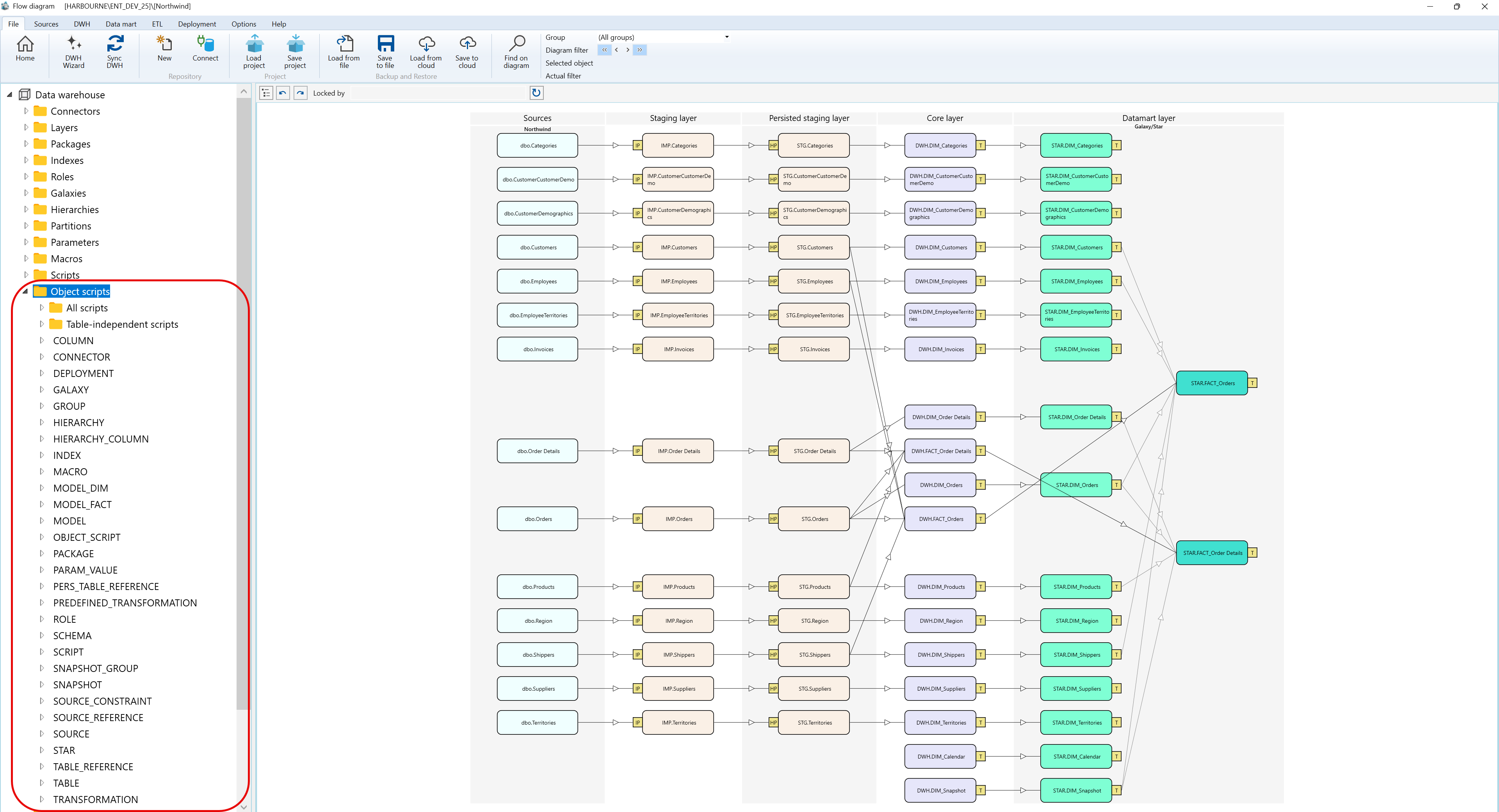
Context menus access - Object scripts - Where I can find it
The context menu examples below use the captured Data warehouse > Object scripts navigation tree branch and show the Object scripts branch, the All scripts branch, and an individual object script.
A.1) Object scripts
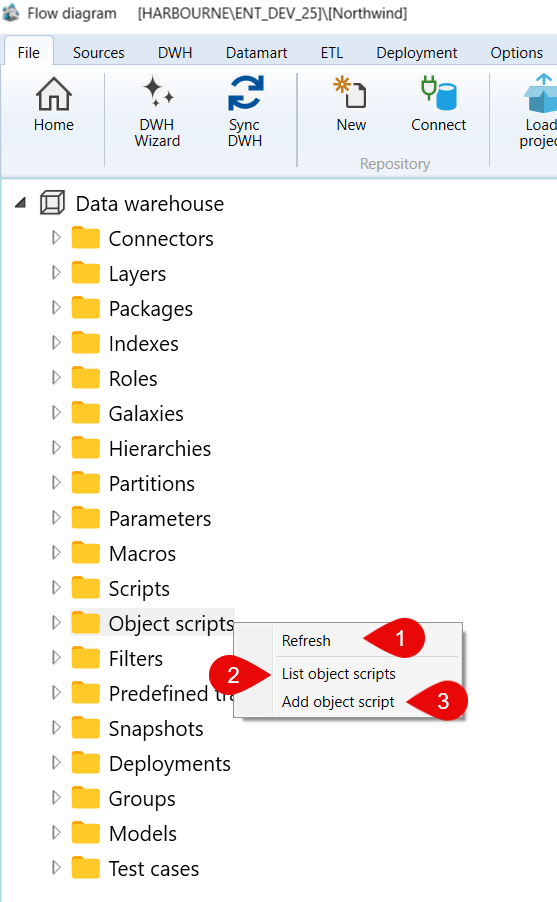
| ID | Command | Description |
|---|---|---|
| 1 | Refresh | Reloads the Object scripts branch. |
| 2 | List object scripts | Opens the object scripts list. |
| 3 | Add object script | Creates an object script from the selected context. |
A.2) Object scripts > All scripts
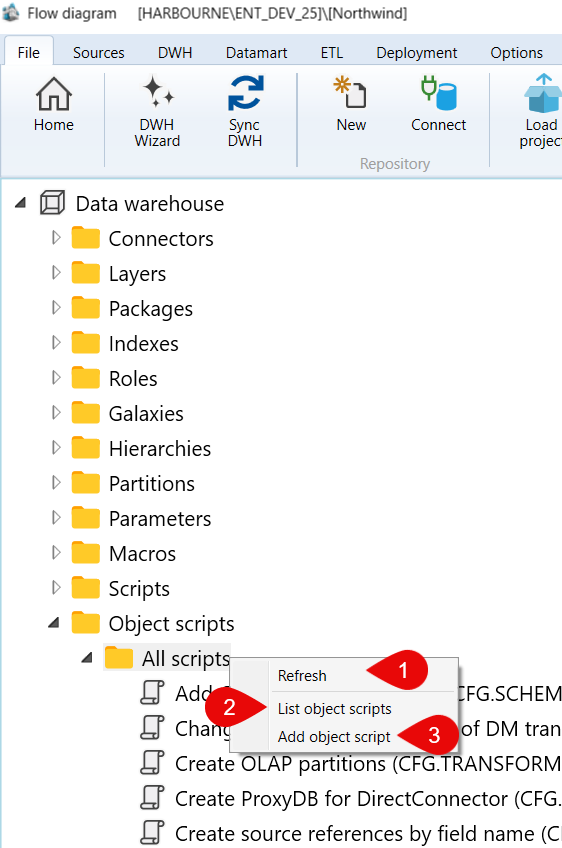
| ID | Command | Description |
|---|---|---|
| 1 | Refresh | Reloads the All scripts branch. |
| 2 | List object scripts | Opens the object scripts list for the selected grouping. |
| 3 | Add object script | Creates an object script in the selected grouping. |
A.3) Object scripts > All scripts > Add COUNTROWS measures (CFG.SCHEMAS)
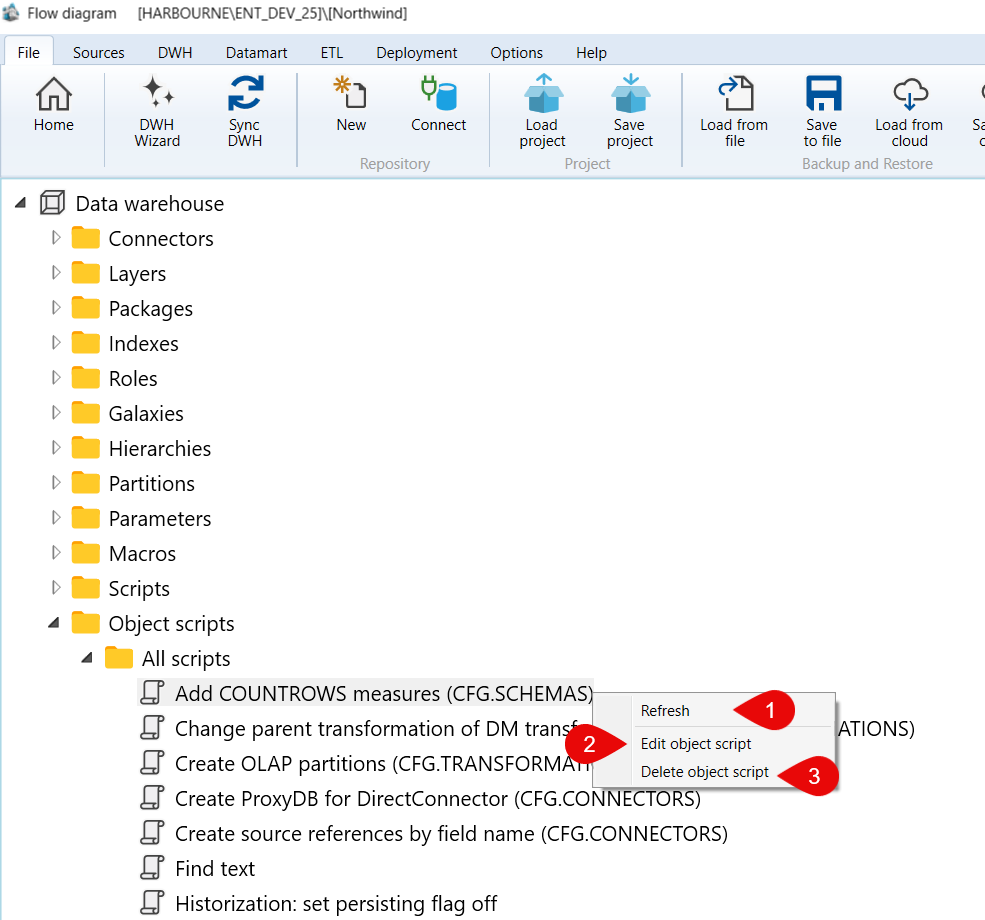
| ID | Command | Description |
|---|---|---|
| 1 | Refresh | Reloads the selected object script node. |
| 2 | Edit object script | Opens the selected object script for editing. |
| 3 | Delete object script | Deletes the selected object script. |
