
Options
Overview
The Options toolbar tab opens user, repository, interface, parameter, and encrypted-string settings.
Function
Use the Options toolbar tab to open the commands listed in its ribbon groups.
Commands are enabled according to the current connection and application context.
Access
Open the Options tab from the application toolbar.
How to access
Navigation tree
Not direct. This is a toolbar tab.
Toolbar
Toolbar -> Options.
Diagram
Not opened directly from the diagram.
Visual element
Options toolbar tab
Screen overview
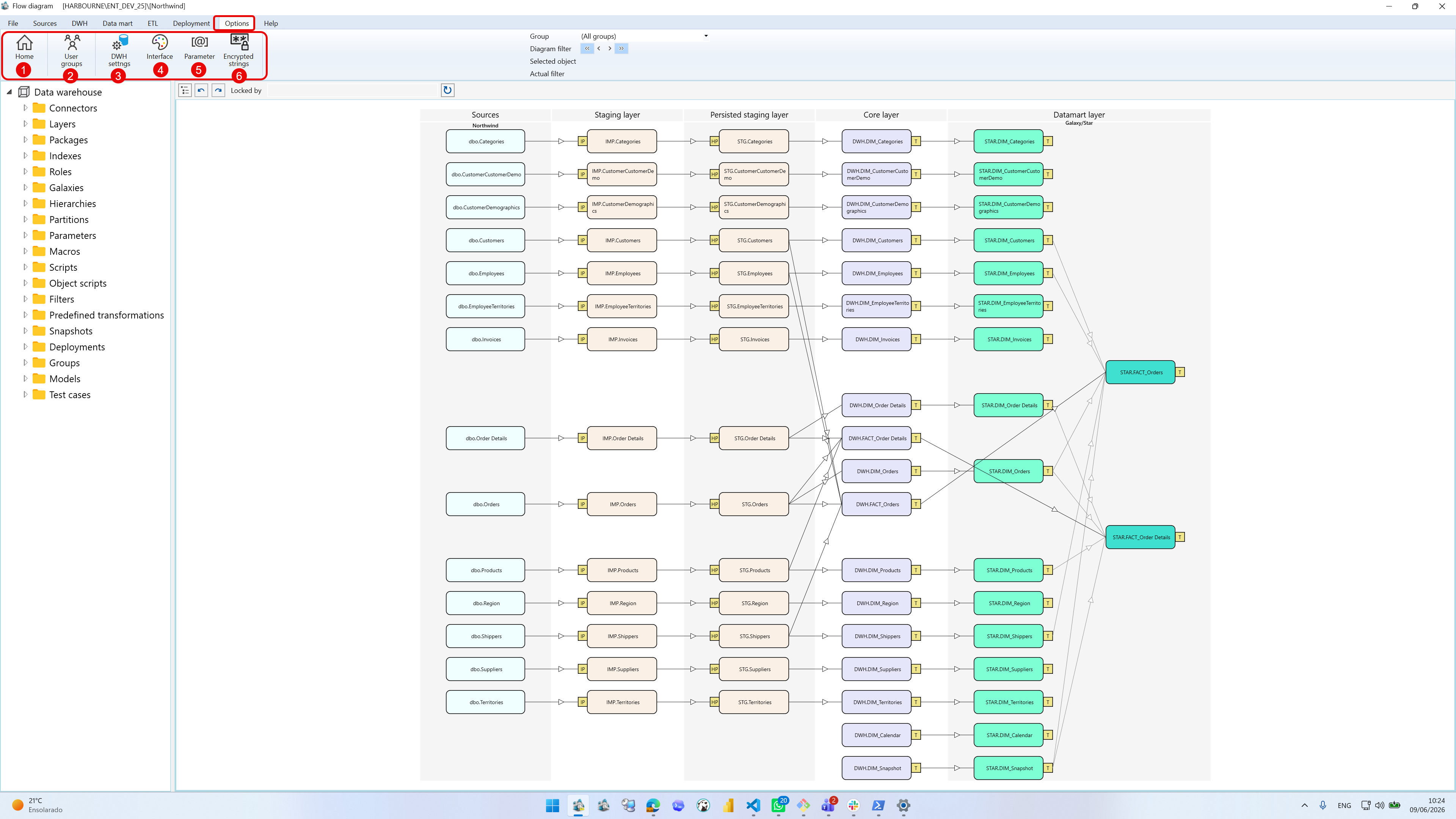
| ID | Property | Description |
|---|---|---|
| 1 | Home | Returns to the start page. |
| 2 | User groups | Opens user group management. |
| 3 | DWH settings | Opens data warehouse settings. |
| 4 | Interface | Opens interface settings. |
| 5 | Parameter | Opens the parameter list. |
| 6 | Encrypted strings | Opens encrypted string management. |
