
Connectors
Overview
Connectors is the searchable list page for connection definitions used by source objects. Use it to find existing connectors, open a connector for editing, or start a new connector.
Function
The page combines a search filter with a read-only connector grid. The search field narrows the list, the clear-filter button resets the filter, and the grid shows the matching connector records.
Double-click a connector row to open it for editing. Use New to create a connector, or Delete to remove the selected connector after confirmation.
Access
Open the connector list from the Sources toolbar or from the Connectors node in the navigation tree.
How to access
Navigation tree
Connectors -> List connectors
Toolbar
Sources -> Connectors
Diagram
Not direct. Use the list page from the toolbar or navigation tree.
Visual element
Connectors list page
Screen overview
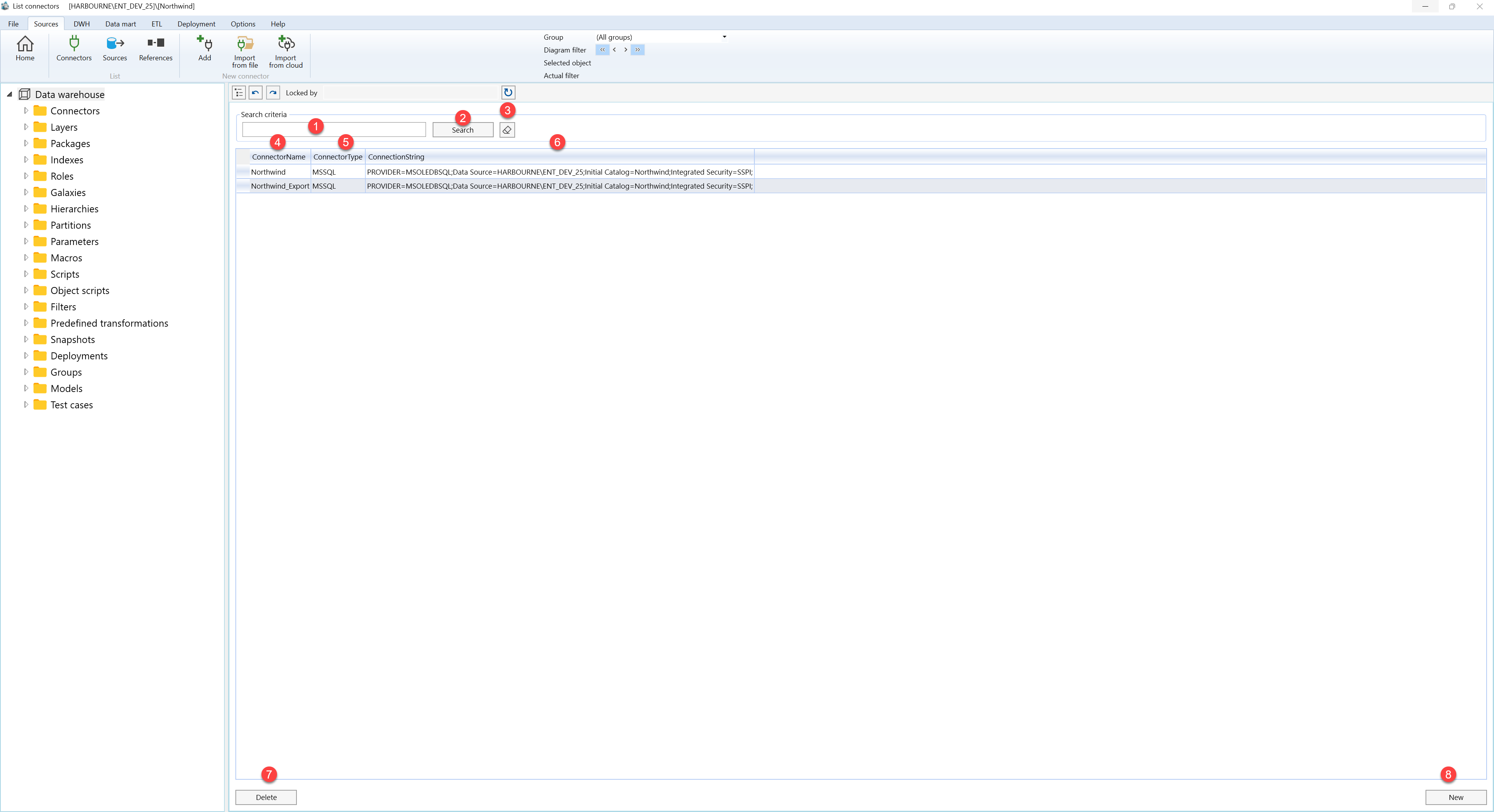
| ID | Property | Description |
|---|---|---|
| 1 | Search criteria | Filter area at the top of the page. |
| 2 | Search field | Text field used to filter connector records. |
| 3 | Search | Runs the filter and refreshes the connector grid. |
| 4 | Clear filter | Clears the search field and reloads the full connector list. |
| 5 | Connector name | Grid column that identifies each connector by name. |
| 6 | Connector type | Grid column that shows the connector technology or connection category. |
| 7 | Connection string | Grid column that shows the stored connection information for the connector. |
| 8 | Connector grid | Read-only result list. Double-click a row to open the selected connector for editing. |
| 9 | Delete | Removes the selected connector after the user confirms the action. |
| 10 | New | Opens the connector editor for a new connector. |
