
Table
Overview
A table on the dataflow diagram represents a warehouse table that can receive data, provide data to downstream transformations, participate in references, and support historization, Data Vault, and semantic modeling work.
Function
A table object can be managed from the DWH toolbar, from the navigation tree, or directly from its label on the dataflow diagram.
Context Menu
Right-click a table label on the dataflow diagram to open the table context menu. The available commands let users locate the table in the navigation tree, apply diagram filters, refresh the table, add related objects, delete the table, manage references and locks, assign object groups, export the object definition, manage model membership, and customize the table colors.
Access
Tables are available from the DWH toolbar and from schema branches in the navigation tree. On the dataflow diagram, a table can be opened by double-clicking its label or managed from the table label context menu.
How to access
Navigation tree
DWH -> schema -> Tables -> table
Toolbar
DWH -> Tables
Diagram
Double-click the table label to open it, or right-click the table label to open the context menu.
Add from diagram
Use the diagram canvas Add menu to create an externally filled table.
Screen overview
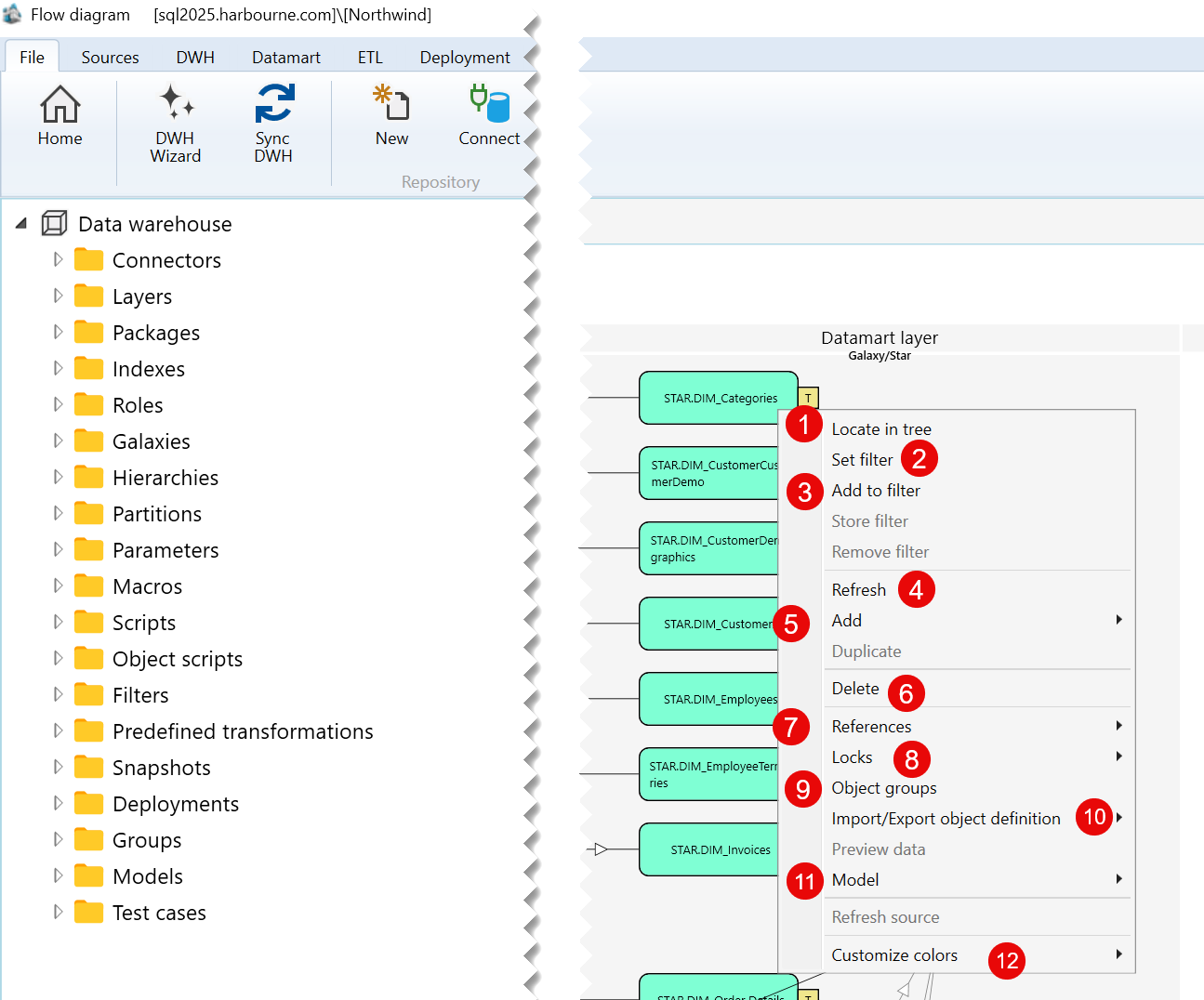
| ID | Command | Description |
|---|---|---|
| 1 | Locate in tree | Locates the selected table in the Data warehouse tree. |
| 2 | Set filter | Sets the selected table as the current filter for the flow diagram. |
| 3 | Add to filter | Adds the selected table to the current diagram filter. |
| 4 | Refresh | Refreshes the selected table in the flow diagram. |
| 5 | Add | Opens the submenu containing the available options for adding a related object. |
| 6 | Delete | Deletes the selected table. |
| 7 | References | Opens the submenu containing reference-related options for the selected table. |
| 8 | Locks | Opens the submenu containing lock-related options for the selected table. |
| 9 | Object groups | Opens options for managing the object groups associated with the selected table. |
| 10 | Import/Export object definition | Opens the submenu for exporting the selected table definition. |
| 11 | Model | Opens the submenu containing model-related options for the selected table. |
| 12 | Customize colors | Opens the submenu for customizing the display colors of the selected table. |
Sub menus
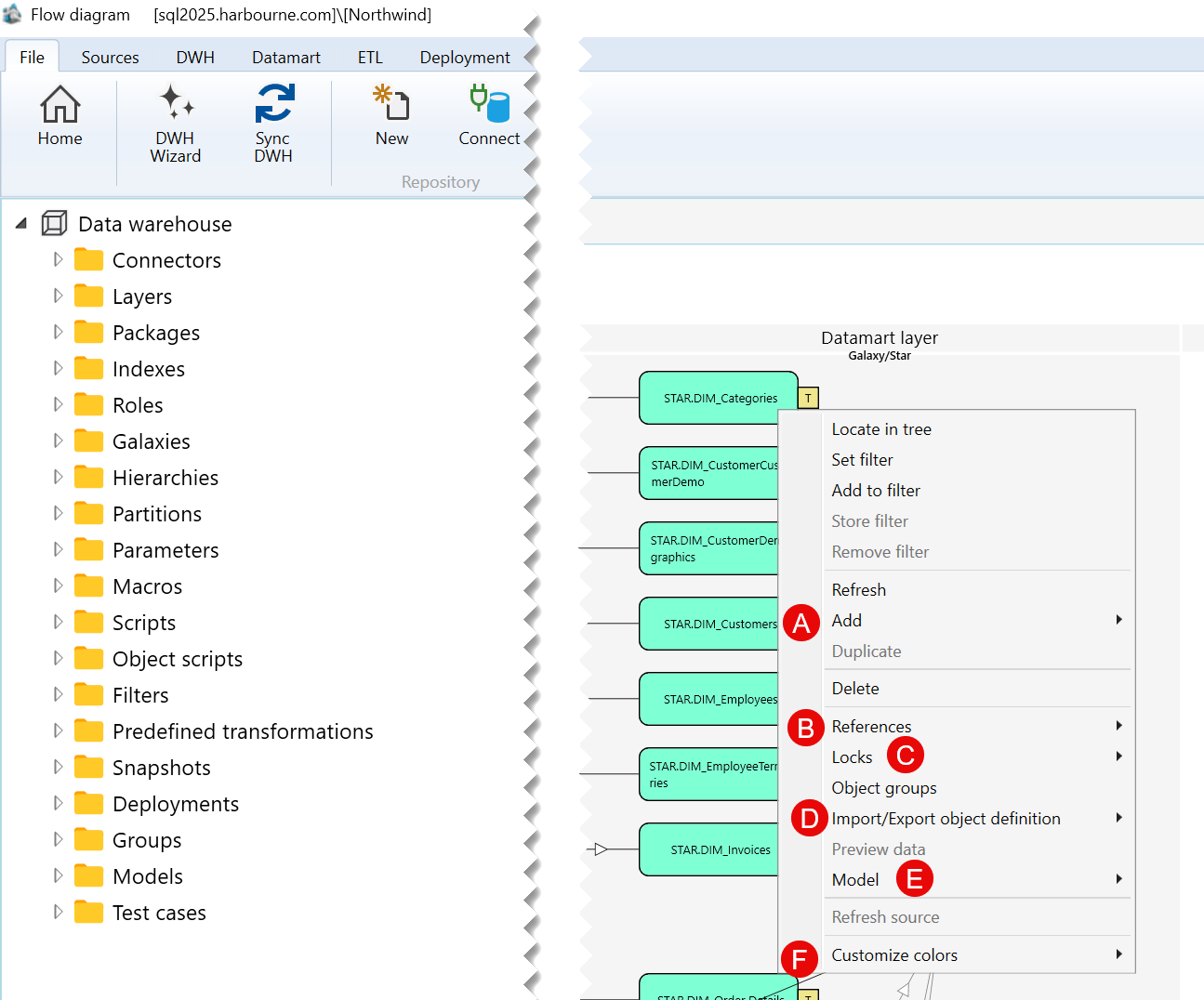
| ID | Submenu group | Description |
|---|---|---|
| A | Add | Contains the available options for adding an object related to the selected table. |
| B | References | Contains options for viewing or managing references associated with the selected table. |
| C | Locks | Contains lock-related options for the selected table. |
| D | Import/Export object definition | Contains options for exporting the selected table definition. |
| E | Model | Contains options for creating a model or adding the selected table to a model. |
| F | Customize colors | Contains options for customizing the colors used to display the selected table. |
A) Add Submenu
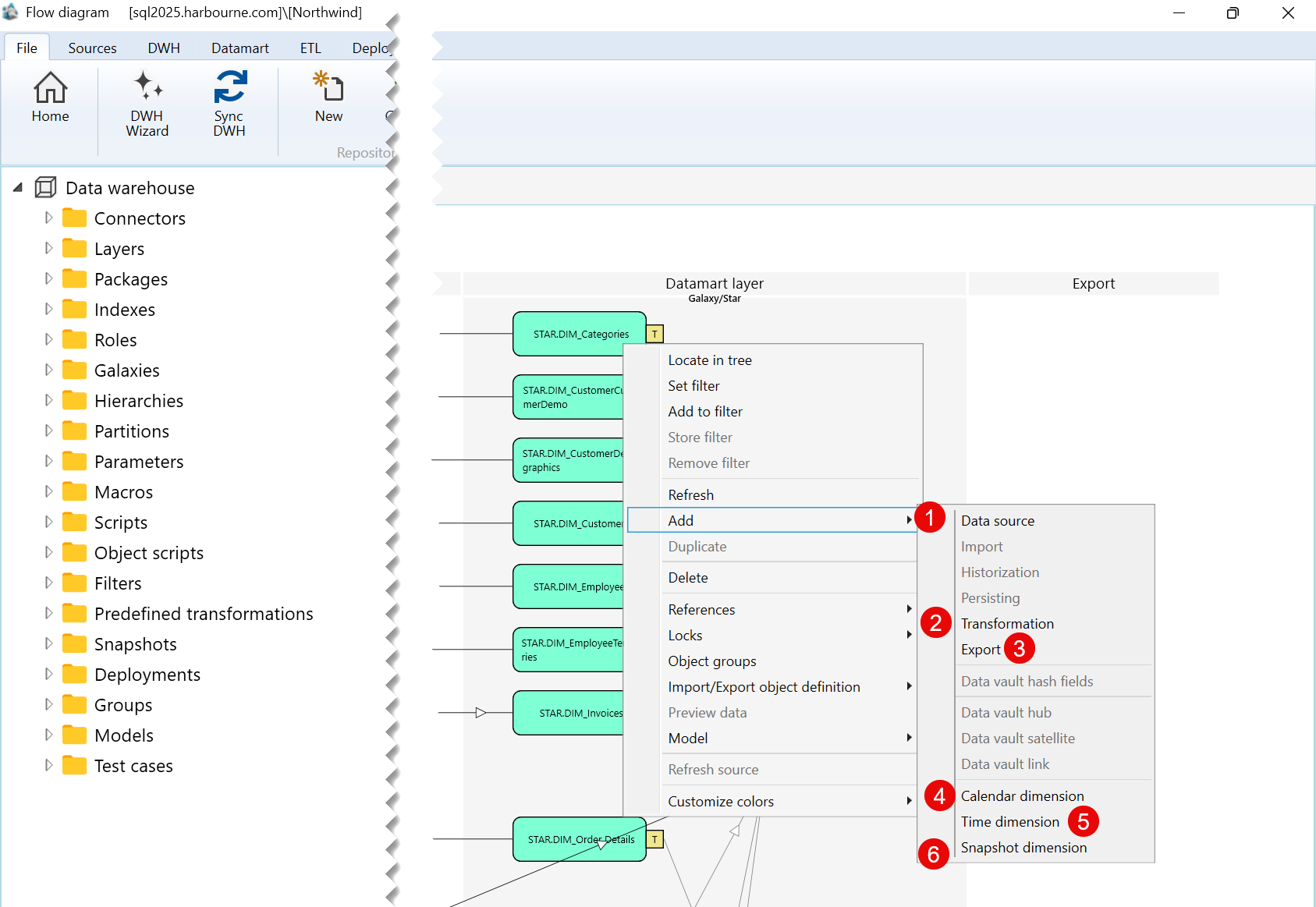
| ID | Command | Description |
|---|---|---|
| 1 | Data source | Opens options for adding a data source. |
| 2 | Transformation | Opens options for adding a transformation object. |
| 3 | Export | Opens options for adding an export object. |
| 4 | Calendar dimension | Opens options for adding a calendar dimension. |
| 5 | Time dimension | Opens options for adding a time dimension. |
| 6 | Snapshot dimension | Opens options for adding a snapshot dimension. |
B) References Submenu
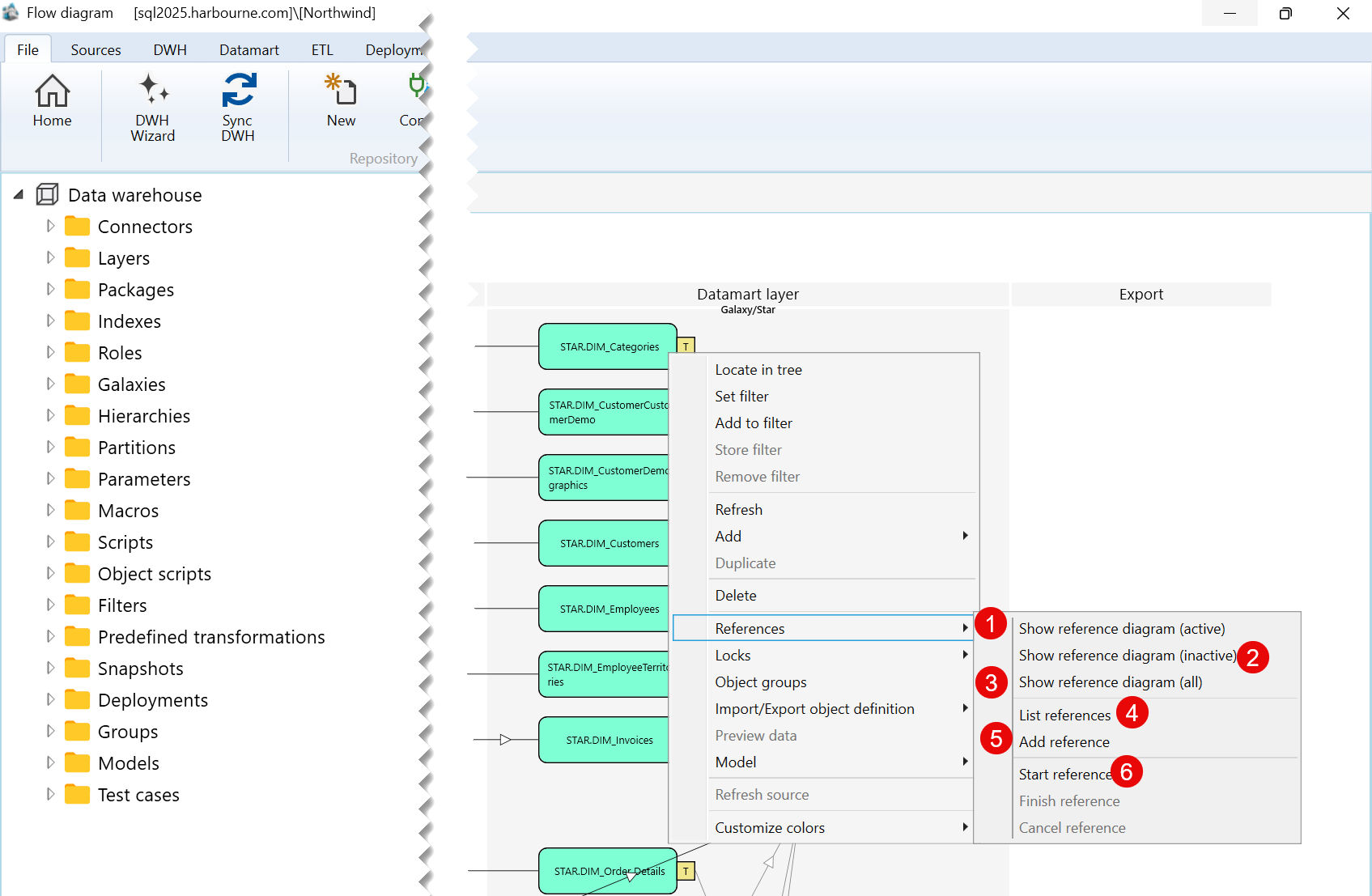
| ID | Command | Description |
|---|---|---|
| 1 | Show reference diagram (active) | Shows active reference diagrams associated with the selected table. |
| 2 | Show reference diagram (inactive) | Shows inactive reference diagrams associated with the selected table. |
| 3 | Show reference diagram (all) | Shows all reference diagrams associated with the selected table. |
| 4 | List references | Lists references associated with the selected table. |
| 5 | Add reference | Adds a reference to the selected table. |
| 6 | Start reference | Starts creating a reference from the selected table. |
C) Locks Submenu
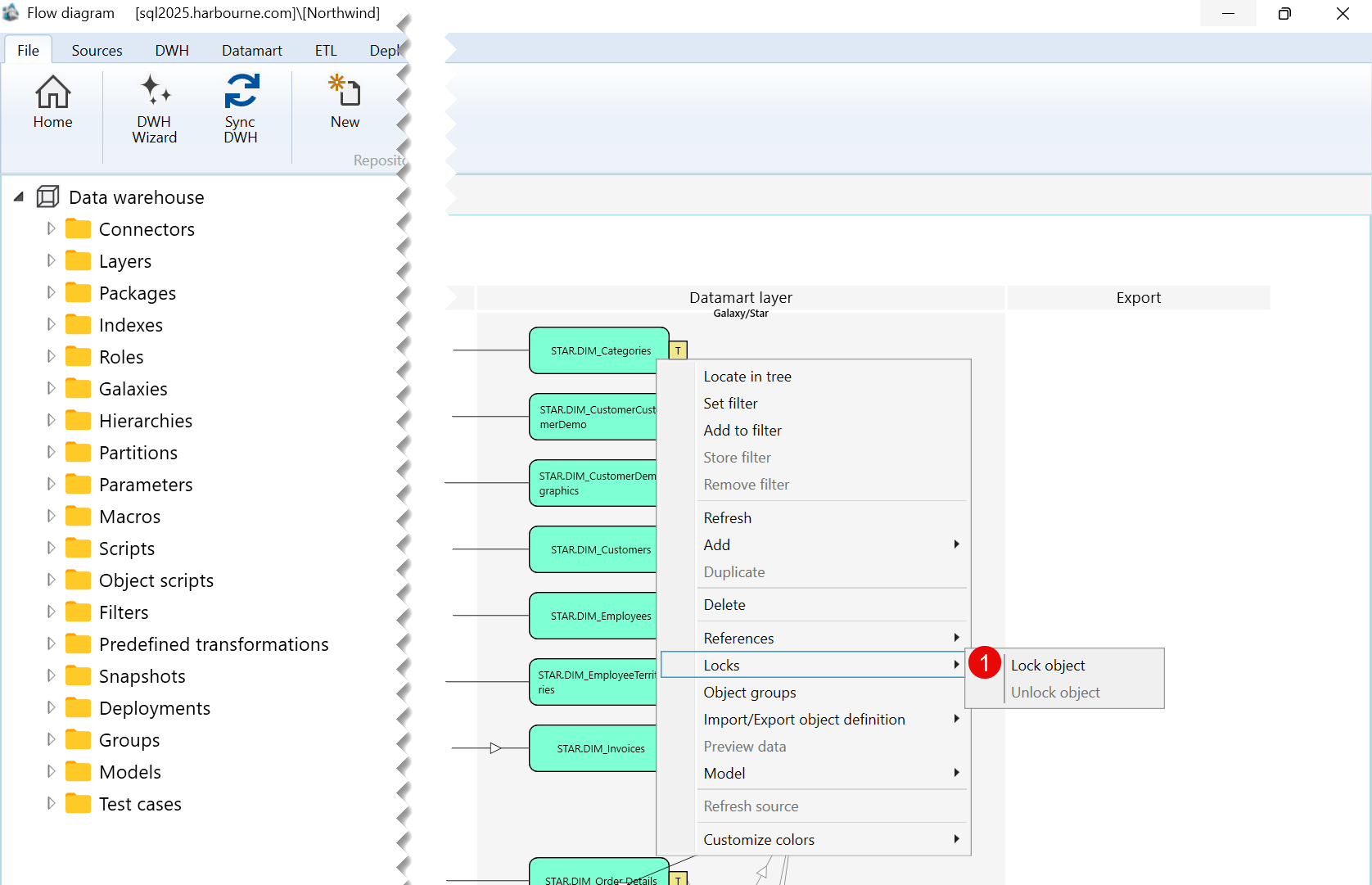
| ID | Command | Description |
|---|---|---|
| 1 | Lock object | Locks the selected table. |
D) Import/Export object definition Submenu
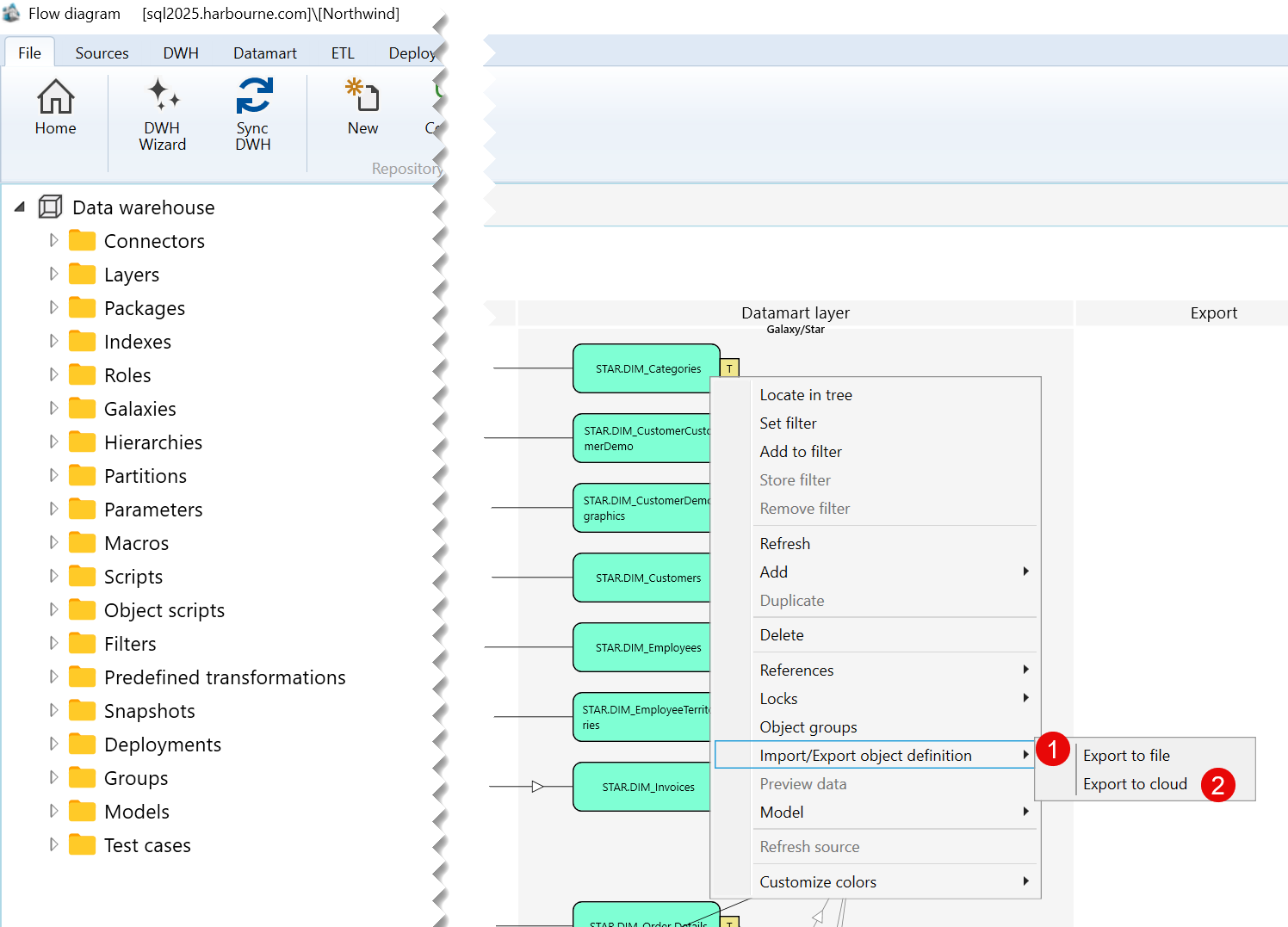
| ID | Command | Description |
|---|---|---|
| 1 | Export to file | Exports the selected table definition to a file. |
| 2 | Export to cloud | Exports the selected table definition to the cloud. |
E) Model Submenu
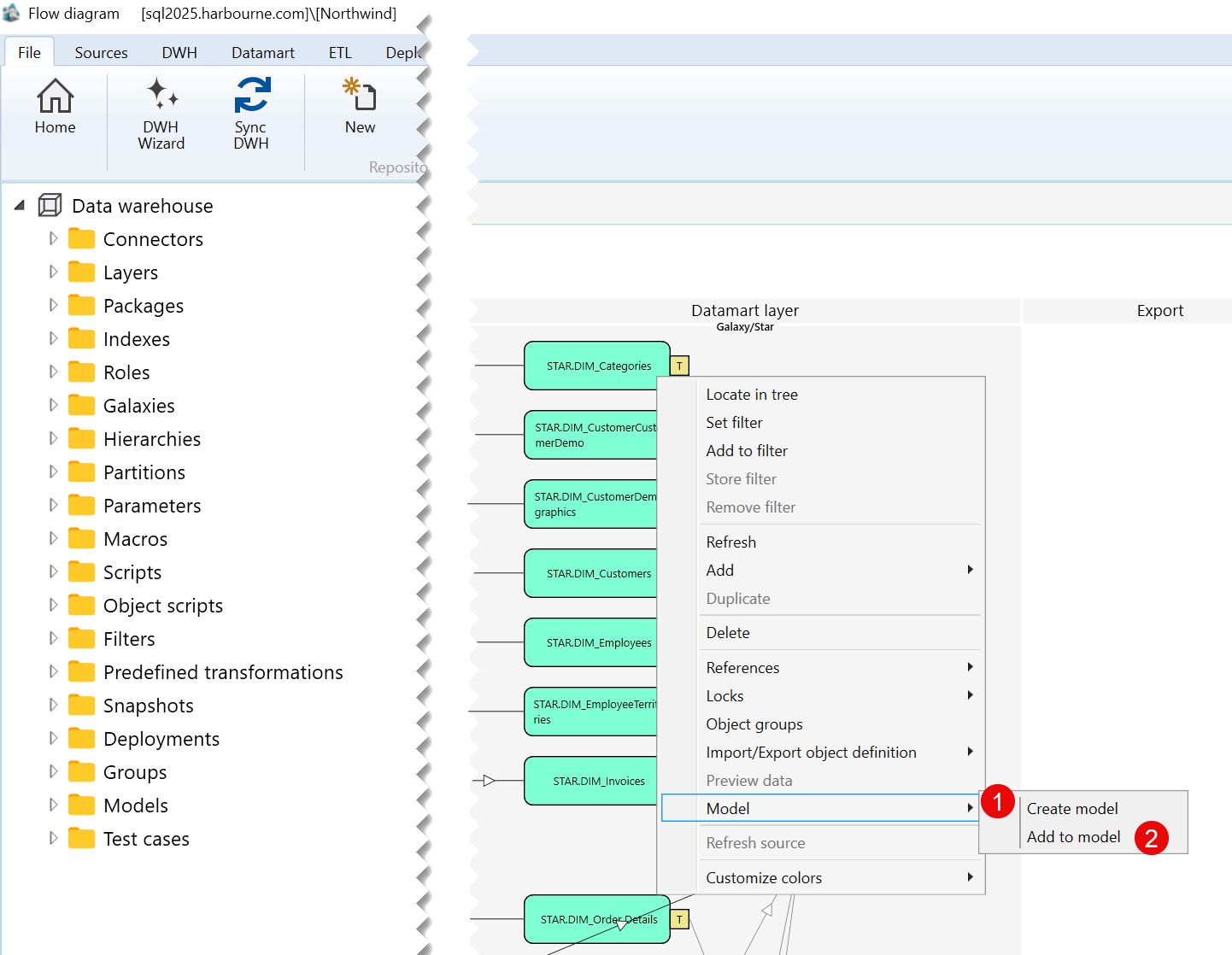
| ID | Command | Description |
|---|---|---|
| 1 | Create model | Creates a model based on the selected table. |
| 2 | Add to model | Adds the selected table to an existing model. |
F) Customize colors Submenu
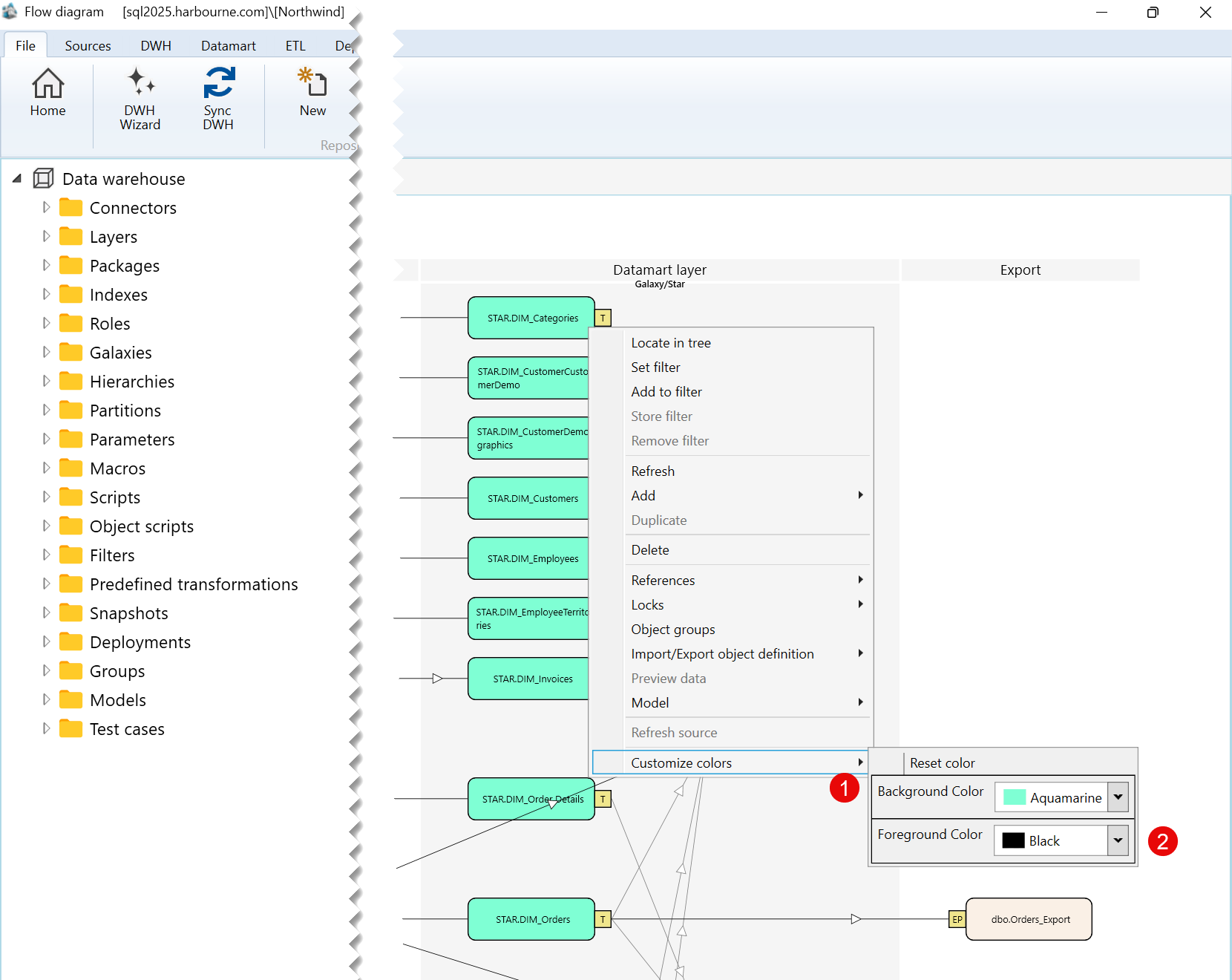
| ID | Command | Description |
|---|---|---|
| 1 | Background Color | Changes the background color of the selected table. |
| 2 | Foreground Color | Changes the foreground color of the selected table. |
