
Object groups

Overview

Object groups let users focus the dataflow diagram on a named set of repository objects and their related flow context.

Function

Object groups are used to isolate a business area, workflow, or implementation slice without changing the full repository model. A selected group limits the dataflow diagram to the objects that belong to that group, making large projects easier to review, generate, and maintain.

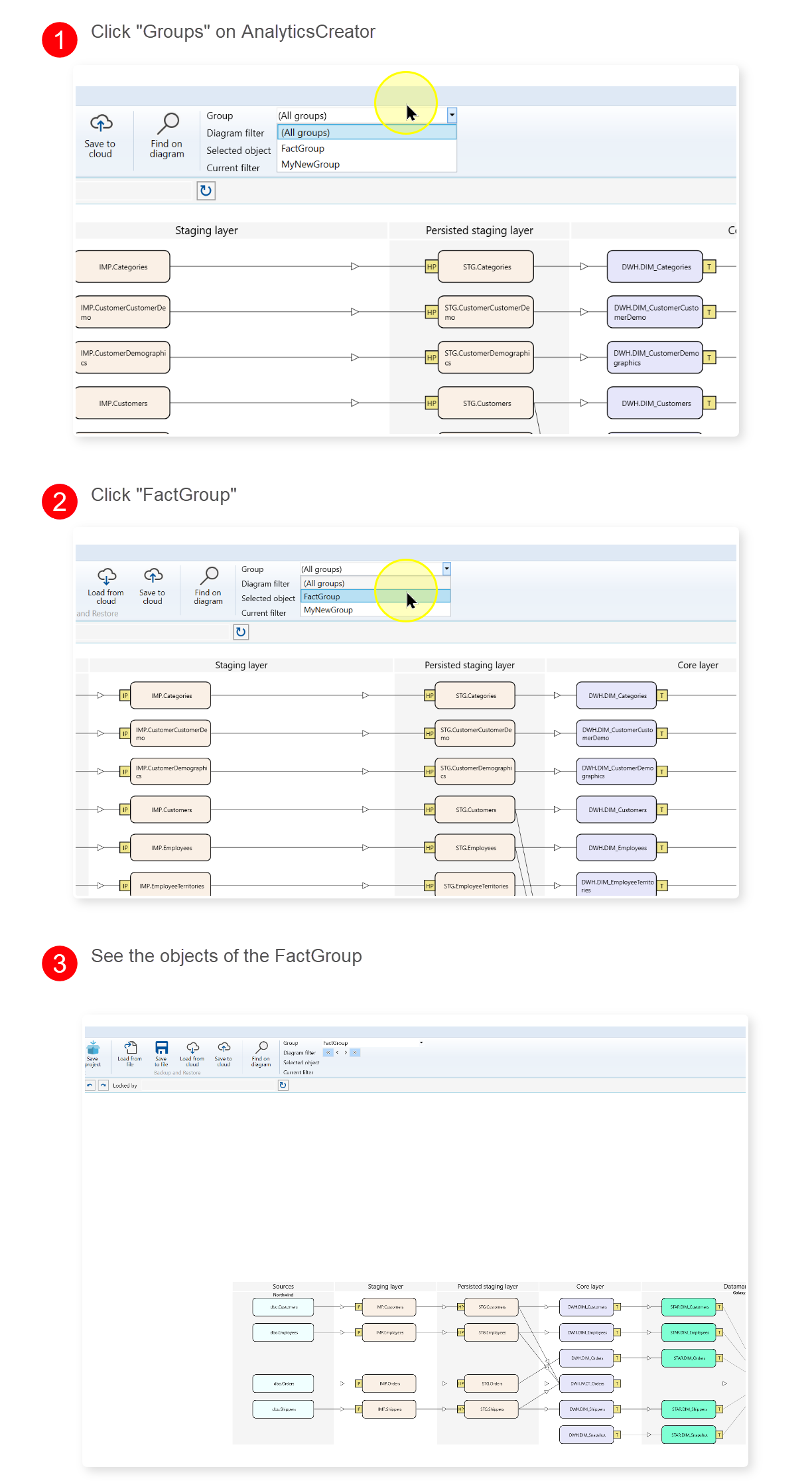
Groups can be selected from the diagram control area, applied from the navigation tree, or edited from an object in the diagram. Membership can be assigned directly for the selected object, inherited from predecessors or successors, or excluded when a related object should not appear in the group. Groups can also be locked to protect the selected scope while another user is working on it.

Access

Use the diagram Group selector to switch between all objects and a named group. Use an object context menu when assigning the selected diagram object to groups. Use the navigation tree when managing group records or reviewing group membership.

How to access

Data warehouse -> Groups -> List groups, Add group, or group name

Toolbar

Dataflow diagram controls -> Group

Diagram

Object context menu -> Object groups

Visual element

Group selector, group navigation item, or Groups dialog

Screen overview
ID Property Description
1Group selectorSwitches the dataflow diagram between all objects and a selected object group.
2Diagram filter controlsControls how much connected context appears around the selected object while a group is active.
3Object groupsOpens group membership editing for the selected diagram object.
4Set diagram filterApplies the selected group from the navigation tree to the dataflow diagram.
5List groupsOpens the Groups dialog for review and maintenance.
6Add groupAdds a new editable row in the Groups dialog.
7Edit groupOpens the Groups dialog focused on the selected group.
8List objectsOpens the group-object membership list for the selected group.
9Lock groupLocks a group for the current user while group membership is being managed.
10Unlock groupReleases a group lock when the user has permission to unlock it.
11MemberMarks whether the selected object belongs directly to the group.
12Inherit predecessorsIncludes upstream objects related to the selected group member.
13Inherit successorsIncludes downstream objects related to the selected group member.
14InheritedIdentifies objects included through inheritance instead of direct selection.
15ExcludeRemoves an otherwise related inherited object from the group view.
16NameDefines the group name shown in the navigation tree and diagram selector.
17DescriptionDocuments the purpose or business scope of the group.
18Create workflowMarks whether the group can be used as a workflow-oriented scope.
19Inherited from objectsShows which objects caused an inherited membership entry.
20Locked byShows the user currently holding the group lock.
21SaveSaves group definitions, updates group memberships, and refreshes the diagram when needed.
22CancelCloses the Groups dialog without saving pending edits.
23Search criteriaFilters the group-object membership list when reviewing objects in a group.
24ObjectSelects the object assigned to a group in the membership list.

Related topics