
Roles
Overview
The Roles navigation tree branch opens data mart role definitions.
Function
Use the branch or Data mart toolbar command to open the role list.
The list shows role name and description, with actions for deleting, duplicating, or creating roles.
Access
Open the Roles branch from the navigation tree or use the Data mart toolbar tab.
How to access
Navigation tree
Roles -> List roles.
Toolbar
Data mart -> Roles.
Diagram
Not opened directly from the diagram.
Visual element
Roles navigation branch and list
Screen overview
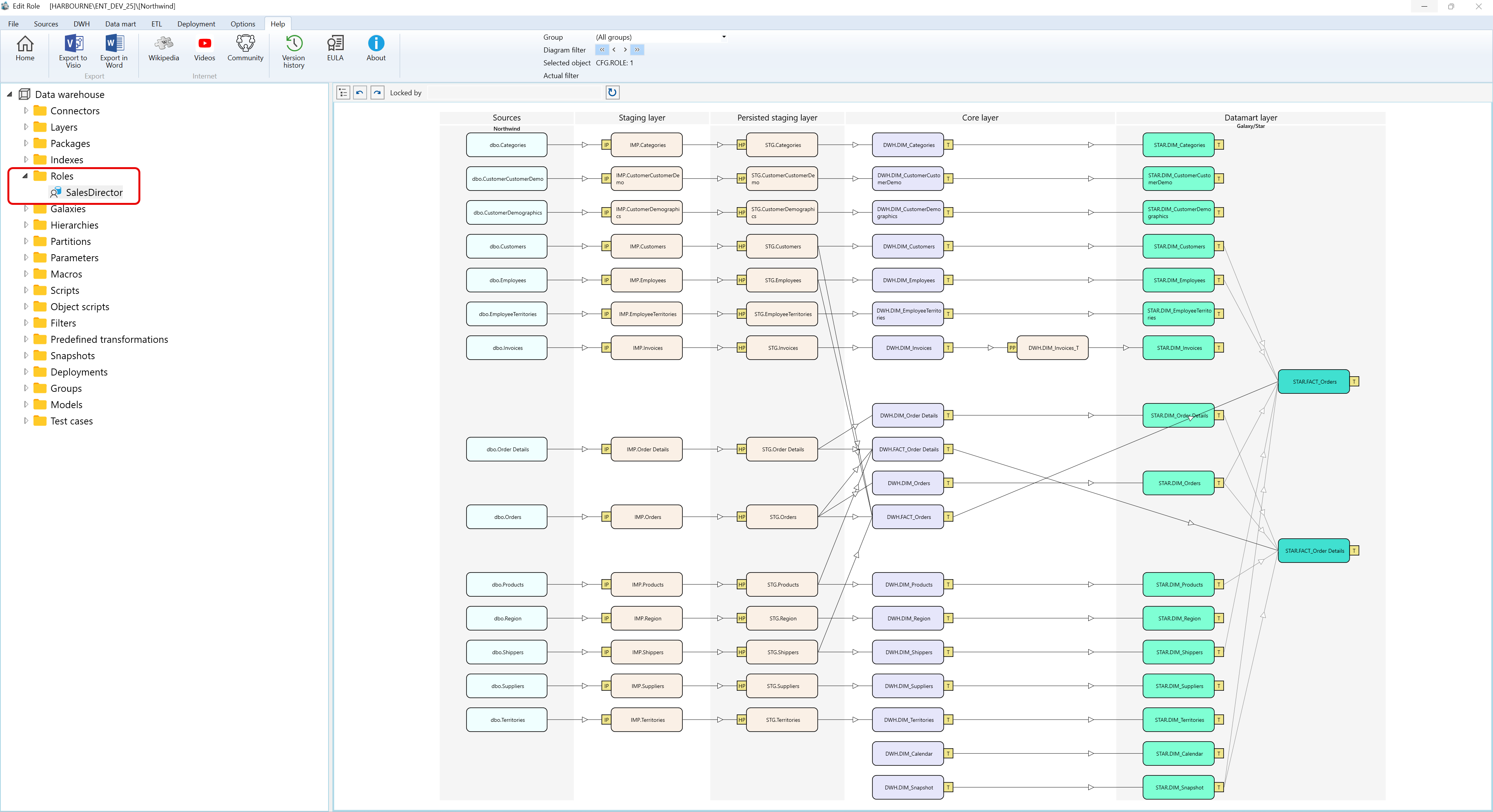
Context menus access - Roles - Where I can find it
The context menu examples below use the captured Data warehouse > Roles navigation tree branch and show the Roles branch plus a role node.
A.1) Roles
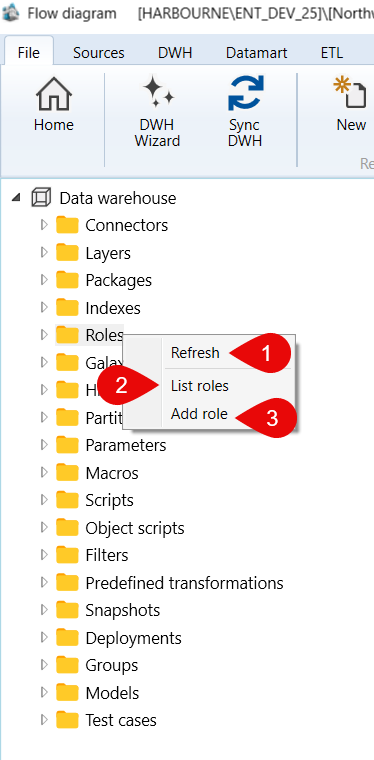
| ID | Command | Description |
|---|---|---|
| 1 | Refresh | Reloads the Roles branch. |
| 2 | List roles | Opens the roles list. |
| 3 | Add role | Creates a role from the selected context. |
A.2) Roles > SalesDirector
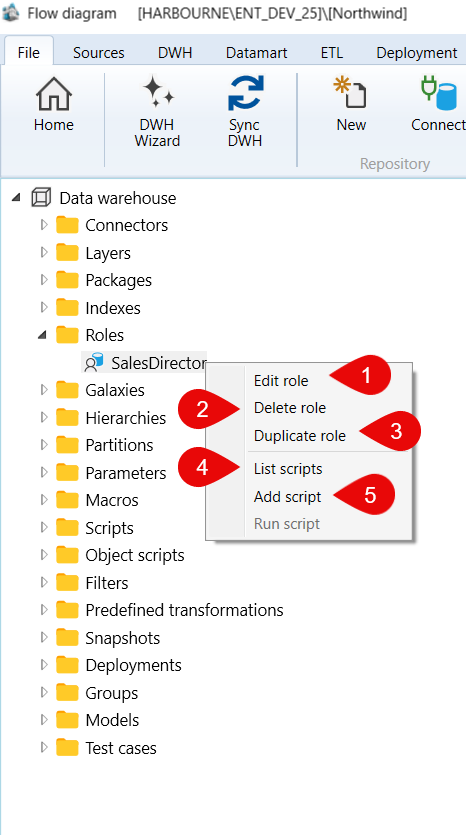
| ID | Command | Description |
|---|---|---|
| 1 | Edit role | Opens the selected role for editing. |
| 2 | Delete role | Deletes the selected role. |
| 3 | Duplicate role | Duplicates the selected role. |
| 4 | List scripts | Lists scripts available for the selected role. |
| 5 | Add script | Adds a script to the selected role. |
