
File
Overview
The File tab in the toolbar contains commands for managing Data Warehouse repositories, managing Data Warehouse project files, restoring and saving backups, synchronizing Data Warehouse metadata, and finding objects on the active diagram. Its command groups are Repository, Project, and Backup and Restore.
Function
Use this tab to create or connect to a Data Warehouse repository, start the DWH Wizard, synchronize Data Warehouse metadata, load or save Data Warehouse project files, restore backups, save backups, and find objects on the active diagram.
Access
The File tab is available from the main AnalyticsCreator toolbar. Some commands require an active Data Warehouse repository connection before they can be used.
How to access
Navigation tree
Not direct. This page documents toolbar access.
Toolbar
File tab
Diagram
Not direct. This page documents toolbar access.
Visual element
File tab in the toolbar.
Screen overview
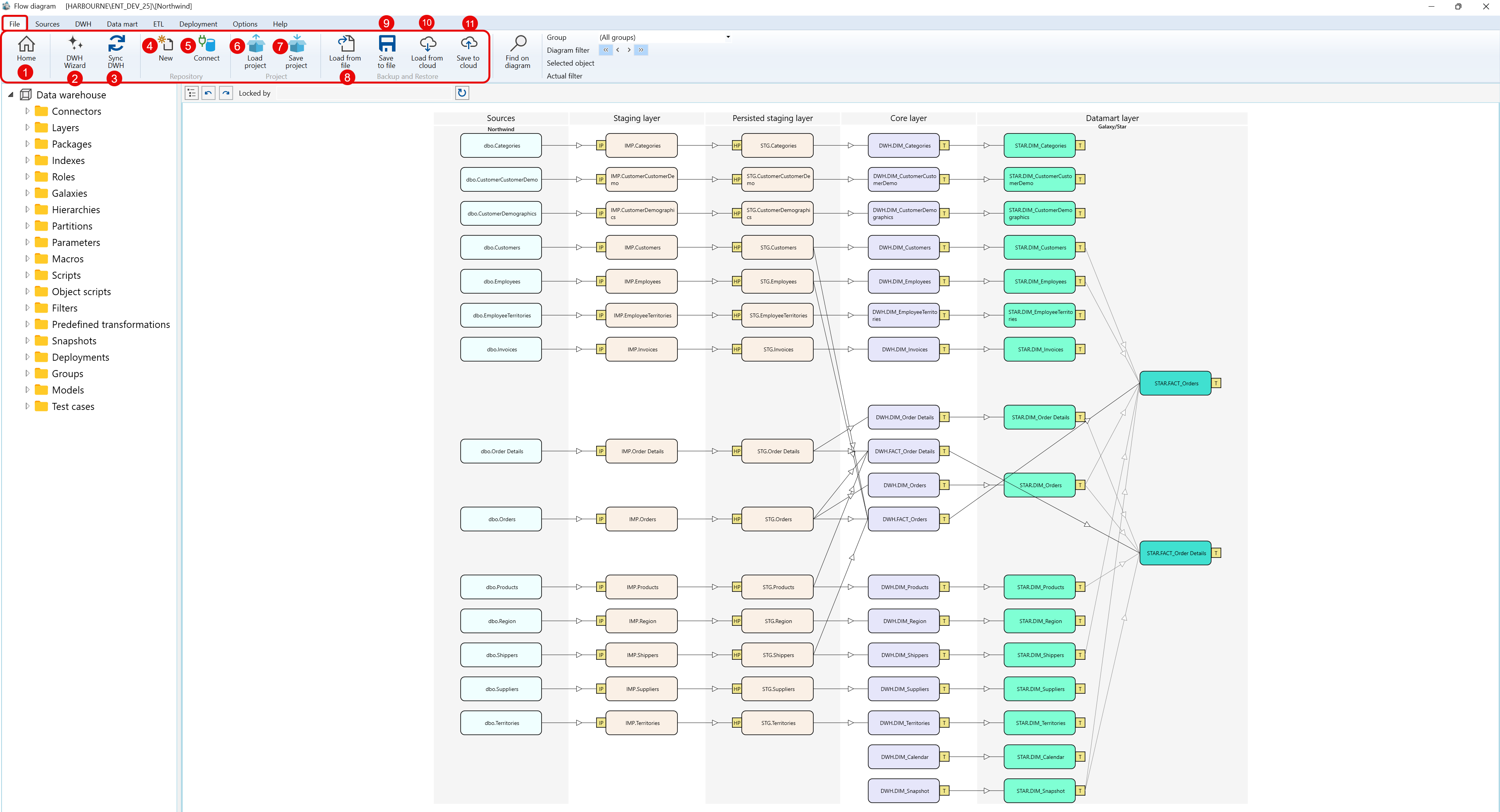
The File tab lists the command labels below. Repository, Project, and Backup and Restore are command groups, not individual commands.
| ID | Property | Description |
|---|---|---|
| 1 | Home | Returns to the main home view when a repository is connected. |
| 2 | DWH Wizard | Starts the DWH Wizard for creating Data Warehouse objects from source metadata. |
| 3 | Sync DWH | Synchronizes Data Warehouse metadata. The command changes to a Stop action while synchronization is running. |
| 4 | New | Prompts for a repository name and creates a new repository configuration. |
| 5 | Connect | Connects to an existing repository and updates it when the repository version requires it. |
| 6 | Load project | Loads an AnalyticsCreator project from a selected folder. |
| 7 | Save project | Saves the current project structure to a folder. |
| 8 | Load from file | Restores repository data from a local backup file. |
| 9 | Save to file | Saves the current repository to a local backup file. |
| 10 | Load from cloud | Restores repository data from a cloud-stored backup. |
| 11 | Save to cloud | Saves the current repository as a cloud-stored backup. |
| 12 | Find on diagram | Opens the object search flow for the active architecture diagram. |
