
Users in user group
Overview
The Users in user group page maintains group membership and rights for an AnalyticsCreator user group.
Function
Use Group name to identify the user group.
The Group members grid lists assigned users and their rights.
Save stores the membership and rights changes, while Cancel leaves the page without continuing the edit.
Access
Open an existing user group from the user group list.
How to access
Navigation tree
Options -> User groups, then double-click a user group.
Toolbar
Options -> User groups.
Diagram
Not opened directly from the diagram.
Visual element
Users in user group page
Screen overview
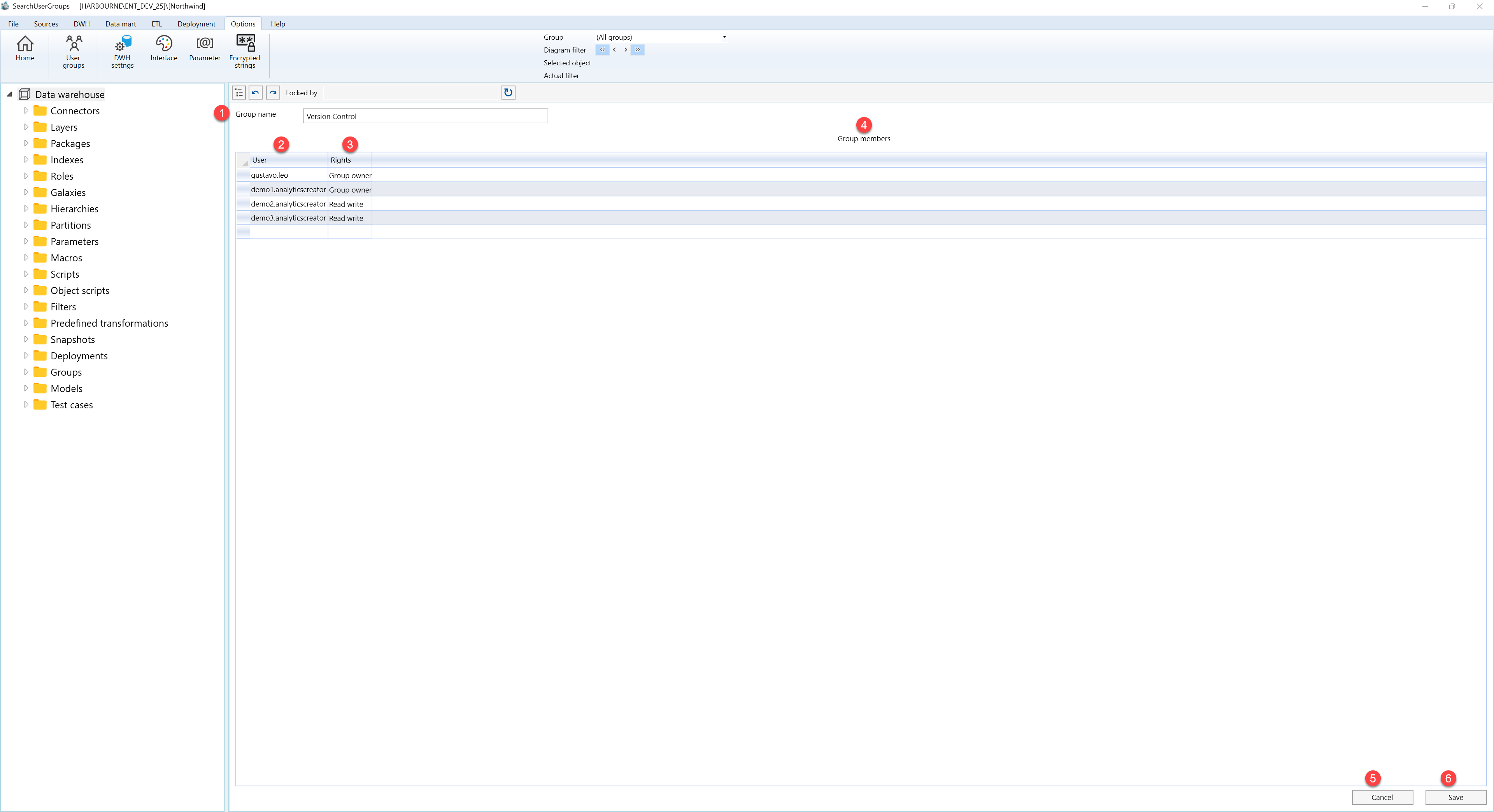
| ID | Property | Description |
|---|---|---|
| 1 | Group name | Name of the user group. |
| 2 | Group members | Grid of users assigned to the group. |
| 3 | User | User assigned to the group. |
| 4 | Rights | Rights assigned to the selected user in the group. |
| 5 | Save | Saves the current definition, refreshes the relevant navigation or list, and keeps the page consistent with the saved state. |
| 6 | Cancel | Leaves the page without continuing the current edit. |
