
SQL Script
Overview
The SQL Script page maintains a script that can be grouped by script category, assigned a run order, and optionally linked to a package.
Function
Use Script type, Name, Description, Sequence number, and Inactive to classify and control the script.
The script editor shows the original statement and the parsed result so generated values can be reviewed.
Package links the script to package execution where applicable, and Run executes the script from the page.
Access
Open an existing script from a Scripts branch or from the SQL Script list.
How to access
Navigation tree
Scripts -> [script category] -> [script] -> Edit script.
Toolbar
ETL -> Scripts, then double-click a script row.
Diagram
Not opened directly from the diagram.
Visual element
SQL Script page
Screen overview
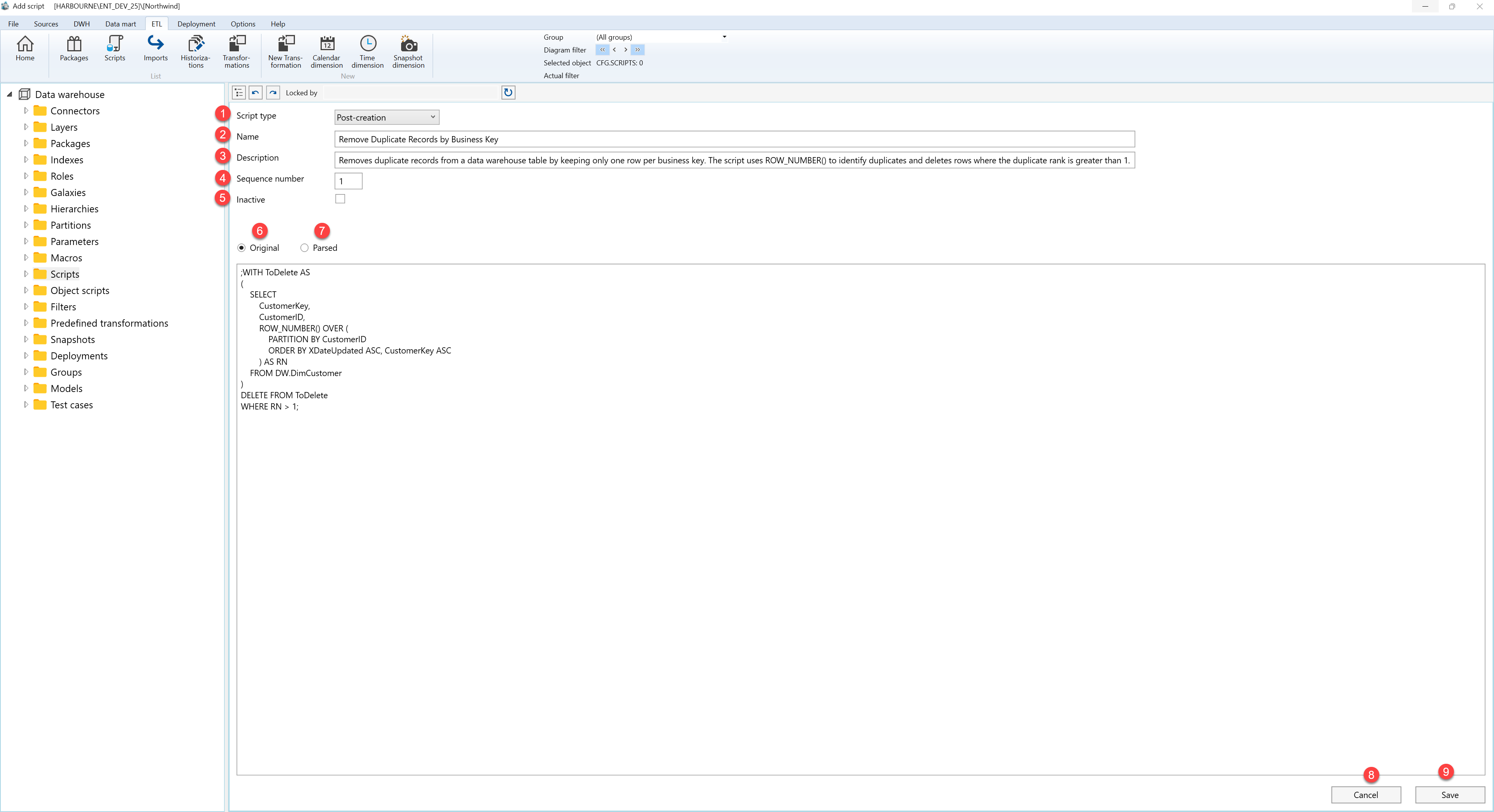
| ID | Property | Description |
|---|---|---|
| 1 | Name | Business name shown in lists and navigation. |
| 2 | Description | Business description or notes for the object. |
| 3 | Sequence number | Run order within the selected script category. |
| 4 | Inactive | Disables the script without deleting it. |
| 5 | Original | Original script statement. |
| 6 | Parsed | Parsed script after variables and expressions are resolved. |
| 7 | Package | Package linked to the script when package execution applies. |
| 8 | Run | Runs the script from the page. |
| 9 | Save | Saves the current definition, refreshes the relevant navigation or list, and keeps the page consistent with the saved state. |
| 10 | Cancel | Leaves the page without continuing the current edit. |
