
Package
Overview
The Edit package page is used to review and maintain the package assignment and loading definition for an import entry. It shows the selected import, the package that contains it, and the detailed settings used when the package runs the import.
Function
Use this page to maintain the import package, description, optional import SQL, filter or query options, package flags, field mappings, package variables, scripts, and package loading options.
The main import configuration defines the source-to-target import relationship and package behaviour. The tabbed editor contains field mappings, scripts, and package loading options. The right-side editors maintain optional ImpSQL, filter text, and package variables.
Save validates the import package and stores the import definition. Cancel closes the page without continuing the current edit.
Import package context
The displayed layout applies to an import entry inside a package. The available fields and tabs are used to control how the selected import is executed as part of the assigned package.
Access
Open this page from the Packages list when you need to review or edit an existing import entry assigned to a package.
How to access
Packages list
ETL -> Packages, then double-click the required package entry.
Navigation tree
Data warehouse -> Packages, then select the required package entry.
Screen overview
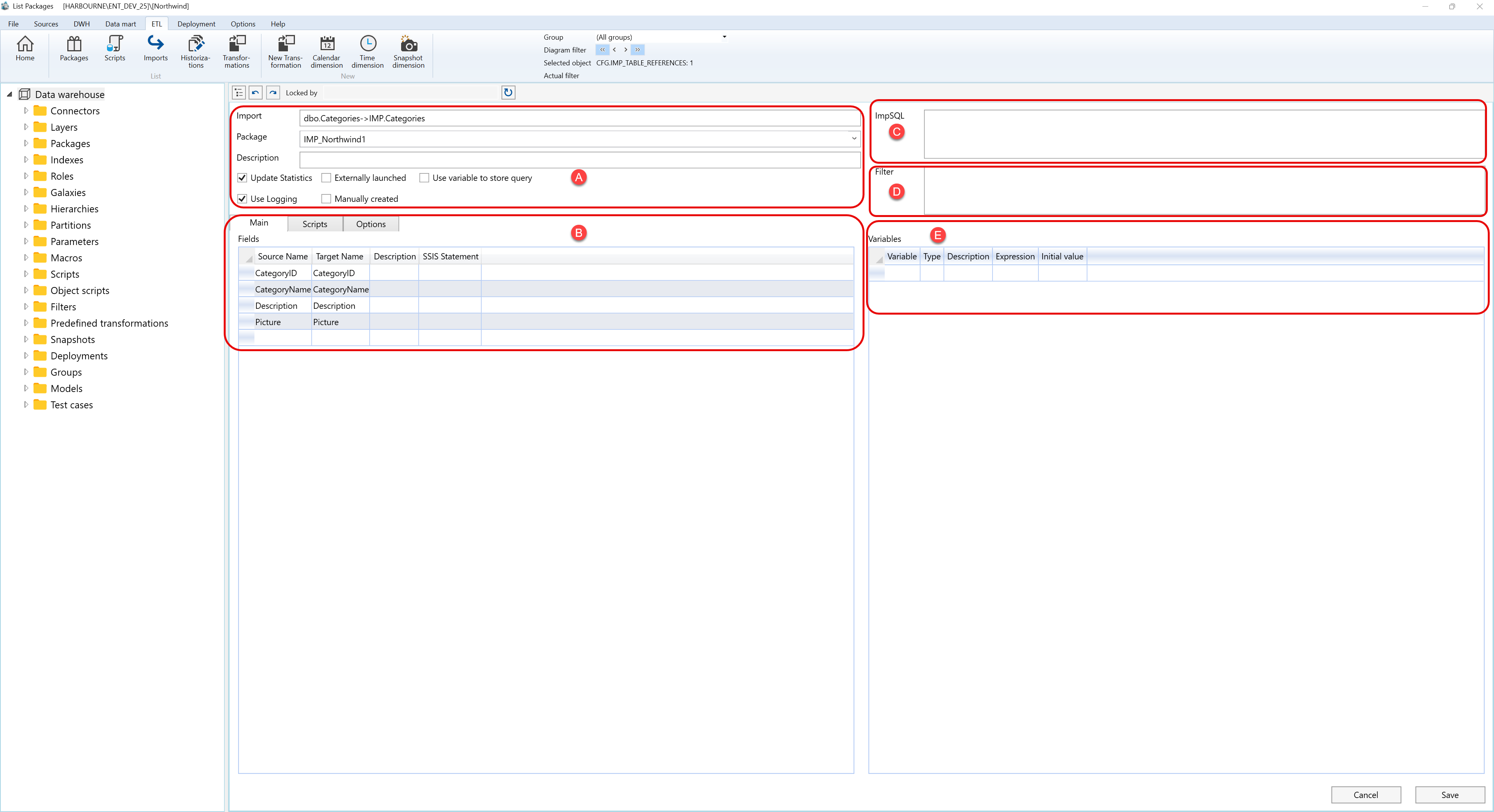
The Edit package page contains several configuration areas. The screen overview is split into the same highlighted areas shown in the screenshot.
A. Import package settings
Area A defines the selected import, its assigned package, description, and package execution flags.

| ID | Property | Description |
|---|---|---|
| A.1 | Import | Shows the source-to-target import relationship assigned to the package. |
| A.2 | Package | Package that contains and runs the selected import entry. |
| A.3 | Description | Optional description or note for the import package entry. |
| A.4 | Update Statistics | Controls whether statistics are updated as part of the package execution. |
| A.5 | Externally launched | Marks the import package entry as launched outside the normal package sequence. |
| A.6 | Use variable to store query | Stores the generated or entered query in a variable when this behaviour is required by the package. |
| A.7 | Use Logging | Enables logging for the package execution of the selected import. |
| A.8 | Manually created | Indicates that the package entry is maintained manually. |
B. Tabbed editor and field mappings
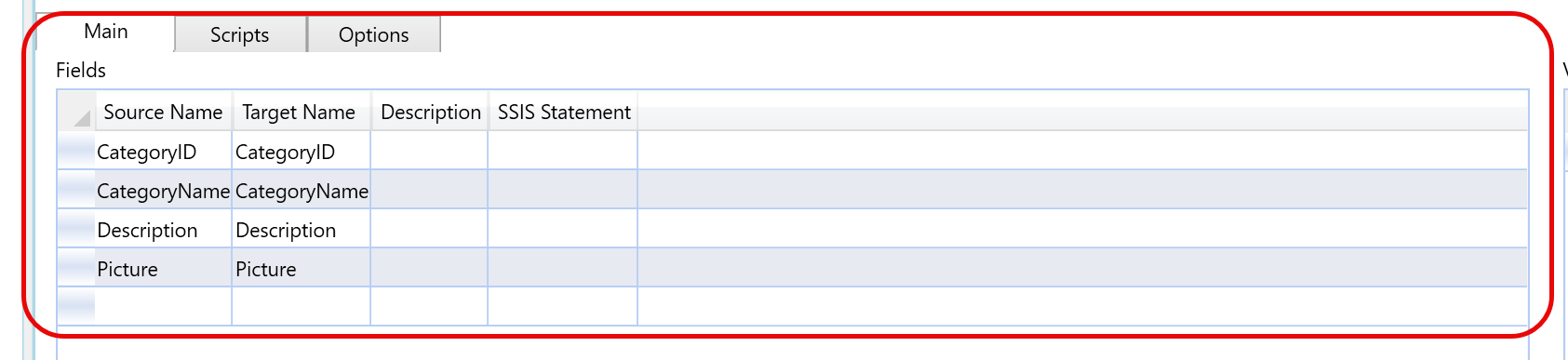
Area B contains the tabbed editor. The visible Main tab lists the field mappings between the source and target columns.
| ID | Property | Description |
|---|---|---|
| B.1 | Main | Tab used to maintain the field mapping between source fields and target fields. |
| B.2 | Scripts | Tab used to maintain scripts related to the package execution of the import. |
| B.3 | Options | Tab used to maintain additional package loading options for the import. |
| B.4 | Fields | Grid containing the source-to-target field mapping rows. |
| B.4.1 | Source Name | Source field used by the import. |
| B.4.2 | Target Name | Target field populated by the import. |
| B.4.3 | Description | Optional description of the field mapping. |
| B.4.4 | SSIS Statement | Optional SSIS expression or statement used for the mapped field. |
C. ImpSQL
Area C contains the ImpSQL editor for the selected import package entry.

| ID | Property | Description |
|---|---|---|
| C.1 | ImpSQL | SQL text associated with the import package entry. |
| C.2 | SQL editor | Editor area used to enter or review the optional import SQL. |
D. Filter
Area D contains the filter editor for the selected import package entry.

| ID | Property | Description |
|---|---|---|
| D.1 | Filter | Filter applied to the import package entry. |
| D.2 | Filter editor | Editor area used to enter or review the optional filter text. |
E. Variables
Area E lists the variables available to the selected import package entry.

| ID | Property | Description |
|---|---|---|
| E.1 | Variables | Grid containing variables used by the package execution of the import. |
| E.1.1 | Variable | Variable name. |
| E.1.2 | Type | Variable data type. |
| E.1.3 | Description | Optional description of the variable. |
| E.1.4 | Expression | Expression assigned to the variable. |
| E.1.5 | Initial value | Initial value used when the variable is created or reset. |
F. Page actions
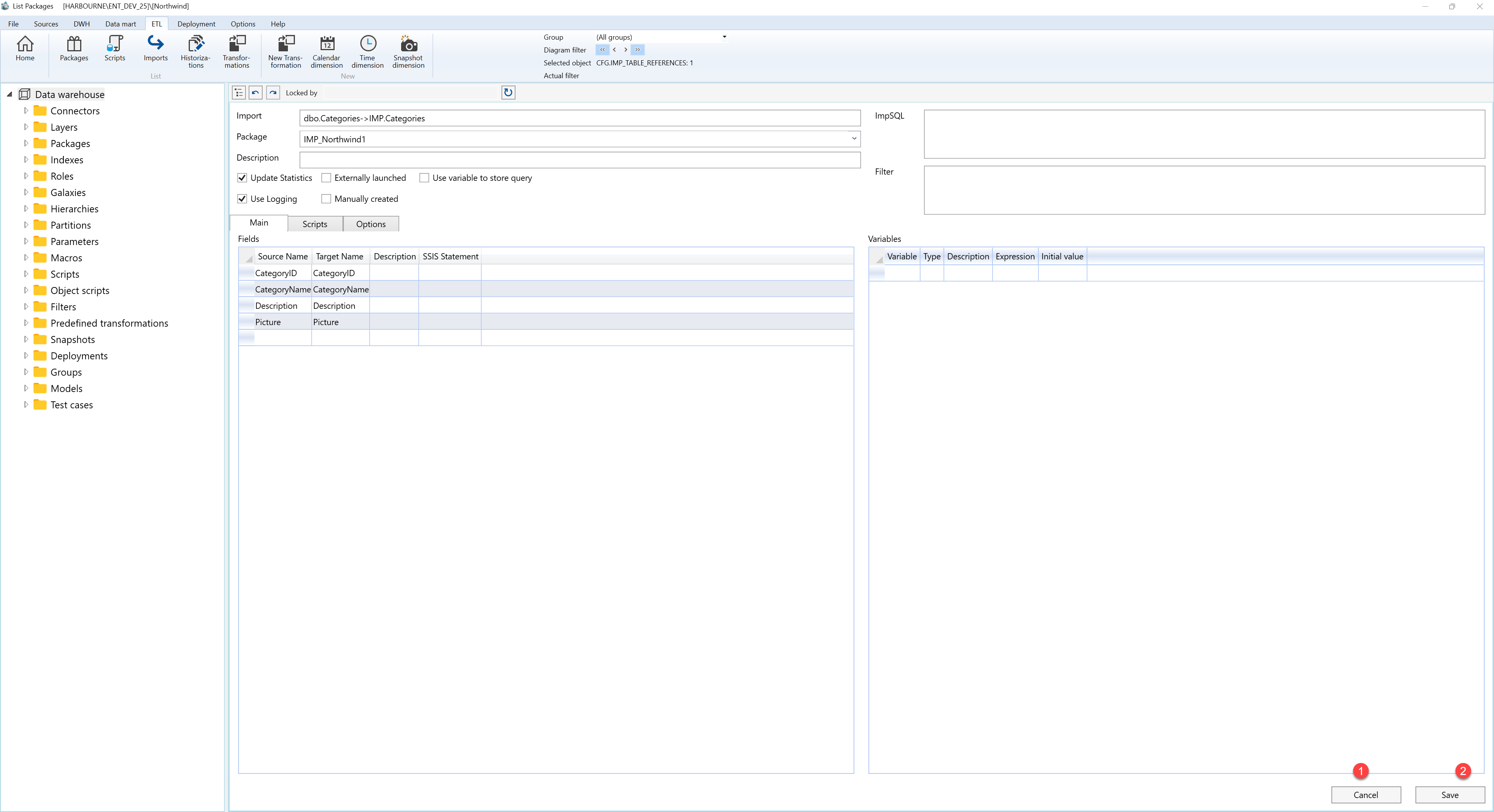
Area F contains the page action buttons.
| ID | Action | Description |
|---|---|---|
| F.1 | Cancel | Closes the page without continuing the current edit. |
| F.2 | Save | Validates the import package and stores the import definition. |
