
Groups
Overview
Groups is the navigation-tree entry for object groups in AnalyticsCreator. Use it to maintain named groups, review the objects assigned to a group, and apply a group as the active diagram scope.
Function
The Groups node sits under the Data warehouse root. It lists groups by name and provides commands for maintaining group definitions from the project tree.
List groups and Add group open the Groups dialog, where users can create or edit group records, maintain descriptions, define workflow-related settings, and save or cancel changes. Existing group items also provide commands to edit the group, list the objects assigned to it, lock or unlock the group, delete it, or apply it to the diagram.
Set diagram filter selects the group in the main window's Group selector and refreshes the diagram so the model is shown through that group scope. A locked group displays the user who currently holds the lock, helping teams avoid conflicting group edits.
Access
Open the Groups node from the Data warehouse navigation tree. Use the node context menu to refresh the branch, list groups, or add a group. Use an existing group's context menu to manage that group or apply it to the diagram.
How to access
Navigation tree
Data warehouse -> Groups
Toolbar
Not opened directly from the toolbar. Use the Groups node or the main window Group selector.
Diagram
Use a group item's Set diagram filter command or the Group selector to filter the diagram.
Visual element
Groups navigation-tree node, Groups dialog, and List group objects page
Screen overview
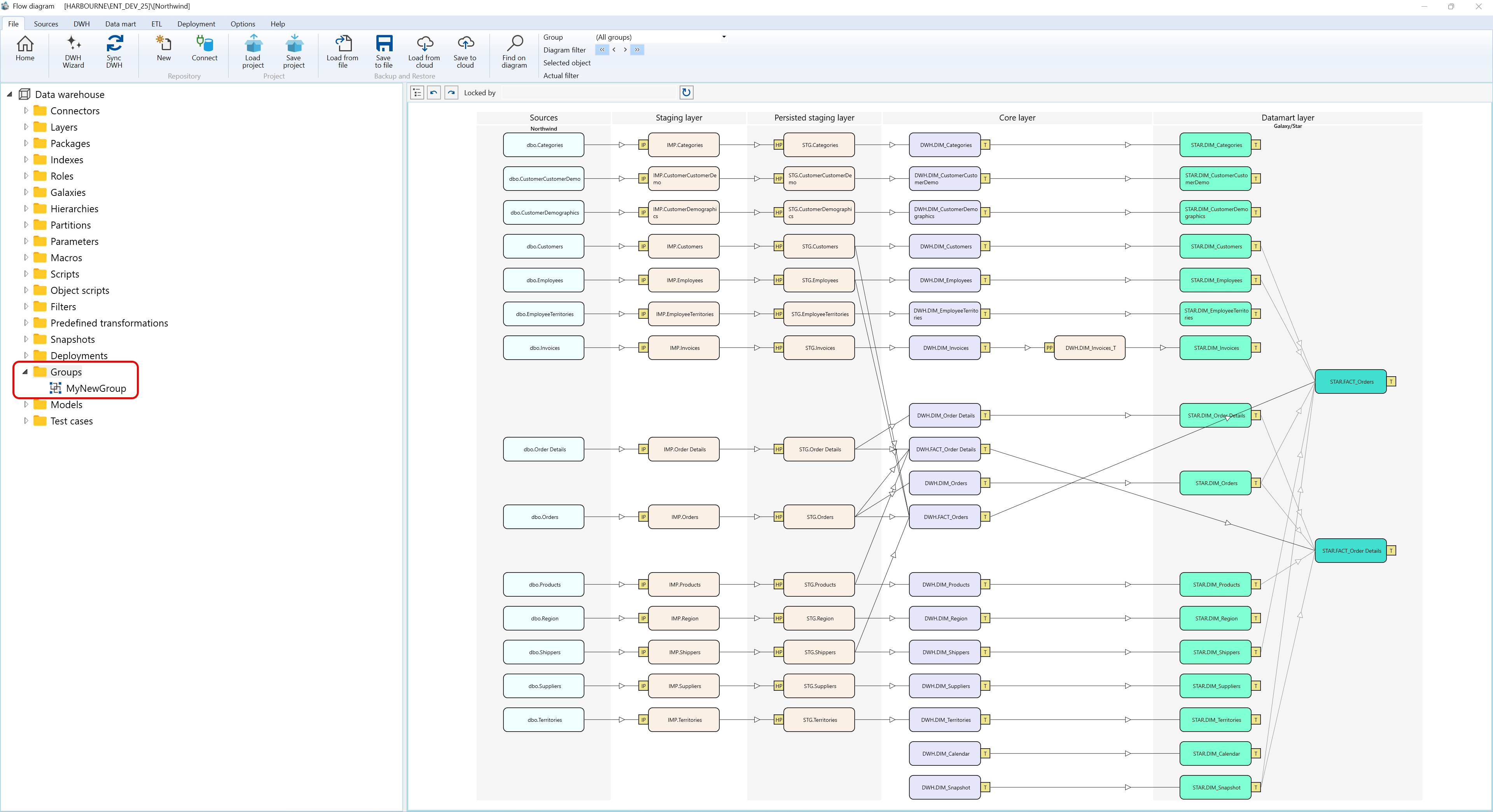
Context menus access - Groups - Where I can find it
The context menu examples below use the captured Data warehouse > Groups navigation tree branch and show the Groups branch plus an existing group node.
A.1) Groups
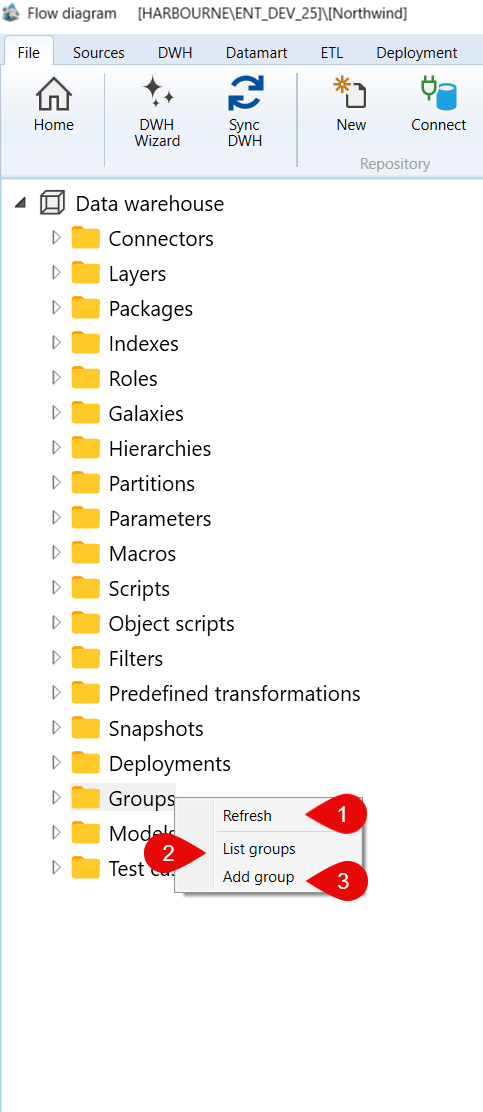
| ID | Command | Description |
|---|---|---|
| 1 | Refresh | Reloads the Groups branch. |
| 2 | List groups | Opens the groups list. |
| 3 | Add group | Creates a group from the selected context. |
A.2) Groups > FactGroup
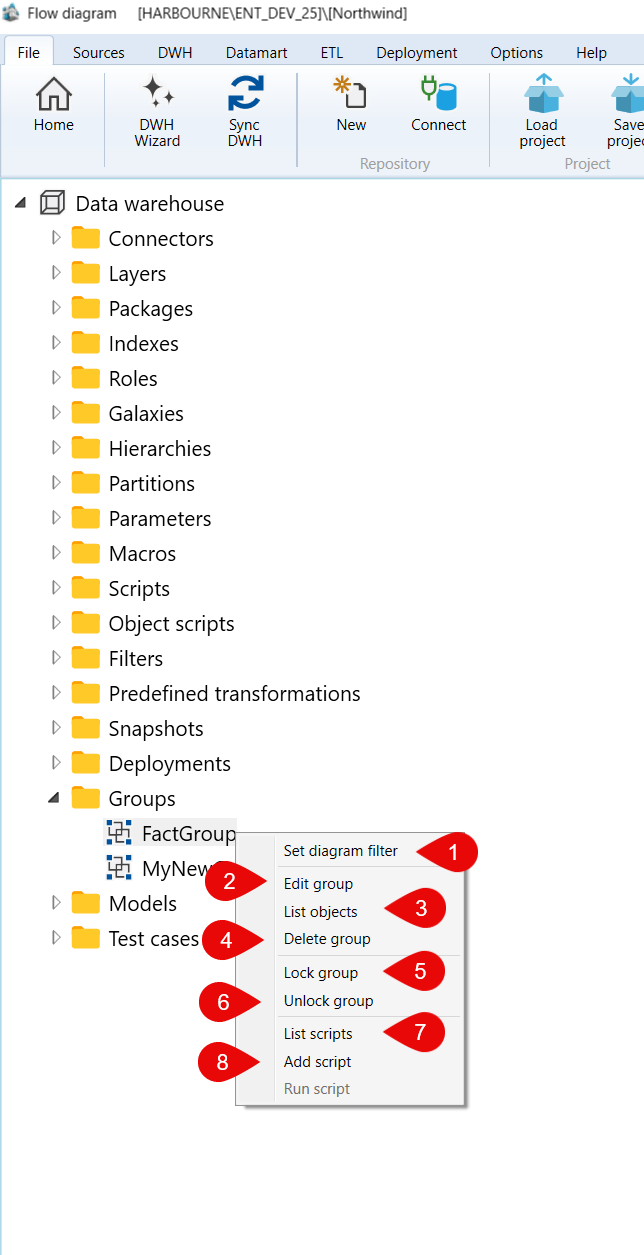
| ID | Command | Description |
|---|---|---|
| 1 | Set diagram filter | Applies the selected group as the active diagram filter. |
| 2 | Edit group | Opens the selected group for editing. |
| 3 | List objects | Lists the objects assigned to the selected group. |
| 4 | Delete group | Deletes the selected group. |
| 5 | Lock group | Locks the selected group for editing. |
| 6 | Unlock group | Unlocks the selected group. |
| 7 | List scripts | Lists scripts available for the selected group. |
| 8 | Add script | Adds a script to the selected group context. |
