
Filters
Overview
Filters is the navigation-tree entry for saved diagram filters in AnalyticsCreator. Use it to store the current diagram filter, reopen saved filters, apply a saved filter to the diagram, or delete saved filters that are no longer needed.
Function
The Filters node sits under the Data warehouse root. It lists saved filters by name and provides the command that stores the current diagram filter as a reusable saved filter.
Store current filter saves the objects currently shown in the Actual filter field. AnalyticsCreator asks for a filter name, prevents empty names and duplicate filter names, and stores the selected diagram objects under that name. A saved filter can later be opened from the Filters node and applied to the diagram.
Object context menus can set or add to the diagram filter. The Group selector narrows the diagram by object group, and the Actual filter field shows the object names currently included in the active diagram filter. Find on diagram is available from the File toolbar for locating objects in the diagram.
Access
Open the Filters node from the Data warehouse navigation tree. Use the node context menu to refresh the tree or store the current diagram filter. Use a saved filter's context menu to apply or delete it.
How to access
Navigation tree
Data warehouse -> Filters
Toolbar
File -> Find on diagram. Saved filters are managed from the navigation tree.
Diagram
Object context menu -> Set diagram filter or Add to diagram filter.
Visual element
Filters navigation-tree node and Actual filter field
Screen overview
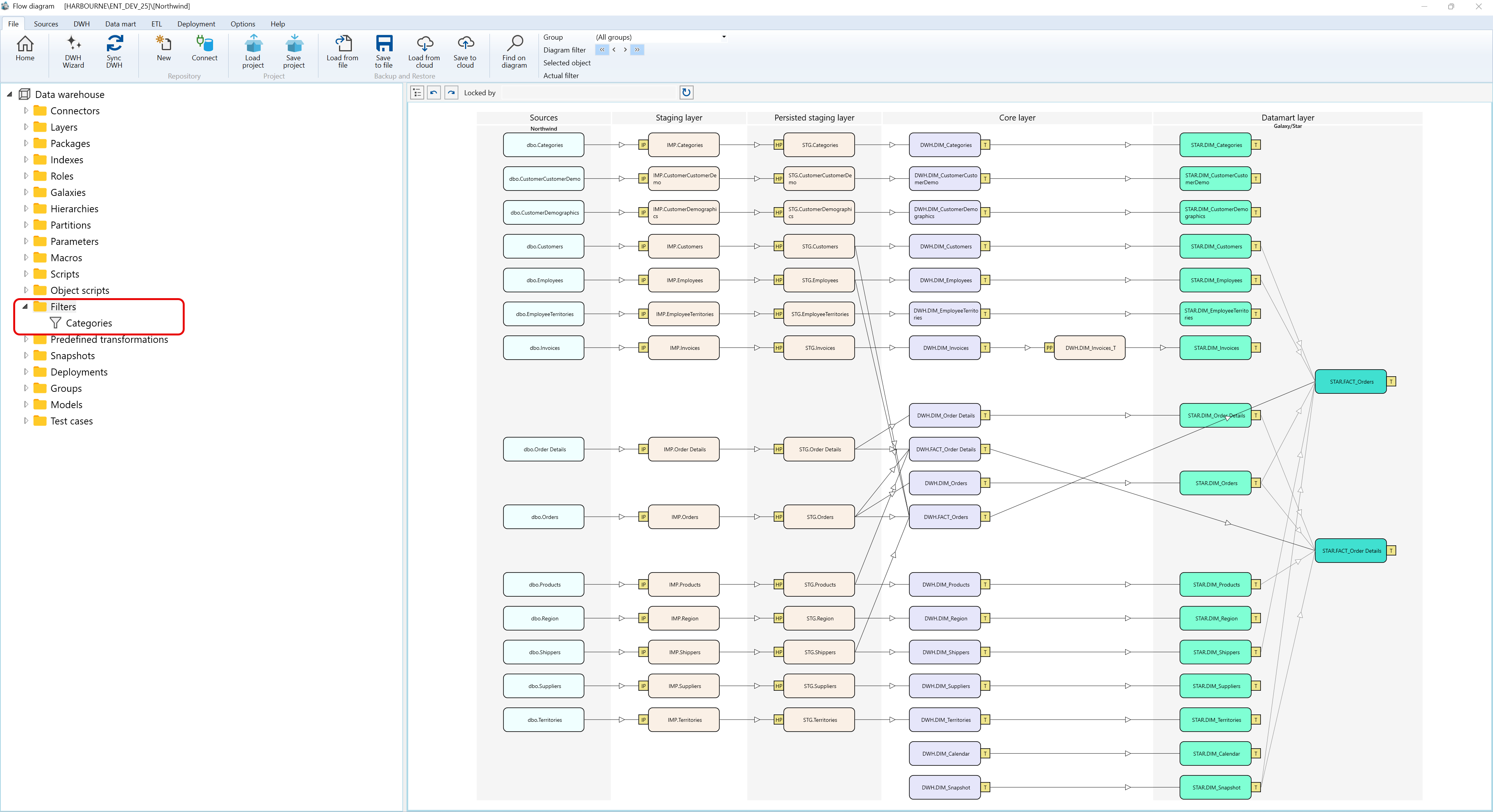
Context menus access - Filters - Where I can find it
The context menu examples below use the captured Data warehouse > Filters navigation tree branch and show the Filters branch plus a saved filter node.
A.1) Filters
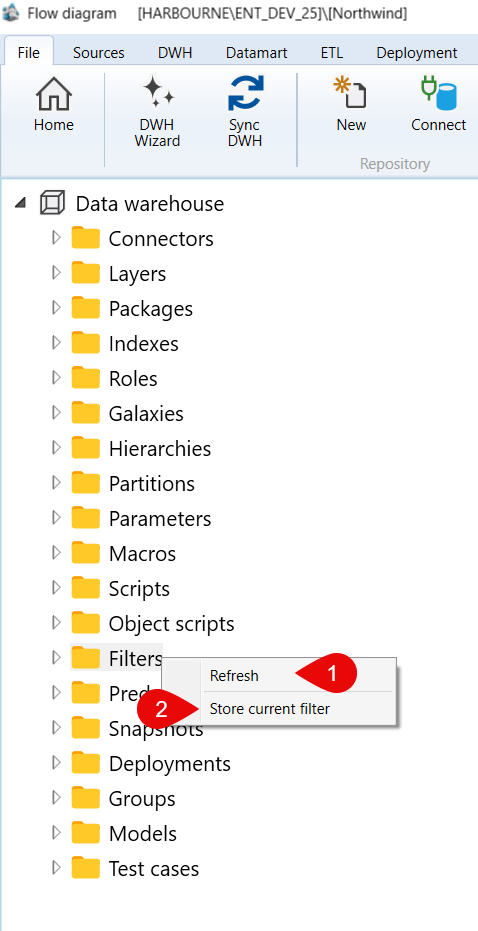
| ID | Command | Description |
|---|---|---|
| 1 | Refresh | Reloads the Filters branch. |
| 2 | Store current filter | Stores the current diagram filter as a saved filter. |
A.2) Filters > Categories
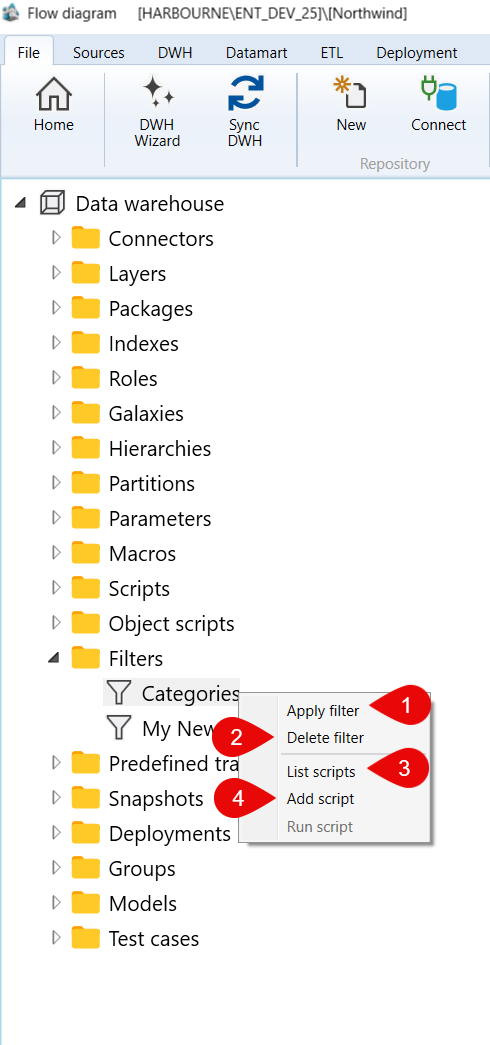
| ID | Command | Description |
|---|---|---|
| 1 | Apply filter | Applies the selected saved filter to the diagram. |
| 2 | Delete filter | Deletes the selected saved filter. |
| 3 | List scripts | Lists scripts available for the selected filter. |
| 4 | Add script | Adds a script to the selected filter context. |
