
Historizations
Overview
The Historizations list shows historization package items and their load behavior.
Function
Use the list to review the historized table, owning package, historization type, close behavior, generated statements, statistics updates, and logging.
New starts a historization creation flow and Delete removes the selected historization item.
Access
Open historizations from the ETL toolbar tab.
How to access
Navigation tree
Not opened directly from the navigation tree.
Toolbar
ETL -> Historizations.
Diagram
Not opened directly from the diagram.
Visual element
Historizations list
Screen overview
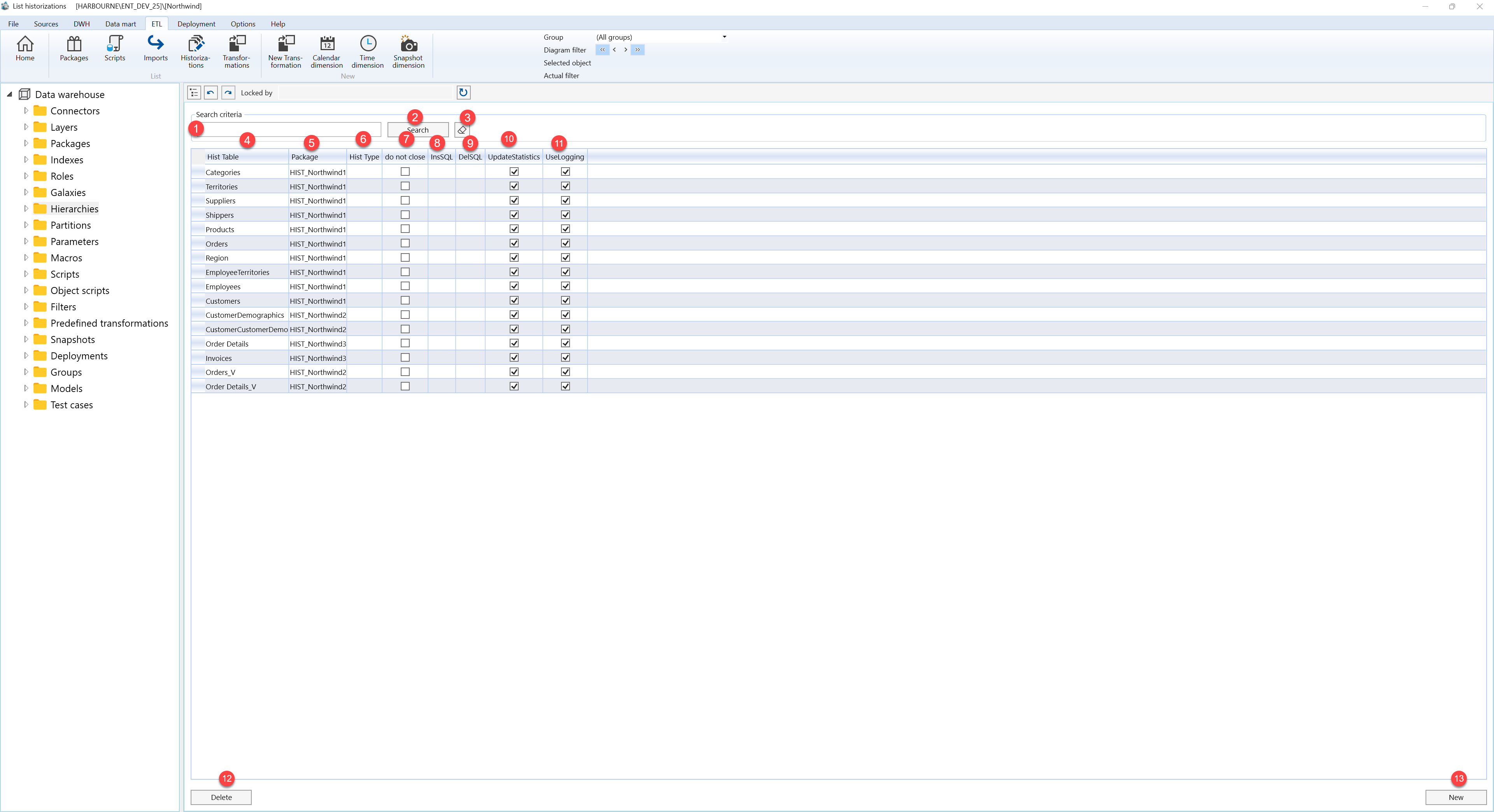
| ID | Property | Description |
|---|---|---|
| 1 | Search criteria | Area used to filter historization rows. |
| 2 | Search | Applies the current search criteria. |
| 3 | Hist Table | Historized target table. |
| 4 | Package | Package selected for the current operation. |
| 5 | Hist Type | Historization behavior used by the item. |
| 6 | do not close | Shows whether existing rows remain open. |
| 7 | InsSQL | Insert statement used by the historization item. |
| 8 | DelSQL | Delete or close statement used by the item. |
| 9 | UpdateStatistics | Shows whether statistics are updated. |
| 10 | UseLogging | Shows whether logging is enabled. |
| 11 | New | Starts creation of a historization item. |
| 12 | Delete | Deletes the selected historization item. |
