
Galaxies
Overview
Galaxies is the list and maintenance page for galaxy records in the data mart area. Use it to find, review, add, or edit the galaxy containers that group related stars.
Function
The page combines a search filter with an editable galaxies grid. The search field narrows the list by galaxy name or description, and the clear-filter button reloads the full list.
Edit galaxy names and descriptions directly in the grid, then use Save to commit the changes. When opened from an existing galaxy in the navigation tree, the page focuses that galaxy row.
Access
Open the galaxies list from the Data mart toolbar or from the Galaxies node in the navigation tree.
How to access
Navigation tree
Galaxies -> List galaxies. From an existing galaxy, use Edit galaxy.
Toolbar
Data mart -> Galaxies
Diagram
Not direct. Use the Data mart toolbar or the Galaxies navigation-tree node.
Visual element
Galaxies list page
Screen overview
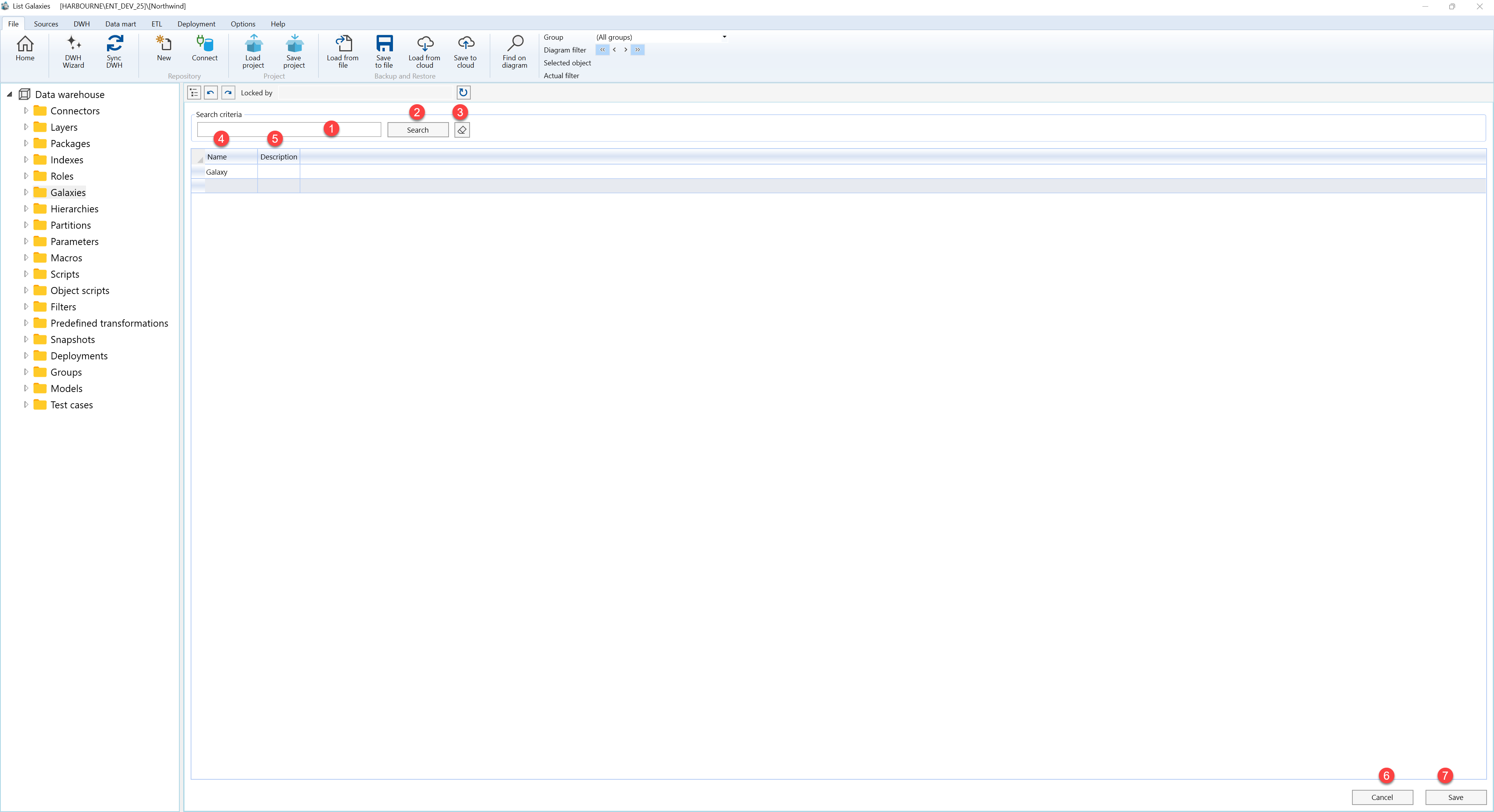
| ID | Property | Description |
|---|---|---|
| 1 | Search criteria | Filter area at the top of the page. |
| 2 | Search field | Text field used to filter galaxy records by name or description. |
| 3 | Search | Runs the filter and refreshes the galaxies grid. |
| 4 | Clear filter | Clears the search field and reloads the full galaxies list. |
| 5 | Name | Grid column for the galaxy name. |
| 6 | Description | Grid column for the galaxy description or business context. |
| 7 | Galaxies grid | Editable result list for adding or maintaining galaxy records. |
| 8 | Save | Saves grid changes and refreshes the page. |
| 9 | Cancel | Returns to the previous page without saving new edits. |
