
Deployments
Overview
The Deployments list page is the searchable list for deployment definitions. Use it to find existing deployments, open a deployment for editing or running, or start a new deployment.
Function
The page combines a search filter with a read-only deployment grid. The search field narrows the list by deployment name or description, and the clear-filter button reloads the full list.
Double-click a deployment row to open it. Use New to create a deployment, or Delete to remove the selected deployment after confirmation.
Access
Open the deployment list from the Deployments node in the navigation tree.
How to access
Navigation tree
Deployments -> List deployments
Toolbar
Deployment
Diagram
Not direct. Use the list page from the navigation tree.
Visual element
Deployments list page
Screen overview
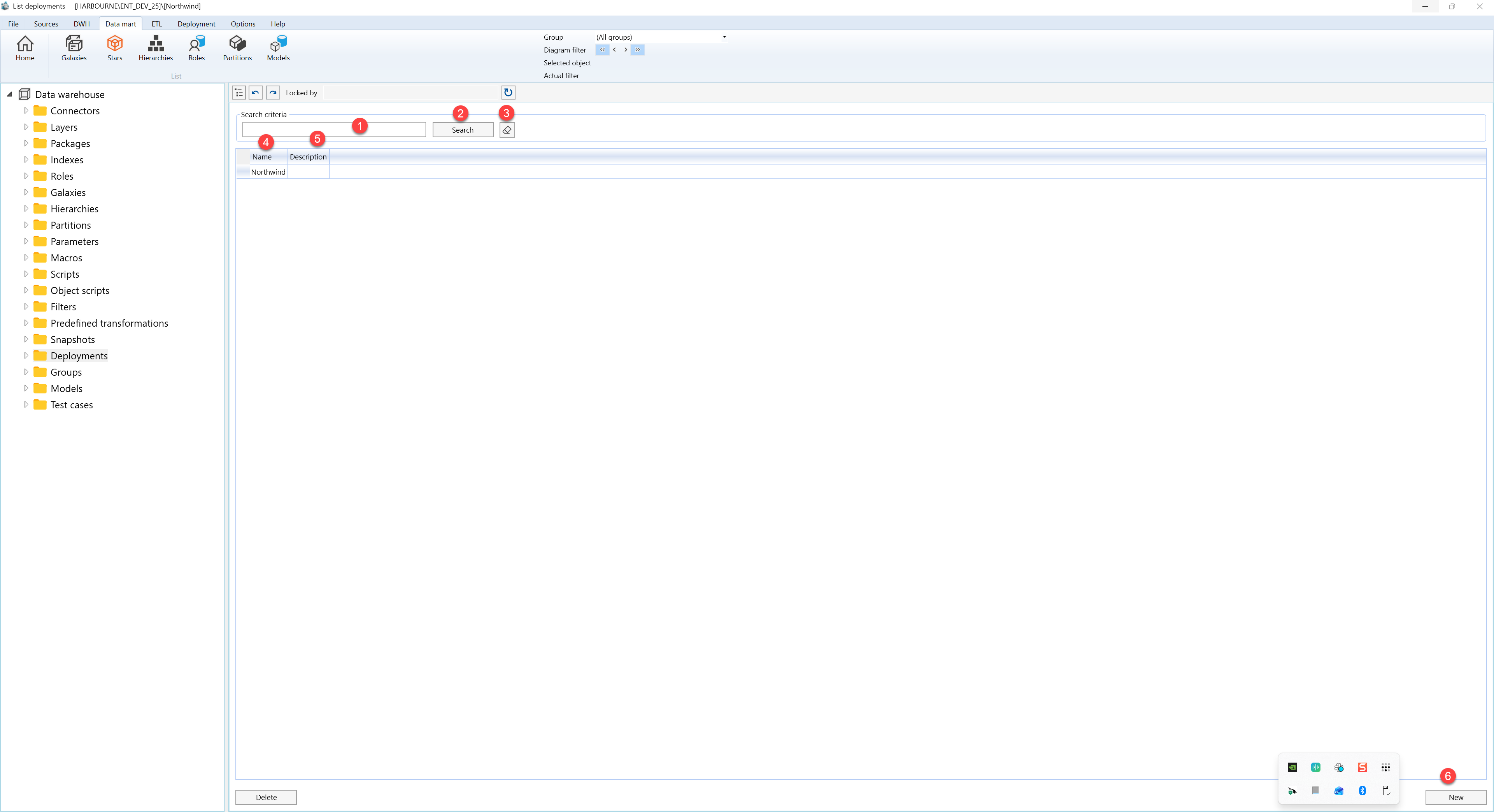
| ID | Property | Description |
|---|---|---|
| 1 | Search criteria | Filter area at the top of the page. |
| 2 | Search field | Text field used to filter deployment records. |
| 3 | Search | Runs the filter and refreshes the deployment grid. |
| 4 | Clear filter | Clears the search field and reloads the full deployment list. |
| 5 | Name | Grid column that identifies each deployment by name. |
| 6 | Description | Grid column that describes the deployment. |
| 7 | Deployment grid | Read-only result list. Double-click a row to open the selected deployment. |
| 8 | New | Opens the deployment editor for a new deployment. |
| 9 | Delete | Removes the selected deployment after the user confirms the action. |
