
Login
Overview
The Login dialog is used to sign in to AnalyticsCreator and configure the connection settings required to open a repository. The standard area contains the AnalyticsCreator login credentials. The expanded settings area contains the SQL Server, local path, database template, and proxy settings used by the connection.
Function
Login and Password identify the AnalyticsCreator user. Save password controls whether the password is retained for a later sign-in.
The settings button shows or hides the advanced connection settings. These settings are organized into SQL Server Settings, Paths, and Proxy settings tabs.
SQL Server Settings defines the SQL Server that stores the repository and the authentication method used for that connection. Paths maintains local and SQL Server storage paths and the repository and DWH database templates. Proxy settings maintains the proxy connection details used when network access requires a proxy.
OK uses the entered credentials and connection settings to attempt sign-in. Cancel closes the dialog without completing the sign-in.
Access
AnalyticsCreator opens the Login dialog during application startup before the repository environment is initialized. The dialog can also be opened from the Connect command.
How to access
Application startup
Start AnalyticsCreator. The Login dialog opens before the repository environment is loaded.
Connect command
File -> Connect.
Screen overview
The Login dialog contains the sign-in credentials and three advanced settings tabs. The tables below follow the grouped markers in the screenshot.
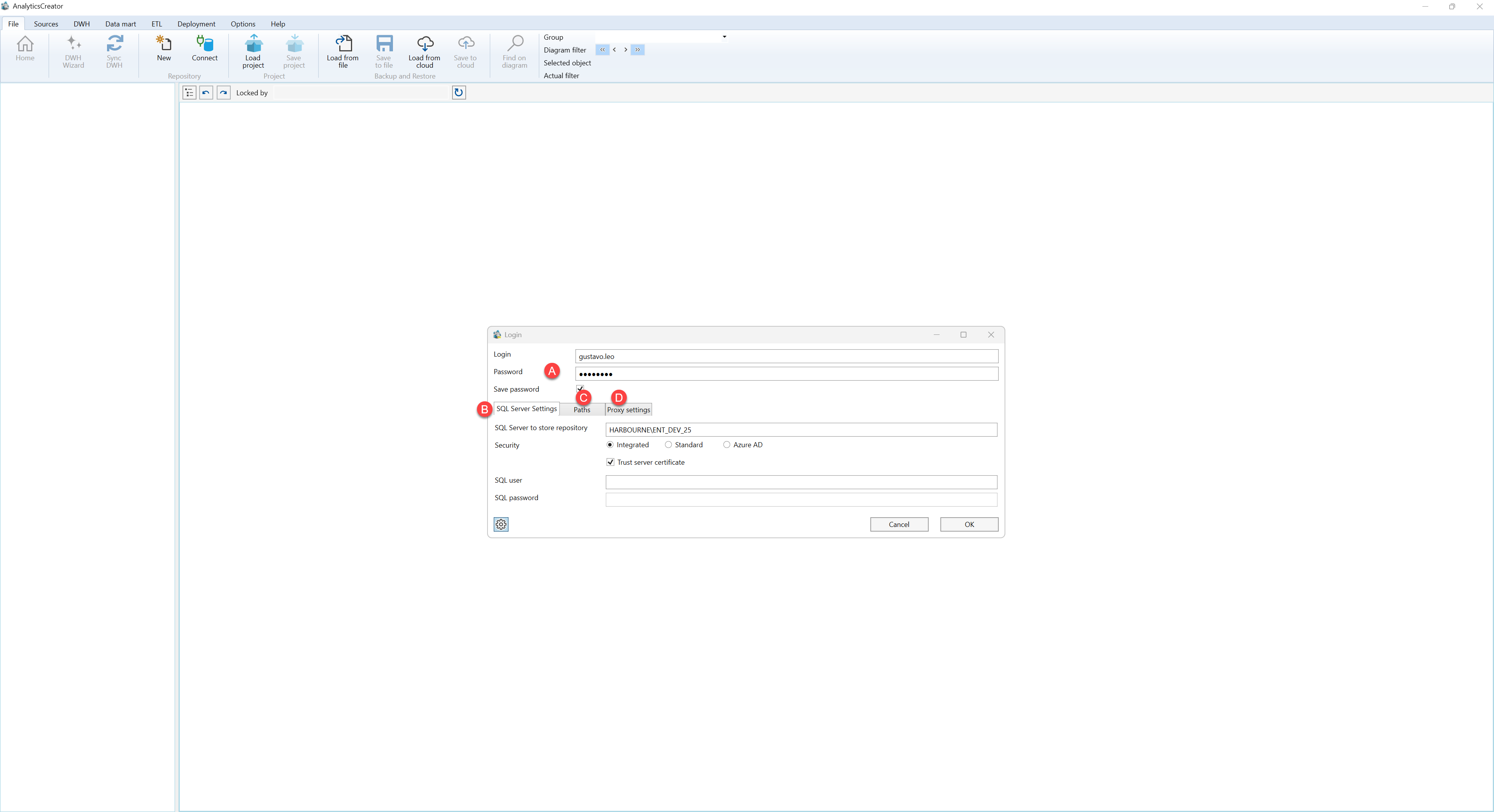
A. Sign-in credentials
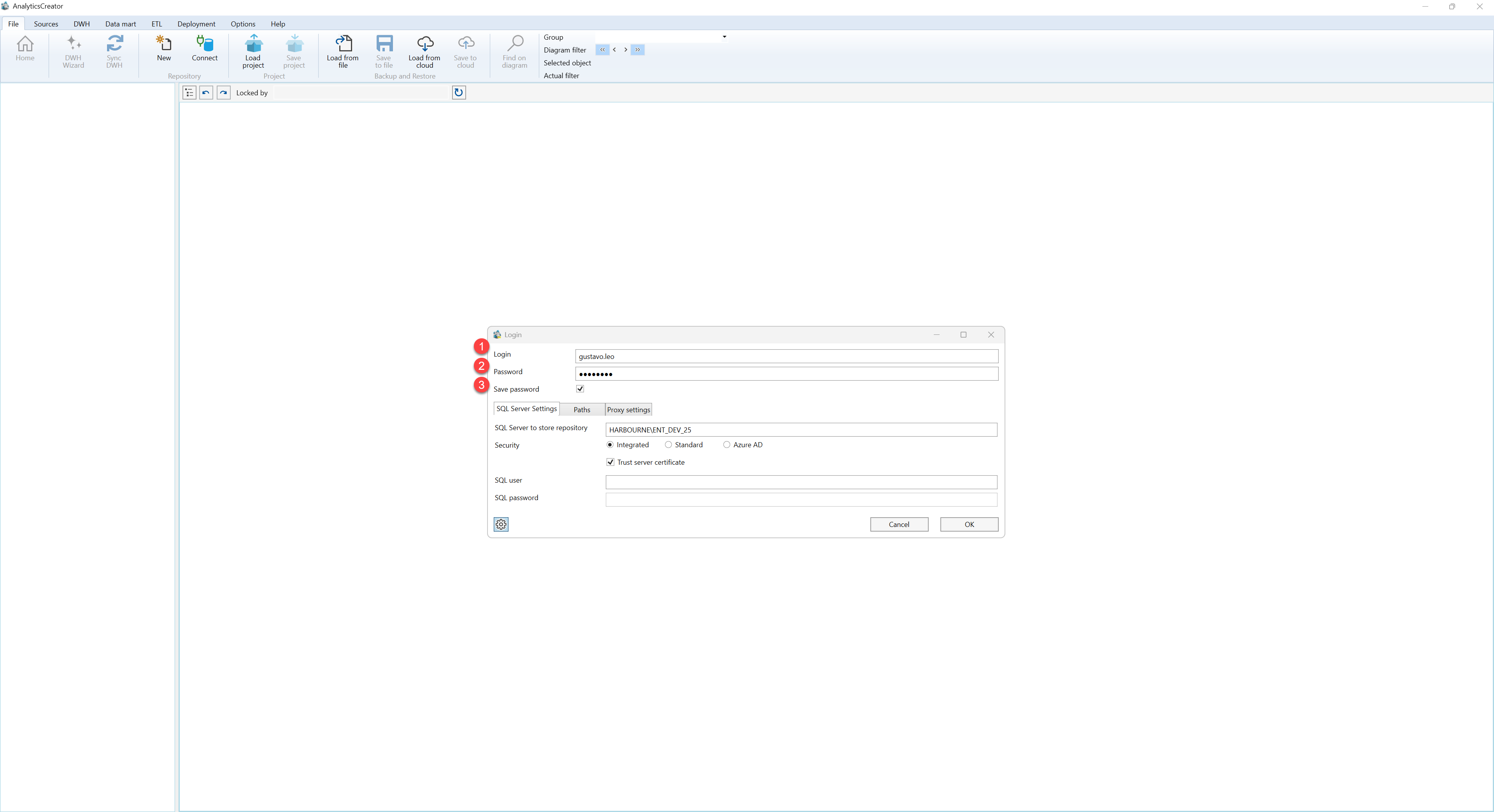
| ID | Property | Description |
|---|---|---|
| A.1 | Login | AnalyticsCreator user name used for sign-in. |
| A.2 | Password | Password for the specified AnalyticsCreator user. |
| A.3 | Save password | Controls whether the password is retained for a later sign-in. |
B. SQL Server Settings
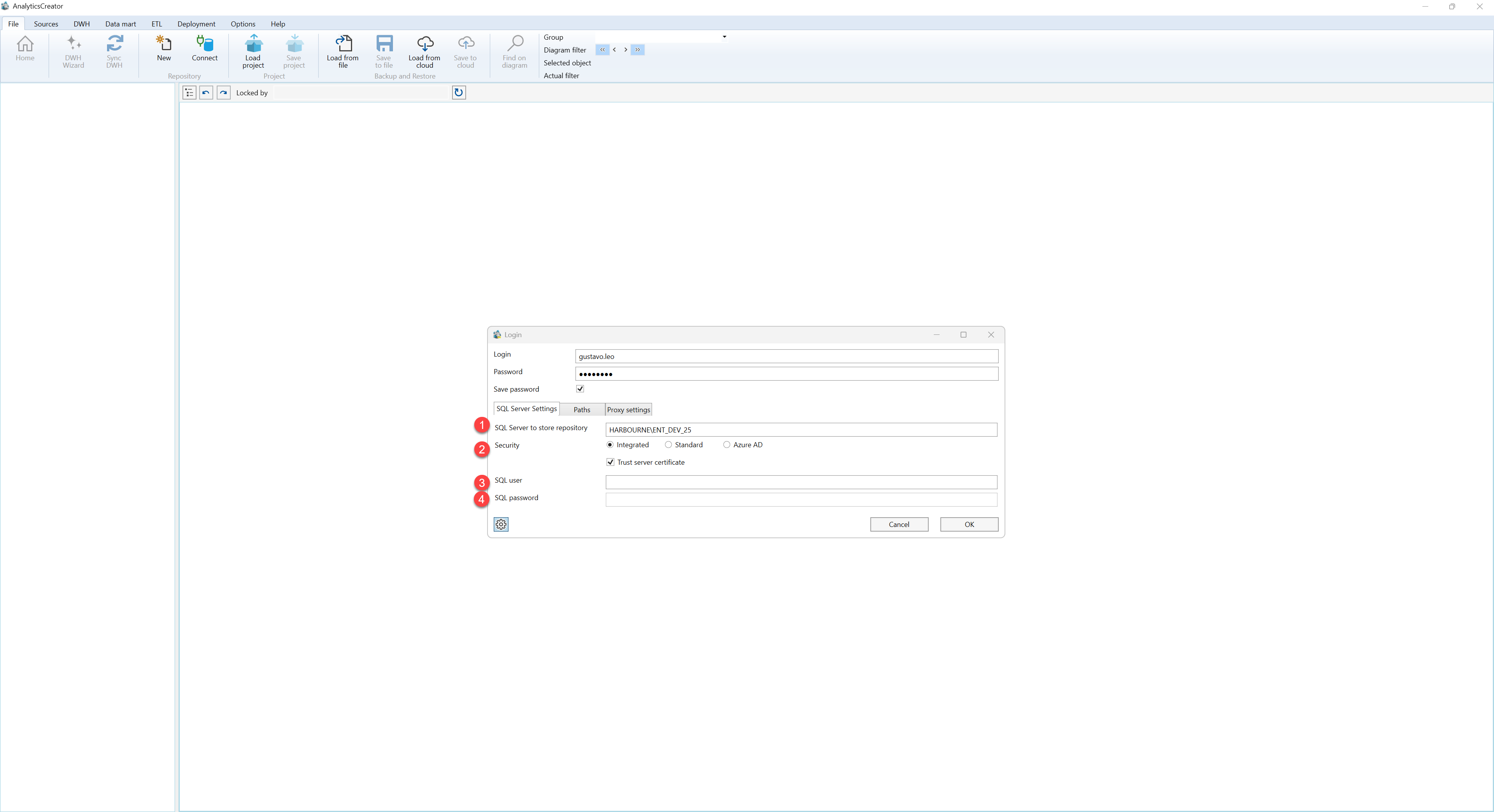
| ID | Property | Description |
|---|---|---|
| B.1 | SQL Server Settings | Tab used to configure the SQL Server repository connection and its authentication settings. |
| B.2 | SQL Server to store repository | SQL Server instance that contains or will contain the AnalyticsCreator repository. |
| B.3 | Security | Selects the SQL Server authentication method: Integrated, Standard, or Azure AD. |
| B.4 | Trust server certificate | Allows the SQL Server connection to trust the certificate presented by the server. |
| B.5 | SQL user | SQL Server user name used when the selected authentication method requires explicit credentials. |
| B.6 | SQL password | Password for the specified SQL Server user. |
C. Paths
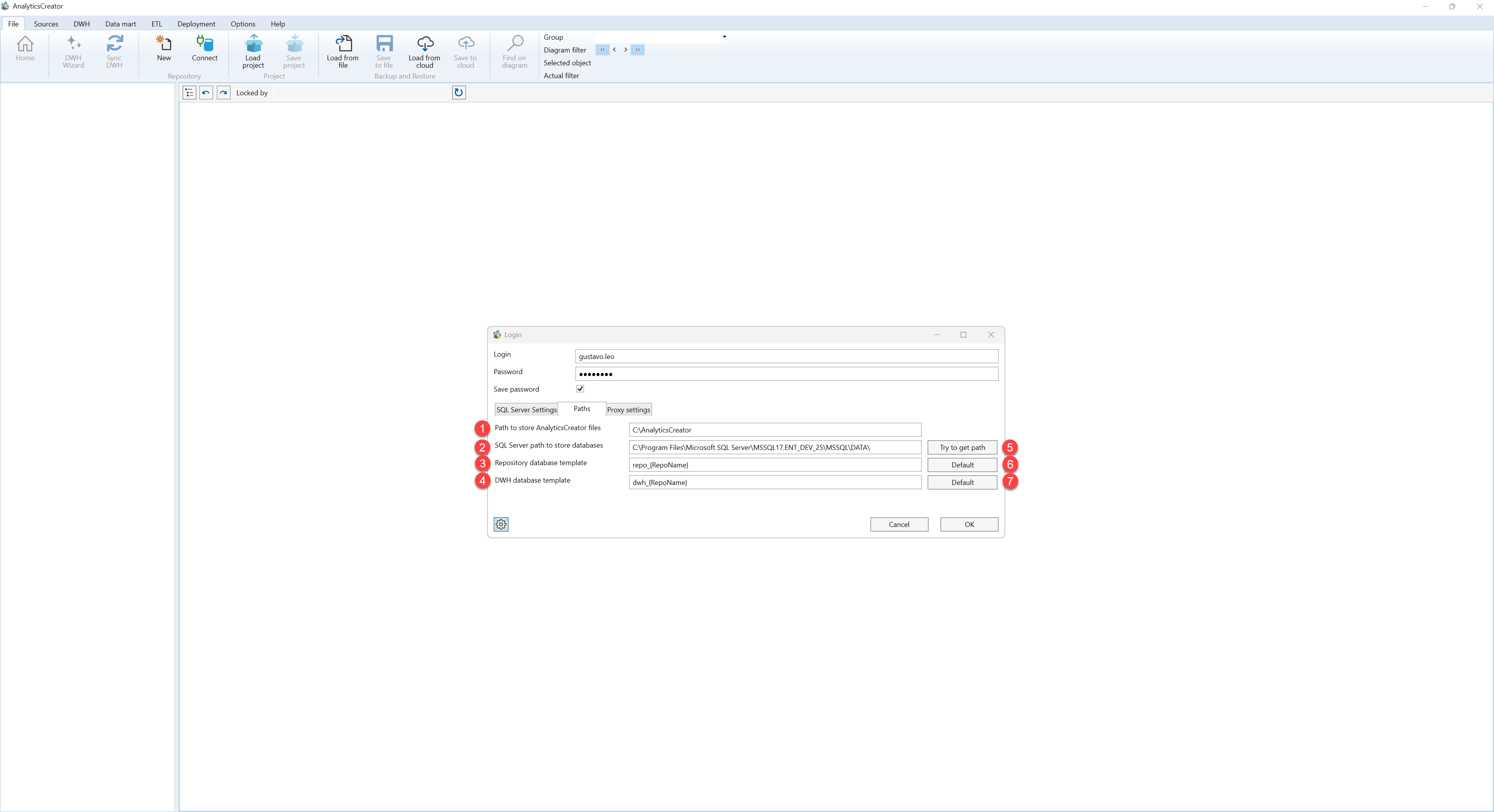
| ID | Property | Description |
|---|---|---|
| C.1 | Paths | Tab used to configure local AnalyticsCreator paths, SQL Server database storage paths, and database templates. |
| C.2 | AnalyticsCreator files path | Local path used for AnalyticsCreator files. |
| C.3 | SQL Server database path | Storage path used by SQL Server for repository and data warehouse database files. |
| C.4 | Repository database template | Template used to generate the repository database name. |
| C.5 | DWH database template | Template used to generate the data warehouse database name. |
| C.6 | Try to get path | Attempts to detect the SQL Server database storage path and populate the related path setting. |
| C.7 | Default | Restores the standard value for the corresponding repository or DWH database template. |
D. Proxy settings
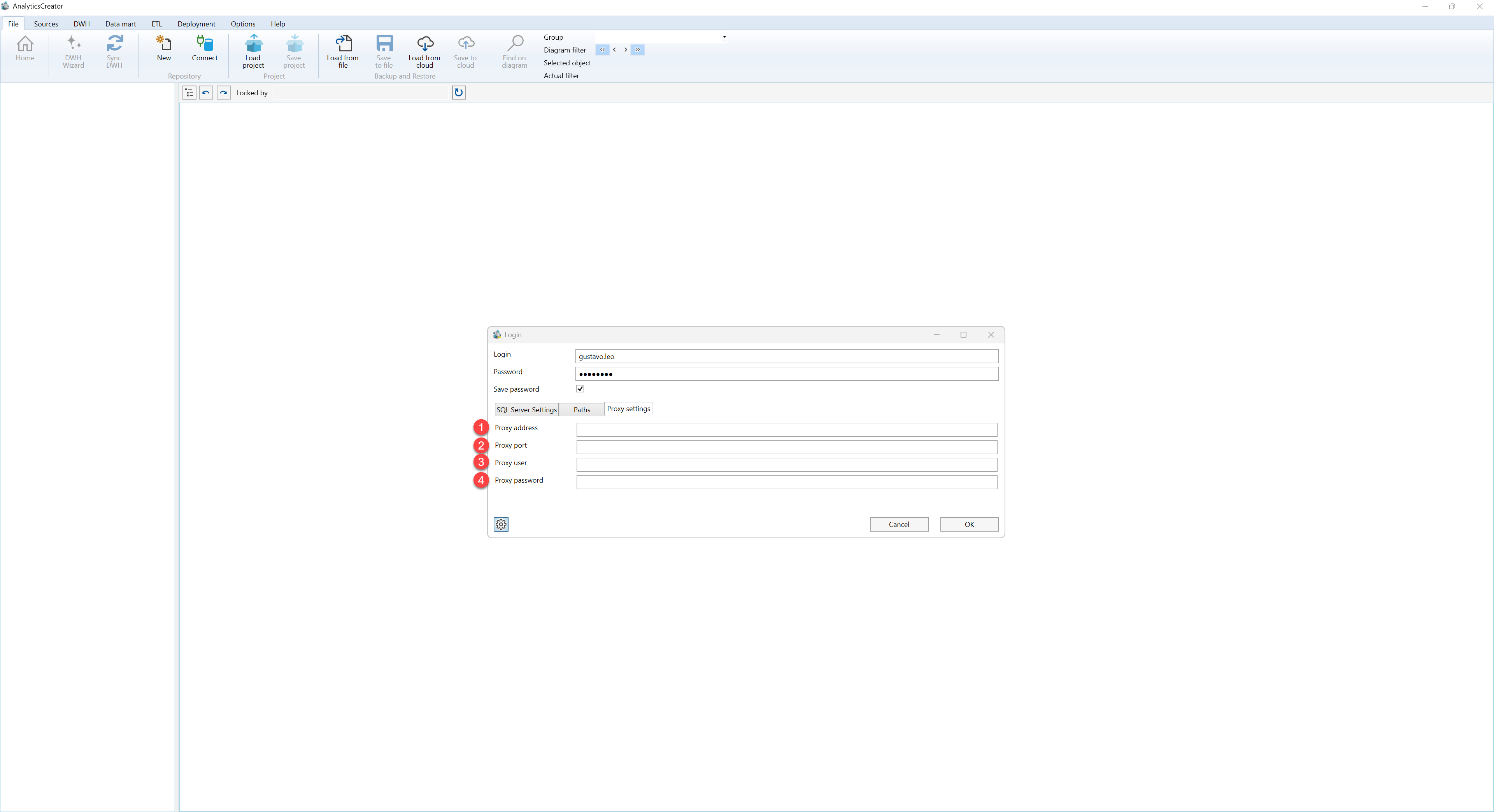
| ID | Property | Description |
|---|---|---|
| D.1 | Proxy settings | Tab used to configure a proxy when network access must pass through a proxy server. |
| D.2 | Proxy address | Host name or address of the proxy server. |
| D.3 | Port | Network port used by the proxy server. |
| D.4 | Proxy user | User name used when the proxy requires authentication. |
| D.5 | Proxy password | Password for the specified proxy user. |
