
Error description
Overview
Error description is the dialog AnalyticsCreator uses to show an application error with optional troubleshooting detail. It presents the readable error message first and keeps the technical trace available when support or troubleshooting requires it.
Function
When an error is reported, AnalyticsCreator prepares a readable message, includes inner-error text when available, removes common database warning text that does not help the user, and opens the Error dialog in front of the application. If the application is connected, the original message and stack trace can also be written to the application log.
The dialog has two tabs: Error message for the user-facing explanation and Stack trace for the technical call path. Both text areas are read-only and include scroll bars so longer messages can be reviewed without changing the content.
Access
This dialog is not opened from a normal menu. It appears automatically when a workflow or background action reports an error that needs to be shown to the user.
How to access
Navigation tree
Not direct. The dialog opens from error handling.
Toolbar
Not direct. It appears after an error in the current workflow.
Diagram
Not direct. Diagram actions can trigger it when an error is reported.
Visual element
Error dialog
Screen overview
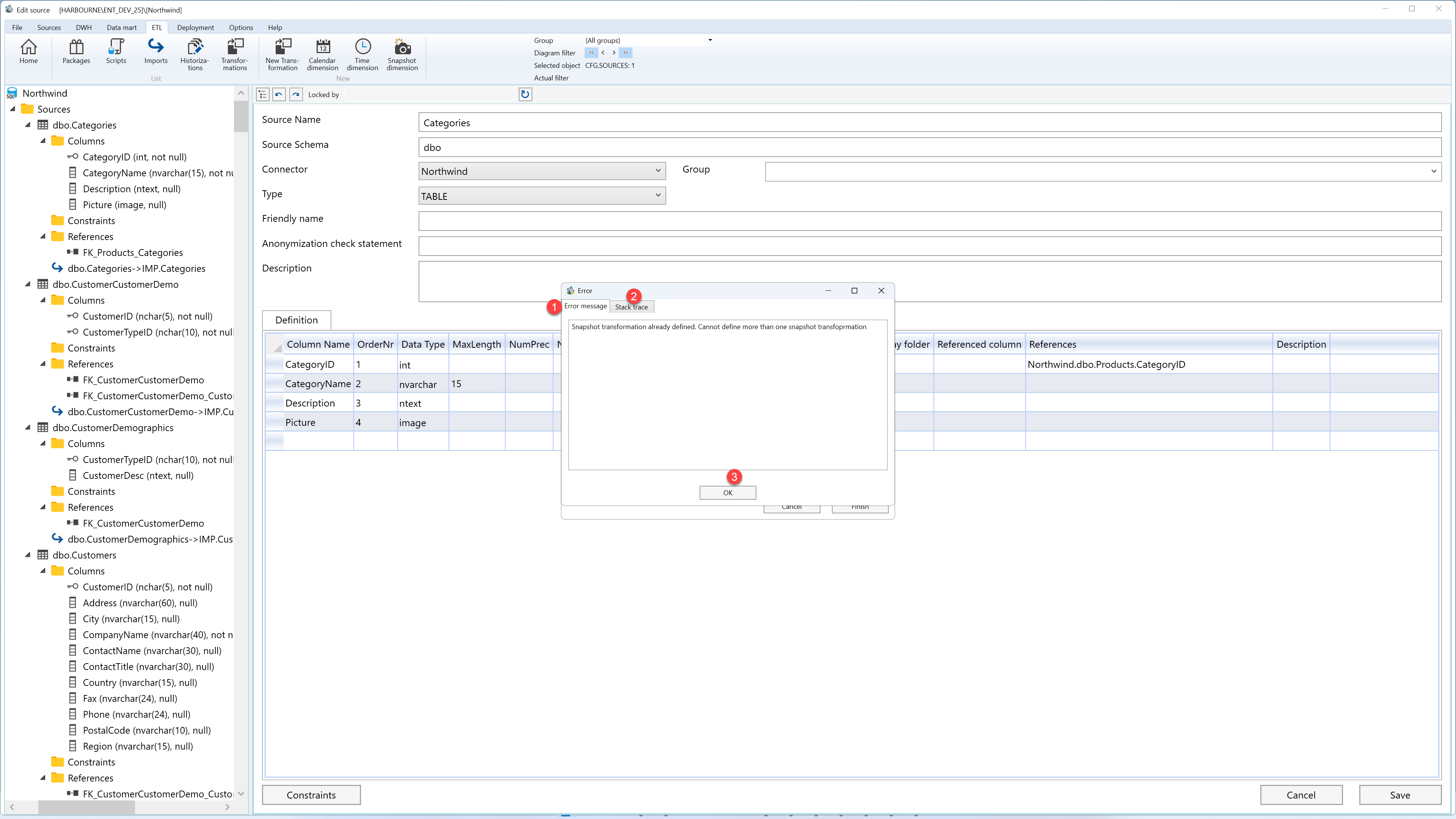
| ID | Property | Description |
|---|---|---|
| 1 | Error message | Tab that shows the cleaned, readable error message for the user. |
| 2 | Stack trace | Tab that shows the technical call path for troubleshooting. |
| 3 | OK | Closes the dialog and returns to the application. |
