
DWH settings
Overview
The DWH settings dialog maintains common data warehouse naming fields used by generated structures.
Function
Use the standard fields to define repository ownership, surrogate key naming, validity fields, hash key naming, and empty-record handling.
Optional historization fields let teams define technical validity and relationship key names used in historized structures.
Access
Open the dialog from the Options toolbar tab.
How to access
Navigation tree
Not opened from the navigation tree.
Toolbar
Options -> DWH settings.
Diagram
Not opened directly from the diagram.
Visual element
DWH settings dialog
Screen overview
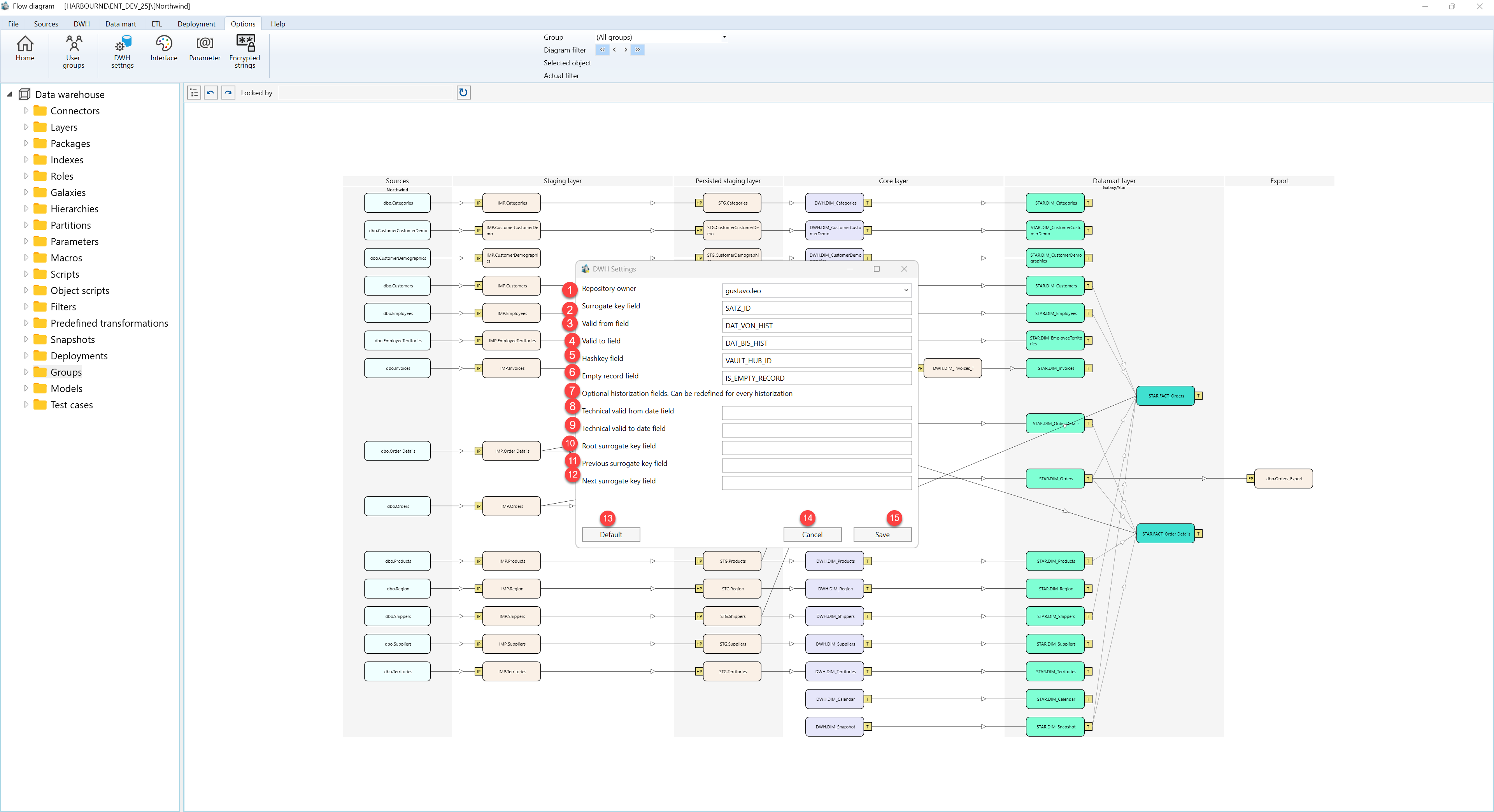
| ID | Property | Description |
|---|---|---|
| 1 | Repository owner | Owner name used for repository-level ownership metadata. |
| 2 | Surrogate key field | Default surrogate key field name. |
| 3 | Valid from field | Default valid-from field name. |
| 4 | Valid to field | Default valid-to field name. |
| 5 | Hashkey field | Default hash key field name. |
| 6 | Empty record field | Field used to identify empty-record handling. |
| 7 | Optional historization fields | Section for historization-specific technical field names. |
| 8 | Technical valid from date field | Technical valid-from date field name. |
| 9 | Technical valid to date field | Technical valid-to date field name. |
| 10 | Root surrogate key field | Root surrogate key field name for historized relationships. |
| 11 | Previous surrogate key field | Previous surrogate key field name. |
| 12 | Next surrogate key field | Next surrogate key field name. |
| 13 | Default | Restores the default naming values. |
| 14 | Cancel | Leaves the page without continuing the current edit. |
| 15 | Save | Saves the current definition, refreshes the relevant navigation or list, and keeps the page consistent with the saved state. |
