
Transformation
Overview
A transformation on the dataflow diagram represents a data-processing object that combines input objects, applies transformation logic, and produces a reusable warehouse result for downstream processing, reporting, and semantic-model work.
Function
A transformation appears as a blue rectangular object in the Core layer. It can receive data from upstream objects, apply transformation rules, and provide its result to downstream dimensions, facts, persisting flows, exports, or other transformations.
The small yellow T icon identifies the blue rectangle as a transformation. Use the blue transformation object for the complete object context menu. The marker may expose limited diagram actions in some application versions, but it is not the owner of the full creation and management menu.
Access
Transformations are available from the ETL area, from schema-level Transformations branches in the navigation tree, and directly from their blue objects on the dataflow diagram.
How to access
Navigation tree
DWH -> schema -> Transformations -> transformation
Toolbar
ETL -> Transformations, or ETL -> New Transformation
Diagram
Double-click the blue transformation object to open it, or right-click the rectangle to open its complete context menu.
Visual element
Blue Core-layer object with a small yellow T marker on its right side.
Screen overview
Context Menu
Right-click the blue transformation object, not only the T marker, to open its complete context menu. The available commands provide access to diagram filters, related-object creation, duplication, references, locks, object groups, definition export, and display settings.
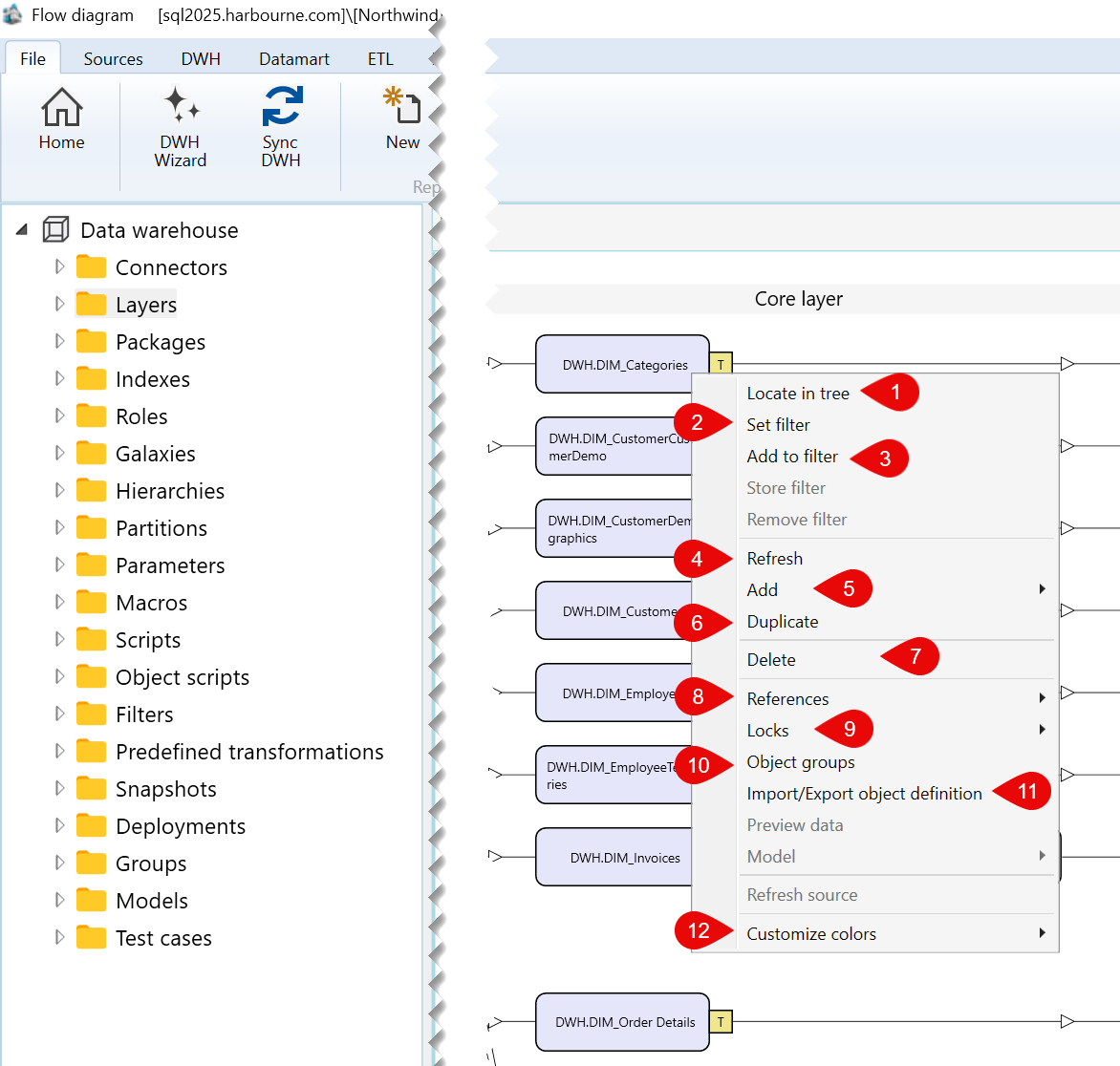
| ID | Command | Description |
|---|---|---|
| 1 | Locate in tree | Locates the selected transformation in the navigation tree. |
| 2 | Set filter | Sets the selected transformation as the current filter for the dataflow diagram. |
| 3 | Add to filter | Adds the selected transformation to the current diagram filter. |
| 4 | Refresh | Refreshes the selected transformation in the dataflow diagram. |
| 5 | Add | Opens the submenu containing the available options for adding a related object. |
| 6 | Duplicate | Duplicates the selected transformation. |
| 7 | Delete | Deletes the selected transformation. |
| 8 | References | Opens the submenu containing reference-related options for the selected transformation. |
| 9 | Locks | Opens the submenu containing lock-related options for the selected transformation. |
| 10 | Object groups | Opens options for managing the object groups associated with the selected transformation. |
| 11 | Import/Export object definition | Opens the submenu for exporting the selected transformation definition. |
| 12 | Customize colors | Opens the submenu for customizing the display colors of the selected transformation. |
Sub menus
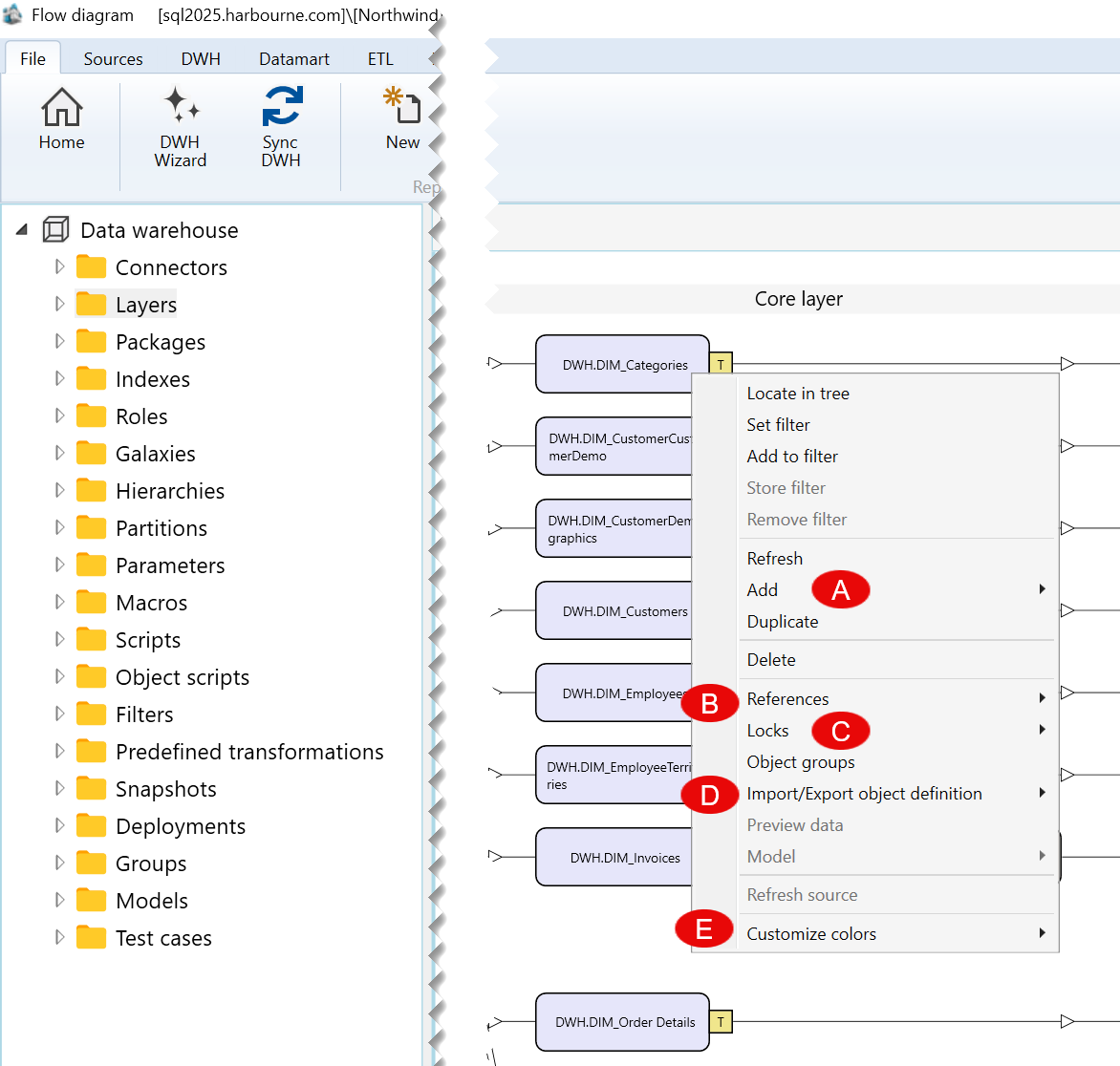
| ID | Submenu group | Description |
|---|---|---|
| A | Add | Contains the available options for adding an object related to the selected transformation. |
| B | References | Contains options for viewing or managing references associated with the selected transformation. |
| C | Locks | Contains lock-related options for the selected transformation. |
| D | Import/Export object definition | Contains options for exporting the definition of the selected transformation. |
| E | Customize colors | Contains options for customizing the colors used to display the selected transformation. |
A) Add Submenu
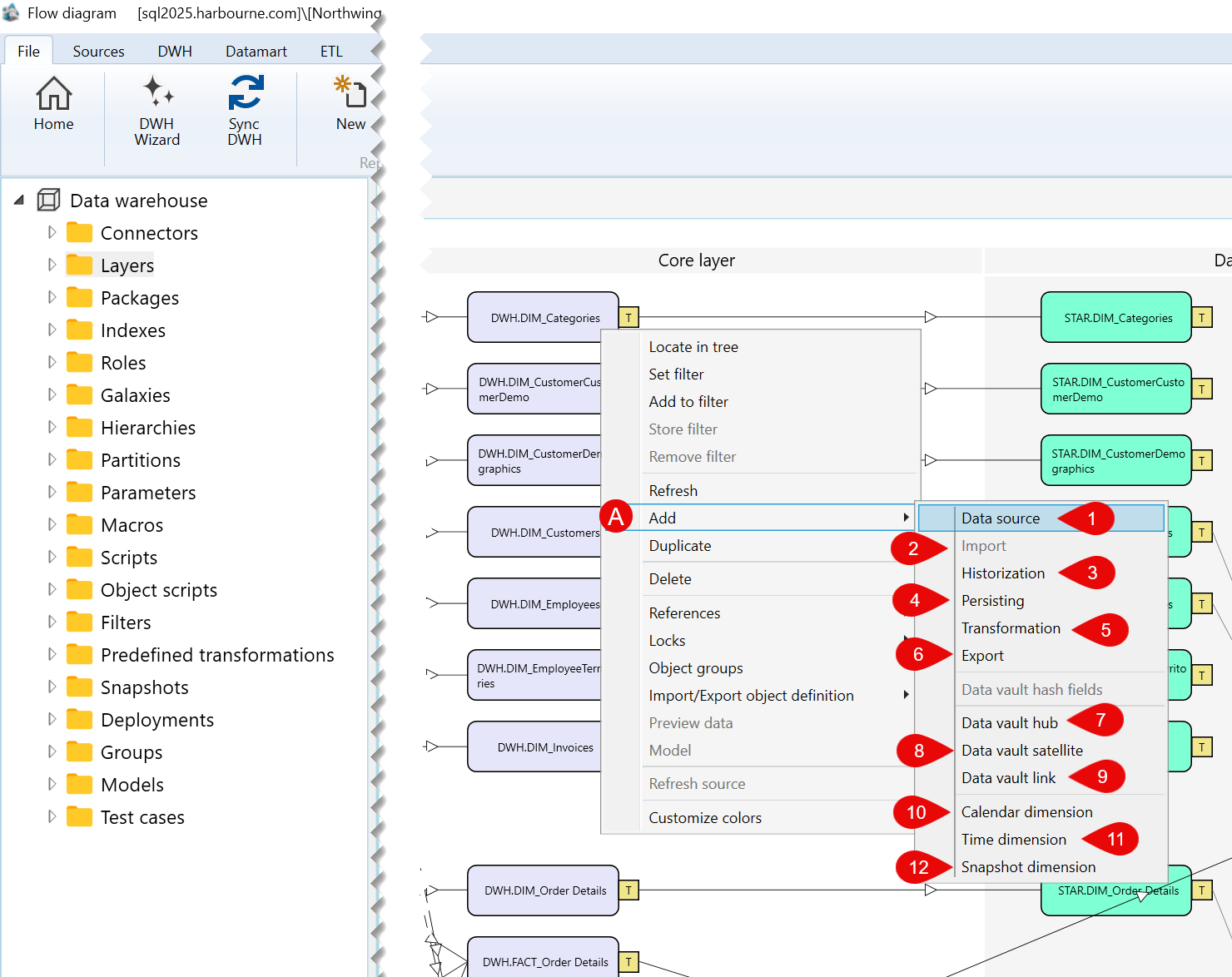
| ID | Command | Description |
|---|---|---|
| 1 | Data source | Opens options for adding a data source. |
| 2 | Import | Opens options for adding an import object. |
| 3 | Historization | Opens options for adding a historization object. |
| 4 | Persisting | Opens options for adding a persisting object. |
| 5 | Transformation | Opens options for adding a transformation object. |
| 6 | Export | Opens options for adding an export object. |
| 7 | Data vault hub | Opens options for adding a Data vault hub. |
| 8 | Data vault satellite | Opens options for adding a Data vault satellite. |
| 9 | Data vault link | Opens options for adding a Data vault link. |
| 10 | Calendar dimension | Opens options for adding a calendar dimension. |
| 11 | Time dimension | Opens options for adding a time dimension. |
| 12 | Snapshot dimension | Opens options for adding a snapshot dimension. |
B) References Submenu
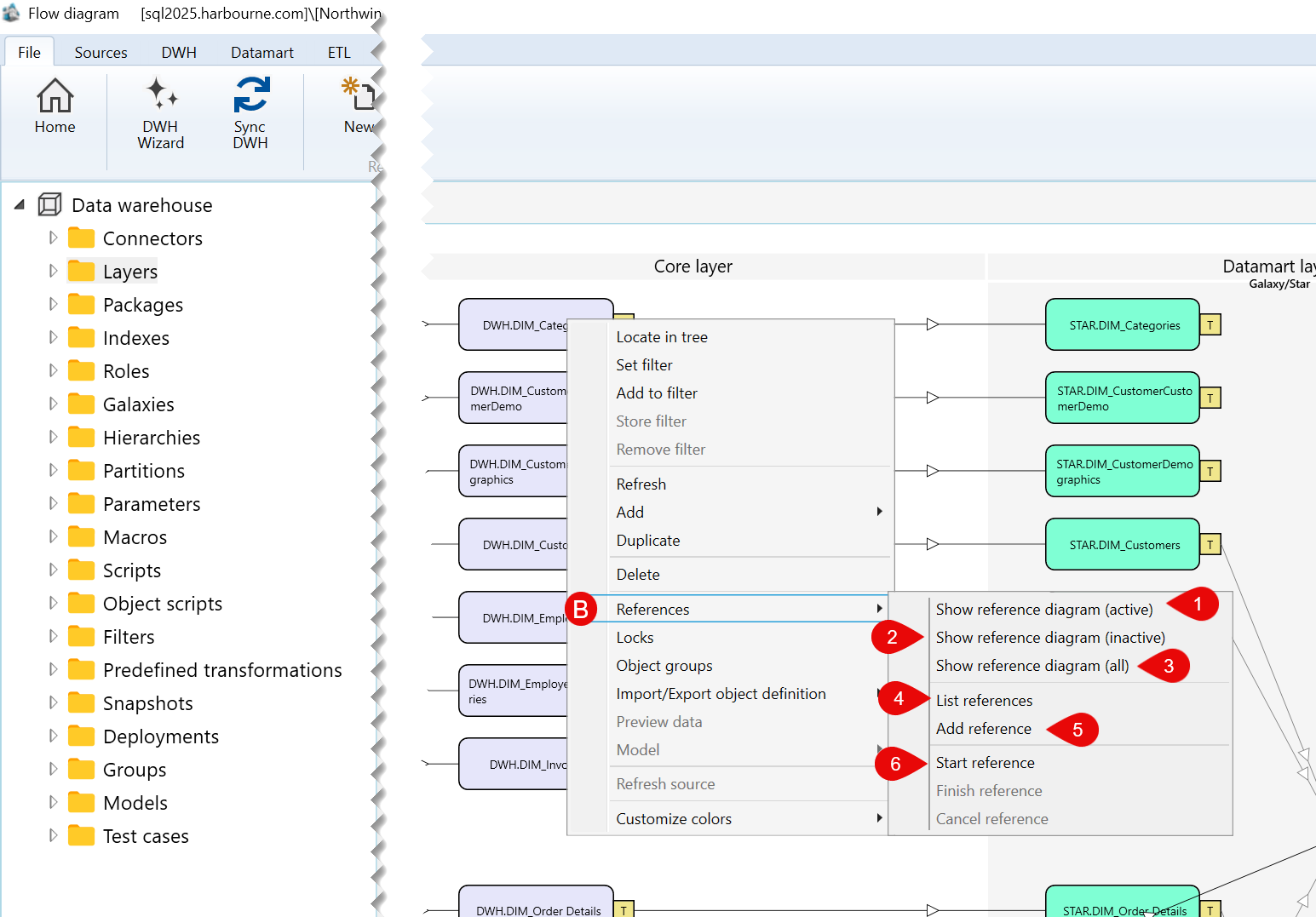
| ID | Command | Description |
|---|---|---|
| 1 | Show reference diagram (active) | Shows active reference diagrams associated with the selected transformation. |
| 2 | Show reference diagram (inactive) | Shows inactive reference diagrams associated with the selected transformation. |
| 3 | Show reference diagram (all) | Shows all reference diagrams associated with the selected transformation. |
| 4 | List references | Lists references associated with the selected transformation. |
| 5 | Add reference | Adds a reference to the selected transformation. |
| 6 | Start reference | Starts creating a reference from the selected transformation. |
C) Locks Submenu
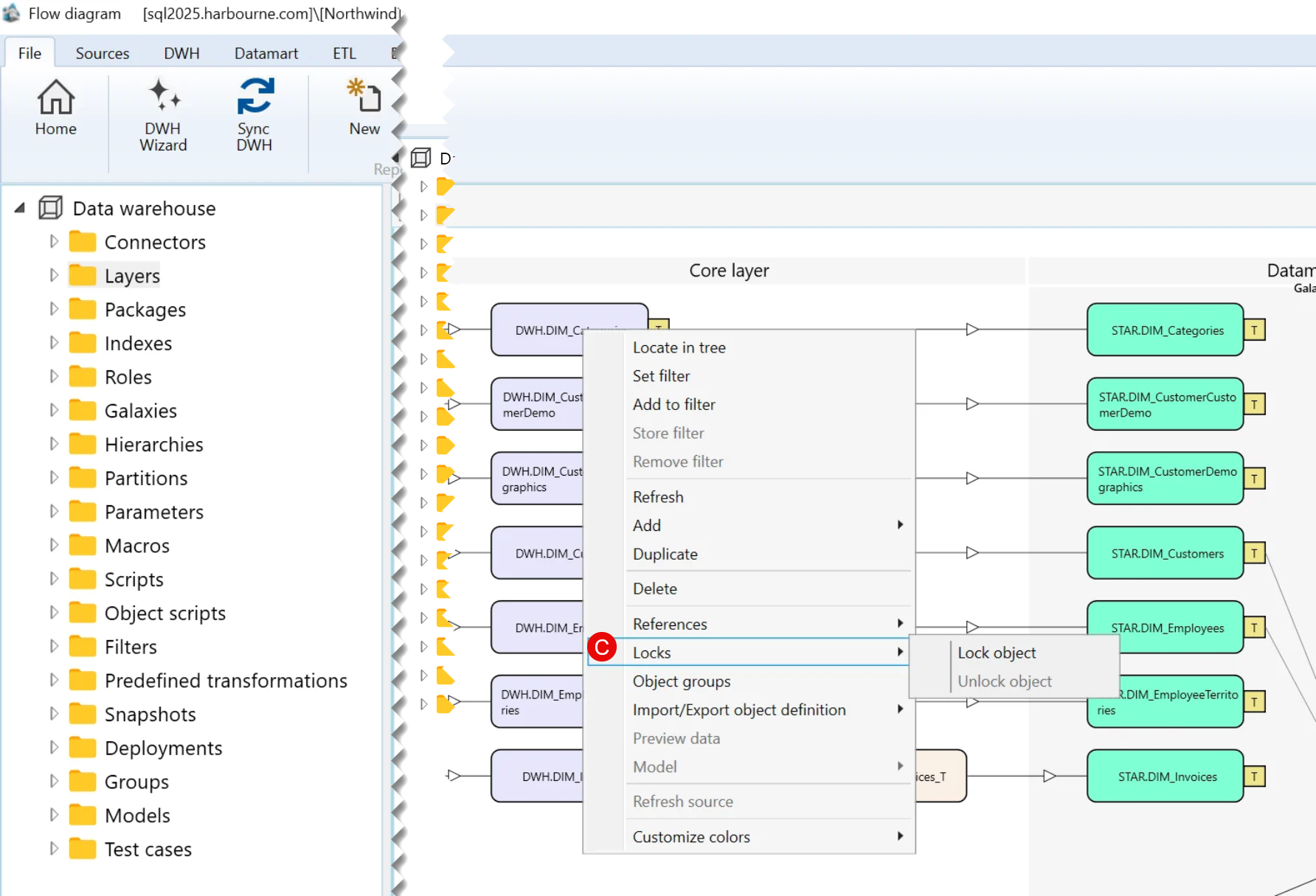
| ID | Command | Description |
|---|---|---|
| 1 | Lock object | Locks the selected transformation. |
D) Import/Export object definition Submenu
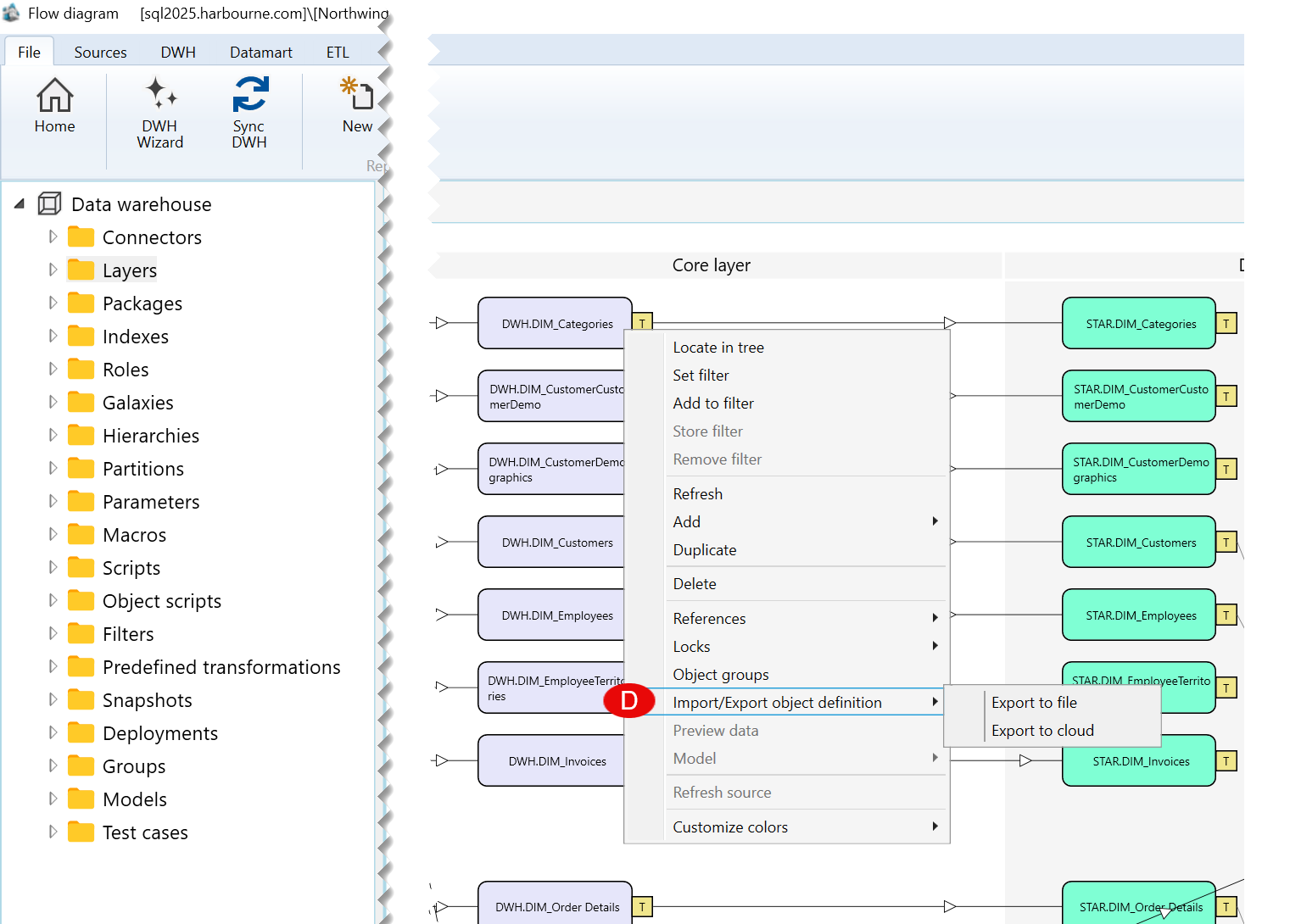
| ID | Command | Description |
|---|---|---|
| 1 | Export to file | Exports the selected transformation definition to a file. |
| 2 | Export to cloud | Exports the selected transformation definition to the cloud. |
E) Customize colors Submenu
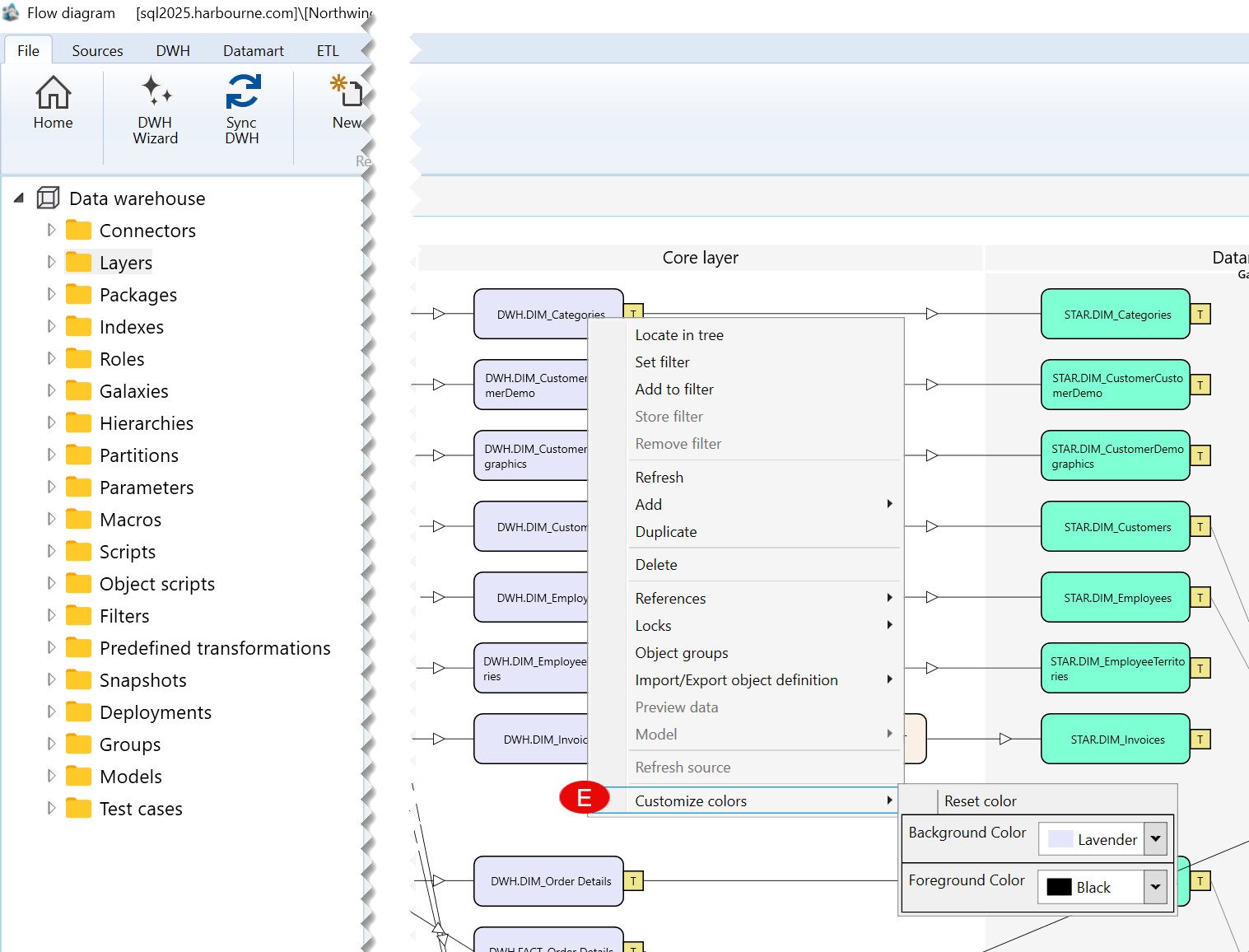
| ID | Command | Description |
|---|---|---|
| 1 | Background Color | Changes the background color of the selected transformation. |
| 2 | Foreground Color | Changes the foreground color of the selected transformation. |
