
Persisting
Overview
Persisting, shown by the PP marker, represents the storage of a transformation result in a managed persisted table. It shows which blue Transformation object provides the result and which table stores it.
Function
A persisting flow connects a blue Core-layer Transformation, such as DWH.DIM_Invoices, to a persisted result, such as DWH.DIM_Invoices_T. The predecessor Transformation provides the Add command used to create the persisting flow.
The PP marker identifies the persisting relationship between the Transformation and its persisted result. Use the blue Transformation rectangle for Add -> Persisting. Do not use the persisted target as the predecessor creation object.
Access
Persisting can be created from an eligible blue Transformation object on the dataflow diagram. Existing persisting definitions can also be maintained from the package navigation tree.
How to access
Navigation tree
Packages -> Persisting -> package or persisting entry
Toolbar
There is no direct toolbar command for the PP relationship.
Create on diagram
Right-click a blue Transformation object and select Add -> Persisting.
Visual element
Blue Transformation with T marker -> PP marker -> persisted result table.
Screen overview
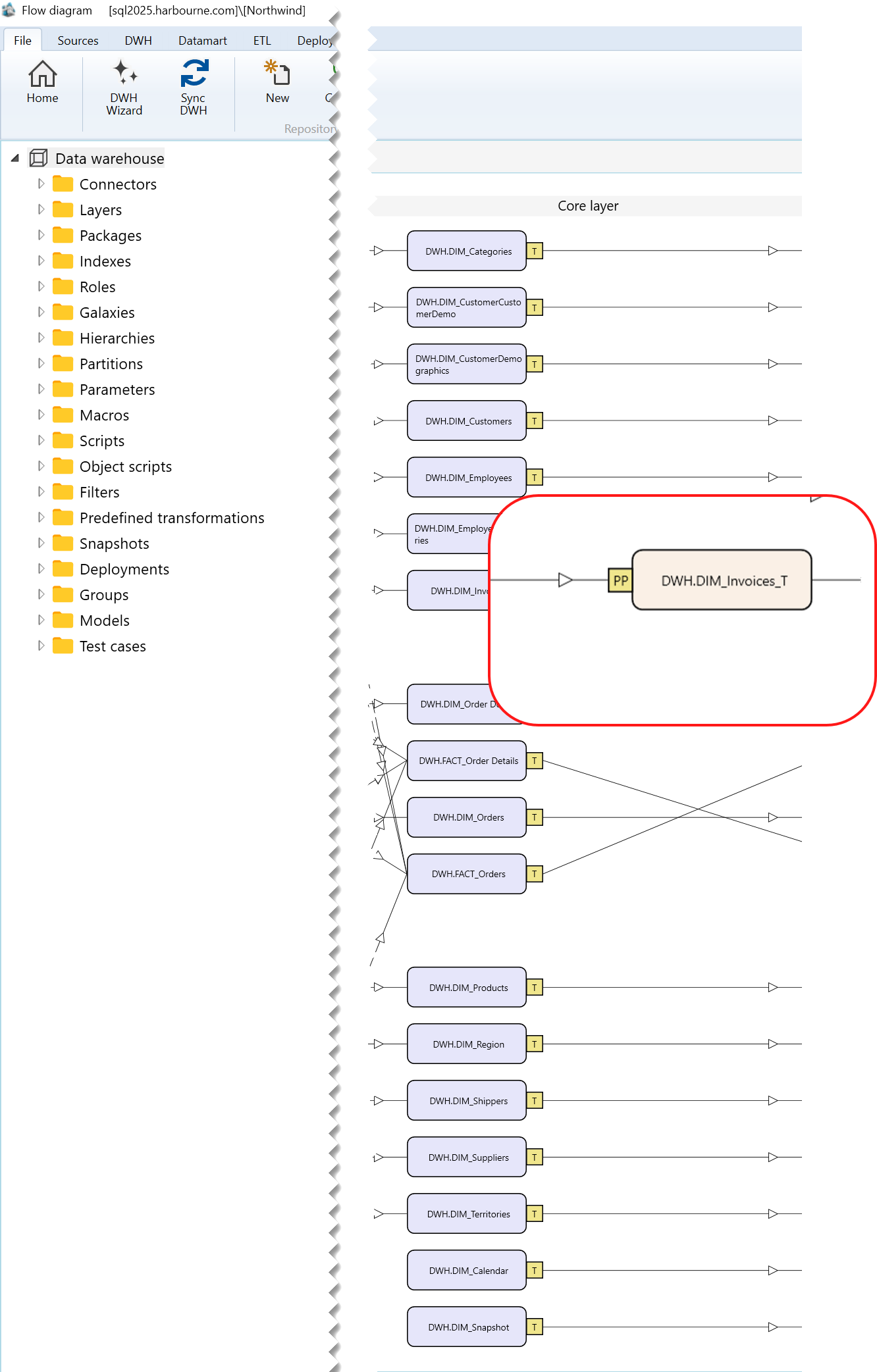
Context menu used to create a persisting
Right-click the predecessor blue Transformation object, not only the T or PP marker, and select Add -> Persisting.
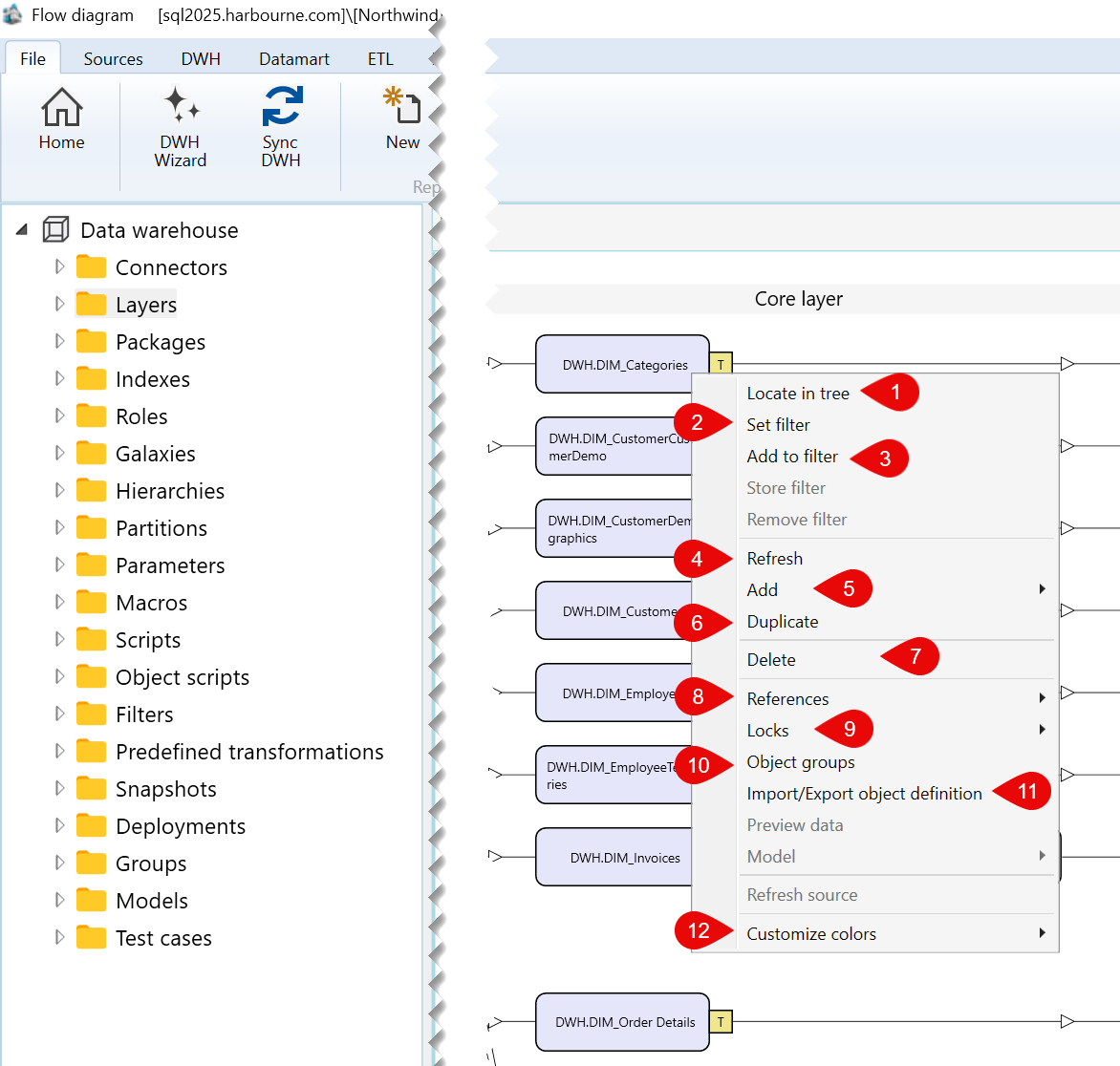
| ID | Command | Description |
|---|---|---|
| 1 | Locate in tree | Locates the selected transformation in the navigation tree. |
| 2 | Set filter | Sets the selected transformation as the current filter for the dataflow diagram. |
| 3 | Add to filter | Adds the selected transformation to the current diagram filter. |
| 4 | Refresh | Refreshes the selected transformation in the dataflow diagram. |
| 5 | Add | Opens the submenu containing the available options for adding a related object. |
| 6 | Duplicate | Duplicates the selected transformation. |
| 7 | Delete | Deletes the selected transformation. |
| 8 | References | Opens the submenu containing reference-related options for the selected transformation. |
| 9 | Locks | Opens the submenu containing lock-related options for the selected transformation. |
| 10 | Object groups | Opens options for managing the object groups associated with the selected transformation. |
| 11 | Import/Export object definition | Opens the submenu for exporting the selected transformation definition. |
| 12 | Customize colors | Opens the submenu for customizing the display colors of the selected transformation. |
Sub menus
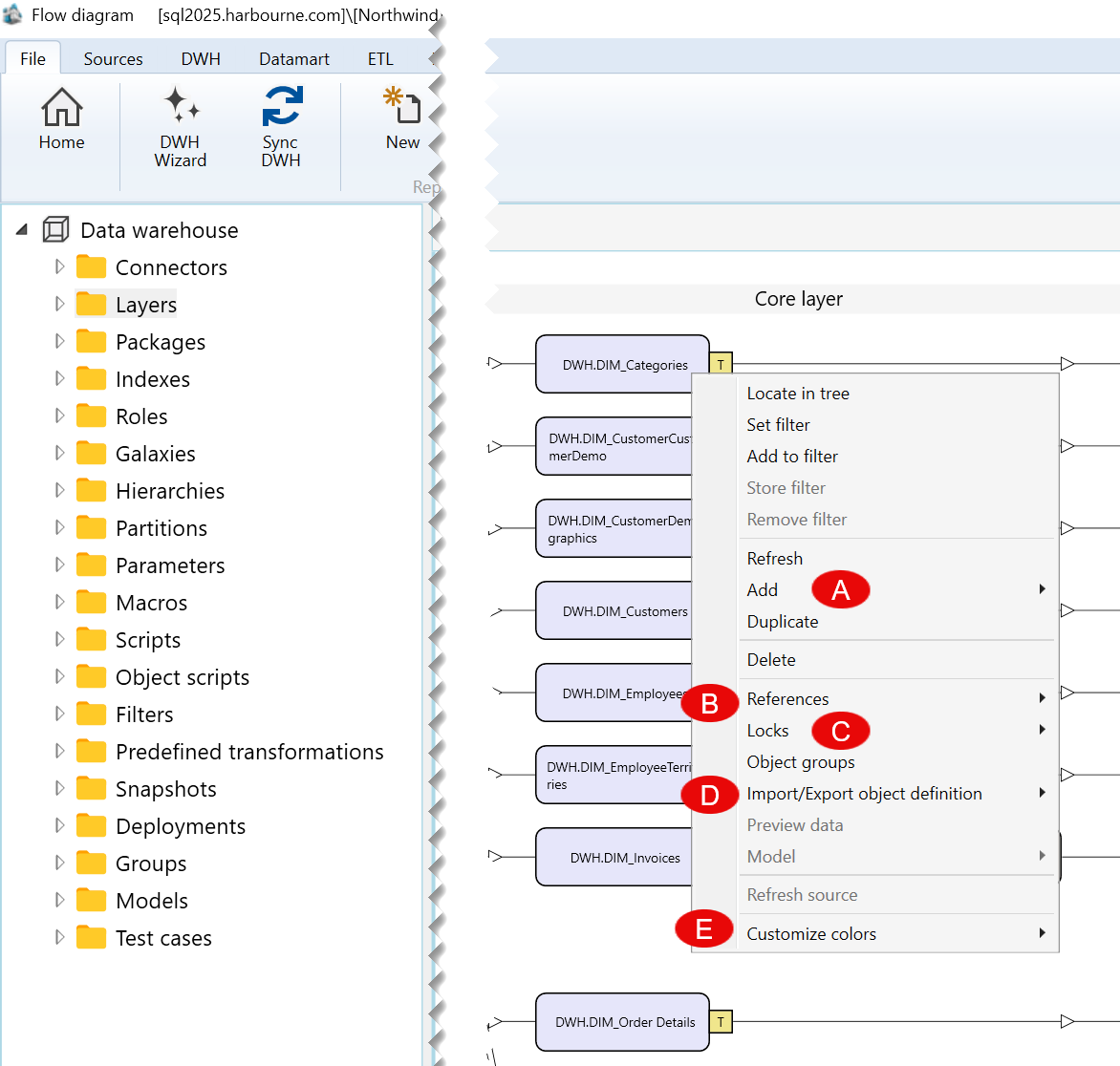
| ID | Submenu group | Description |
|---|---|---|
| A | Add | Contains the available options for adding an object related to the selected transformation. |
| B | References | Contains options for viewing or managing references associated with the selected transformation. |
| C | Locks | Contains lock-related options for the selected transformation. |
| D | Import/Export object definition | Contains options for exporting the definition of the selected transformation. |
| E | Customize colors | Contains options for customizing the colors used to display the selected transformation. |
A) Add Submenu
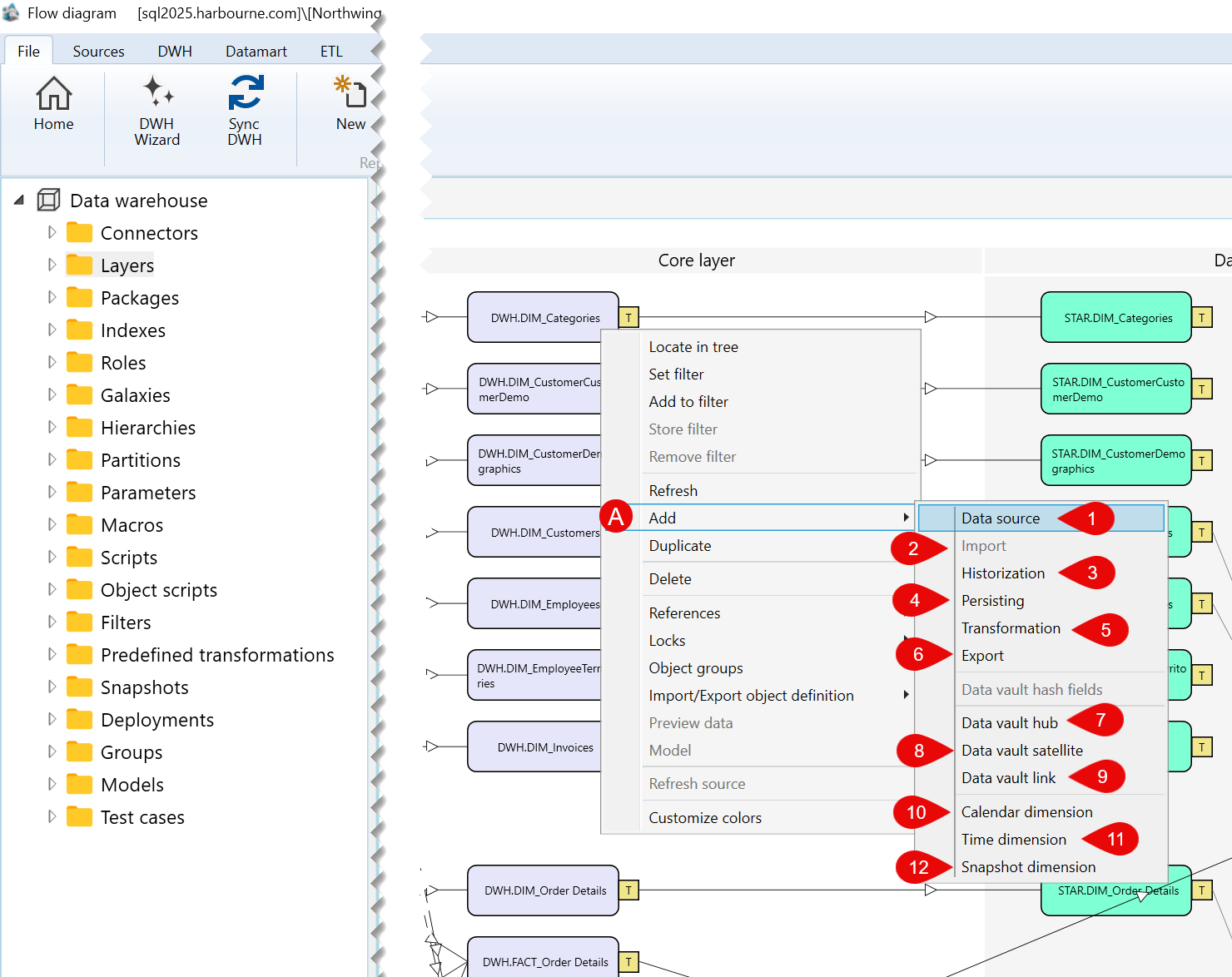
| ID | Command | Description |
|---|---|---|
| 1 | Data source | Opens options for adding a data source. |
| 2 | Import | Opens options for adding an import object. |
| 3 | Historization | Opens options for adding a historization object. |
| 4 | Persisting | Opens options for adding a persisting object. |
| 5 | Transformation | Opens options for adding a transformation object. |
| 6 | Export | Opens options for adding an export object. |
| 7 | Data vault hub | Opens options for adding a Data vault hub. |
| 8 | Data vault satellite | Opens options for adding a Data vault satellite. |
| 9 | Data vault link | Opens options for adding a Data vault link. |
| 10 | Calendar dimension | Opens options for adding a calendar dimension. |
| 11 | Time dimension | Opens options for adding a time dimension. |
| 12 | Snapshot dimension | Opens options for adding a snapshot dimension. |
B) References Submenu
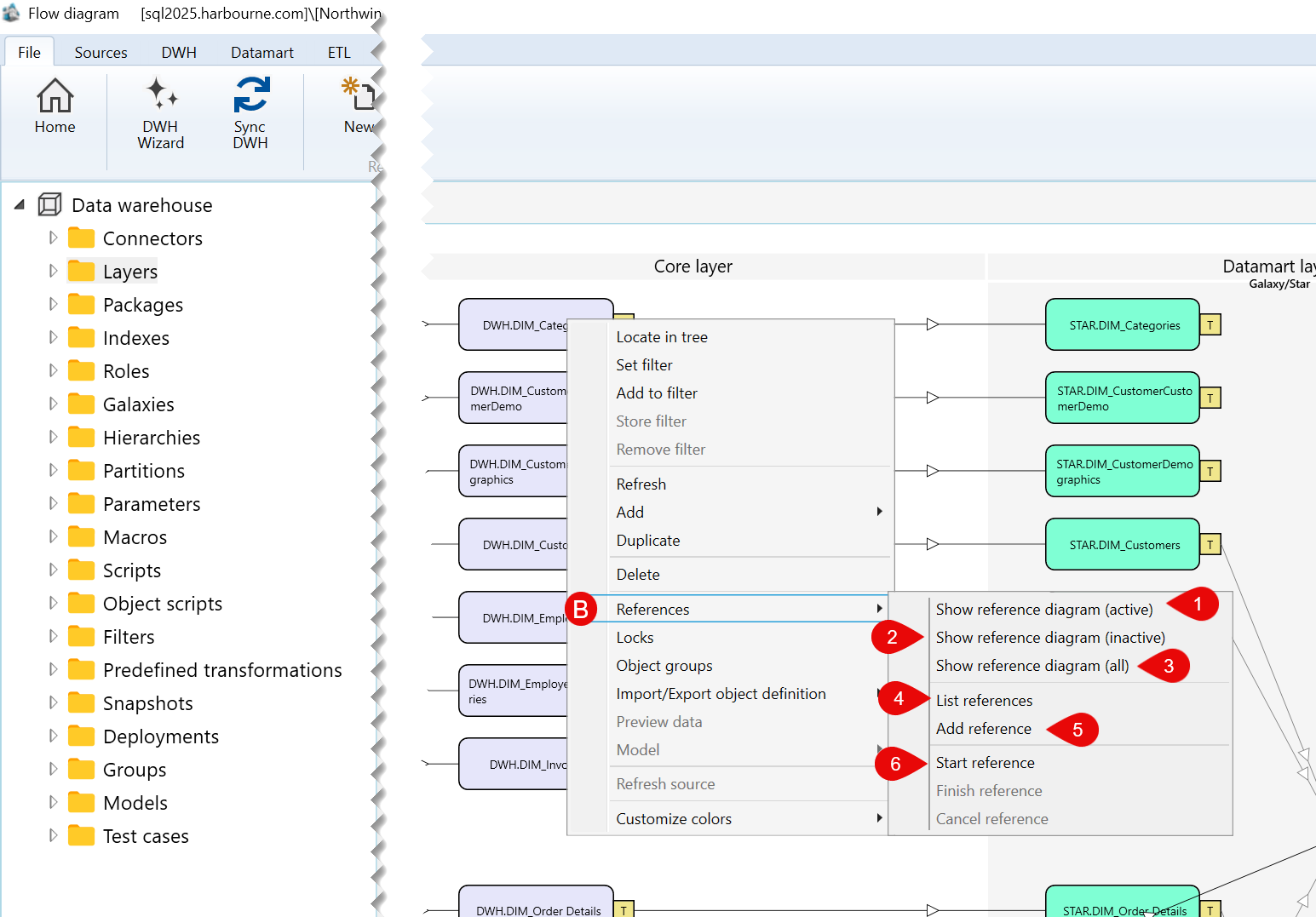
| ID | Command | Description |
|---|---|---|
| 1 | Show reference diagram (active) | Shows active reference diagrams associated with the selected transformation. |
| 2 | Show reference diagram (inactive) | Shows inactive reference diagrams associated with the selected transformation. |
| 3 | Show reference diagram (all) | Shows all reference diagrams associated with the selected transformation. |
| 4 | List references | Lists references associated with the selected transformation. |
| 5 | Add reference | Adds a reference to the selected transformation. |
| 6 | Start reference | Starts creating a reference from the selected transformation. |
C) Locks Submenu
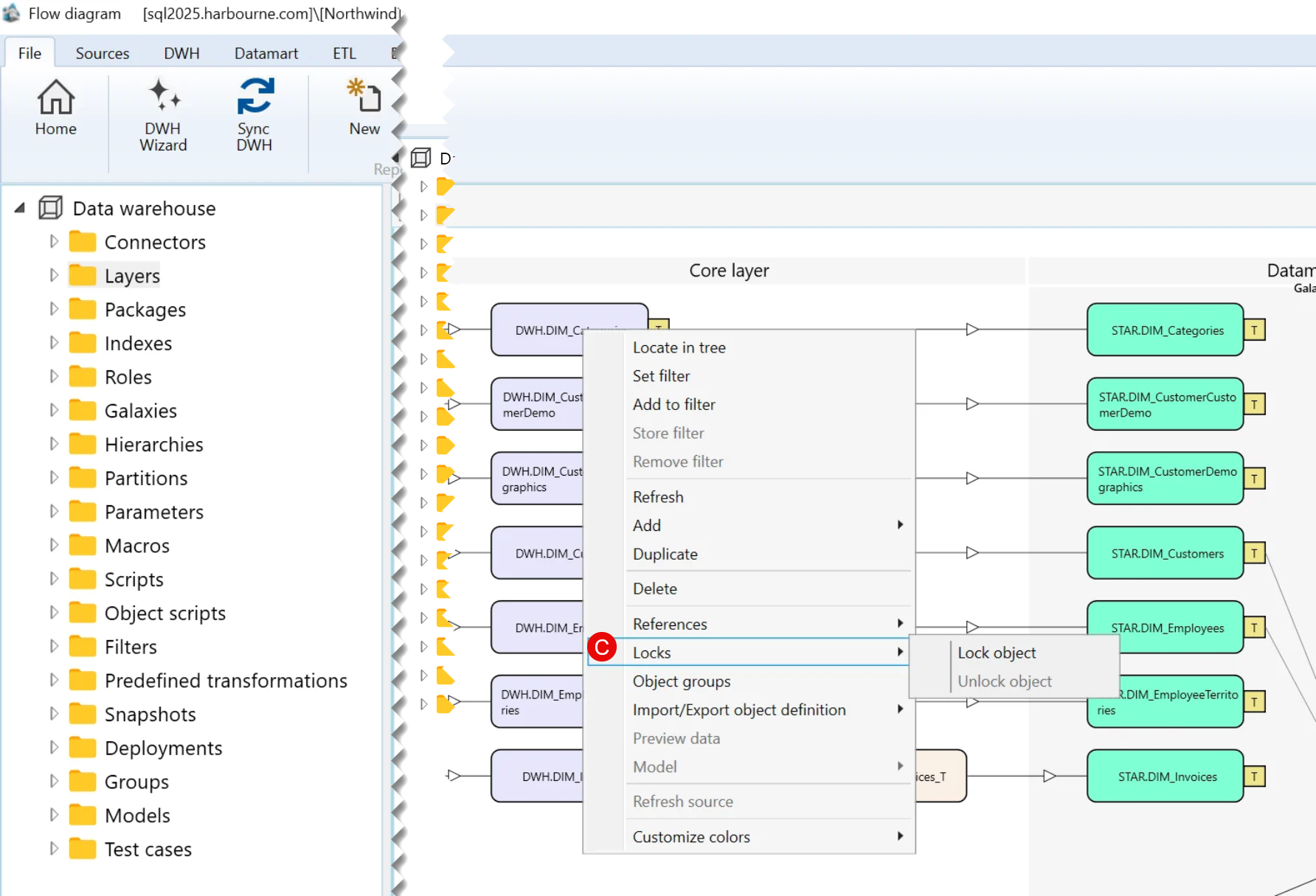
| ID | Command | Description |
|---|---|---|
| 1 | Lock object | Locks the selected transformation. |
D) Import/Export object definition Submenu
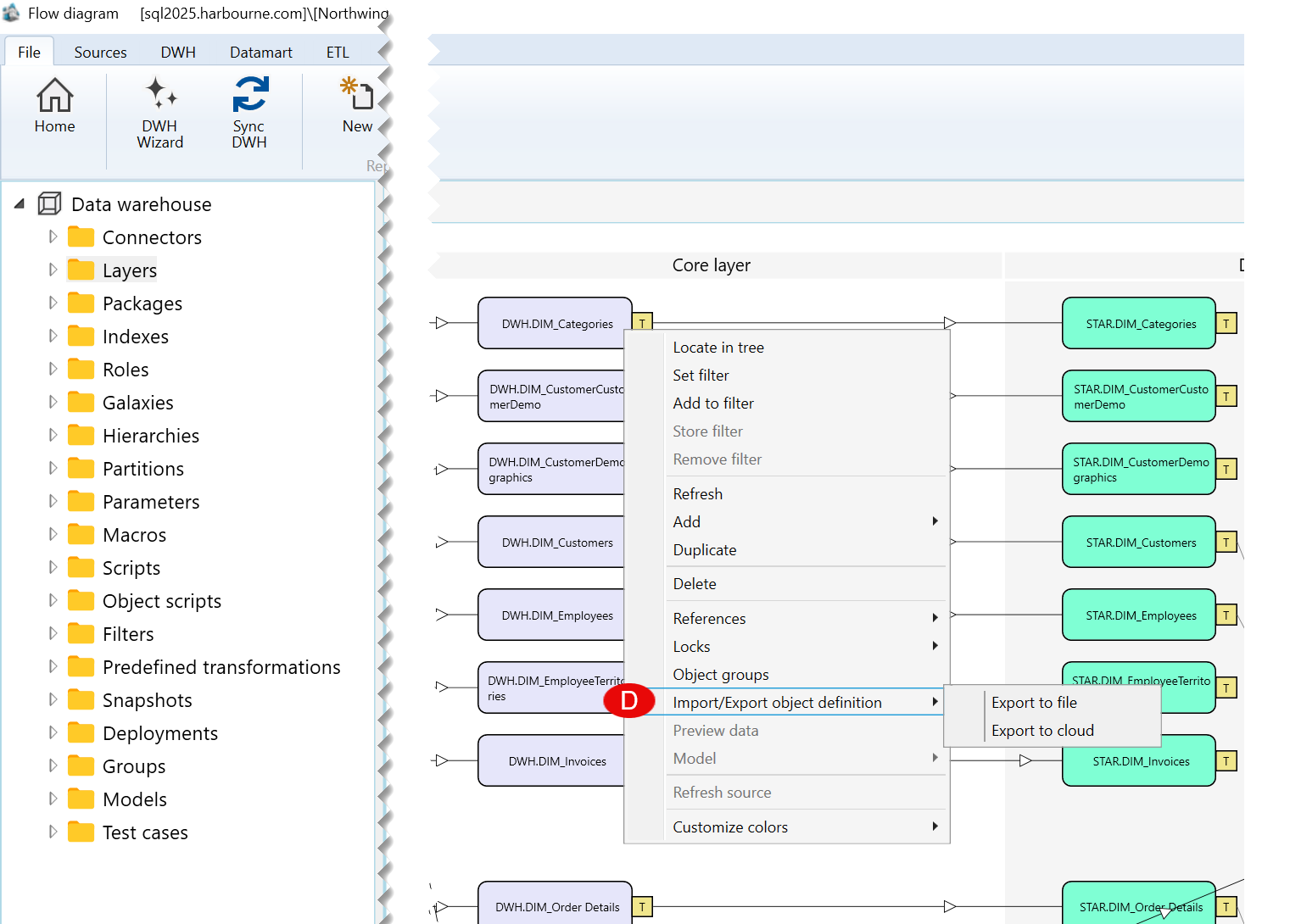
| ID | Command | Description |
|---|---|---|
| 1 | Export to file | Exports the selected transformation definition to a file. |
| 2 | Export to cloud | Exports the selected transformation definition to the cloud. |
E) Customize colors Submenu
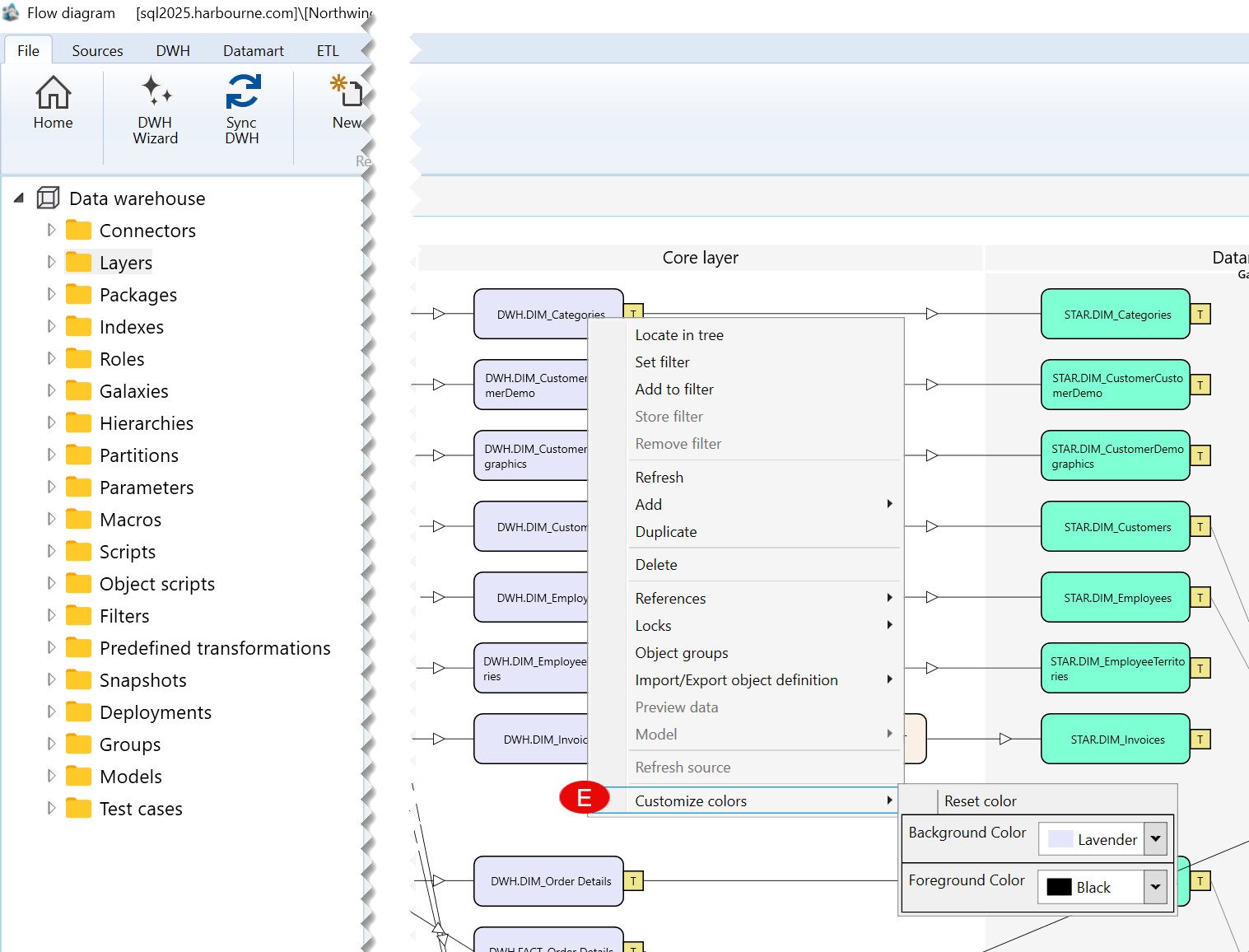
| ID | Command | Description |
|---|---|---|
| 1 | Background Color | Changes the background color of the selected transformation. |
| 2 | Foreground Color | Changes the foreground color of the selected transformation. |
