
Historization
Overview
Historization, shown by the HP marker, represents the flow from an IMP object in the Staging layer to an STG object in the Persisted staging layer. It shows where changes are retained as historical records.
Function
A historization flow connects an imported object, such as IMP.Categories, to a persisted staging result, such as STG.Categories. The predecessor IMP object provides the Add command used to create the historization.
The HP marker identifies the historization relationship. Use the predecessor IMP rectangle for Add -> Historization. The marker may expose limited diagram actions in some application versions, but it is not the owner of the complete creation menu.
Access
Historizations can be created from an eligible IMP object on the dataflow diagram and maintained through package navigation entries and historization-related list views.
How to access
Navigation tree
Packages -> Historization
Toolbar
ETL -> List -> Historizations, or ETL -> List -> Packages
Create on diagram
Right-click an eligible IMP object and select Add -> Historization.
Visual element
IMP object -> HP marker -> STG object.
Screen overview
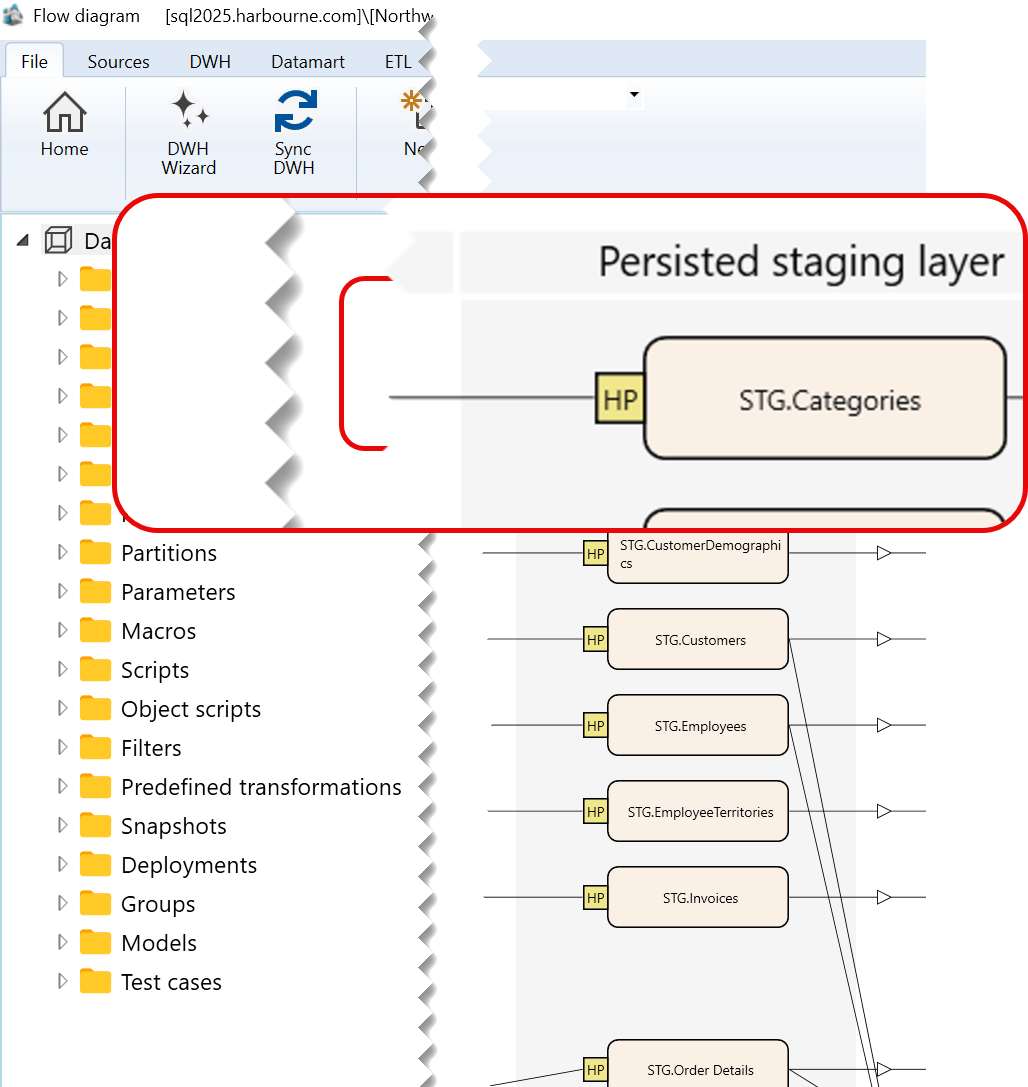
Context menu used to create a historization
Right-click the predecessor IMP object, such as IMP.Categories, and select Add -> Historization.
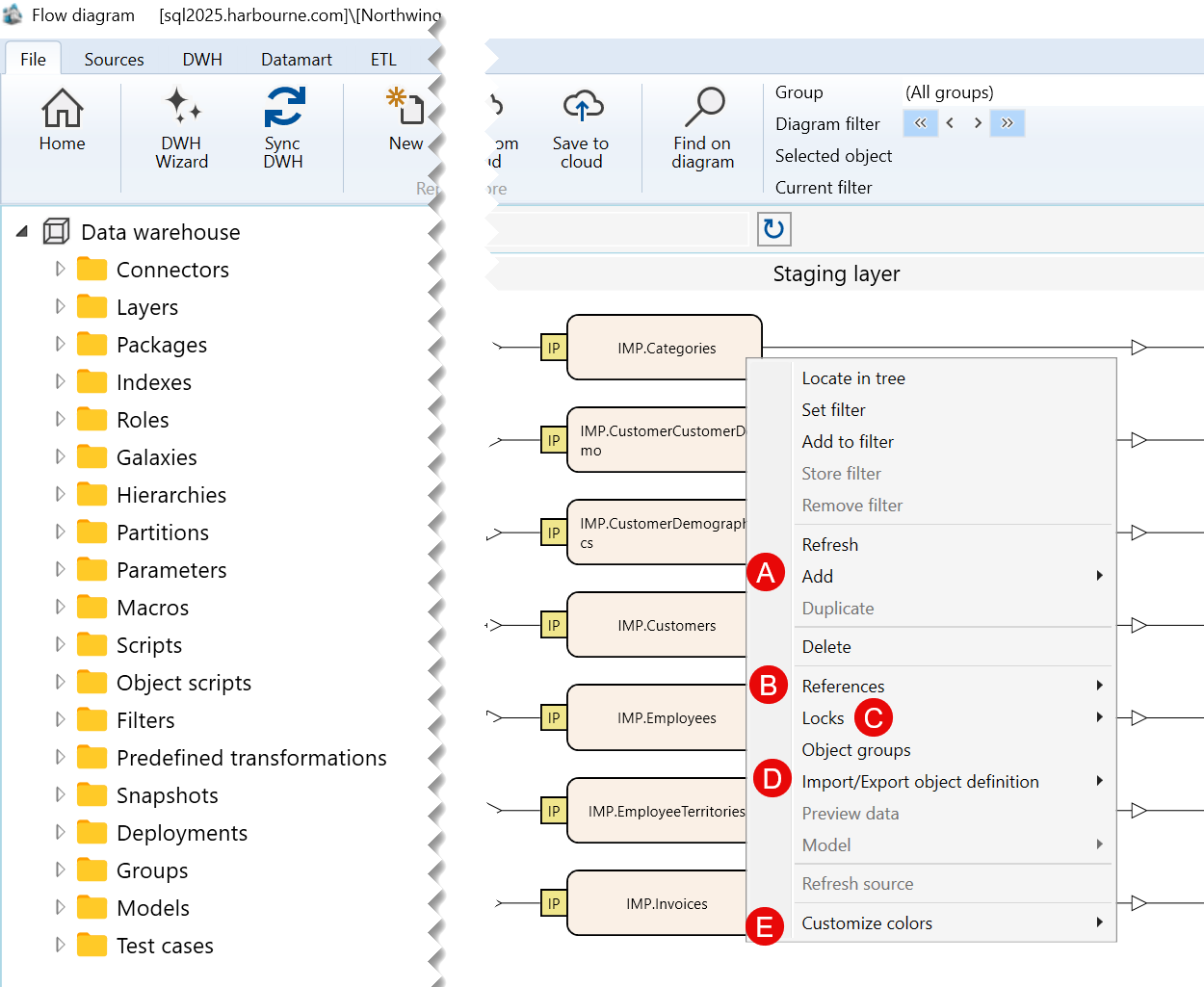
| ID | Command | Description |
|---|---|---|
| 1 | Locate in tree | Locates the selected import object in the Data warehouse tree. |
| 2 | Set filter | Sets the selected import object as the current filter for the dataflow diagram. |
| 3 | Add to filter | Adds the selected import object to the current diagram filter. |
| 4 | Refresh | Refreshes the selected import object in the dataflow diagram. |
| 5 | Add | Opens the submenu containing the available options for adding an object. |
| 6 | Delete | Deletes the selected import object. |
| 7 | References | Opens the submenu containing reference-related options for the selected import object. |
| 8 | Locks | Opens the submenu containing lock-related options for the selected import object. |
| 9 | Object groups | Opens options for managing the object groups associated with the selected import object. |
| 10 | Import/Export object definition | Opens the submenu for exporting the selected import object definition. |
| 11 | Customize colors | Opens the submenu for customizing the display colors of the selected import object. |
Sub menus
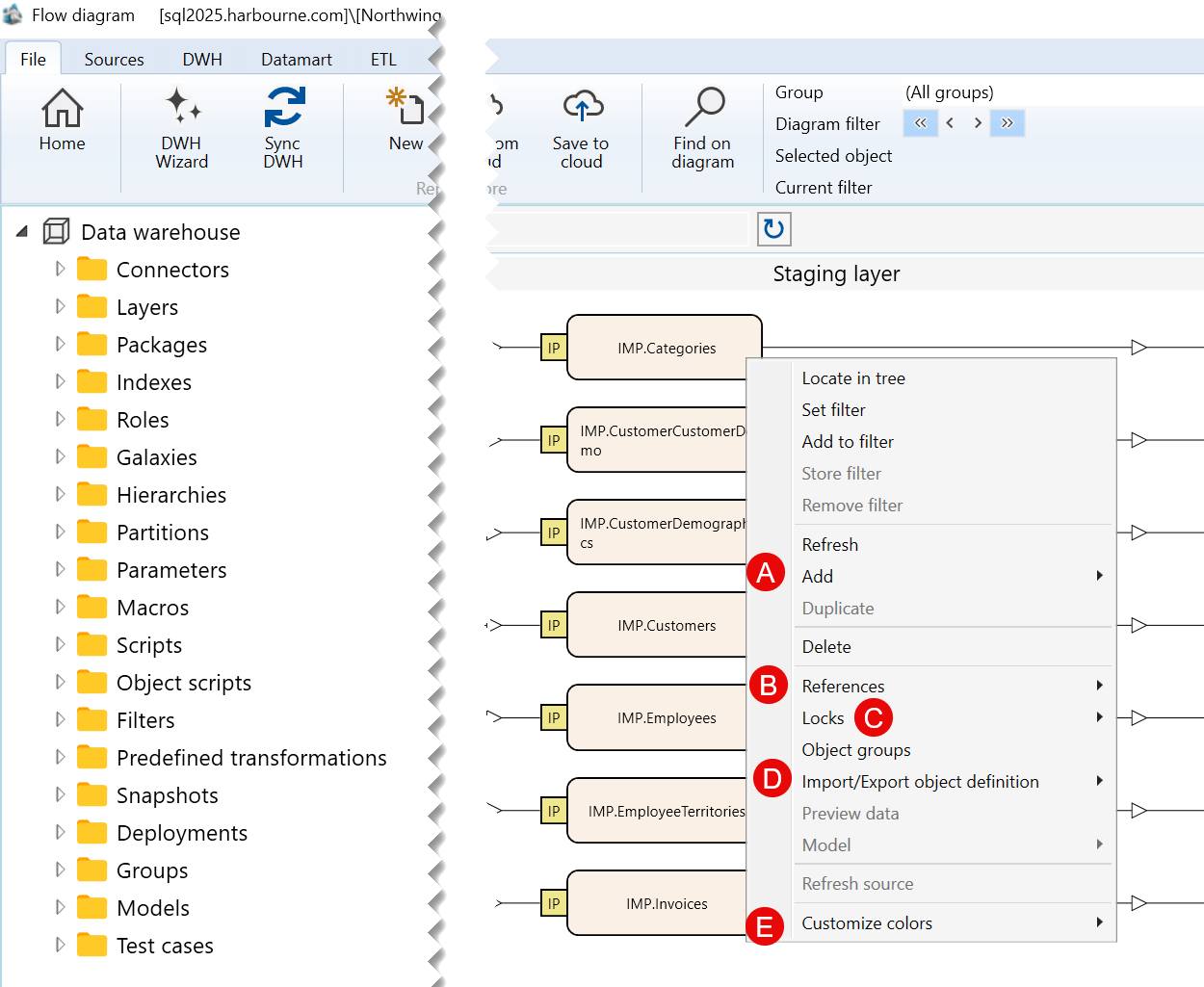
| ID | Submenu group | Description |
|---|---|---|
| A | Add | Contains the available options for adding an object related to the selected import object. |
| B | References | Contains options for viewing or managing references associated with the selected import object. |
| C | Locks | Contains lock-related options for the selected import object. |
| D | Import/Export object definition | Contains options for exporting the selected import object definition. |
| E | Customize colors | Contains options for customizing the colors used to display the selected import object. |
A) Add Submenu
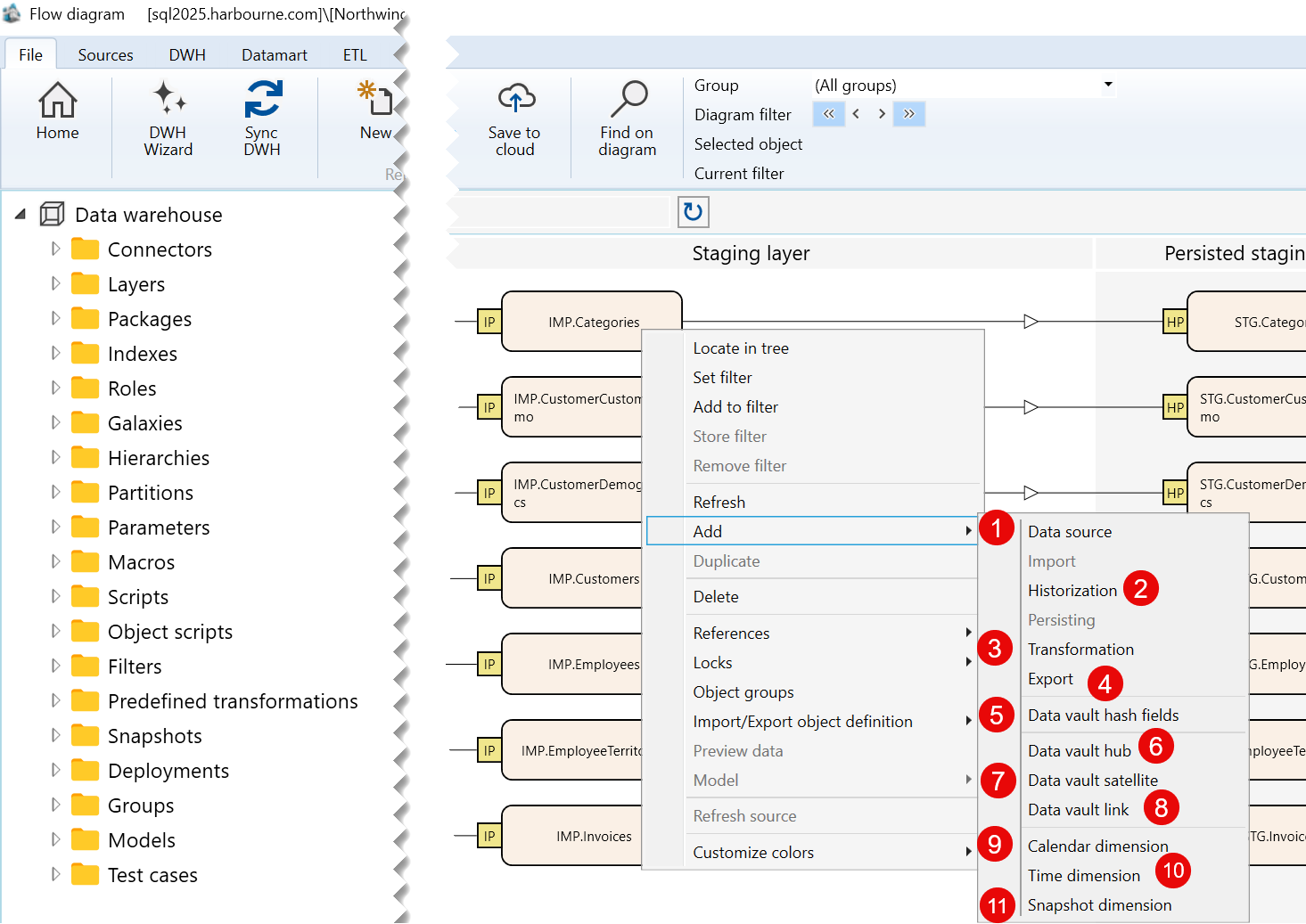
| ID | Command | Description |
|---|---|---|
| 1 | Data source | Opens options for adding a data source. |
| 2 | Historization | Opens options for adding a historization object. |
| 3 | Transformation | Opens options for adding a transformation object. |
| 4 | Export | Opens options for adding an export object. |
| 5 | Data vault hash fields | Opens options for adding Data vault hash fields. |
| 6 | Data vault hub | Opens options for adding a Data vault hub. |
| 7 | Data vault satellite | Opens options for adding a Data vault satellite. |
| 8 | Data vault link | Opens options for adding a Data vault link. |
| 9 | Calendar dimension | Opens options for adding a calendar dimension. |
| 10 | Time dimension | Opens options for adding a time dimension. |
| 11 | Snapshot dimension | Opens options for adding a snapshot dimension. |
B) References Submenu
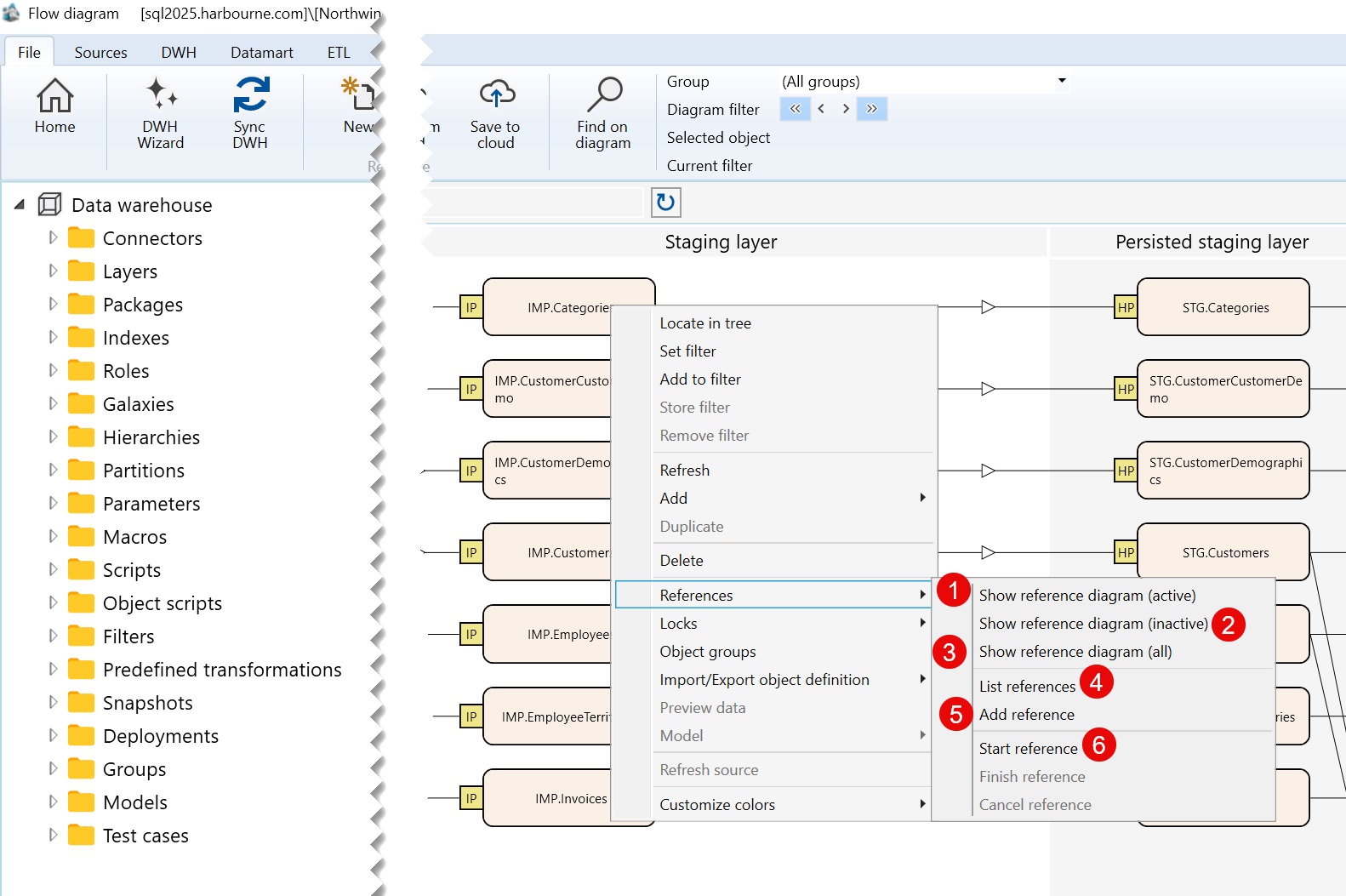
| ID | Command | Description |
|---|---|---|
| 1 | Show reference diagram (active) | Shows active reference diagrams associated with the selected import object. |
| 2 | Show reference diagram (inactive) | Shows inactive reference diagrams associated with the selected import object. |
| 3 | Show reference diagram (all) | Shows all reference diagrams associated with the selected import object. |
| 4 | List references | Lists references associated with the selected import object. |
| 5 | Add reference | Adds a reference to the selected import object. |
| 6 | Start reference | Starts creating a reference from the selected import object. |
C) Locks Submenu
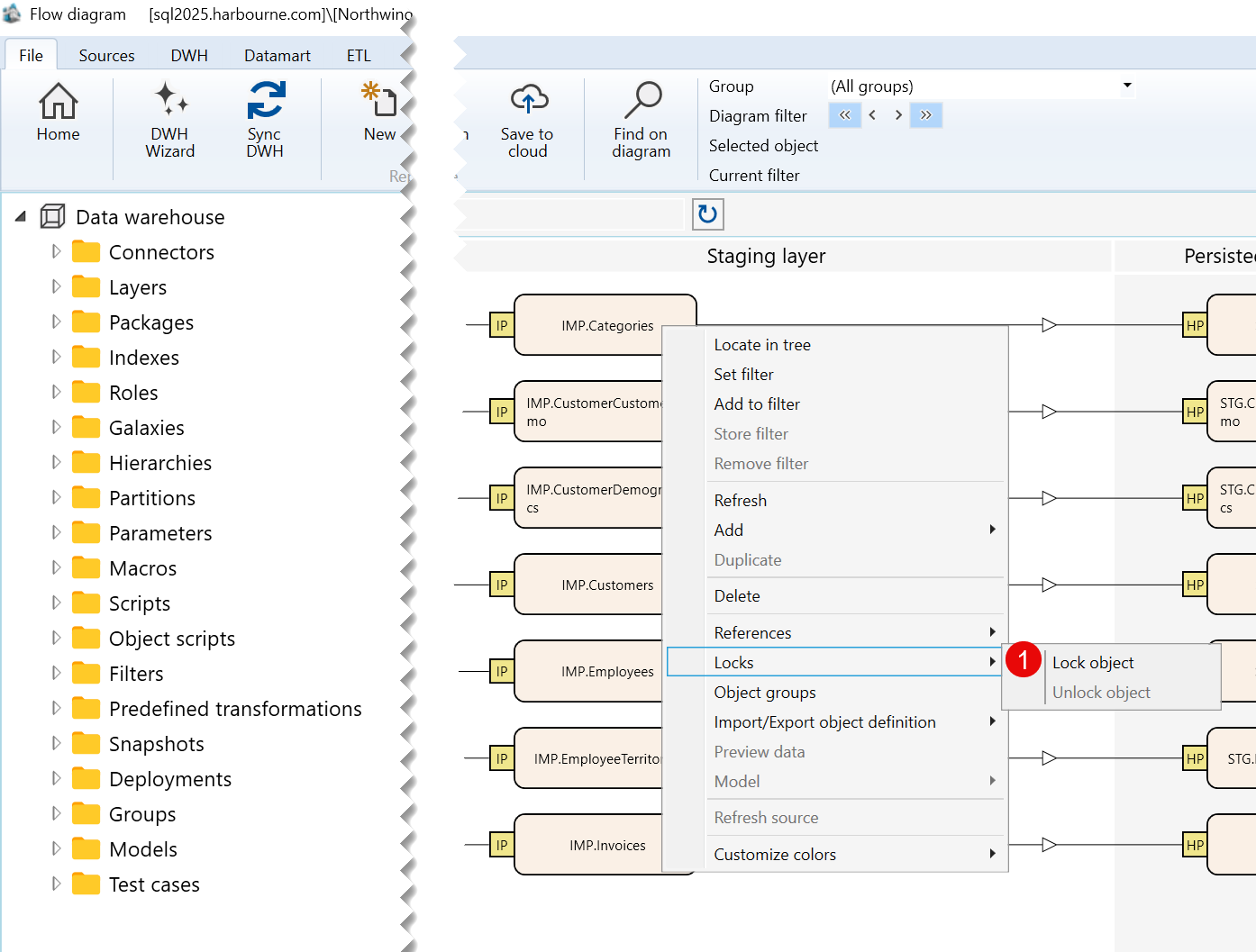
| ID | Command | Description |
|---|---|---|
| 1 | Lock object | Locks the selected import object. |
D) Import/Export object definition Submenu
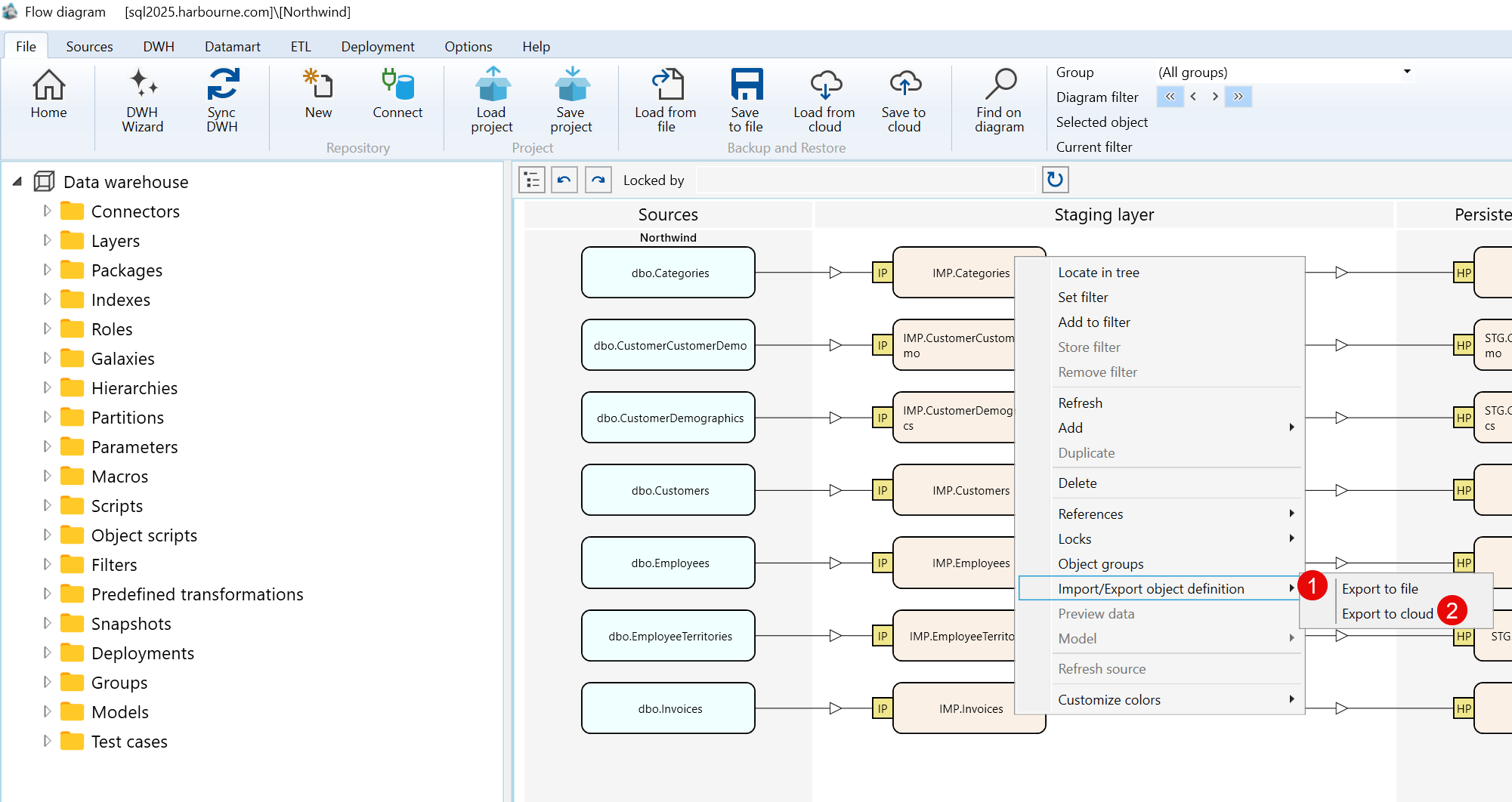
| ID | Command | Description |
|---|---|---|
| 1 | Export to file | Exports the selected import object definition to a file. |
| 2 | Export to cloud | Exports the selected import object definition to the cloud. |
E) Customize colors Submenu
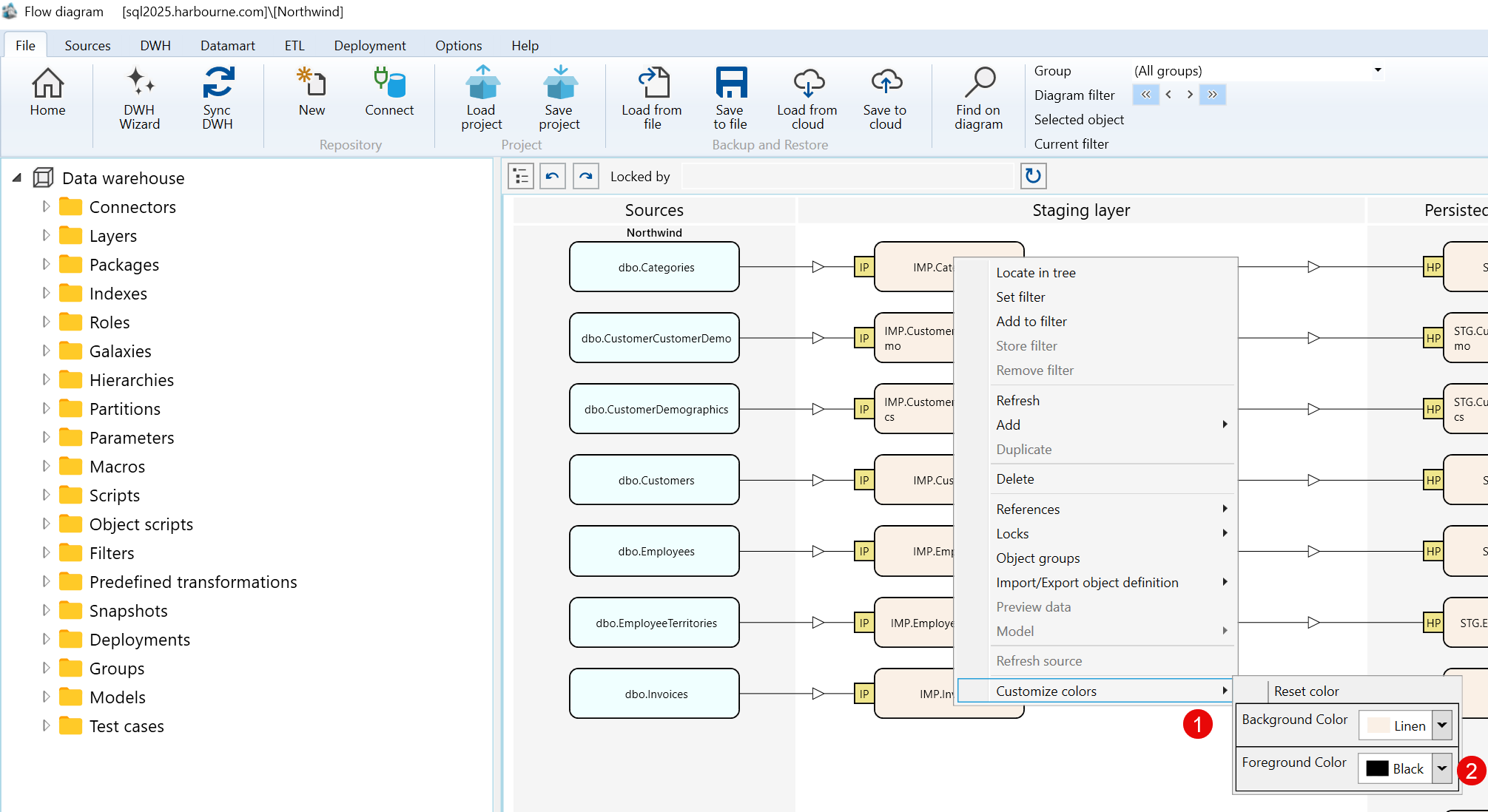
| ID | Command | Description |
|---|---|---|
| 1 | Background Color | Changes the background color of the selected import object. |
| 2 | Foreground Color | Changes the foreground color of the selected import object. |
