
User Interface
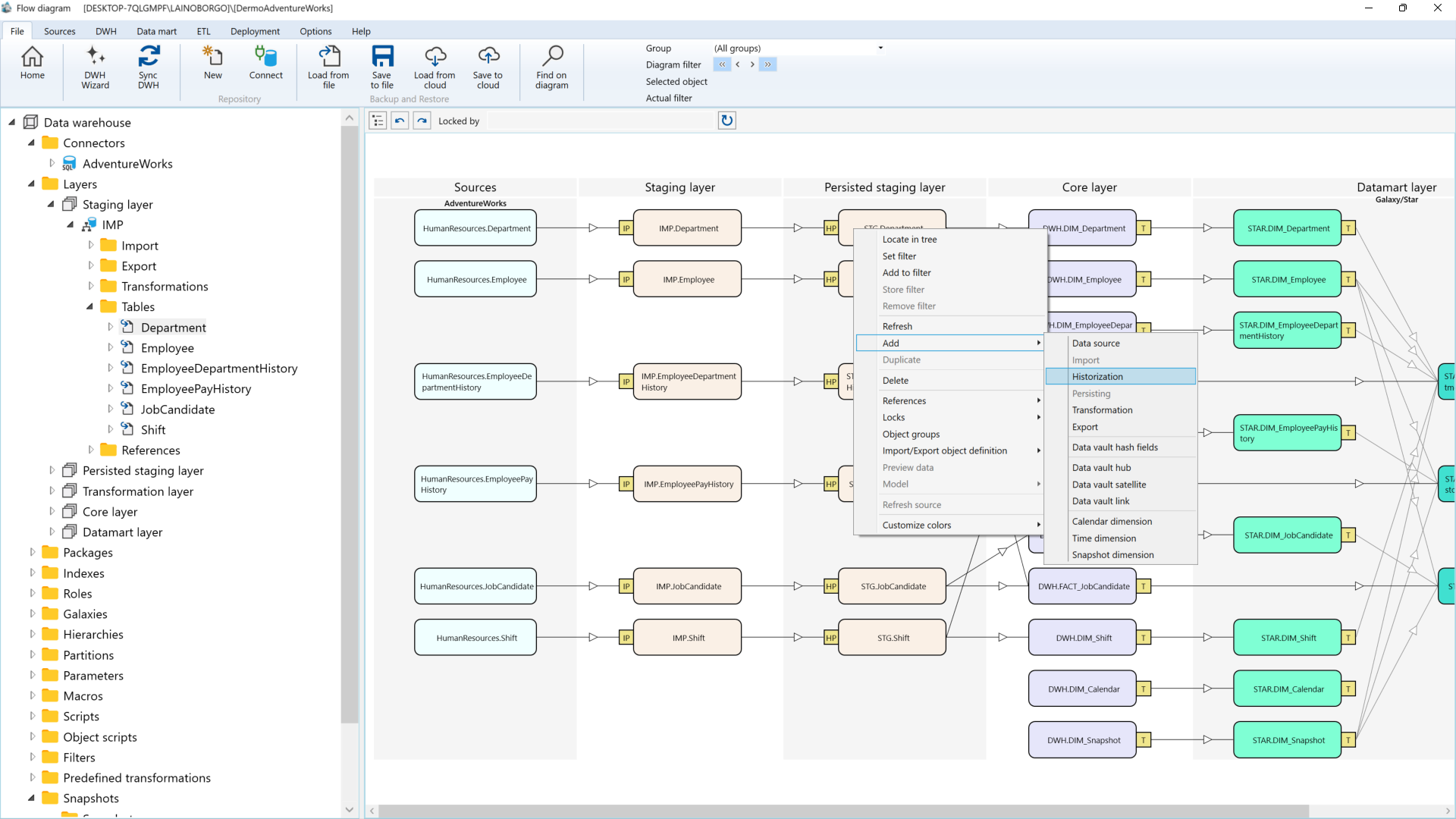
The AnalyticsCreator user interface is designed to support structured, metadata-driven development of data products. It provides a clear separation between modeling, configuration, and generation activities, enabling users to navigate complex data solutions efficiently.
The interface is organized into multiple functional areas that work together:
- Navigation & Repository Structure
Provides access to repositories, object groups, and individual objects. It reflects the logical organization of the data solution and supports collaboration across teams. - Design & Modeling Area
The central workspace where users define sources, transformations, and data products. This includes visual representations of data flows and dependencies, supporting transparency and impact analysis. - Properties & Configuration Panels
Context-sensitive panels that allow detailed configuration of selected objects, including technical settings, mappings, and behavior definitions. - Toolbar
Offers quick access to key actions such as synchronization, validation, and deployment, enabling an efficient workflow from design to delivery. - Lineage & Dependency Visualization
Displays relationships between objects and data flows. Users can explore upstream and downstream dependencies to understand the impact of changes.
The interface follows a metadata-driven approach: users define logic and structure once, and AnalyticsCreator generates the corresponding technical artifacts. This ensures consistency, traceability, and efficient lifecycle management across environments.
Reference areas
Dataflow diagram
The Dataflow diagram section explains the object types that appear in AnalyticsCreator's visual dataflow and how they represent movement, transformation, and delivery across the solution.
Dialogs
The Dialogs section covers the focused pop-up workflows that support configuration, validation, search, preview, synchronization, and repository maintenance in AnalyticsCreator.
Lists
The Lists section groups the list views and registry-style pages used to browse, compare, and manage collections of AnalyticsCreator objects.
Navigation tree
The Navigation tree provides the primary structural view of an AnalyticsCreator repository and helps users browse objects by area, layer, and responsibility.
Pages
The Pages section documents the page-level object views that users open to configure AnalyticsCreator components in detail.
Toolbar
The toolbar gives users direct access to the main functional areas of AnalyticsCreator and serves as the primary entry point for day-to-day work across the platform.
Wizards
The Wizards section documents the guided setup flows that help users create common AnalyticsCreator objects and modeling patterns with structured input steps.
