
You can launch AnalyticsCreator in two ways:
From the desktop icon
After installation or streaming setup, a desktop shortcut is created.

Double-click the icon to start AnalyticsCreator.
From the installer window
- Open the downloaded AnalyticsCreator installer.
- Instead of selecting Install, click Launch (labeled as Number One in the image below).
- A window will appear showing the available AnalyticsCreator Servers, which deliver the latest version to your system.
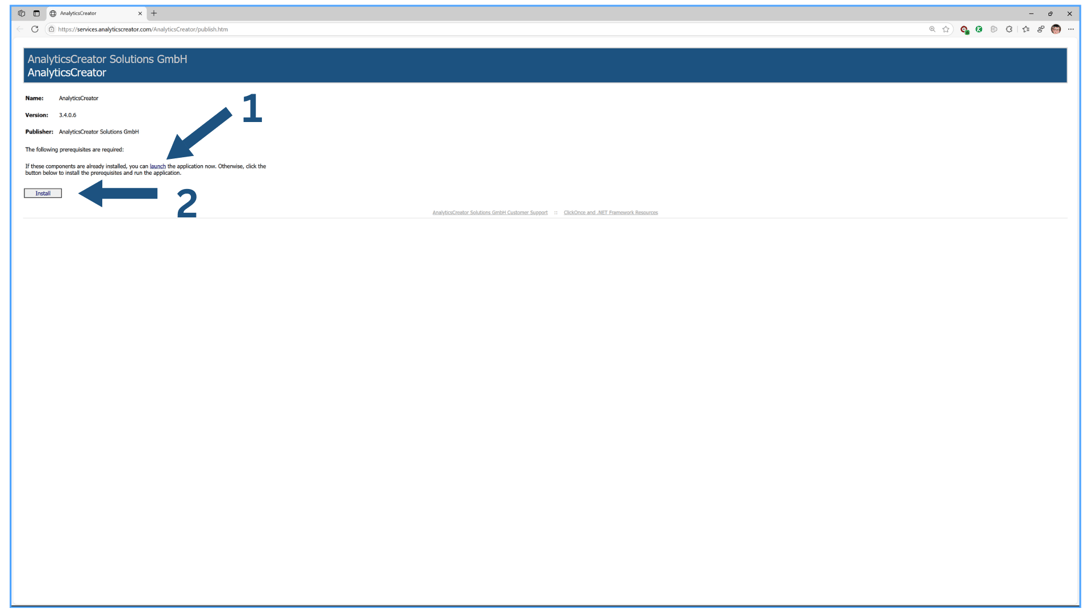
This process launches AnalyticsCreator without performing a full installation, assuming all necessary prerequisites are already in place.
