Import wizard
Import wizard collects the source, target, and package settings for an import definition. Review the overview to understand the inputs before creating the definition.
Use this overview when preparing the movement of source data into a warehouse target.
Understand import configuration
Read metadata from a Connector with DWH Wizard
Read current structure from an external source, select the required Sources, and review classification, naming, and generation settings.
Overview and configuration
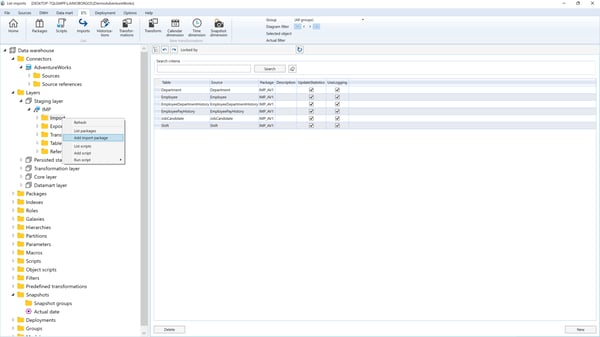
To start the Import Wizard, use the source context menu:
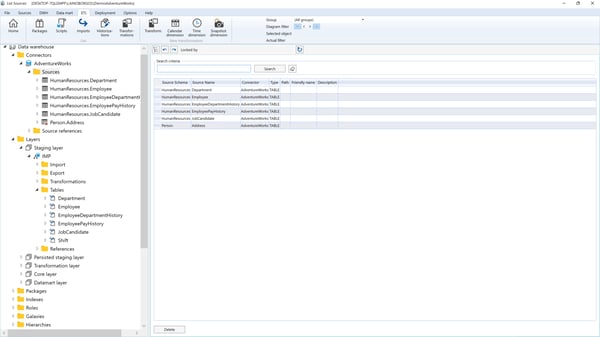
Import Status Indicators
Sources marked with a "!" icon indicate that they have not yet been imported. Attempting to launch the Import Wizard on a source that has already been imported will result in an error.
Typical Import Wizard Window
There is a typical Import Wizard window, as shown in the image below:
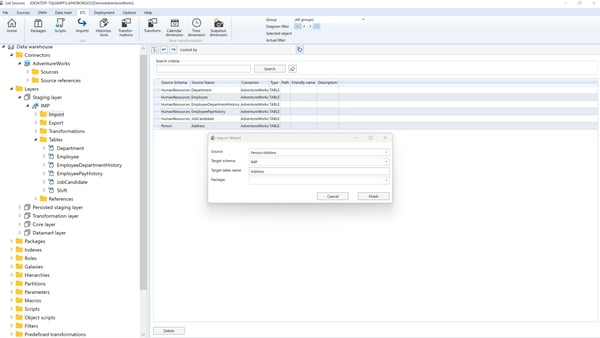
Options:
- Source: The source that should be imported.
- Target Schema: The schema of the import table.
- Target Name: The name of the import table.
- Package: The name of the SSIS package where the import will be done. You can select an existing import package or add a new package name.
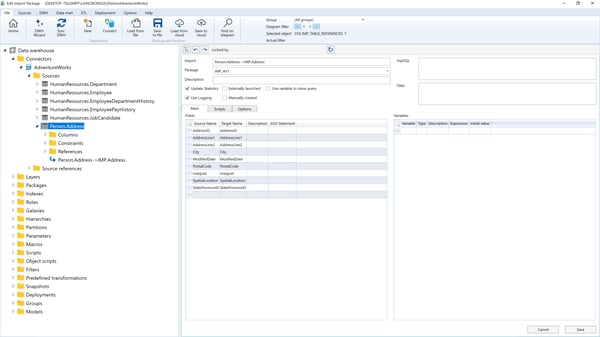
Click Finish to proceed. The import definition window will open, allowing the configuration of additional import attributes and parameters, as shown in the image below:
Post-Import Actions
Refer to the "Import Package" description for more details.
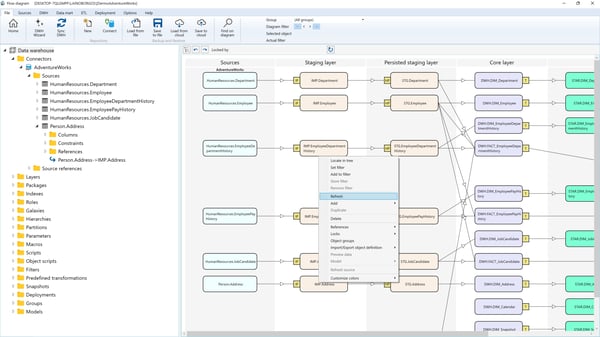
After creating a new import, refresh the diagram to reflect the changes, as shown in the image below: