
Time transformation wizard
The Time transformation wizard creates a time dimension for analytical use. Review the period and naming settings before creating the definition.
Use this overview when a model needs a dedicated time dimension.
Overview and configuration
To create a time transformation, select "Add → Time Dimension" from the diagram context menu.
As shown in the image below:
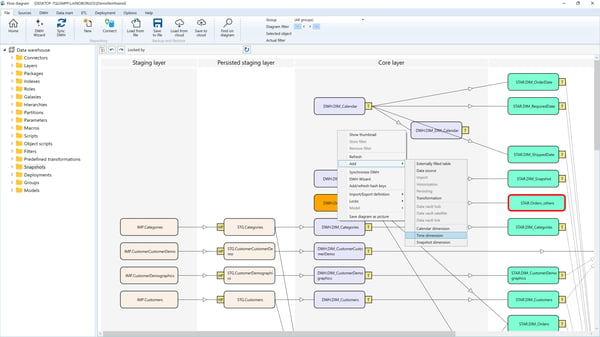
The Time Transformation Wizard will then open, allowing you to configure a new time transformation:
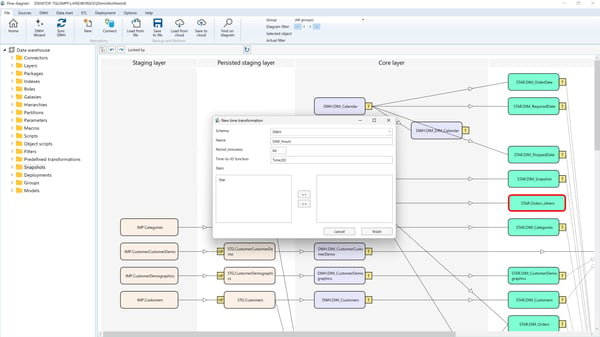
Parameters
- Schema
The schema in which the time transformation resides. - Name
The name assigned to the time transformation. - Period (Minutes)
The interval (in minutes) used to generate time dimension records. - Time-to-ID Function
The macro function that converts aDateTimevalue into the key value for the time dimension.
Use case: Convertdatetimefields in fact transformations into time dimension members. - Stars
The data mart stars where the time transformation will be included.
