
Snapshot transformation wizard
The Snapshot transformation wizard creates a snapshot dimension for use by analytical structures. Review the overview before selecting the dates and assignments required by your model.
Use this overview when you need a snapshot dimension, and consult the related guide for assigning existing snapshots to a Transformation.
Work with snapshot definitions
Choose a Transformation historization type and assign snapshots
Choose the required Transformation history behavior, assign existing snapshots or groups, and verify the saved settings.
Overview and configuration
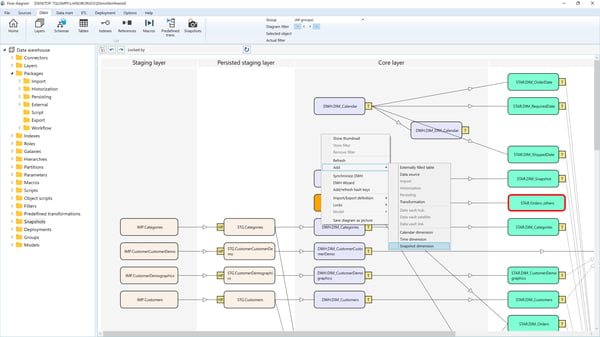
To create a snapshot transformation, select "Add → Snapshot Dimension" from the diagram context menu. This will open the Snapshot Transformation Wizard.
⚠️ Note: Only one snapshot dimension can exist in the data warehouse.
As shown in the image below:
Parameters
- Schema
The schema in which the snapshot transformation resides. - Name
The name assigned to the snapshot transformation. - Stars
The data mart stars where this snapshot transformation will be included.
