
Introduction
Maintain an existing table reference and check the transformations or models that use it. Review its table endpoints, matching condition and relationship settings, make only the intended changes, then verify the stored definition and affected consumers.
Applicability
Use DWH > References to edit a table-reference definition. Source references use the separate Sources route. An inherited reference requires a deliberate decision before a manual edit.
Prerequisites
- The existing table reference and intended changes identified.
- The table schemas, names and matching keys or validated expression for the relationship.
- Knowledge of the transformations or models that use the reference, including whether it was inherited.
Steps
Open the existing table reference
Open DWH.
Open the DWH tab. 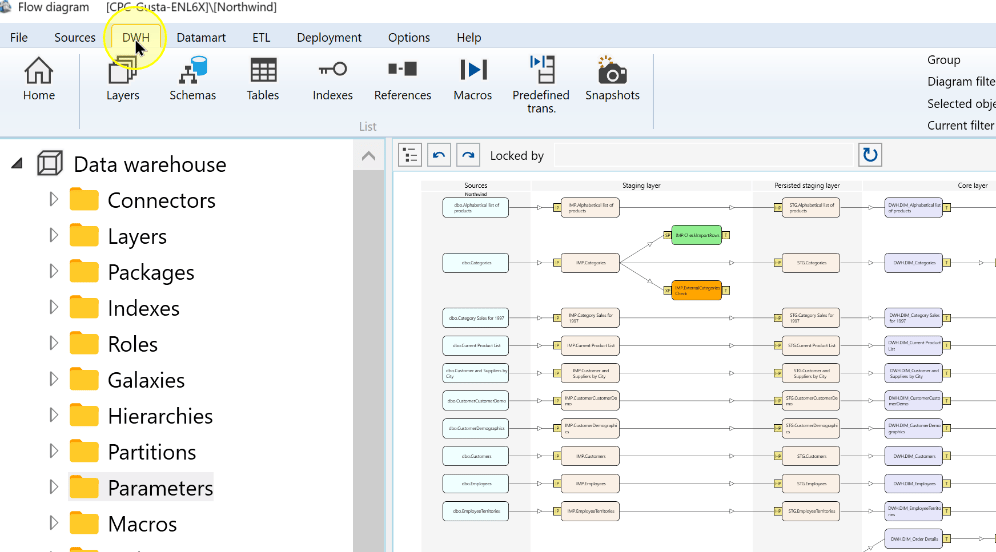
Choose References.
Open References from the DWH ribbon. 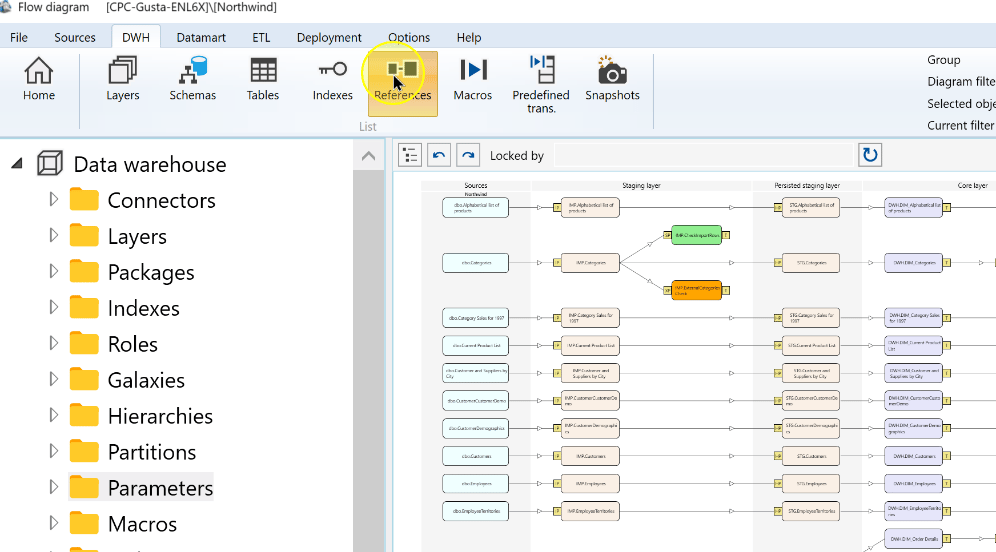
Open the table reference to maintain. The example selects an existing Customers-to-Orders reference.
Select the required table reference. 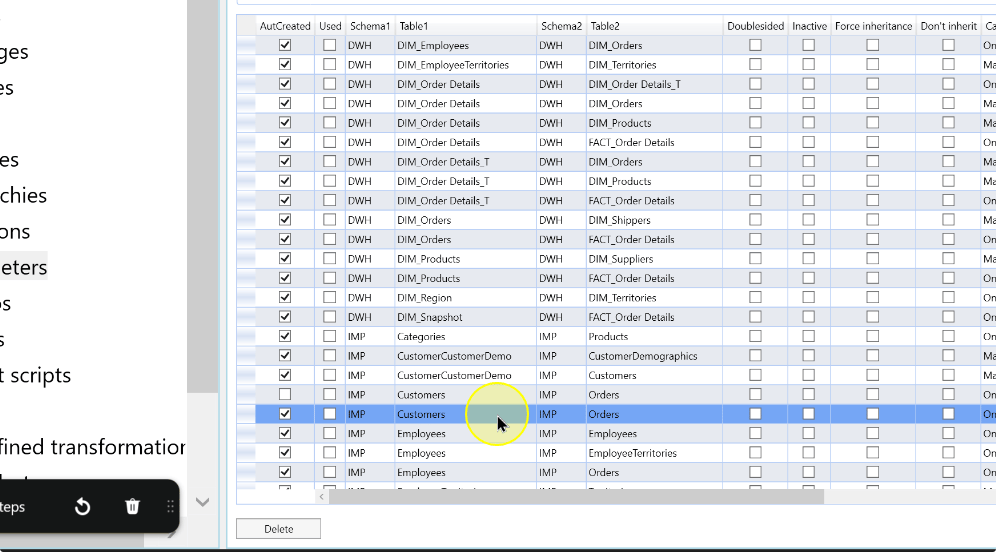
Review the table endpoints
For an inherited reference, check Auto created before editing. An inherited reference with that flag selected cannot be modified. Clear it only when a deliberate manual edit is intended; leave the definition unchanged when you are only reviewing it.
Review the schema for Table 1. The example uses IMP. Change it only if the first endpoint must change.
The table-reference editor exposes the participating-table controls. 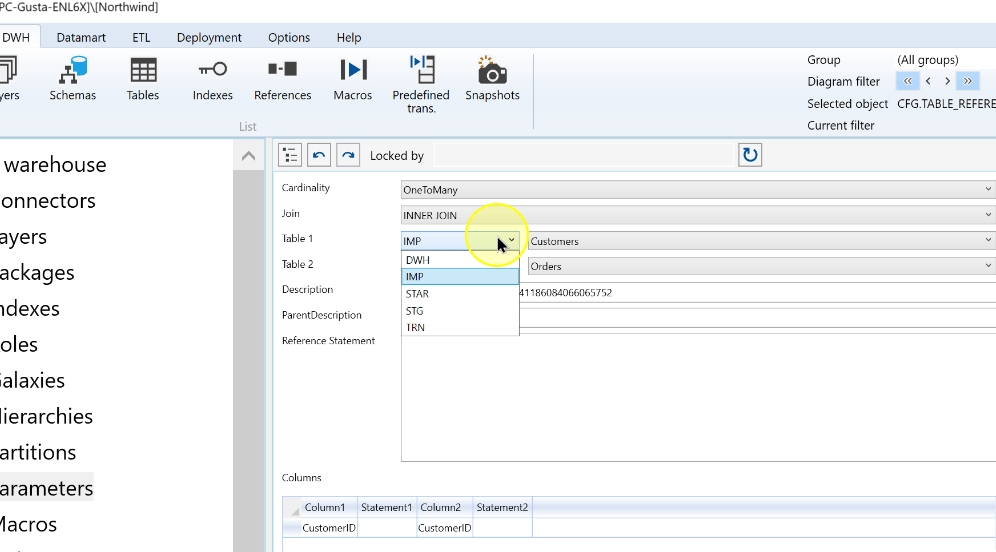
Review or change the first participating table. Confirm its schema and name together; the example uses Customers.
Review the first participating table. 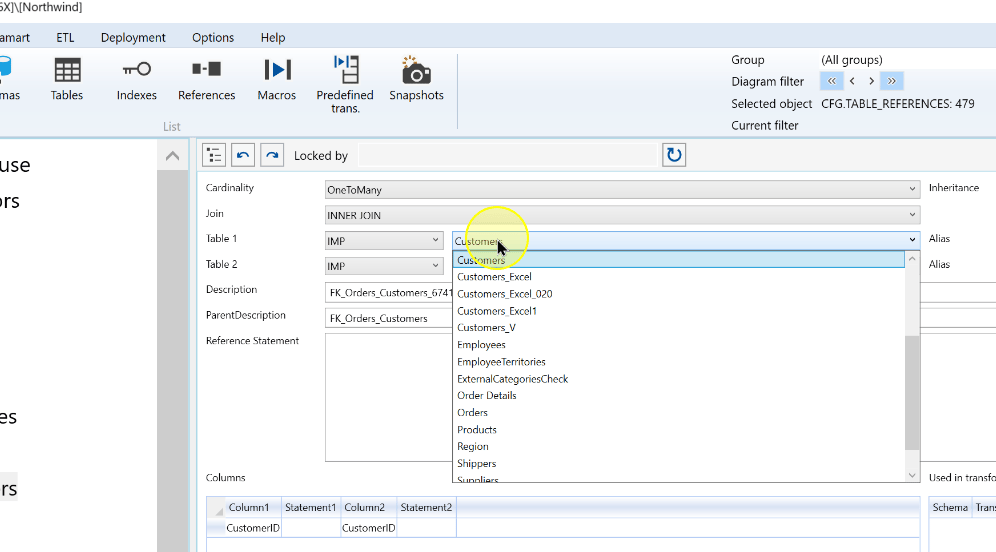
Review the schema for Table 2. The example also uses IMP.
Review the schema for the second table. 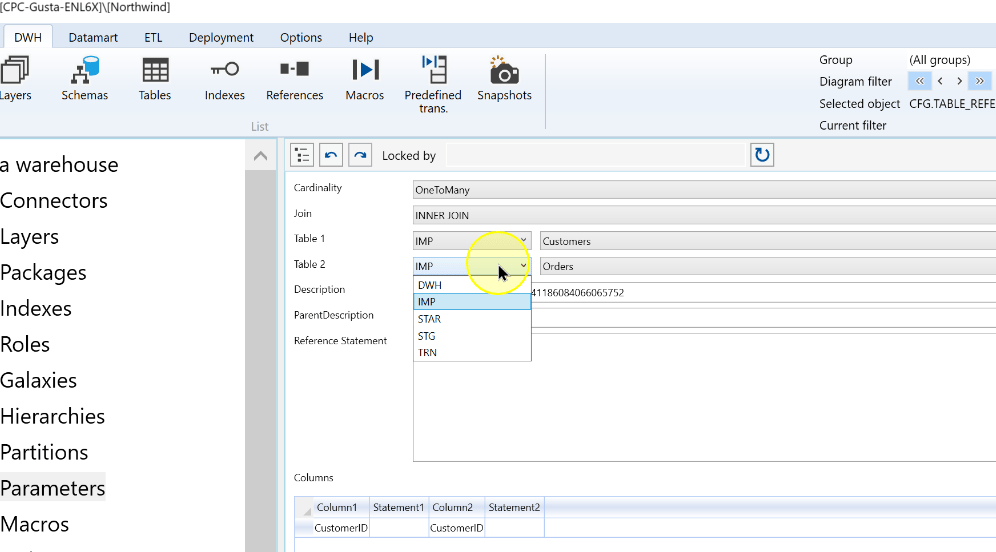
Review or change the second participating table. The example uses Orders. Recheck the relationship settings if either endpoint changes.
Review the second participating table. 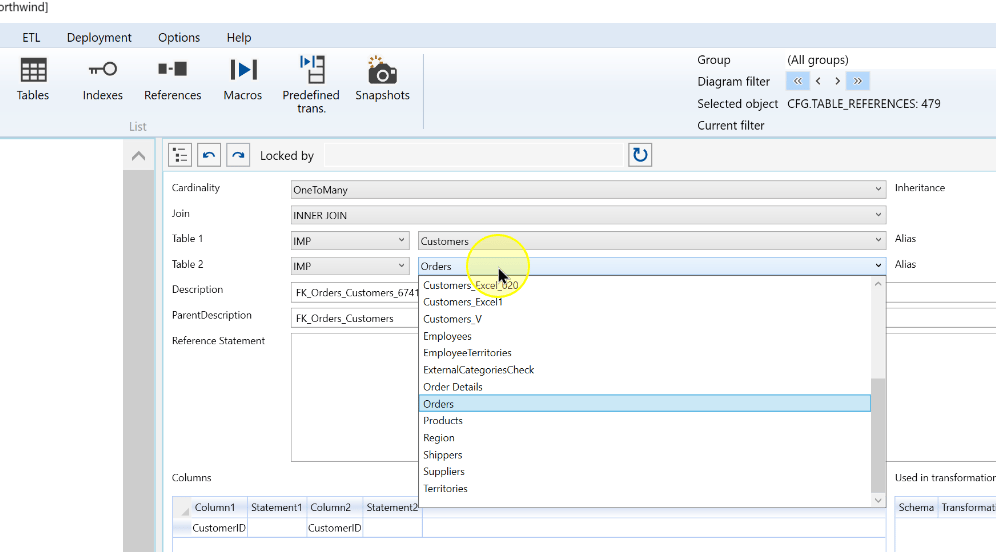
Review settings and affected transformations
Review the settings and the complete matching condition before changing them:
- Cardinality describes the number of matching rows on each side. The shown OneToMany relationship has Customers first and Orders second.
- Join determines how matching and unmatched rows are handled. The example uses INNER JOIN.
- Inheritance controls propagation of the reference metadata: Default uses the default behavior, Not inherit prevents inheritance and Force inherit forces it.
- Review the existing column pairs and any Reference Statement. If the expression uses aliases, set both Alias fields and use those identifiers in the expression.
- Use Used in transformations to identify affected transformations.
Review the inheritance setting and existing column mapping. 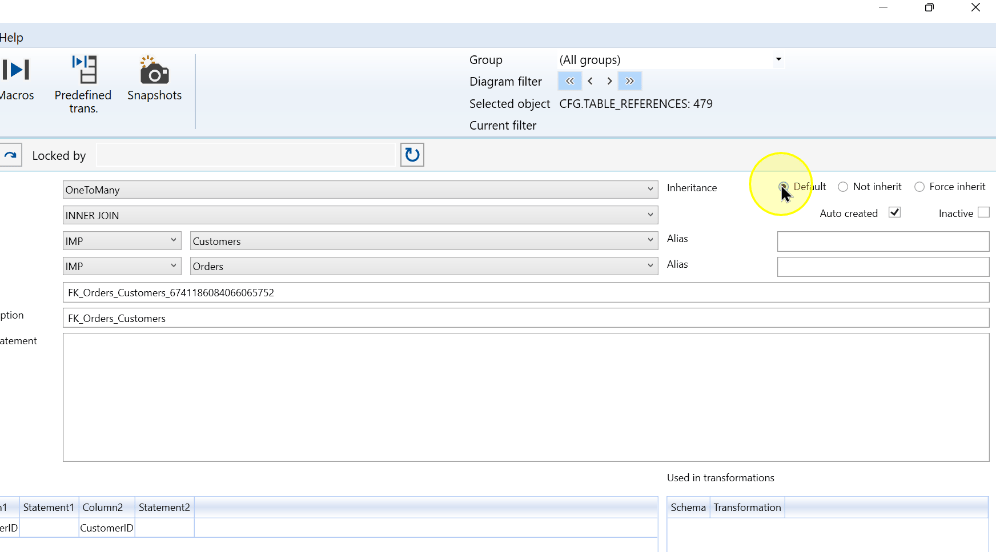
Modify only the required values and click Save. Validate any changed mapping or statement against the dependent transformations or models, then perform the checks in Expected Results.
Save the edited table reference. 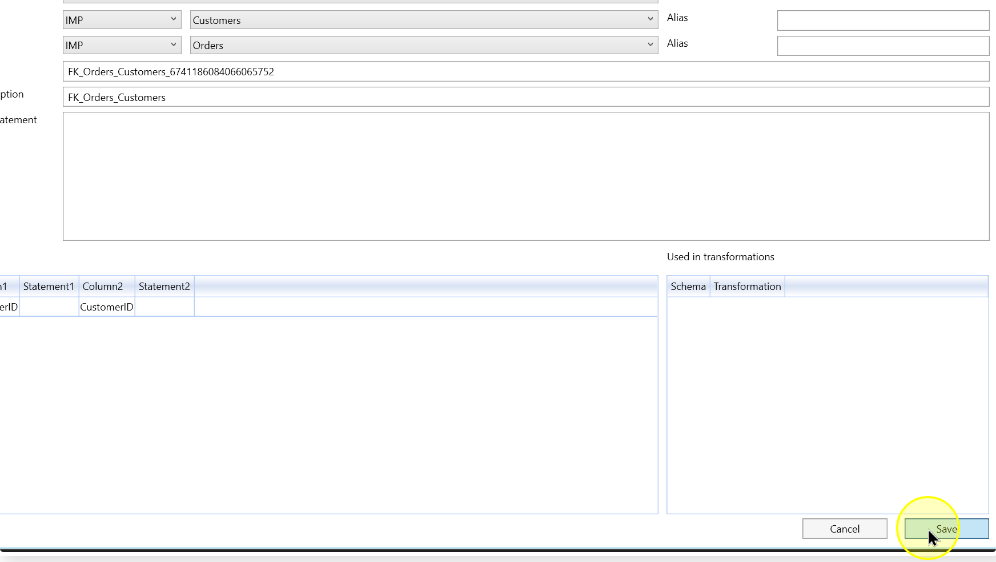
Expected Results
- Reopen the intended table reference and compare both endpoints, mapping or statement, aliases where used, cardinality, join and inheritance with the intended changes.
- Review the affected transformations and models against the changed relationship before relying on their results.
- For an inherited update, confirm that each transformation uses the intended reference, including the newly inherited reference when required.
Decisions and variations
- Matching condition: direct pairs and a Reference Statement use the same editor. Simple and Complex are not separate mode controls.
Troubleshooting
- An inherited reference cannot be modified: check Auto created. A selected flag prevents modification; clear it only when the manual edit is intended.
- A transformation still uses the old relationship: when a parent-reference change reaches an inherited reference used by transformations, the earlier reference is retained with a
_changed(N)suffix and a new inherited reference is created. Existing transformations are not switched automatically; select the new reference when they should use the changed relationship.
