
User Groups
The User Groups feature in AnalyticsCreator enables administrators to manage access permissions and collaboration rights among multiple users within a shared project. Each group can include different members with distinct access levels, such as Group Owner, Read/Write, or Read Only. This ensures secure teamwork and proper authorization when working across the same data warehouse environment.
User Groups are particularly useful for team-based environments, where control over data modification, deployment permissions, and administrative responsibilities must be clearly defined.
User Groups List
The User Groups List displays all defined collaboration groups. From this screen, users can search for groups, view their access rights, and perform actions such as creating, deleting, or leaving a group.
| ID | Field | Description |
|---|---|---|
| 1 | Search Criteria | Filter existing user groups by name or partial keyword. |
| 2 | Rights | Displays access rights for the user in each group (e.g., Read Write, Read Only, Group Owner). |
| 3 | Delete | Removes the selected group permanently (requires Group Owner rights). |
| 4 | Leave | Allows the logged user to exit a group without deleting it. |
| 5 | New | Creates a new user group for collaboration. |
Screen Overview:

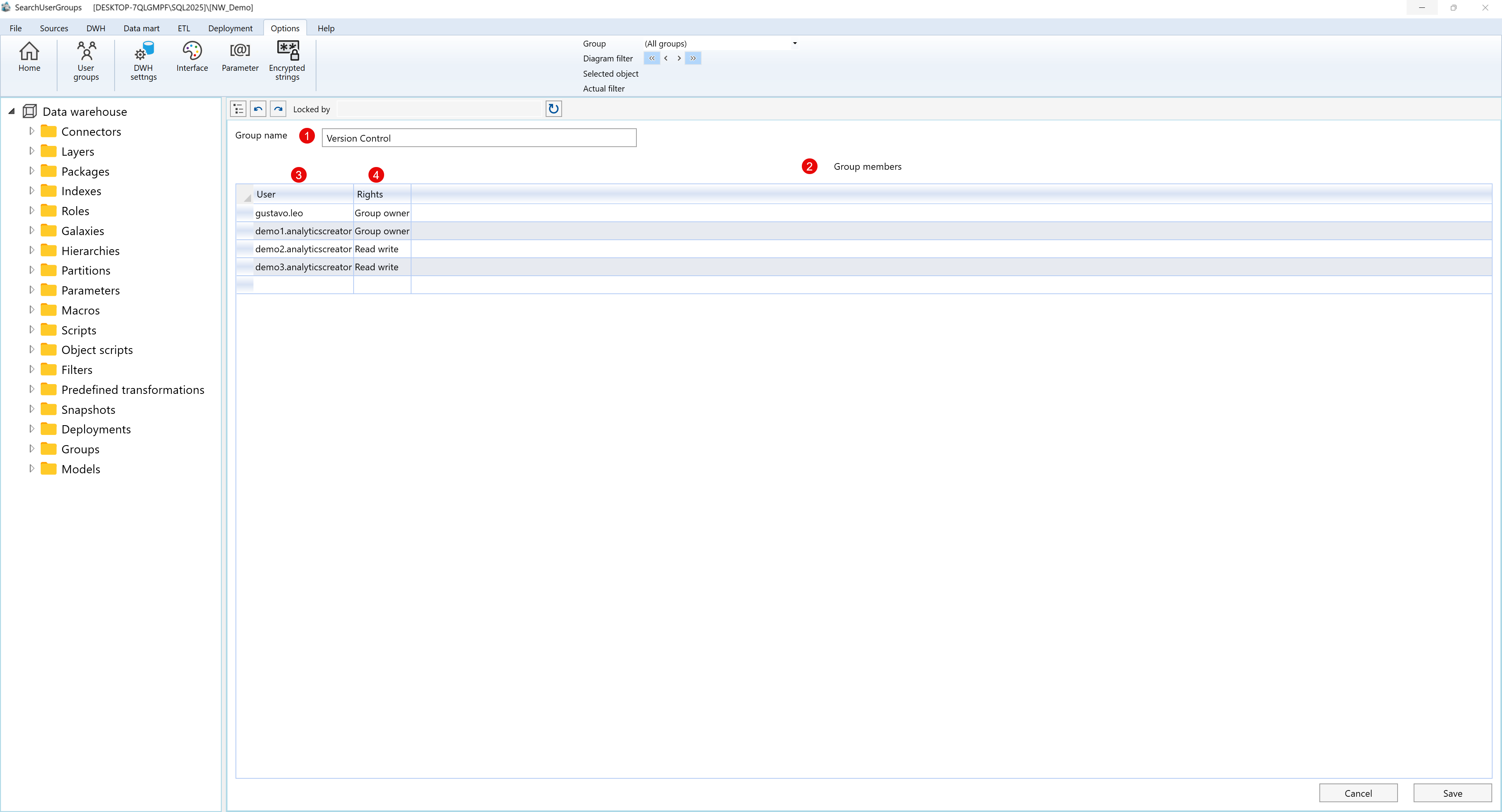
User Groups Edit
The Edit User Group screen allows administrators or group owners to change the group's name, add or remove members, and update individual access rights.
| ID | Field | Description |
|---|---|---|
| 1 | Group Name | The unique name that identifies the user group. |
| 2 | Group Members | Lists all users who are part of the selected group. |
| 3 | User | Displays usernames of the members associated with this group. |
| 4 | Rights | Specifies user permissions — Group Owner, Read Write, or Read Only. |
Screen Overview:
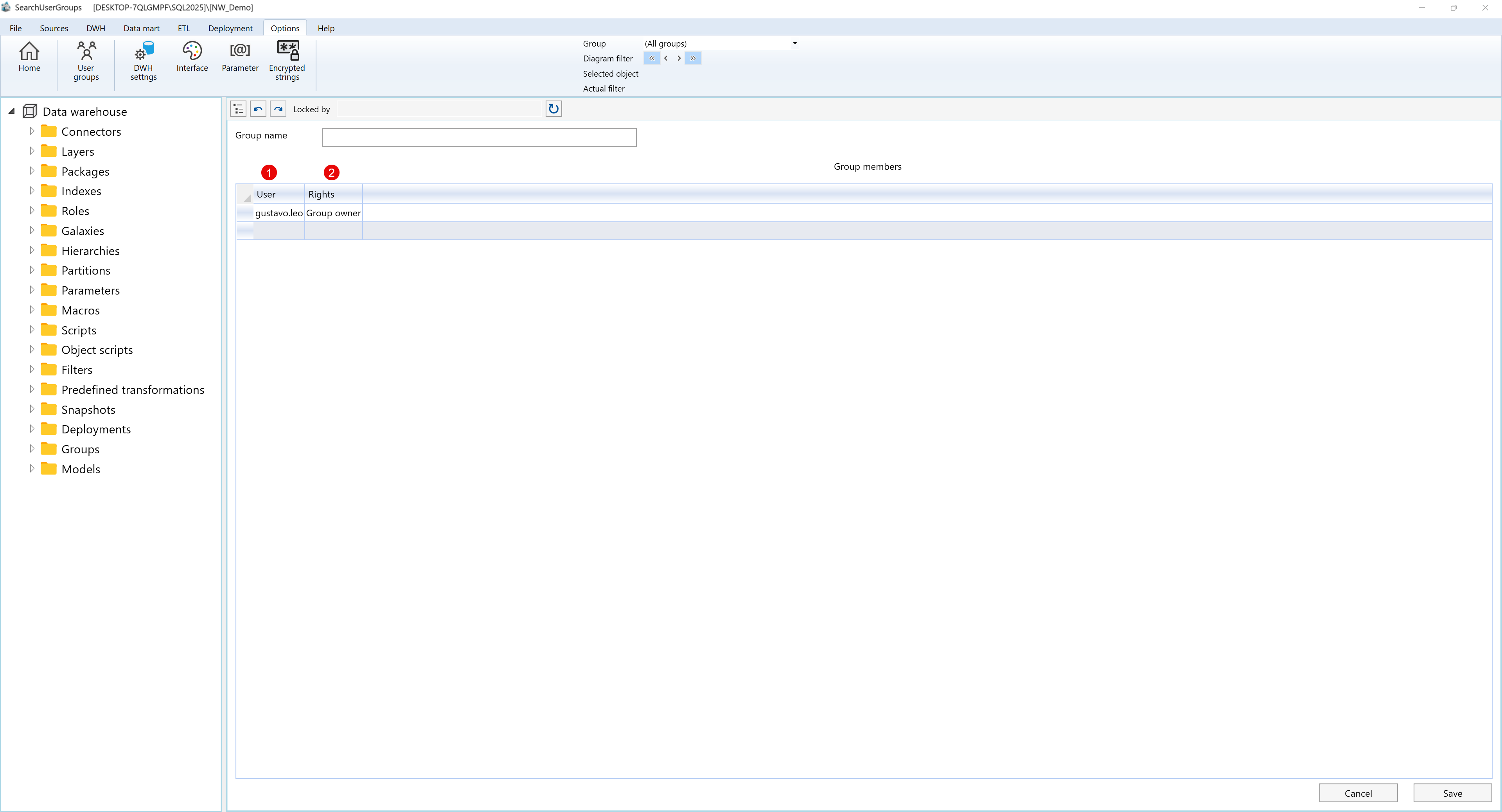
Add New User Group
The New User Group screen allows users to create a new collaboration group and assign members with specific permissions. At least one member must be designated as the Group Owner, who can later manage group membership and access levels.
| ID | Field | Description |
|---|---|---|
| 1 | Group Name | Defines the name of the new user group being created. |
| 2 | Group Members | Displays the list of users assigned to this group. |
| 3 | User | Lists the available users that can be added to the new group. |
| 4 | Rights | Specifies access rights for each user — Group Owner, Read Write, or Read Only. |
Screen Overview:
User Rights Overview
Each user added to a group is assigned one of the following rights:
| Right | Description |
|---|---|
| Group Owner | Full control over the group, including adding or removing members, changing permissions, and deleting the group. |
| Read Write | Can view and edit project elements within the group but cannot manage user rights or delete the group. |
| Read Only | Can view group content but cannot make changes or add new objects. |
