Back to all Blogs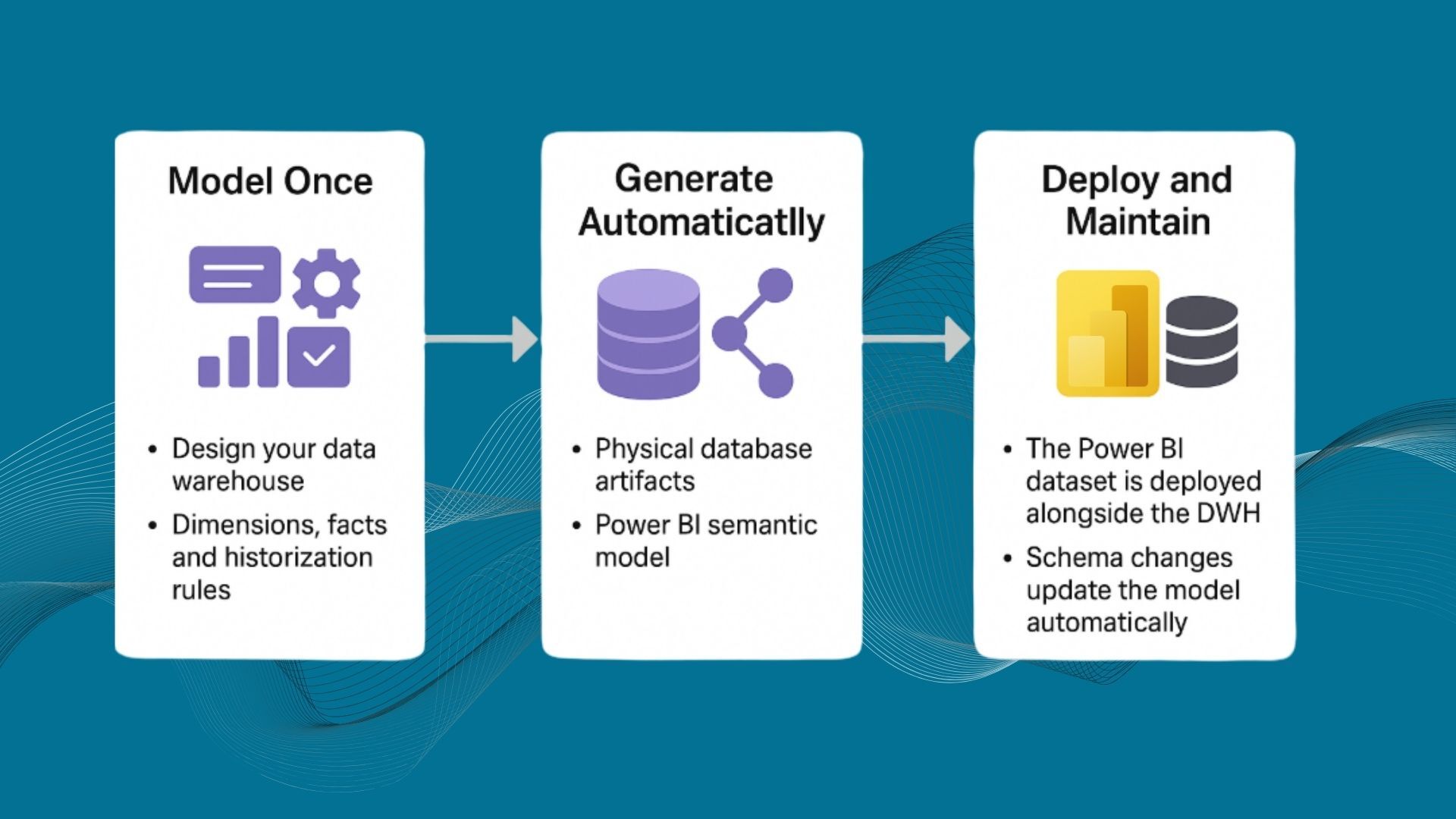


Power BI is an incredible visualization and self-service analytics platform. But without a robust data warehouse (DWH) behind it, Power BI quickly becomes a patchwork of imported Excel spreadsheets, inconsistent DAX measures, and performance issues once PBIX files grow beyond 1 GB. Many organizations start by connecting Power BI directly to operational systems, only to discover that as data volumes and complexity grow, dashboards slow down, data definitions drift, and governance becomes unmanageable.
A data warehouse provides the controlled foundation and sharp Star Schema that Power BI needs. It ensures that the data is:
- Cleaned and conformed: Data from different systems is harmonized before analysis.
- Historical and traceable: Changes in business entities are preserved, enabling true trend and time analysis.
- Consistent and governed: Every metric is calculated from one version of the truth.
“What we deliver to customers is not just data, it’s a semantic layer that connects the technical structure of the data with the way business users think about it.” – Dimitri Sorokin, CTO, AnalyticsCreator
The Role of the Semantic Layer
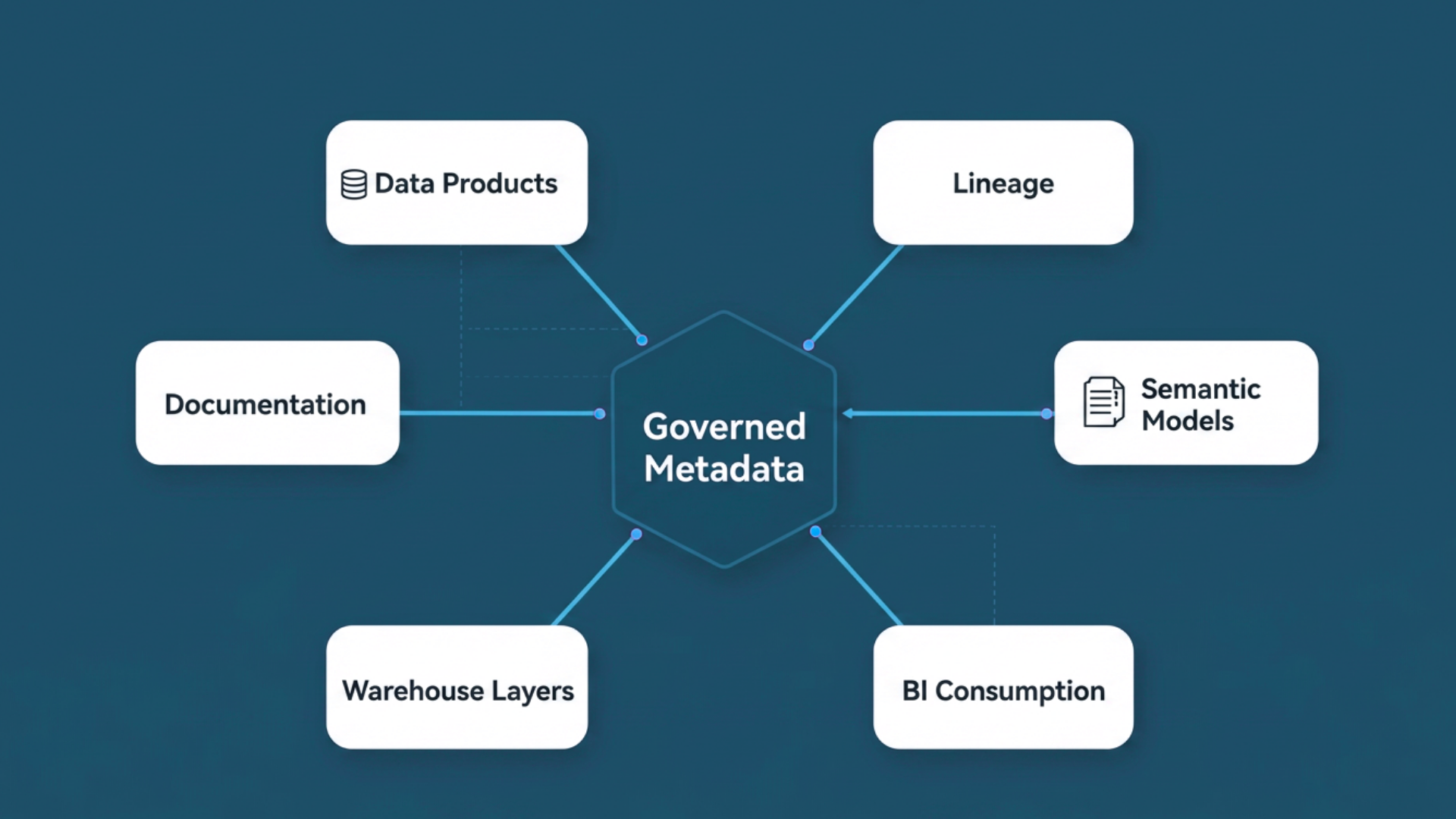
Even with a well-modeled data warehouse, business users shouldn’t be exposed to the raw schema. Fact tables, surrogate keys, and technical naming conventions don’t translate into insights. This is where the semantic model, often built as a Power BI or Analysis Services model, becomes essential.
A semantic model:
- Translates the database schema into business-friendly terms.
- Defines relationships, hierarchies, and measures.
- Enables drag-and-drop reporting without SQL knowledge.
“Between the data and the customer there has to be something – a semantic model – that presents business fields rather than queries. This semantic layer is crucial for user acceptance and for ensuring that Power BI developers can build correct, performant reports on top of governed data.”– Peter Smoly, CEO, AnalyticsCreator
Automating the Bridge Between Data Warehouse and Power BI
Traditionally, data engineers build the warehouse and Power BI developers manually create corresponding models, duplicating logic and risking divergence. AnalyticsCreator eliminates this duplication by automating the generation of Power BI datasets and semantic models directly from DWH metadata.
The process works as follows:
- Model once: Design your data warehouse with dimensions, facts, and historization rules in AnalyticsCreator.
- Generate automatically: AnalyticsCreator generates all physical database artifacts (SQL, pipelines, stored procedures) and simultaneously creates a Power BI semantic model that mirrors the structure.
- Deploy and maintain: The Power BI dataset is deployed alongside the DWH. If you later change the warehouse schema, add a column, rename a measure, adjust a key, the Power BI model updates automatically.
This automation ensures that both backend and frontend stay in sync and that the Power BI model always reflects the authoritative data definition.
“AnalyticsCreator orchestrates the full lifecycle — from data ingestion to semantic model generation and publishes both the SQL data warehouse and the Power BI model automatically on Azure.”– Gustavo Leo, Data Automation Engineer, AnalyticsCreator
What This Means for Power BI Developers
For Power BI developers, a strong DWH foundation and an automatically generated model change everything:
- No more manual modeling: Dimensions, measures, and hierarchies are already created.
- Performance by design: Only relevant columns and relationships are included; unnecessary data is excluded to keep models memory-efficient.
- Consistency across reports: Every dataset is generated from the same metadata, ensuring all KPIs align.
- Focus on insights, not plumbing: Developers can spend their time on visualization, storytelling, and DAX enhancement, not schema management.
In short, AnalyticsCreator turns Power BI into the presentation layer of an automated, governed data architecture, freeing Power BI developers from maintenance work while ensuring architectural integrity.
Building the Modern Microsoft Stack
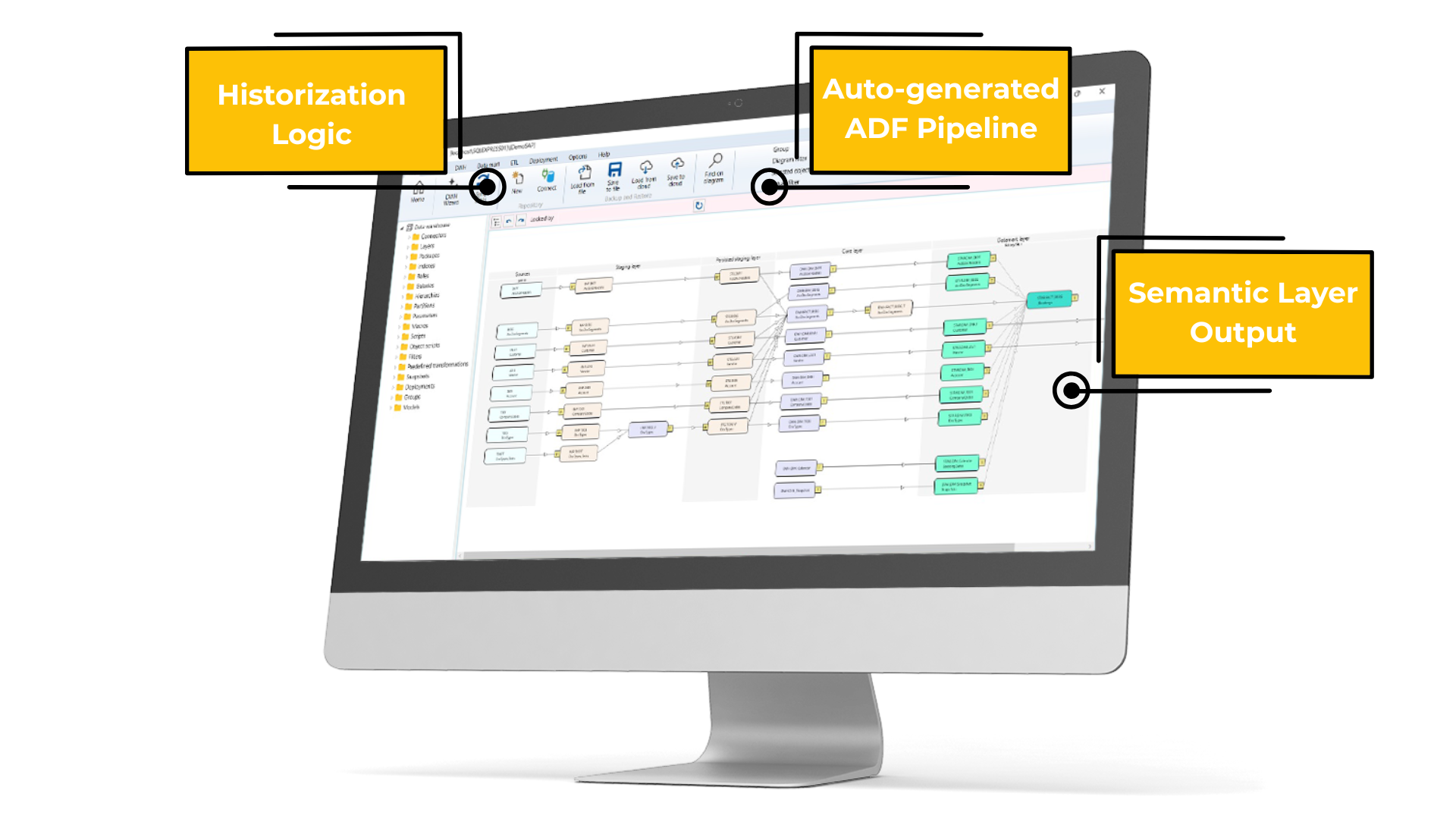
AnalyticsCreator’s automation extends across the Microsoft ecosystem: SQL Server, Azure, and Microsoft Fabric. Its metadata-driven engine generates:
- ETL/ELT logic via Azure Data Factory or SSIS.
- Historization and DWH schemas in SQL Server or Synapse.
- Semantic models for Power BI, Analysis Services, or third-party tools like Qlik and Tableau.
This end-to-end automation means teams can design once, deploy anywhere, and adapt quickly to evolving business needs.
Conclusion: A Semantic Foundation for Scalable Analytics
Power BI is powerful, but it needs structure. A data warehouse provides the performance, governance, and consistency layer; a semantic model provides usability. AnalyticsCreator automates both.
By unifying data warehouse and Power BI model generation, organizations gain:
- Faster time to insight.
- Reduced manual effort and fewer errors.
- A sustainable architecture for self-service analytics.
With AnalyticsCreator, Power BI stops being a collection of reports and becomes the final, governed layer of a modern, automated data platform.