How to Make Data Mesh Work on Microsoft: Metadata Automation Is the Missing Link

How to Make Data Mesh Work on Microsoft: Metadata Automation Is the Missing Link
author
Richard Lehnerdt May 31, 2025
How to Make Data Mesh Work on Microsoft: Metadata Automation Is the Missing Link
7:20

Microsoft’s data stack is ready for Data Mesh—but without metadata automation, implementation becomes manual, fragmented, and unscalable. AnalyticsCreator fills that gap, enabling domain-driven architectures without sacrificing control.

Why Data Mesh Struggles in Practice

Data Mesh promises agility and domain ownership—but without consistent metadata, lineage, or governance, teams end up with duplicated logic and mismatched definitions. For example, finance and marketing might define "customer" differently, leading to fractured insights.

The Microsoft Stack Is Data Mesh-Ready—With One Gap

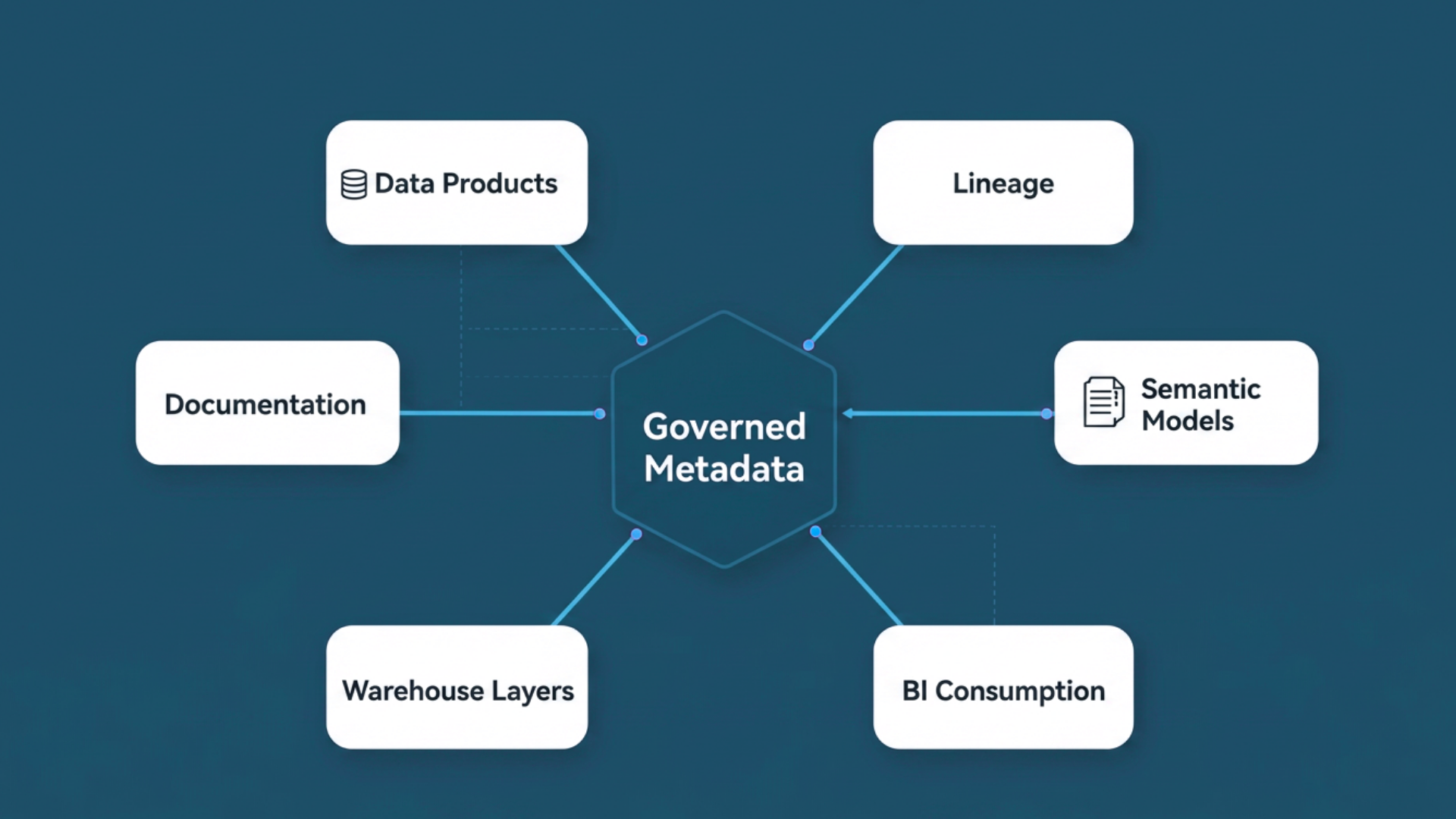
Microsoft Fabric, Synapse, and Power BI offer deep integration across the data lifecycle. But they lack a unified operating model. You still need to standardize metadata, generate technical artifacts, apply governance, and maintain documentation across domains—manually.

Metadata-Driven Automation: The Enabler of Scalable Mesh

To scale Data Mesh securely, you need a platform that can:

  • Automatically generate SQL models, pipelines, and semantic layers
  • Enforce modelling and naming standards across teams
  • Track lineage from source to dashboard
  • Adapt to source changes without manual rewrites
  • Support GDPR and role-based access by design

AnalyticsCreator delivers all this—purpose-built for the Microsoft stack.

How AnalyticsCreator Fits In

  • Model once, deploy many — From raw to curated to semantic layers
  • Auto-generate pipelines and datasets — ADF, Synapse SQL, Fabric, Power BI
  • Metadata-based lineage — Clickable, transparent, across domains
  • Compliance by design — GDPR, column-level security, role-based access
  • CI/CD integration — DevOps workflows with rollback and promotion

Start Small, Scale Fast

Gartner advises starting with a pilot domain and expanding gradually. With AnalyticsCreator, you can define a consistent metadata standard, validate outputs with lineage and logging, and scale domain by domain using reusable templates.

Conclusion

Data Mesh is achievable on Microsoft Azure—but only with automation and governance working together. AnalyticsCreator makes this possible, empowering domain teams without compromising control, compliance, or delivery velocity.

Frequently Asked Questions

Why do most Data Mesh implementations fail?

Most fail due to execution gaps such as manual metadata handling, lack of governance, and inconsistent modeling, not because the architecture itself is flawed.

Can Microsoft Fabric and Synapse support Data Mesh?

Yes, Microsoft’s stack is capable, but it requires metadata-driven automation to ensure consistency, traceability, and domain-level governance.

What is metadata-driven automation in this context?

It means using centralized metadata to auto-generate pipelines, data models, documentation, lineage, and governance rules—removing the need for manual coding.

How does AnalyticsCreator support Data Mesh?

AnalyticsCreator automates model, pipeline, and semantic layer generation across Synapse, Fabric, and Power BI—while embedding lineage and compliance controls.

Does each domain need to develop its own architecture?

No. Domains retain autonomy while reusing shared metadata standards to ensure architectural consistency and interoperability.

What is the best starting point for implementing Data Mesh on Microsoft?

Begin with a focused pilot in a domain like marketing or finance, where data ownership is well-defined and outcomes can be measured quickly.

Is AnalyticsCreator only useful for large enterprises?

Not at all. It supports mid-size organizations and consulting firms that want to scale Microsoft-based Data Mesh without reinventing processes per project.

How does AnalyticsCreator address compliance and security?

Yes, this module integrates smoothly with any HubSpot theme, complementing your design and functionality needs.
Related Blogs

Metadata-Driven Lineage in Microsoft Fabric: Automate Compliance and Governance

Metadata-Driven Lineage in Microsoft Fabric: Automate Compliance and Governance
GO TO >

Metadata-Driven Automation in Microsoft Data Warehousing: From Manual Builds to CI/CD

Metadata-Driven Automation in Microsoft Data Warehousing: From Manual Builds to CI/CD
GO TO >

Why Metadata Should Be the Single Source of Truth in Microsoft Data Warehouses

Why Metadata Should Be the Single Source of Truth in Microsoft Data Warehouses
GO TO >

How AnalyticsCreator Automates SCD Type 2 Historization for Dimensional Models

How AnalyticsCreator Automates SCD Type 2 Historization for Dimensional Models
GO TO >

Metadata-Driven Lineage in Microsoft Fabric: Automate Compliance and Governance

Metadata-Driven Lineage in Microsoft Fabric: Automate Compliance and Governance
GO TO >

Metadata-Driven Automation in Microsoft Data Warehousing: From Manual Builds to CI/CD

Metadata-Driven Automation in Microsoft Data Warehousing: From Manual Builds to CI/CD
GO TO >

Why Metadata Should Be the Single Source of Truth in Microsoft Data Warehouses

Why Metadata Should Be the Single Source of Truth in Microsoft Data Warehouses
GO TO >

How AnalyticsCreator Automates SCD Type 2 Historization for Dimensional Models

How AnalyticsCreator Automates SCD Type 2 Historization for Dimensional Models
GO TO >

Metadata-Driven Lineage in Microsoft Fabric: Automate Compliance and Governance

Metadata-Driven Lineage in Microsoft Fabric: Automate Compliance and Governance
GO TO >

Metadata-Driven Automation in Microsoft Data Warehousing: From Manual Builds to CI/CD

Metadata-Driven Automation in Microsoft Data Warehousing: From Manual Builds to CI/CD
GO TO >

Why Metadata Should Be the Single Source of Truth in Microsoft Data Warehouses

Why Metadata Should Be the Single Source of Truth in Microsoft Data Warehouses
GO TO >

How AnalyticsCreator Automates SCD Type 2 Historization for Dimensional Models

How AnalyticsCreator Automates SCD Type 2 Historization for Dimensional Models
GO TO >

Metadata-Driven Lineage in Microsoft Fabric: Automate Compliance and Governance

Metadata-Driven Lineage in Microsoft Fabric: Automate Compliance and Governance
GO TO >

Metadata-Driven Automation in Microsoft Data Warehousing: From Manual Builds to CI/CD

Metadata-Driven Automation in Microsoft Data Warehousing: From Manual Builds to CI/CD
GO TO >

Why Metadata Should Be the Single Source of Truth in Microsoft Data Warehouses

Why Metadata Should Be the Single Source of Truth in Microsoft Data Warehouses
GO TO >

How AnalyticsCreator Automates SCD Type 2 Historization for Dimensional Models

How AnalyticsCreator Automates SCD Type 2 Historization for Dimensional Models
GO TO >

Metadata-Driven Lineage in Microsoft Fabric: Automate Compliance and Governance

Metadata-Driven Lineage in Microsoft Fabric: Automate Compliance and Governance
GO TO >

Metadata-Driven Automation in Microsoft Data Warehousing: From Manual Builds to CI/CD

Metadata-Driven Automation in Microsoft Data Warehousing: From Manual Builds to CI/CD
GO TO >

Why Metadata Should Be the Single Source of Truth in Microsoft Data Warehouses

Why Metadata Should Be the Single Source of Truth in Microsoft Data Warehouses
GO TO >

How AnalyticsCreator Automates SCD Type 2 Historization for Dimensional Models

How AnalyticsCreator Automates SCD Type 2 Historization for Dimensional Models
GO TO >

Metadata-Driven Lineage in Microsoft Fabric: Automate Compliance and Governance

Metadata-Driven Lineage in Microsoft Fabric: Automate Compliance and Governance
GO TO >

Metadata-Driven Automation in Microsoft Data Warehousing: From Manual Builds to CI/CD

Metadata-Driven Automation in Microsoft Data Warehousing: From Manual Builds to CI/CD
GO TO >

Why Metadata Should Be the Single Source of Truth in Microsoft Data Warehouses

Why Metadata Should Be the Single Source of Truth in Microsoft Data Warehouses
GO TO >

How AnalyticsCreator Automates SCD Type 2 Historization for Dimensional Models

How AnalyticsCreator Automates SCD Type 2 Historization for Dimensional Models
GO TO >

Metadata-Driven Lineage in Microsoft Fabric: Automate Compliance and Governance

Metadata-Driven Lineage in Microsoft Fabric: Automate Compliance and Governance
GO TO >

Metadata-Driven Automation in Microsoft Data Warehousing: From Manual Builds to CI/CD

Metadata-Driven Automation in Microsoft Data Warehousing: From Manual Builds to CI/CD
GO TO >

Why Metadata Should Be the Single Source of Truth in Microsoft Data Warehouses

Why Metadata Should Be the Single Source of Truth in Microsoft Data Warehouses
GO TO >

How AnalyticsCreator Automates SCD Type 2 Historization for Dimensional Models

How AnalyticsCreator Automates SCD Type 2 Historization for Dimensional Models
GO TO >
meet-the-team-bg

Meet the team:

Ellipse 307

Mr. Peter Smoly CEO

Peter Smoly is a serial entrepreneur in the Data Warehouse and Business Analytics as well software development. All together more than 25 years’ experience as a founder, CEO, project manager and consultant.

Ellipse 307

Mr. Peter Smoly CEO

Peter Smoly is a serial entrepreneur in the Data Warehouse and Business Analytics as well software development. All together more than 25 years’ experience as a founder, CEO, project manager and consultant.