Get trial

English

Model-Driven Design

Model first. Then generate.

Develop the model and code together. Retain the knowledge. Generate native assets.

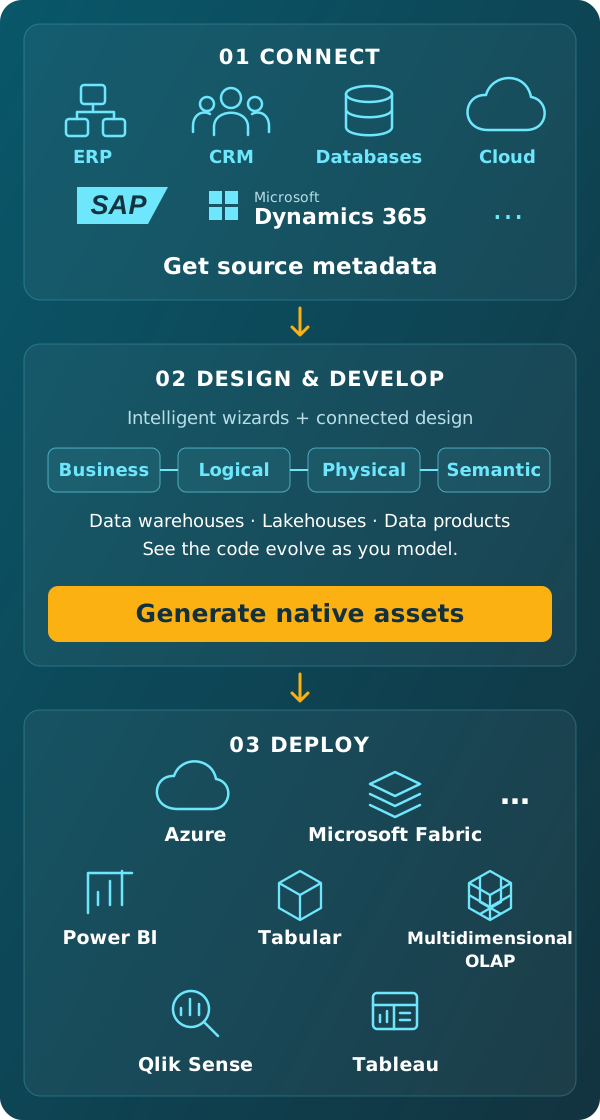
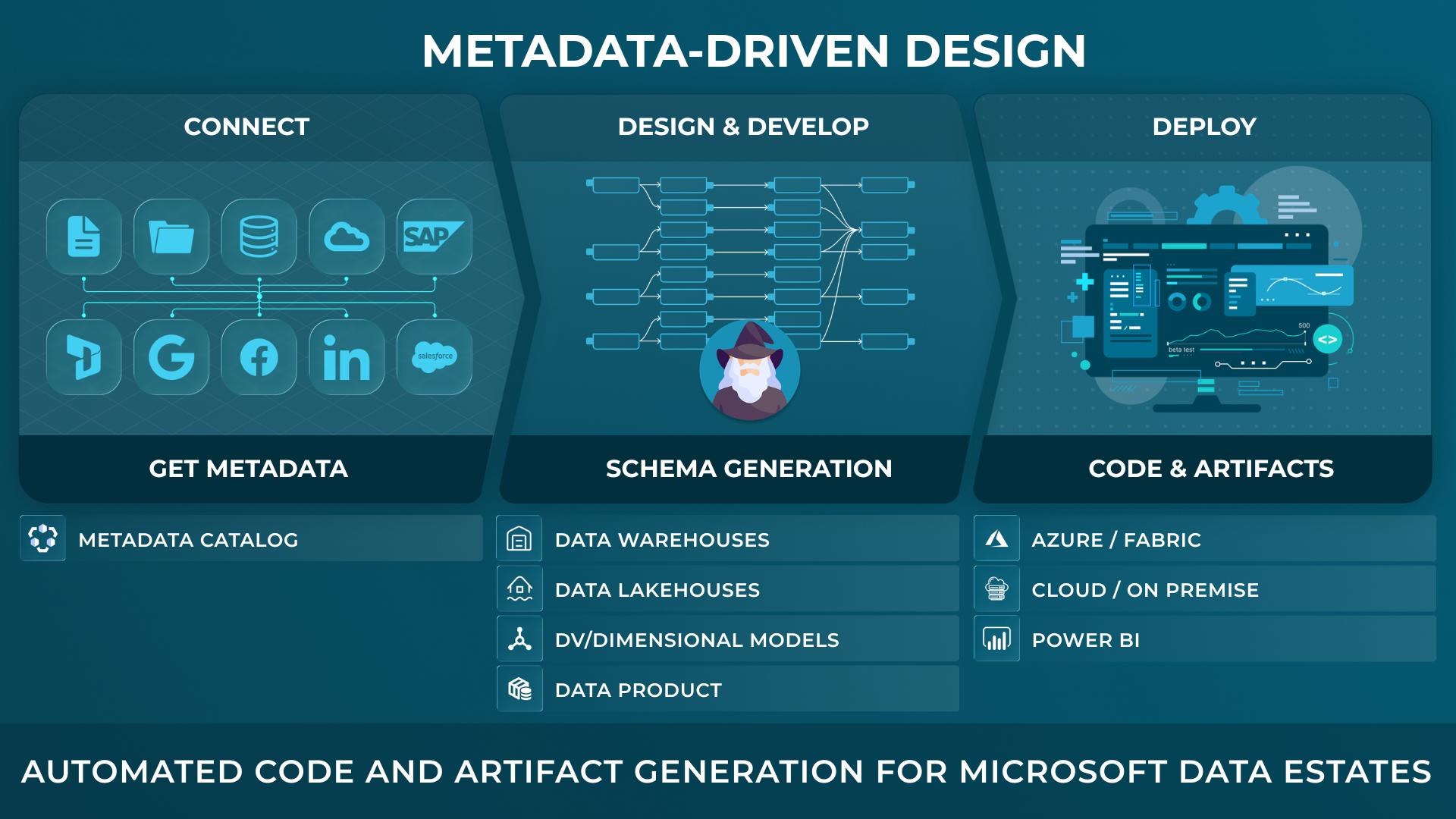
Develop business, logical, physical and semantic models using AnalyticsCreator's intelligent wizards and design tools. The corresponding code is visible alongside the model and evolves as you work. Business definitions, relationships, transformation logic, lineage and documentation remain connected in the governed project. From this developed project, generate native implementation assets for the supported target environment.

Connect source metadata, develop models with visible code, then generate native assets and deploy.
Why Model-First Matters

Stop letting implementation become the source of truth.

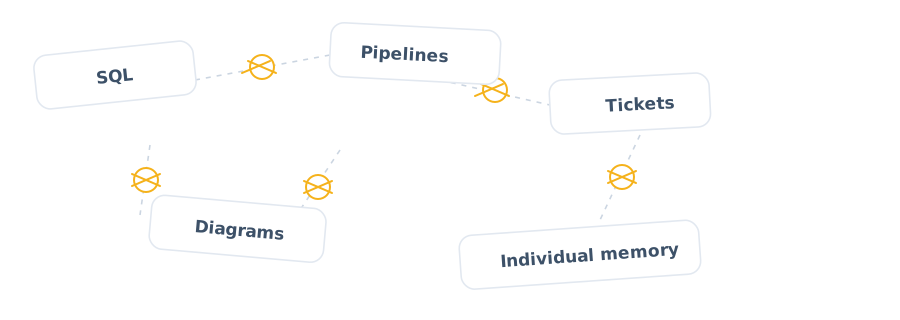
When implementation is developed across separate SQL scripts, pipelines, tickets and diagrams, the reasoning behind the solution can become fragmented. The assets may run, but business meaning and dependency logic are difficult to understand, review and maintain.

Business meaning and design decisions scattered across SQL, pipelines, tickets, diagrams and individual knowledge

AnalyticsCreator keeps design intent in the governed model.

Teams develop the structures, rules and transformation logic in the connected model, with the corresponding code visible as they work.

As requirements evolve, the project keeps design decisions and their implementation together.

  • Keep business definitions and technical structures connected.
  • Make relationships, rules and transformation logic visible before release.
  • Retain architecture decisions beyond the people who first made them.
  • Use the model as the governed basis for lineage, documentation and generation.
Architecture Methods

Use the architecture that fits the data product.

AnalyticsCreator supports established modelling methods and layered architectures. Teams can apply the structure that fits the business and technical requirements of their project.

Kimball

Dimensional modelling for reporting and analytics.

Data Vault 2.0

Historisation, integration and scalable change.

3NF and Inmon

Normalised structures for enterprise models.

Hybrid Designs

Combine modelling approaches across staging, core, warehouse, datamart and semantic layers.

Medallion Architecture

Organise data into Bronze, Silver and Gold layers, from source ingestion through refinement to analytical use.

Optional templates and reusable model elements

Teams can create templates and reuse selected parts where they fit the project, including starting points for SAP and Microsoft Dynamics NAV. AnalyticsCreator's wizards work from source metadata and development choices to create a project-specific model; a complete template is not required.

request-demo-bg-min

CEO:
“How to create a modern data analytics platform”

Peter Smoly, CEO of Analytics Creator explains how to build a modern data warehouse new and changing requirements from business and IT result in a dificiency of your data architecture.

peter_smoly-ceo
Guided Design

Develop with intelligent wizards. See the code as you model.

1

Start with source metadata

Collect and inspect metadata from the selected sources. Use it as the starting point for developing the project's structures, relationships and processing logic.

2

Develop the model and code together

Use intelligent wizards and design tools to define transformations, historisation, relationships and semantic models. The corresponding code is immediately visible and evolves with the design.

3

Prepare the target implementation

Review the connected model and implementation, then generate the supported native assets and deployment packages for the selected environment.

Rapid Prototyping

Build a working prototype. Keep the design as it grows.

Move from source metadata and initial requirements to a representative part of the solution. Develop the model and its corresponding code together, then prepare the native assets for a development environment.

Use test data to validate processing and review the approach with the people defining the requirements. AnalyticsCreator's testing feature compares results with expected outcomes and records differences in test reports.

The proof of concept can incorporate the processing behaviour intended for the wider solution, including Slowly Changing Dimensions, delta loading, historisation, transformations, data pipelines and stored procedures for data processing.

Develop, validate and extend the same project:

  1. Import and inspect source metadata.
  2. Develop model structures and processing logic, with code visible as you work.
  3. Generate native assets for the prototype environment.
  4. Validate the relevant processing using test data.
  5. Review the results with architects, engineers and analysts.
  6. Incorporate feedback and extend the connected project.

From prototype to production

The model and implementation developed for the prototype remain part of the project. Teams can extend them as requirements become clearer, with project versioning, regression testing and deployment controls supporting subsequent changes.

Change Impact

Understand the dependencies. Develop the change in context.

When source metadata is refreshed in AnalyticsCreator, affected places are automatically shown in the project lineage. Connected relationships help teams identify the structures, transformations and semantic objects that need attention.

Update the relevant design with its corresponding code visible during development. Generate the selected native assets and deployment packages from the revised project.

From Development to Deployment

Keep the model and code connected. Prepare native assets for deployment.

The governed project contains the models and implementation code developed together in AnalyticsCreator. From this project, teams generate supported native assets and deployment packages for the selected target environment.

Through AnalyticsCreator Design Intelligence , available saved-project context can also support authorised AI agents with analysis, explanation and technical proposals.

Model-driven design: common questions

Can I see the implementation code while modelling?

Yes. The corresponding code is immediately visible alongside the model and evolves as you develop structures, relationships and transformation logic. The governed project keeps the models and implementation code connected throughout development.

What does AnalyticsCreator generate from the model?

The project contains models and implementation code developed together. AnalyticsCreator generates supported native assets and deployment packages for the selected target, including SQL Server database artefacts, SSIS packages, Azure Data Factory pipelines, Microsoft Fabric assets and Power BI semantic models. Documentation is also generated from the project.

Which architecture methods does AnalyticsCreator support?

AnalyticsCreator supports Kimball dimensional modelling, Data Vault 2.0, 3NF/Inmon, hybrid designs and Medallion architecture. Its wizards work from source metadata and development choices. Teams can also reuse templates or selected model elements where appropriate, including starting points for SAP and Microsoft Dynamics NAV.

Does prototype testing require production data?

No. Prototype testing can use test data to validate the relevant processing. AnalyticsCreator’s testing feature compares results with expected outcomes and records differences in test reports. Regression testing helps identify unintended effects after changes.

What happens when source metadata changes?

After source metadata is refreshed, affected places are automatically shown in the project lineage. Teams can follow the dependencies and update the relevant design, with the corresponding code visible during development. Selected native assets can then be regenerated.