Explain an existing project
Available definitions, relationships and transformation context support explanations of how the solution fits together. Recorded rationale adds context where it exists.

English
Build AI-assisted analysis and development around the definitions, relationships and transformation logic recorded in your AnalyticsCreator project. Design Intelligence exposes saved-project context through MCP, helping authorised agents explain the model, assess dependencies and prepare proposals for review.
Connect AI work to the design knowledge your team maintains.
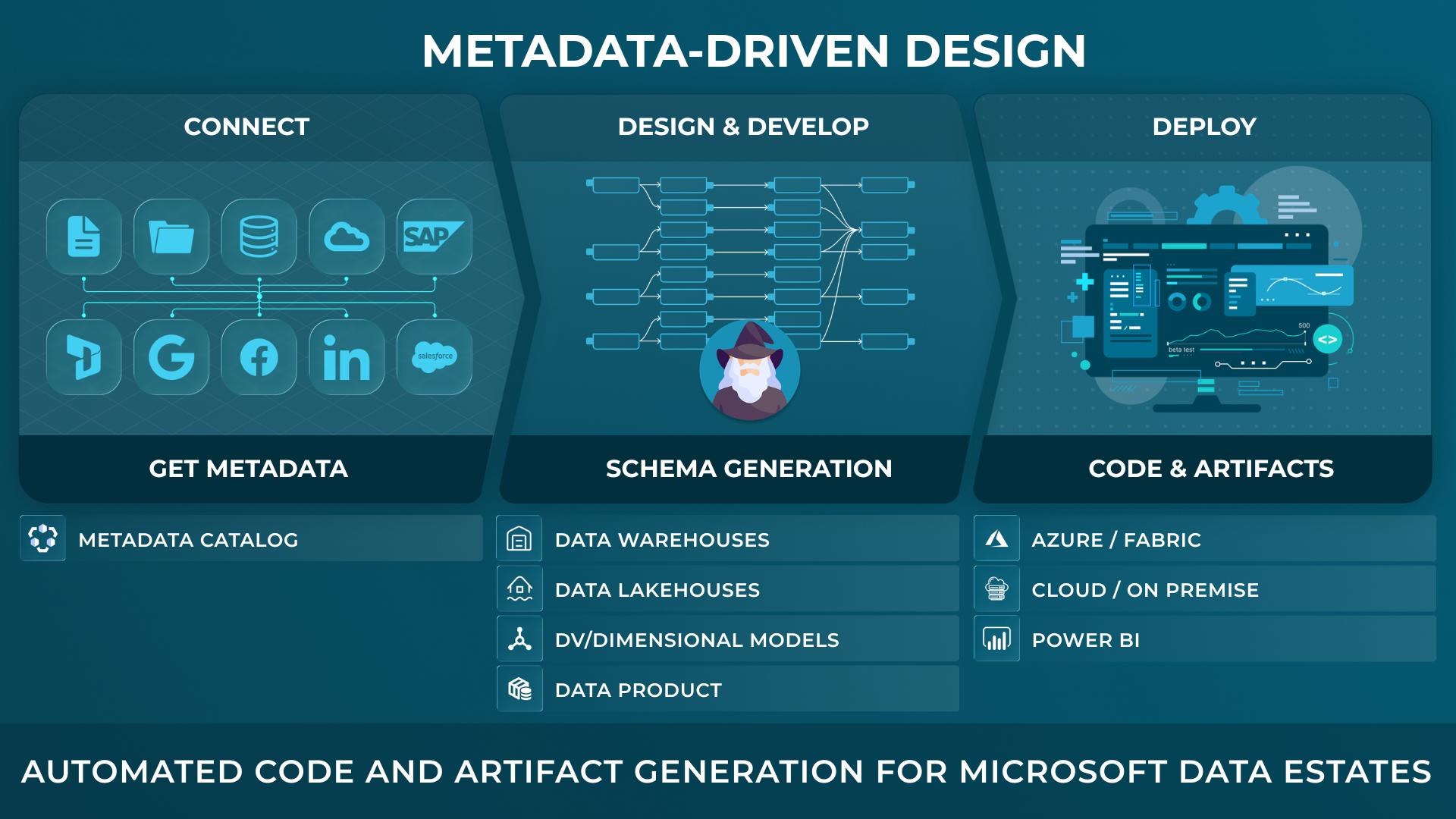
AnalyticsCreator gives data teams a metadata-driven design application to define and import metadata, model target structures, generate implementation artifacts, and see lineage and change impact before deployment across SQL Server, Azure, Microsoft Fabric and Power BI.
Built for technical buyers who need faster delivery, visible lineage, and controlled change across the Microsoft data estate.
An agent explaining a model, assessing a change or generating code against tables and columns needs context for interpreting them correctly.
The grain of a table, the purpose of a relationship and the logic behind a transformation can determine whether an explanation or proposed change is appropriate.
AnalyticsCreator keeps design information connected in the governed project. Design Intelligence surfaces that context during AI-assisted work. Explanations of why a decision was made depend on that rationale being recorded.
Available definitions, relationships and transformation context support explanations of how the solution fits together. Recorded rationale adds context where it exists.

Confirmed dependencies provide context for assessing a proposed change. Missing information and incomplete coverage remain explicit alongside the findings.
Recorded project context supports proposals for definitions, documentation and implementation changes, subject to the organisation's review and approval controls.
Peter Smoly, CEO of Analytics Creator explains how to build a modern data warehouse new and changing requirements from business and IT result in a dificiency of your data architecture.
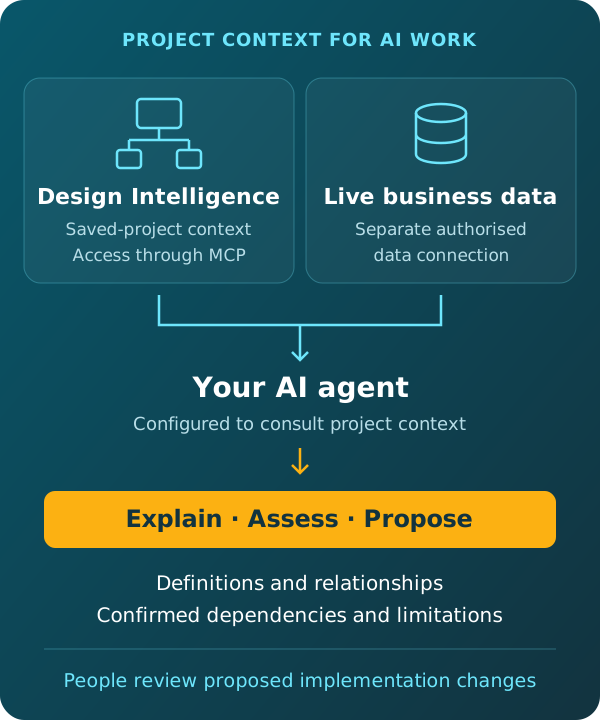
An authorised MCP-compatible agent can consult Design Intelligence for available saved-project context and query live business data through a separate authorised connection.
This allows analysis to draw on project definitions, relationships and transformation context alongside query results. The agent must be configured to consult the relevant project; connecting Design Intelligence does not automatically make every agent use it.
The context reflects the saved project and its supported coverage. Missing information and unconfirmed dependencies must remain visible in the analysis.
AI can interpret project context and propose changes. Those proposals remain subject to the organisation's review and approval controls.
Models and their corresponding implementation code develop together in AnalyticsCreator. The code remains visible as the design evolves, and supported native assets are prepared from the connected project.
Deterministic generation is an AnalyticsCreator capability. AI assistance does not replace that process or the validation and release controls applied to the solution.
Table and column names alone may not explain what a measure means, how records relate or which transformations affect a result. Through Design Intelligence, an agent can consult the available project definitions and relationships to support its interpretation and identify questions that need clarification.
Design Intelligence provides access to available context from saved AnalyticsCreator projects, including definitions, grain, relationships, transformation context and confirmed dependencies. The information available depends on project content and supported coverage. Recorded design rationale can support explanations of why a decision was made.
Yes, if it has a separate authorised data connection. The agent can combine live query results with project context obtained through Design Intelligence. Design Intelligence supplies the available design context; it does not provide the live-data connection.
No. The agent needs MCP support, authorised access and instructions or workflow configuration directing it to consult Design Intelligence. The workflow should also account for missing project information and incomplete coverage.
No. Design Intelligence provides available project context for AI-assisted interpretation, analysis and proposals. Models and implementation code develop together in AnalyticsCreator, which applies its deterministic generation capabilities to prepare supported native assets. Proposed changes remain subject to review, validation and release controls.
Coverage depends on the saved project and the information Design Intelligence supports. Confirmed dependencies and known limitations should be reported together. Missing coverage should not be treated as evidence that an object has no dependencies.
REGISTER NOW AND ACTIVATE YOUR FREE TRIAL