
AnalyticsCreator evaluation · Step 1 of 5
Get the big picture
Understand how AnalyticsCreator connects source systems, turns business requirements into governed analytical models and generates complete solutions for the Microsoft data stack.
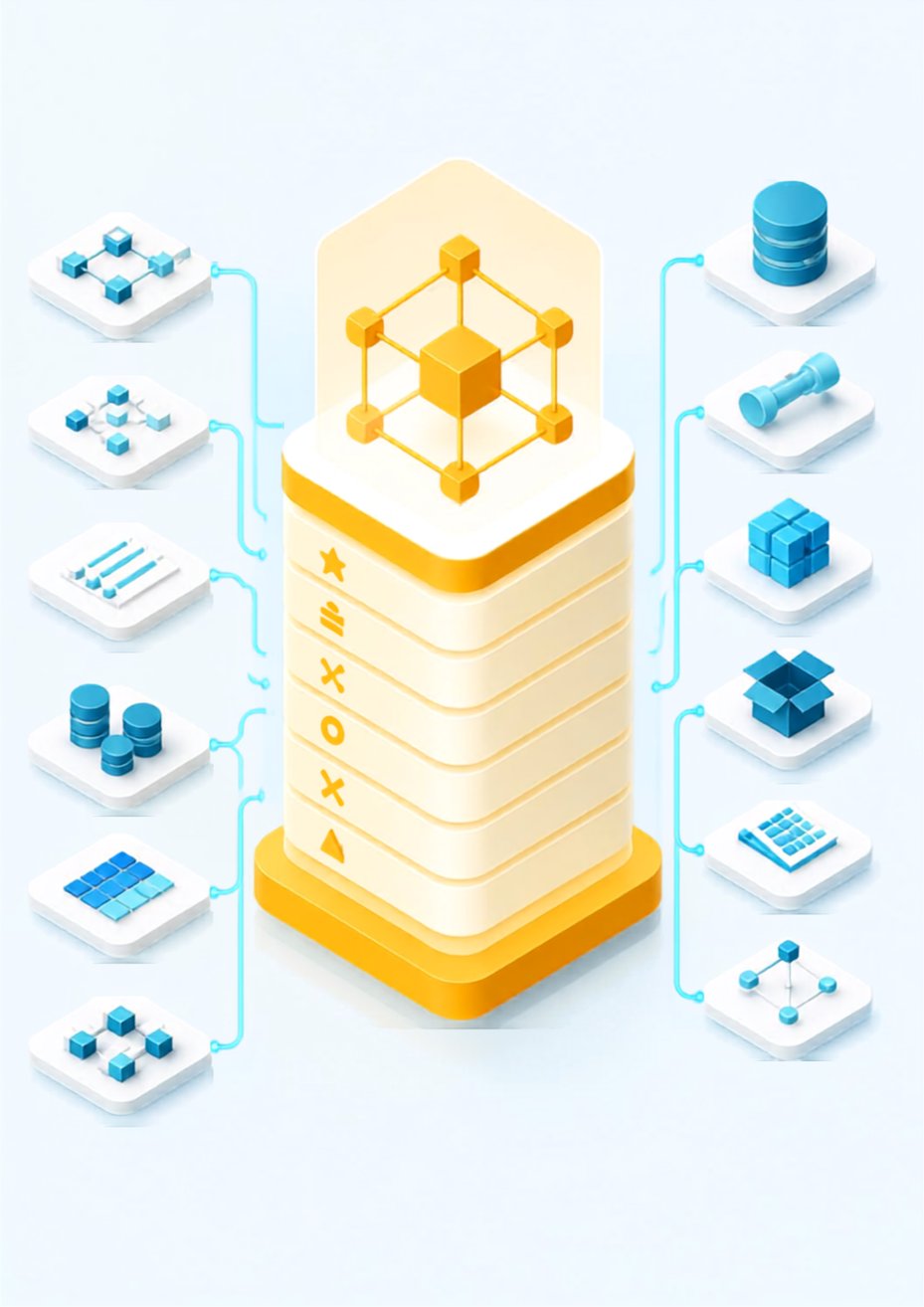
The product in one minute
Connect sources. Model the solution. Generate and deploy the target environment.
AnalyticsCreator is a metadata-driven data product engineering tool for the Microsoft data stack. It provides one governed environment for connecting source metadata, modelling the business and analytical solution, and generating the complete technical implementation.
Connect sources and retrieve metadata
Connect databases, files, SAP sources and other systems. AnalyticsCreator retrieves their technical metadata without storing the operational business data.
Design the business and analytical model
Define business concepts, relationships, mappings, architectural layers, transformations, historisation and the target analytical structure.
Wizards, assistants and reusable patterns support the modelling process. The corresponding code, lineage and dependencies are updated and visible as the model develops.
Generate and deploy production-ready artefacts
Generate and deploy the database structures, ingestion and transformation processes, semantic models, deployment packages, documentation, lineage and testing-related outputs required for the selected Microsoft environment.
The approved metadata model remains the authority. As the model changes, AnalyticsCreator immediately updates the corresponding code while preserving the business rules, architecture and dependencies behind it.
Metadata-driven development
One governed model controls the complete lifecycle
Business rules, mappings, transformations, architecture and dependencies are maintained as structured metadata. Generated code and deployment assets remain connected to this governed model throughout the lifecycle of the solution.
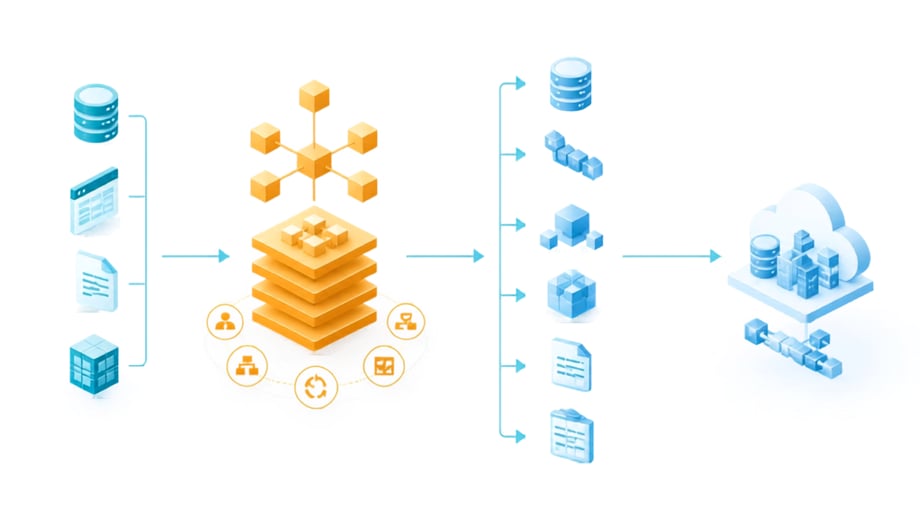
AnalyticsCreator is used during design, generation and deployment. The resulting workloads run independently in the target environment and do not require an AnalyticsCreator production runtime.
Modelling and engineering
Use proven approaches or apply your own standards
AnalyticsCreator does not force every organisation into one modelling methodology. Use embedded approaches, combine them or apply your own architecture and delivery standards.
Kimball modelling
Design facts, dimensions, stars and analytical structures with the required relationships and historisation.
Data Vault 2.0
Model hubs, links, satellites and the corresponding loading and historisation structures.
3NF and Inmon-style models
Build integrated and normalised enterprise data warehouse structures.
Hybrid architectures
Combine modelling approaches and architectural layers within the same solution.
Wizards and templates
Apply guided patterns for ingestion, transformation, persistence, calendars, modelling and historisation.
Your standards and logic
Add organisation-specific architecture, naming, transformation and deployment conventions.
Generated target environment
More than database objects
The exact outputs depend on the selected architecture and Microsoft target environment. All outputs are generated from the same governed project model.
Warehouse objects and schemas
Tables, views, relationships, staging structures, core warehouse models and data marts.
Ingestion and transformations
Loading, transformation, scheduling and orchestration assets for the selected Microsoft technology.
Historisation and change handling
Slowly changing dimensions, snapshots, delta processes and audit information.
Semantic models
Analytical structures that remain aligned with the approved warehouse and business model.
Deployment and DevOps assets
Deployment packages and generated assets for controlled release into the target environment.
Documentation, lineage and testing support
Documentation, lineage, impact information and testing-related outputs generated from the same project metadata.
Different business models
How different organisations use AnalyticsCreator
AnalyticsCreator’s versatile capabilities allow different organisations to use it within a range of services, products and customer offerings. From consulting and managed services to software products and partner-developed extensions, the same core capabilities can support different business models.
Consulting
Deliver prototypes, warehouses, migrations and analytical solutions through a model-first process.
Explore consultingManaged Services
Build repeatable data warehouse and analytics services with governed customer-specific designs.
Explore managed servicesSaaS and Platform Providers
Deliver scalable analytical services while retaining customer-specific technical implementations.
Explore platform modelsISVs
Add generated warehouse, data mart and semantic-model foundations to an existing product.
Explore the ISV modelValue-Added Partners
Create templates, connectors, generators, MCP services, accelerators and specialist add-ins.
Explore value-added modelsSolution Partnerships
Combine complementary services or technology in a defined customer solution.
Explore solution partnershipsFreelancers and MVPs
Extend individual capacity and deliver advanced modelling without building a large engineering team.
Explore the freelancer modelReferral Partners
Introduce suitable organisations without taking responsibility for technical delivery.
Explore referralsTechnology Partners
Connect APIs, sources, testing tools, governance solutions, AI services and front ends.
Explore technology partnershipsAutomated BI development
AnalyticsCreator is the control layer. AI operates within the workflow.
AnalyticsCreator maintains the approved business and data model, engineering rules, dependencies and lifecycle process.
Deterministic generators and specialised AI capabilities can operate within this governed workflow instead of creating disconnected outputs from isolated prompts.
As AI capabilities improve, they can be introduced into the workflow without replacing the governed metadata foundation.
Step 3 explains how AnalyticsCreator controls automated and AI-assisted development throughout the complete solution lifecycle.
Recommended resources
Review the supporting material
AnalyticsCreator at a glance
Review the core modelling, generation, deployment and governance capabilities.
Open product overviewSee AnalyticsCreator in action
Watch how source metadata becomes a governed model and a deployable Microsoft data environment.
Watch demonstrationExplore the documentation
Review detailed concepts, workflows, modelling features and technical reference material.
Open documentation